
Connecting API Binance
To trade on Binance Futures, ensure that:
- Your Futures account is activated (otherwise, only a Spot key will be created).
- Classic Trading mode is enabled (otherwise, the bot will stop with an error).
- Your trading account is funded, otherwise the Binding may not work properly.
Fast connection to Binance
Section titled “Fast connection to Binance”Fast connection is available for main accounts. Subaccounts can only be connected manually.
-
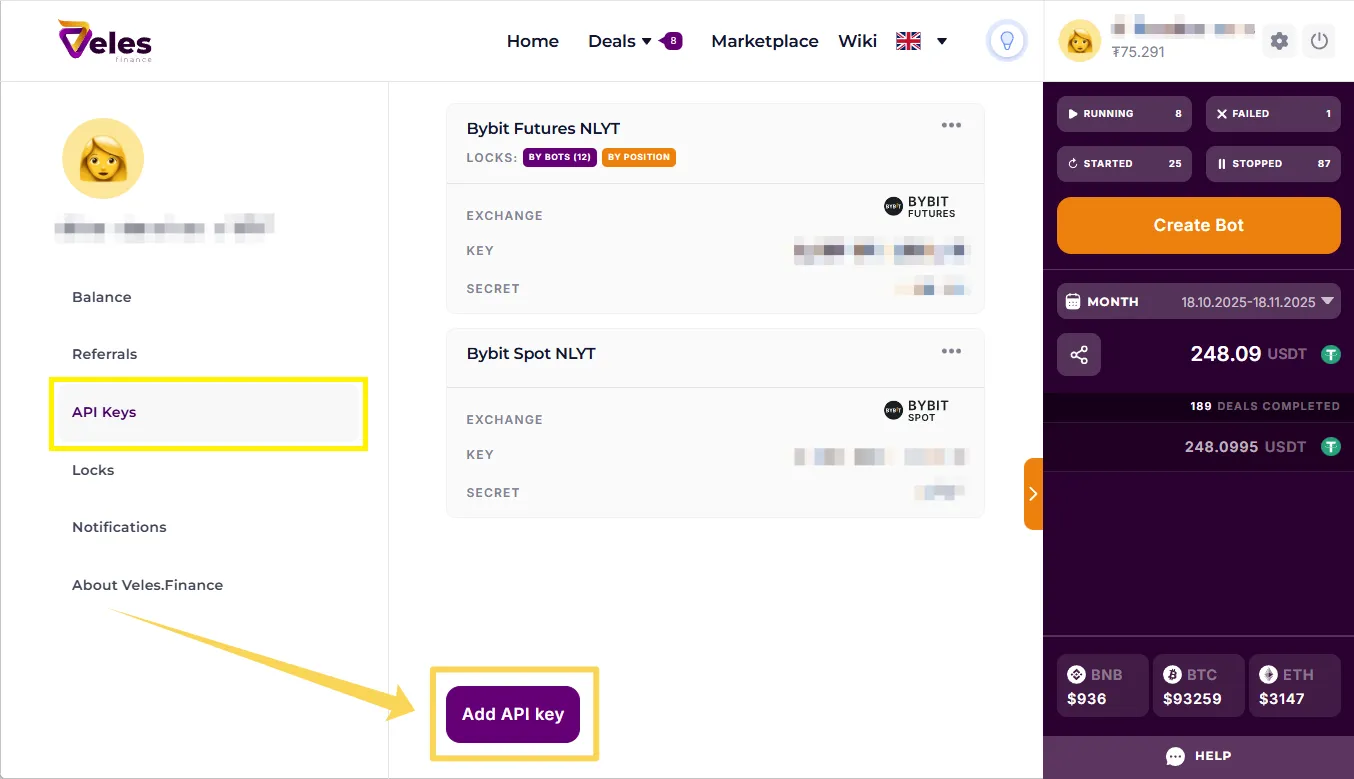
Go to the API key management page or open the Create bot window.
-
Click Add API Key and select Binance.
-
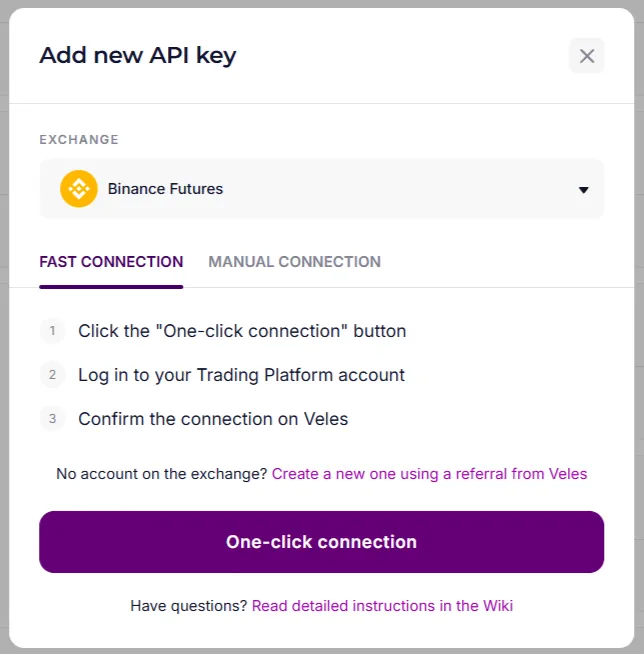
Select “One-click connection”.
-
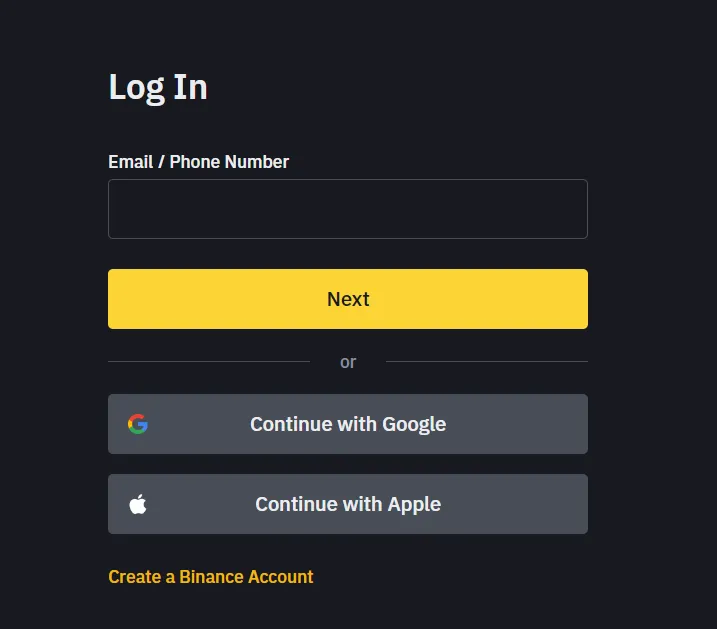
Log in to your Binance account.
-
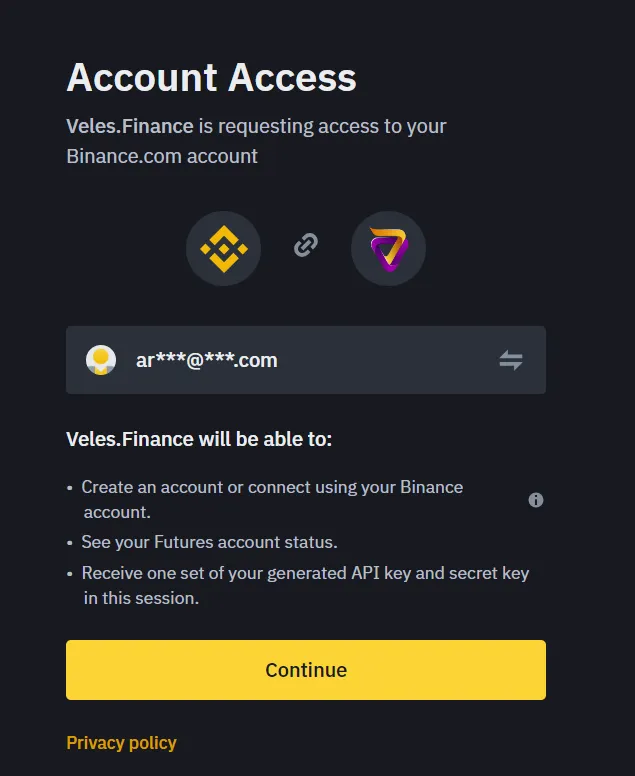
Confirm the request to link your Veles account to Binance.
-
All set — you can now run bots on your Binance Spot and Futures accounts.
If for some reason “Fast connection” does not work, use manual connection.
Manually creating an API key on Binance and binding it to Veles
Section titled “Manually creating an API key on Binance and binding it to Veles”Creating an API key on Binance
Section titled “Creating an API key on Binance”-
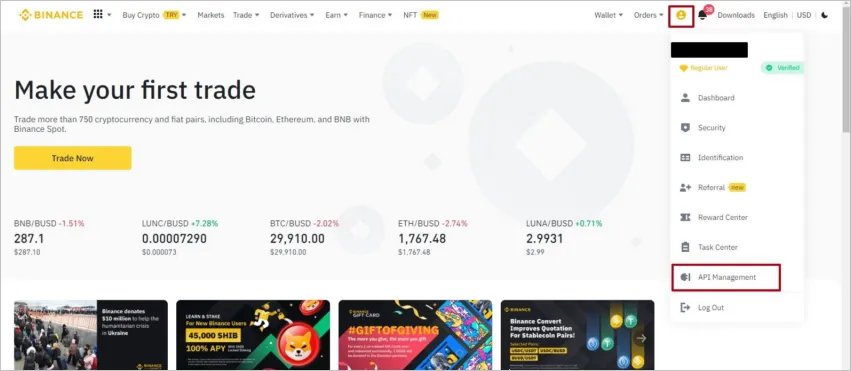
Log in to your Binance account → open “Account” in the profile menu → select “API Management”.
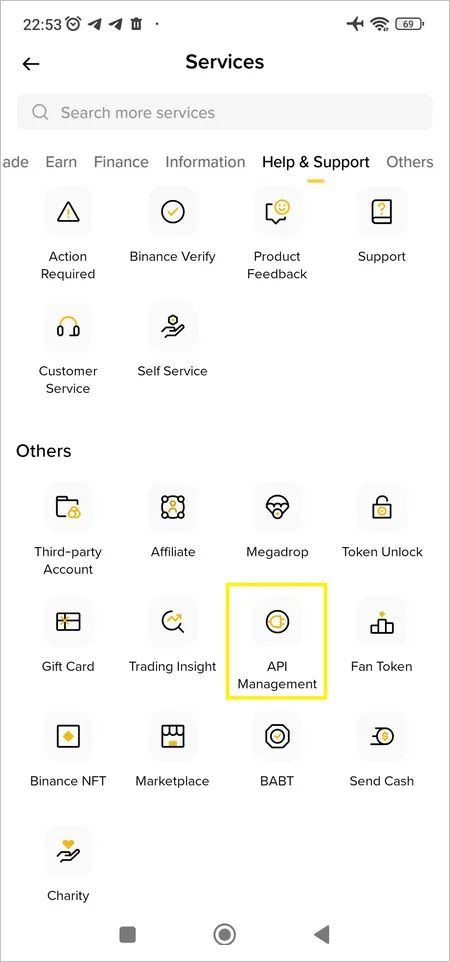
On your mobile device (in Pro mode), tap “More”, then select “API Management”.
-
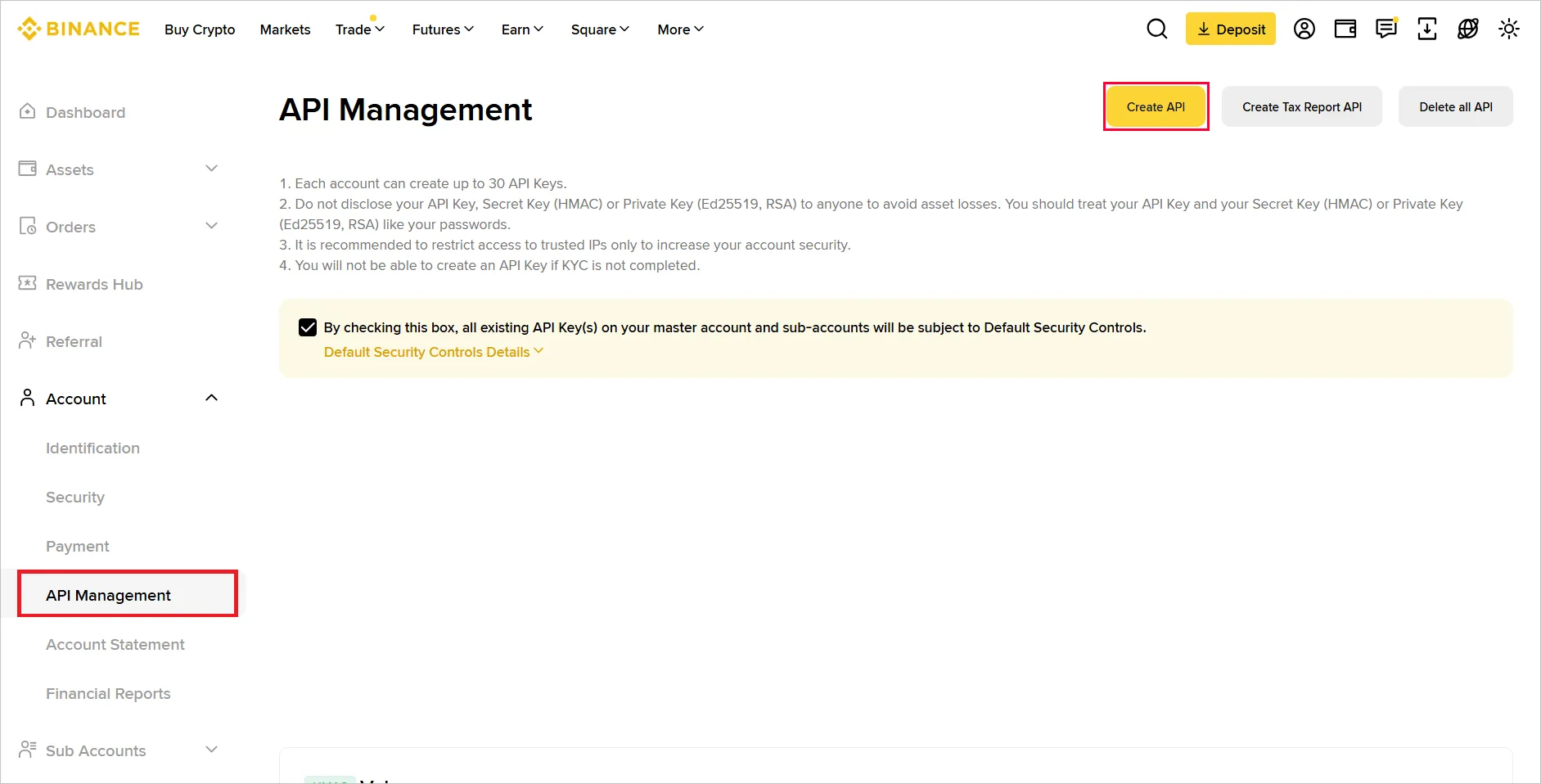
Click Create API.
-
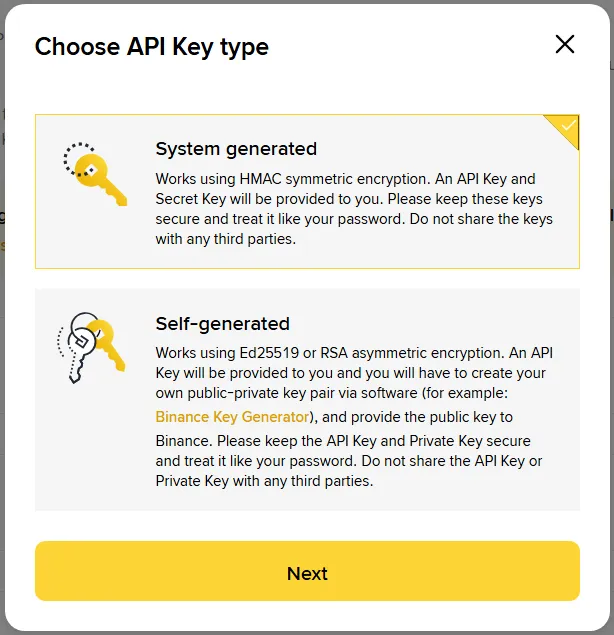
Select the “System generated” API key type and click Next.
-
Enter a name for the key and click Next.
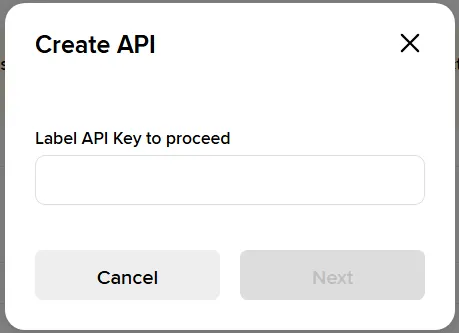
-
Pass the security check via 2FA.
Two-factor authentication is required to create an API.
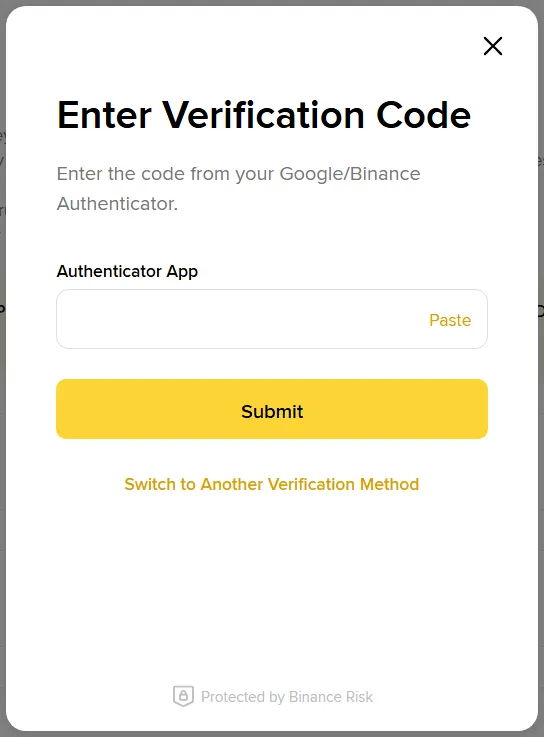
-
After key creation, in the key settings, click “Edit restrictions” and configure IP access restrictions.
Enable the “Restrict access to trusted IPs only” option.
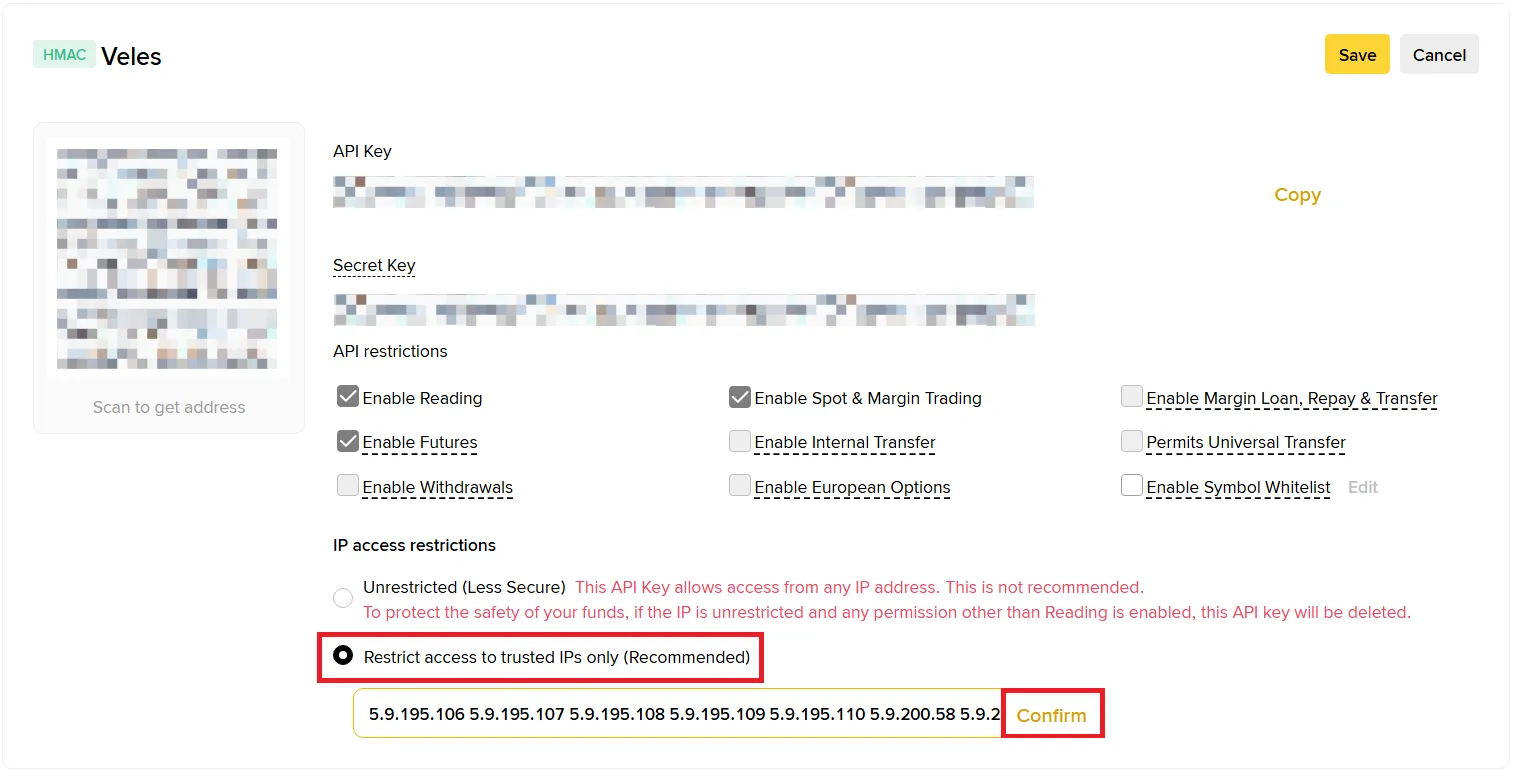
Add Veles IP addresses:
5.9.195.106 5.9.195.107 5.9.195.108 5.9.195.109 5.9.195.110 5.9.200.58 5.9.200.59 5.9.200.60 5.9.200.61 5.9.200.62 88.198.100.162 88.198.100.163 88.198.100.164 88.198.100.165 88.198.100.166 -
Also mark the following options:
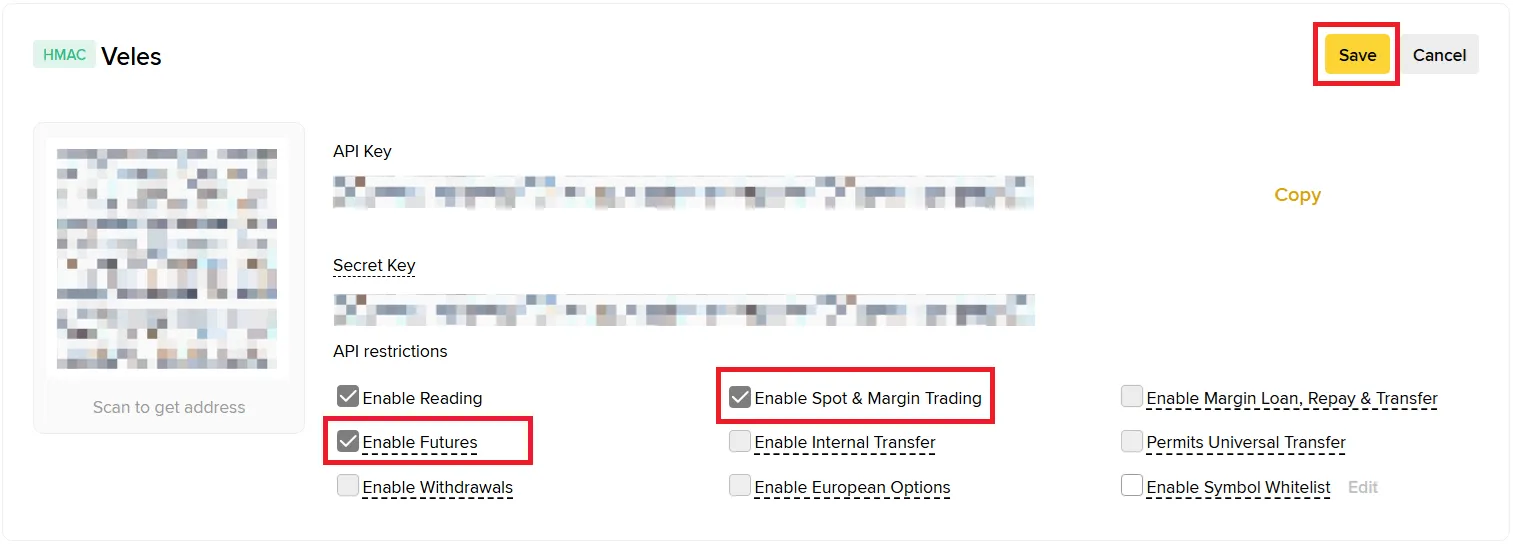
- Enable Spot and Margin Trading
- Enable Futures
Binding an API key to Veles
Section titled “Binding an API key to Veles”-
Log in to your Veles personal account, click on the profile icon and select “API Keys” section.
-
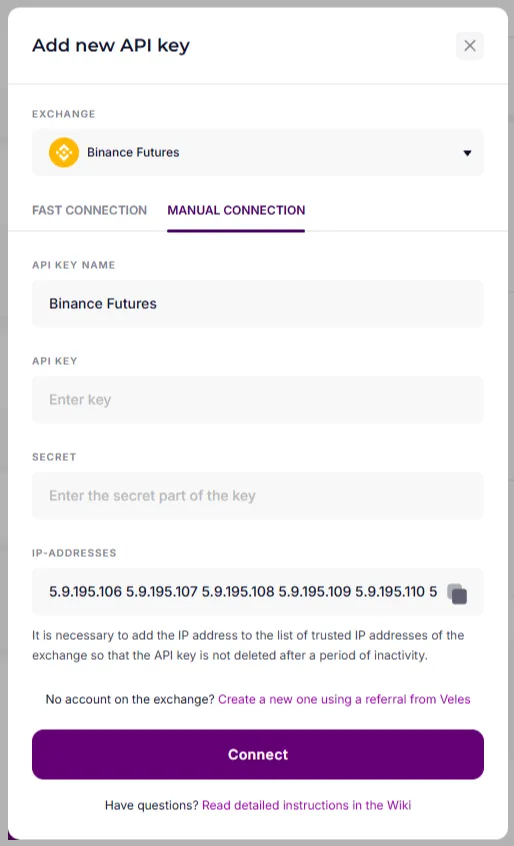
Select the Binance exchange, click “Add new API key”, “Manual Connection”.
-
Give the new Binding an informative name (or leave “Binance Futures” by default), enter the data from Binance (API Key, Secret) and click “Connect”.
Your Binance account is now successfully connected to the Veles platform — you can run trading bots and manage deals directly.