
Depositing to Binance Exchange
The Binance cryptocurrency platform remains one of the most popular in the world. Despite restrictions for some regions, users can still top up their account in various ways — through P2P, exchangers, and bank cards.
Funds have been credited, but are not displayed in Veles?
Section titled “Funds have been credited, but are not displayed in Veles?”After the account is replenished, the funds often end up on the Funding account, and not on the trading account. To move them to the appropriate section:
-
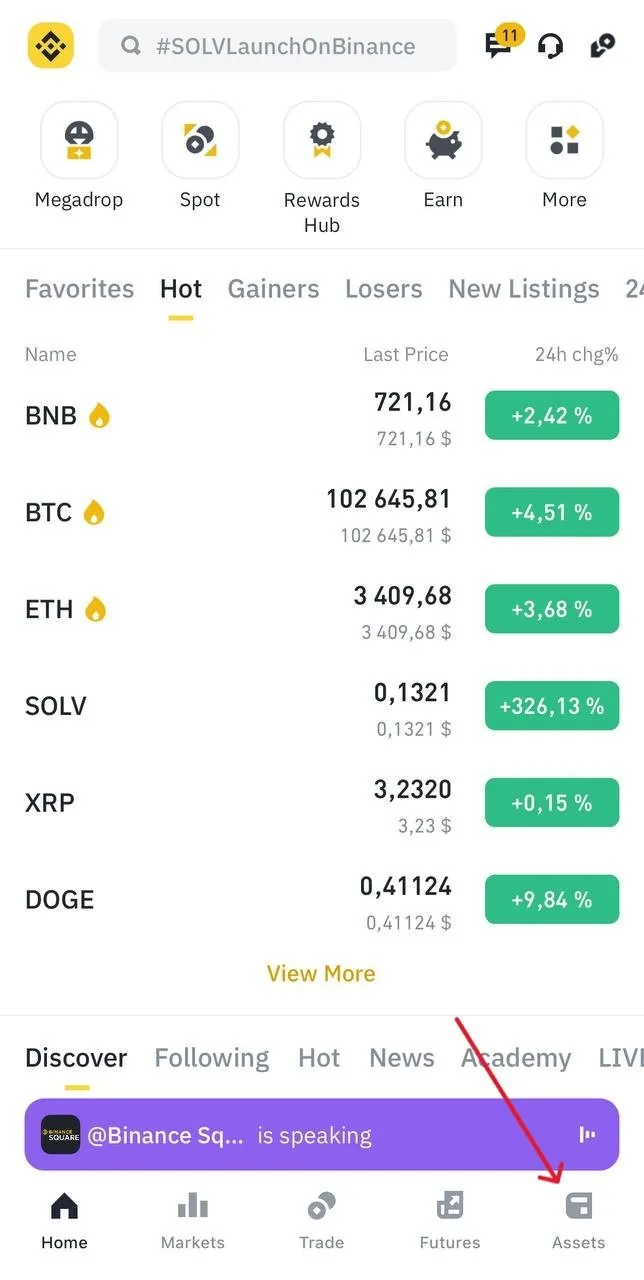
Go to the “Assets” section.
-
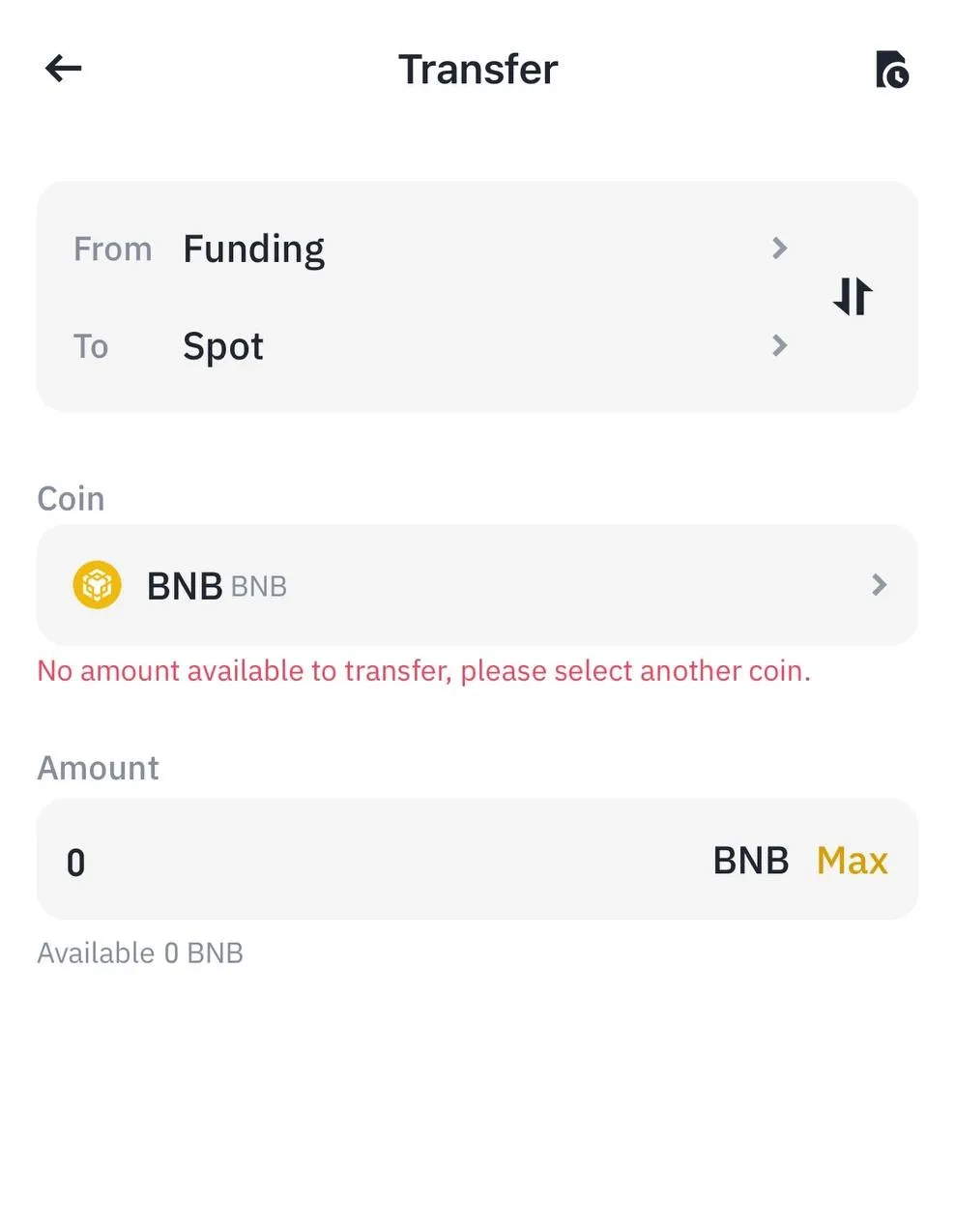
Select the subsection “Transfer”.
-
Specify the destination account — USDS-M Futures, coin USDT and the amount to be transferred.
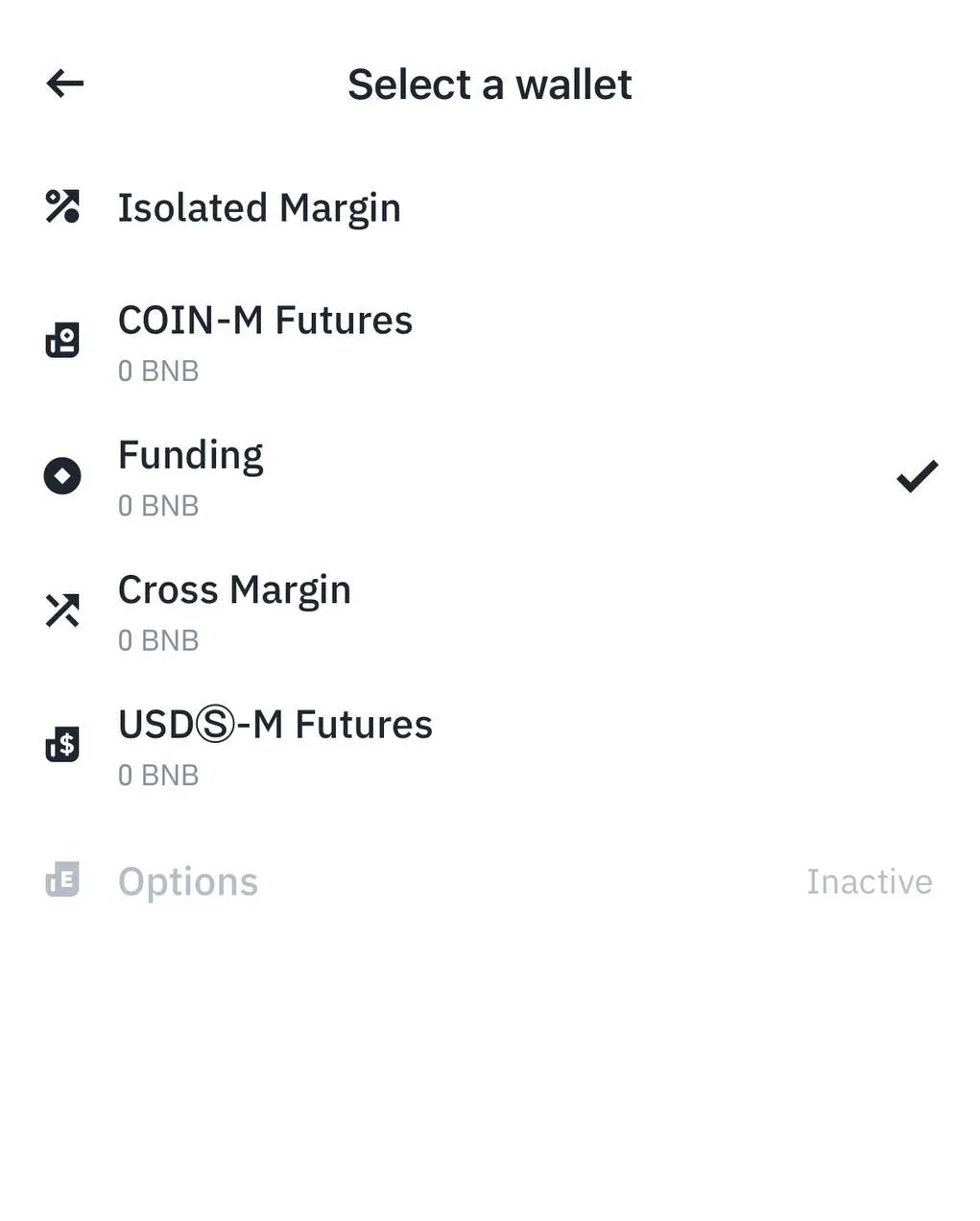
The funds will now be available for trading and operation of Veles bots.
P2P trading (Peer-to-Peer)
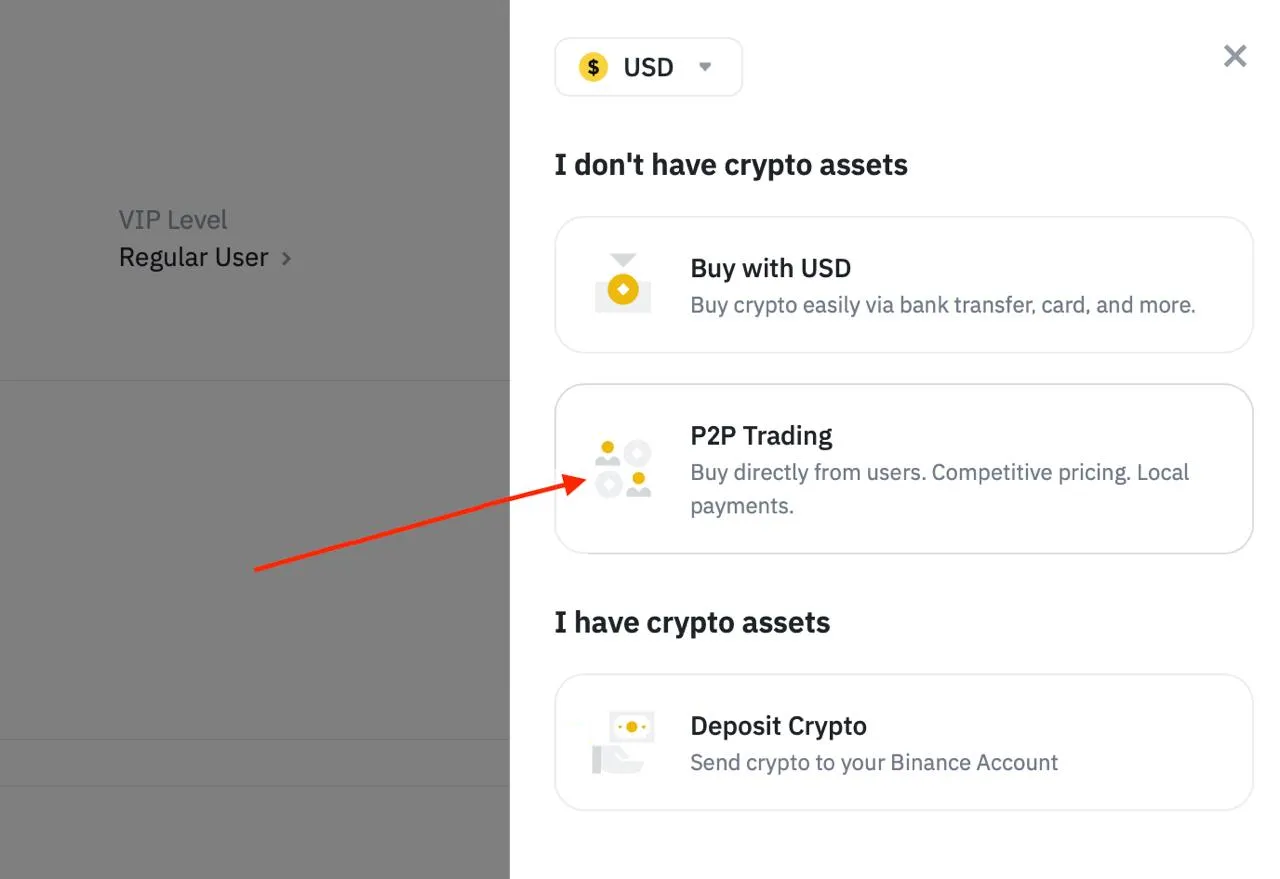
Section titled “P2P trading (Peer-to-Peer)”P2P remains the most popular way to fund Binance. Users make transactions directly with each other, and the exchange acts as a security guarantor.
-
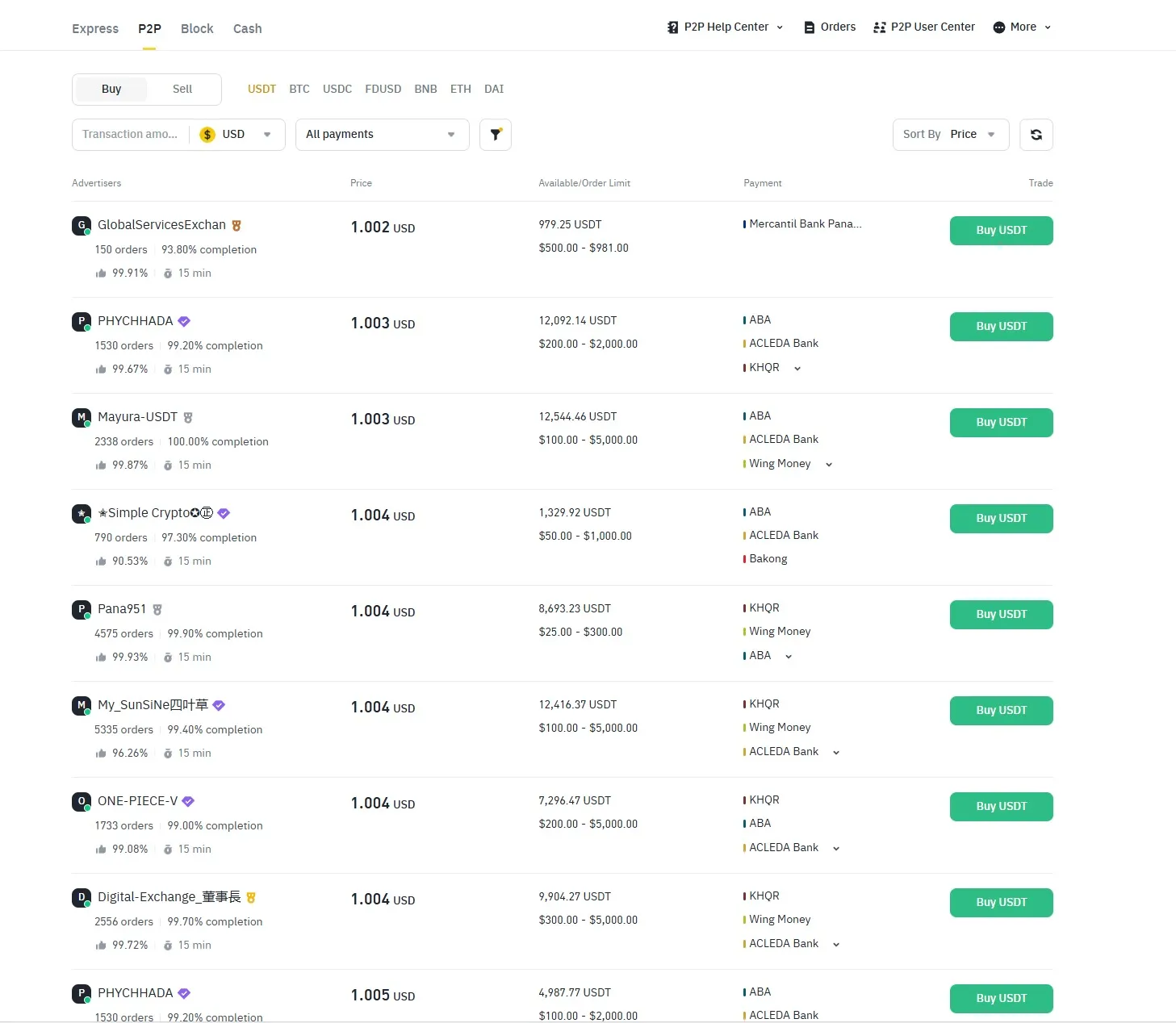
Open the “P2P” section on the Binance platform.

-
Use filters to select the seller, specify the payment method, currency, and transaction amount.
-
Select only verified counterparties — they are marked, have a high rating, and have more than 1,000 transactions in the last 30 days.
-
Make a deal, transfer the money to the seller and wait for confirmation.
-
After confirmation, the cryptocurrency will be credited to your Funding account. Then transfer it to the trading account as shown above.
Replenishment via exchange services (BestChange)
Section titled “Replenishment via exchange services (BestChange)”If P2P is not available, you can use exchange services, for example, BestChange.
-
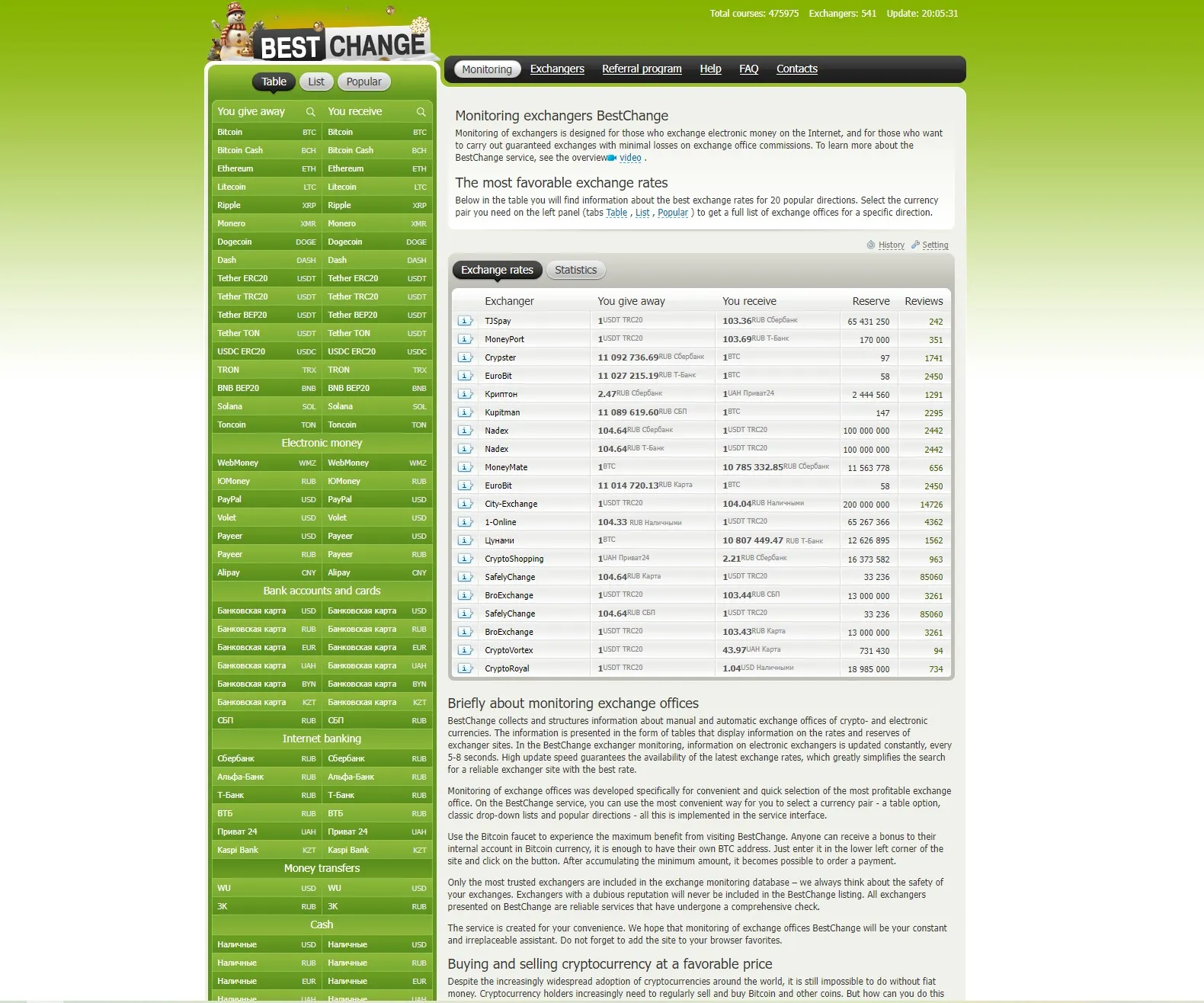
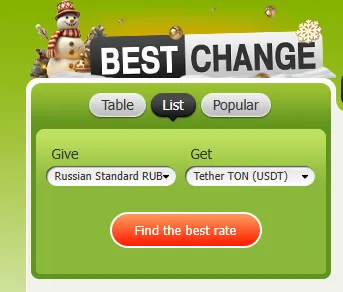
Select the desired cryptocurrency to be credited to Binance and the currency to be exchanged with.
-
On the BestChange website set up filters and select the service with the best rate and reviews.
-
Specify the Binance wallet address (for example, USDT in the desired network).
Important: the coin and the network must match on both sides of the transfer. -
After payment, wait for the funds to be credited to the Binance account.
To find out your deposit address:
-
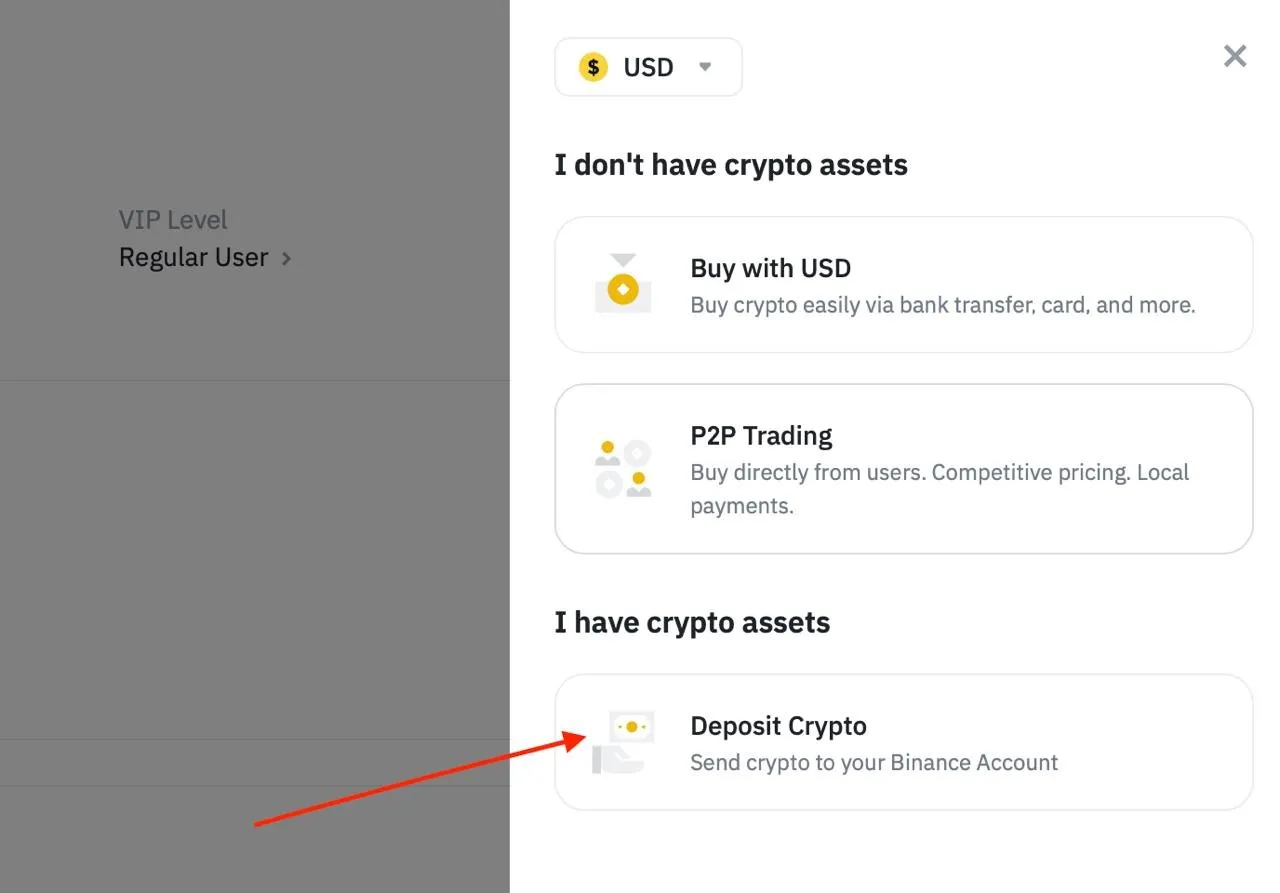
Go to the “Assets” section → “Input”.

-
Select “Choose Cryptocurrency”.
-
Specify the coin (USDT or USDC) and the network (TRC20, BEP20, etc.), then copy the address for the transfer.
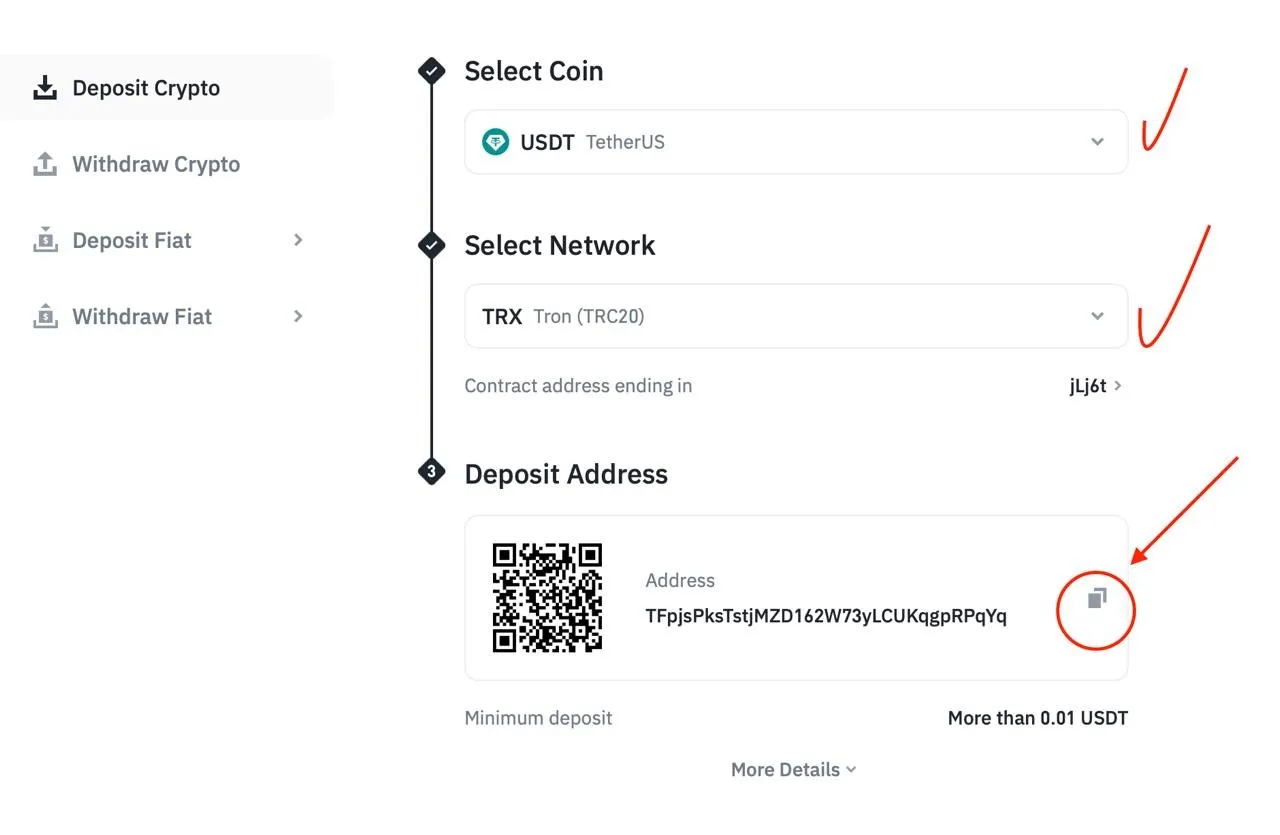
The funds will be received within a few minutes or hours, depending on the network usage.
Replenishment via bank cards
Section titled “Replenishment via bank cards”Binance also supports the purchase of cryptocurrencies using bank cards.
-
Go to the “Buy cryptocurrency” section in the main menu.
-
Select “Credit/Debit Card”.
-
Specify the amount, select a cryptocurrency (for example, USDT or BTC) and enter the card details.
-
Confirm the transaction.
Funds are credited within a few minutes. However, keep in mind the restrictions for cards issued in Russia and other countries with restrictions.
Frequently Asked Questions
Section titled “Frequently Asked Questions”1. Can I top up my account without verification?
Section titled “1. Can I top up my account without verification?”Yes, but the deposit and withdrawal limits will be limited, and some of the deposit methods are not available.
2. What are the most profitable methods?
Section titled “2. What are the most profitable methods?”These are usually P2P and internal transfers between Binance users.
3. Are Russian cards supported?
Section titled “3. Are Russian cards supported?”No, Binance is not working with Russian banks in 2025.
4. How long does it take to replenish through an exchange service?
Section titled “4. How long does it take to replenish through an exchange service?”From a few minutes to an hour — depends on the speed of the network and the exchanger.
5. How can I secure a transfer?
Section titled “5. How can I secure a transfer?”Use trusted services and counterparties, and before paying, check the addresses and banking details.
After funds are credited, transfer them to a Futures account and create an API key to connect Binance to the Veles platform.