
Trading mode
Our platform allows you to configure the bot to trade with a single order or a grid of averaging orders (DCA). For beginners, we recommend starting with Signal mode, as it is the safest and most flexible.
The “Simple” mode
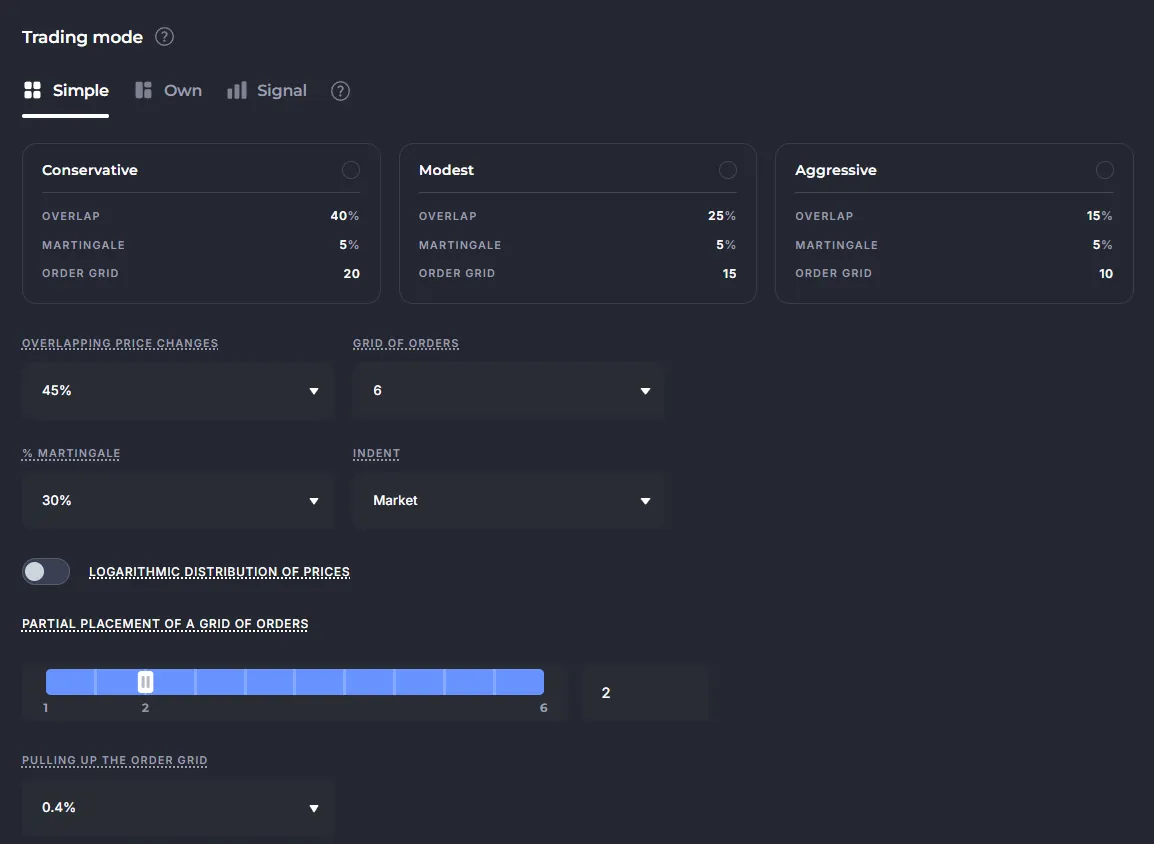
Section titled “The “Simple” mode”There are three preset strategies available in this mode: Conservative, Moderate and Aggressive.
If none of them suits you, set your parameters and the bot will automatically calculate a grid of orders:
- Overlapping price changes: the range of price movement where the bot places orders.
- Grid of orders: the number of averaging orders to divide the deal volume between them.
- % Martingale: makes each next order larger than the previous one.
- Indent: the distance between the first order and the deal entry price (“0” or “Market” = market entry).
- Logarithmic distribution of prices (order density):
- > 1 — orders are placed more densely near the entry price of the trade, and are further apart from each other at the bottom;
- < 1 — orders are consolidated at the end of the grid.
- Partial placement of a grid of orders: limitation of the number of active orders (for example, 3 out of 10). The bot will add pending orders later, one at a time, as the active orders are executed.
- Pulling up the order grid: cancels the grid if the price has moved away from it by a specified %.
The “Own” mode
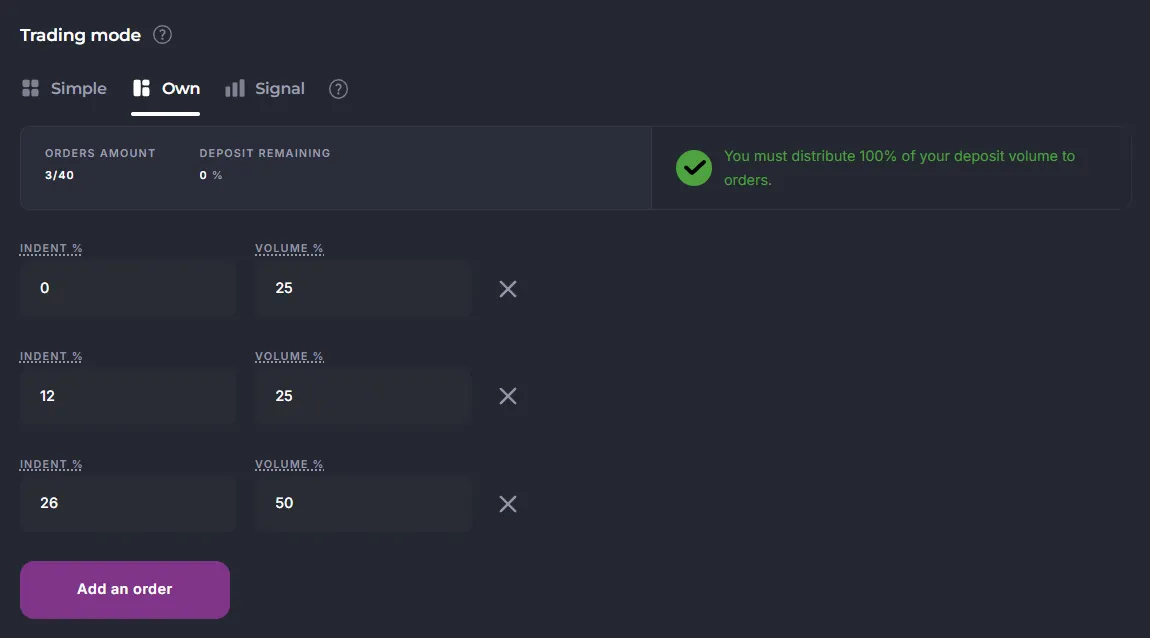
Section titled “The “Own” mode”Suitable for advanced users: you manually set the indent and volume for each order.
- You can build unique grids or set up trading with one order (Volume = 100%).
- There is a button “Add order” to expand the grid, and “X” to remove unnecessary ones.
The “Signal” mode
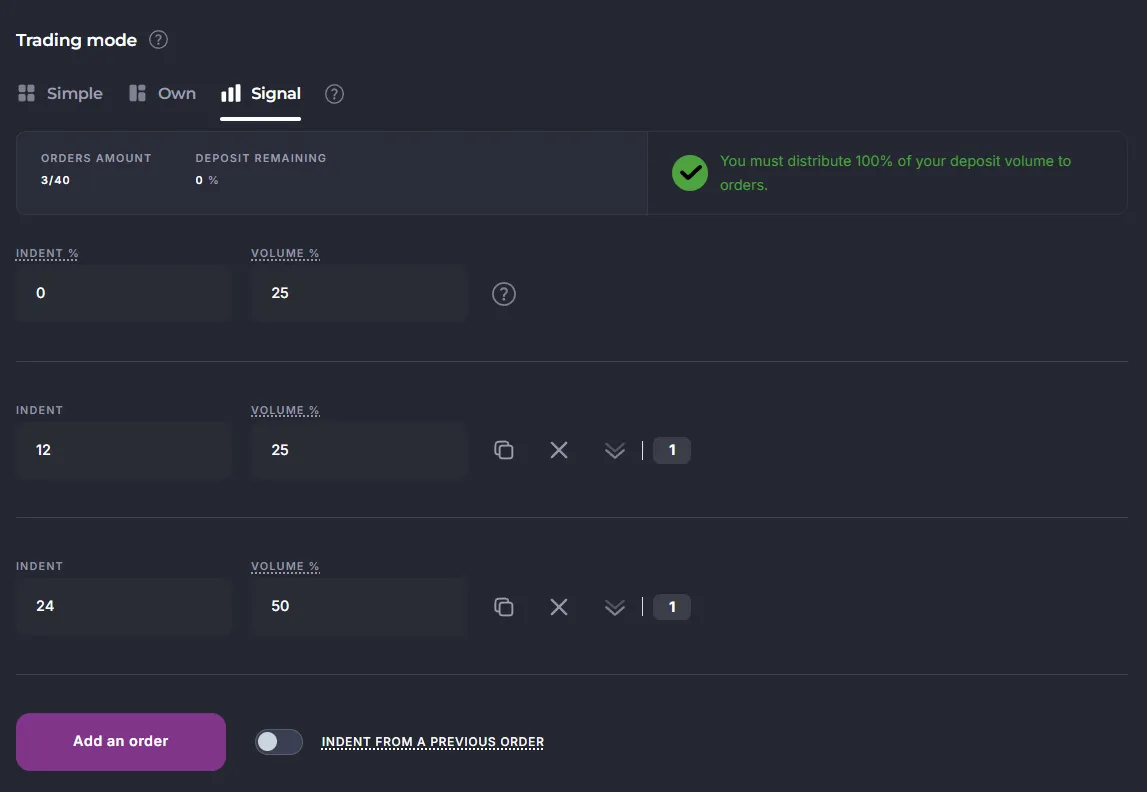
Section titled “The “Signal” mode”This is an adaptive averaging mode based on indicator signals.
- The first order can be market (Indent = 0) or limit (Indent > 0).
- Each subsequent market order is placed on the exchange when two conditions are met:
- The indicator signal is received,
- The minimum Indent from the deal entry price or the previous order is observed.
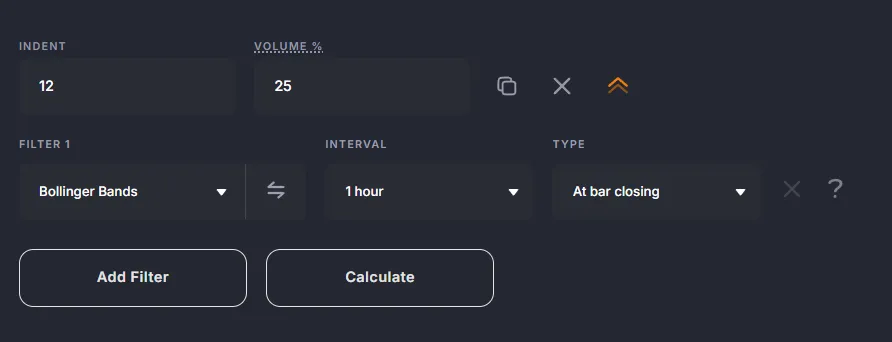
To add entry conditions, specify at least one filter (indicator):
Common options
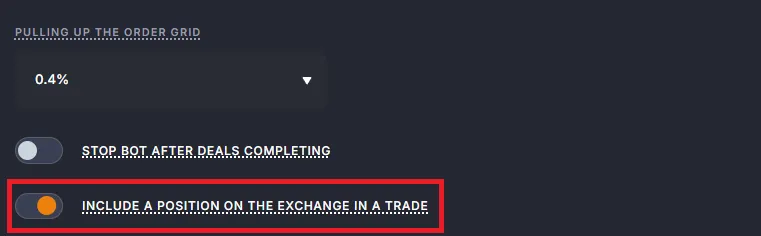
Section titled “Common options”Include a position on the exchange in the trade
Section titled “Include a position on the exchange in the trade”This feature is available for futures (Binance, Bybit, BingX, Bitget).
Feature allows you to “pick up” an existing position on the exchange and include it in the bot’s active deal.
- The old volume will be recorded in the Deal card as the order type “POSITION” (number “-1”).
- The bot will continue to work by placing averaging orders according to its settings.
Always enable in profile lock “By position” for all API bindings.
Pulling up the order grid
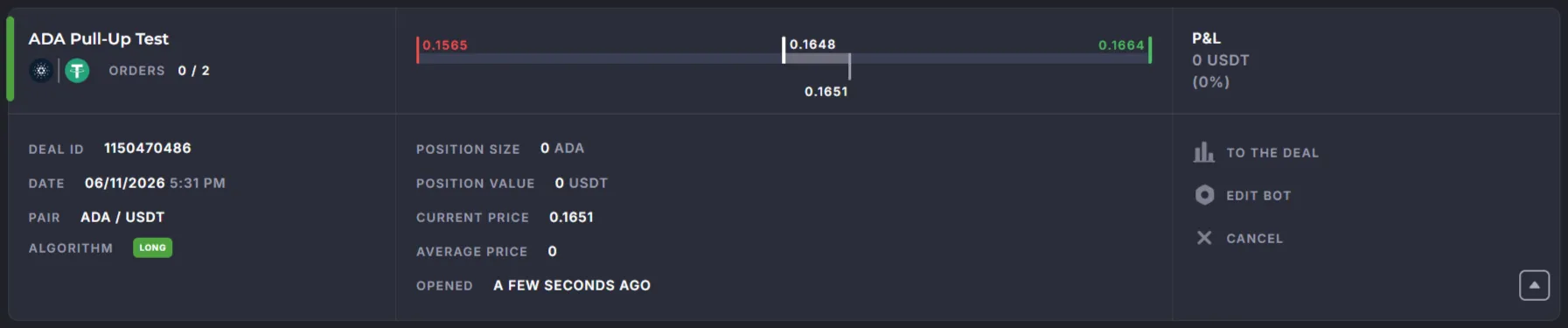
Section titled “Pulling up the order grid”The pulling up protects against a situation where the bot received a signal and placed orders, but the price moved in the profit direction and never reached the first order.
- If the price reaches the pull up level, the bot cancels the deal and waits for the new signal.
- You will see a lot of “Deal opened” notifications in the reports, but if the first order was not executed, it means that the “Pull up” was triggered every time and cancelled those deals.
Recommendations:
- Leave the Indent = 0.2% and the default Pull-up, when you start learning the platform.
- Check in the backtest how many deals are cancelled by a Pull-up.
- Do not make the Indent and Pull-up too large (for example, >1%), otherwise the trade opening indicators will become outdated by the time the price triggers the order.
Comparison of trading modes
Section titled “Comparison of trading modes”| Mode | Suitable for | Features | Pros | Cons |
|---|---|---|---|---|
| Simple | Beginners, quick start | Automatic grid calculation based on basic parameters: Overlap, Grid of orders, Martingale, Indent, Logarithm. | - Minimum settings - Three ready-made profiles (conservative / moderate / aggressive) - Strategy can be tested quickly | - Low flexibility - Limited customization options |
| Own | Experienced traders | Manual adjustment of the indent and volume of each order. It is possible to trade with one order (100%). | - Full control over the grid - Suitable for unique strategies - It is possible to implement custom ideas | - Requires experience and careful analysis - It is easy to make mistakes |
| Signal | Recommended for all users. Averaging by indicator signals. Each order is triggered by a combination of “signal + minimum indent”. | - Flexible adaptation to the market - Any indicators can be connected - Well suited for DCA trading - Protects against unnecessary entries | - More complex setup - Requires understanding the logic of indicators |
Summary
Section titled “Summary”- Simple is a quick start for beginners.
- Own is for manual adjustment of the grid or one order trading.
- Signal is an adaptive mode with indicators, recommended to most traders.
When choosing a mode, consider your experience, strategy, and ability to manage risks.