
Price Filter
The “Price” filter is one of the simplest and most flexible tools. It checks the current asset price once per minute and issues a signal if the price is above or below a specified level in the quote currency.
How does the “Price” filter work?
Section titled “How does the “Price” filter work?”A simple example:
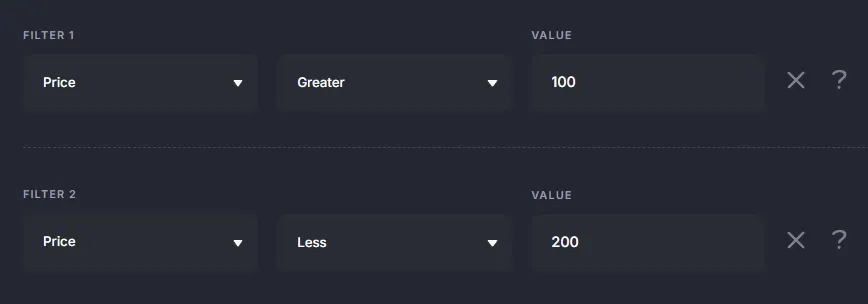
- Filter Price > 100 → the bot will open a trade when the price exceeds 100.
- If you add a second filter Price < 200, the bot will only open trades in the range from 100 to 200.
This is convenient for limiting trading to a specific price range.
Using for Trade Exit
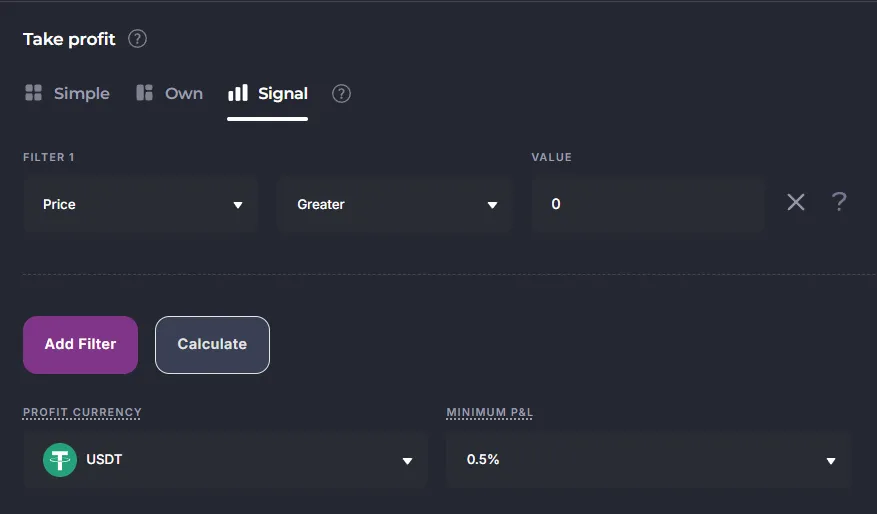
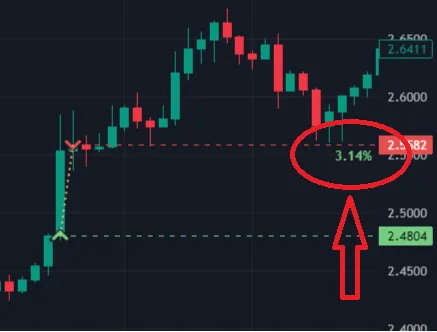
Section titled “Using for Trade Exit”The “Price” filter can be used not only for entry but also for exit. This enables a dynamic profit mechanic: the bot closes the deal not at a fixed Take Profit, but when the price “squeezes out” more profit during impulse movements.
Example settings
Section titled “Example settings”For example, if you set Minimum PnL = 1%, the bot will lock in the profit as soon as the candle shows a deal gain of at least 1%.
When to use the “Price” filter?
Section titled “When to use the “Price” filter?”- To limit the trading range (e.g., trade only in the zone of interest between support and resistance levels).
- To exit a trade based on PnL dynamics, rather than a fixed profit.
- To filter out false entries (e.g., avoid trading above “round numbers” like $100,000 for BTC).
Using in Veles Bots (Flexible Indicator)
Section titled “Using in Veles Bots (Flexible Indicator)”In flexible indicators, this indicator is replaced by the “Candle” indicator, from which the “Close” (closing price) source is taken on the 1 minute timeframe.
You compare the closing price with the constant that you need.
At the same time, using “Candle”, you can use any available timeframe in the indicator, and not just “1 minute”.