
Preparing Binance Account for Veles
To launch the Futures bot Veles on Binance, you must first activate the Futures account and transfer funds to it.
Switching account mode
Section titled “Switching account mode”-
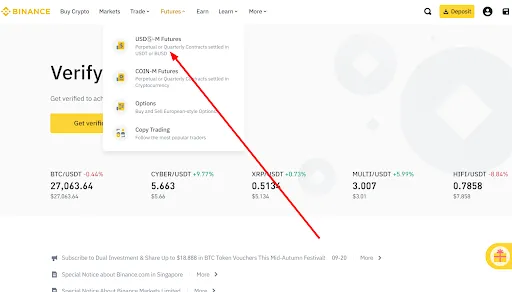
Go to the Binance website.
-
Click on “USDⓈ-M Futures”.
-
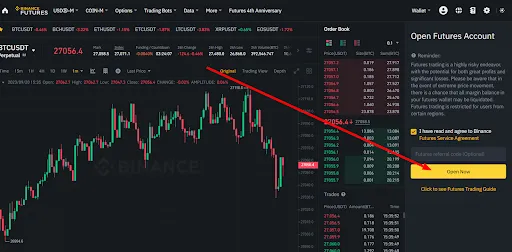
If a Futures account has not been enabled yet, accept the Terms of the Agreement and click “Open Now”.
-
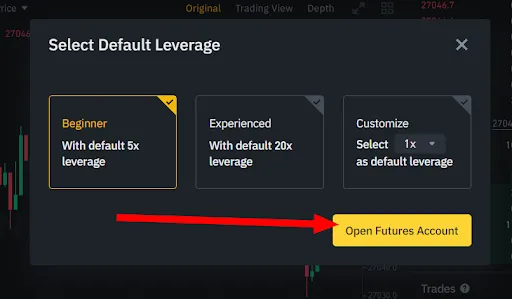
Confirm by clicking “Open Futures Account”.
-
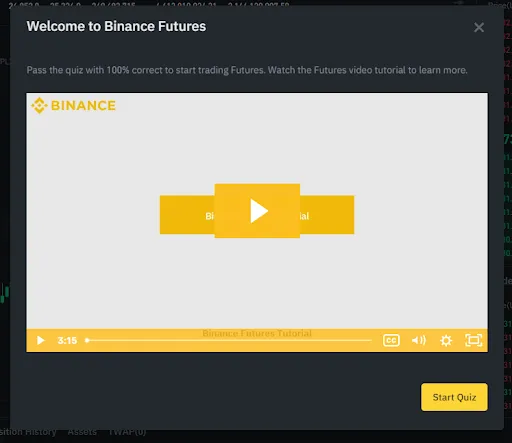
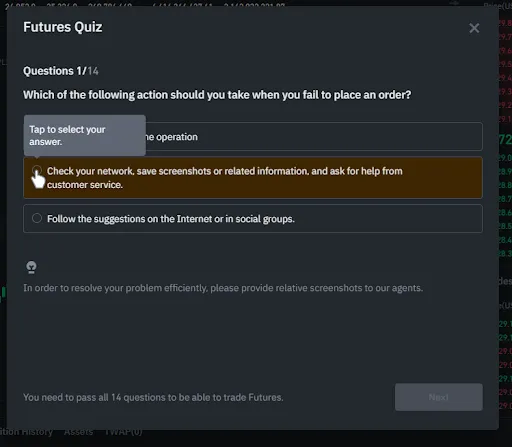
After opening the account, the Binance Futures test will appear. If it doesn’t open automatically, click “Open Long” or “Open Short” — select “Start Quiz” from the pop-up window.
-
Take a test on the basics of Futures trading. A small number of errors are acceptable, the main thing is to complete the test.
-
After successfully passing the test, you will have access to trading Futures and will be able to create an API key.
How to top up a Futures wallet
Section titled “How to top up a Futures wallet”-
Go to the following page: https://www.binance.com/ru/my/wallet/account/futures
-
If this is your first time opening it, accept the Binance User Agreement.
-
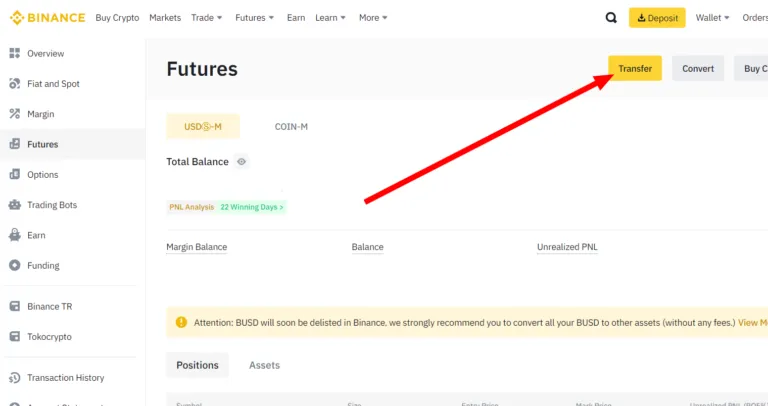
In the upper-right corner, click “Transfer”.
-
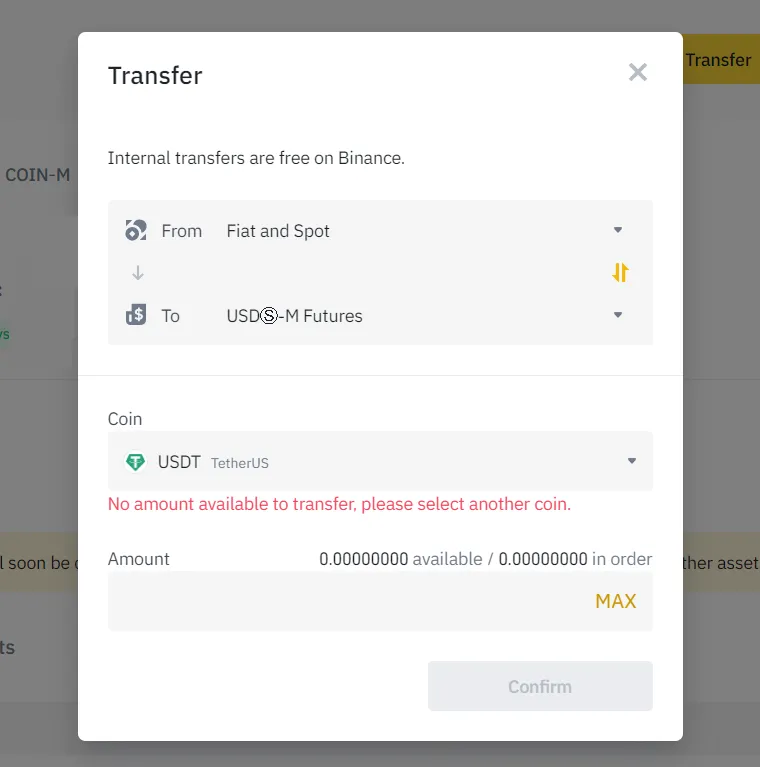
Specify the transfer direction — from the Spot account to “USDⓈ-M Futures”, select a coin (usually USDT) and confirm the operation.
Now your Binance Futures account is activated and ready to work. The next step is to create and connect an API key to the Veles platform.