
Create an Account on Binance
Binance is the largest and most reputable platform for trading cryptocurrency assets.
Register on Binance
Section titled “Register on Binance”-
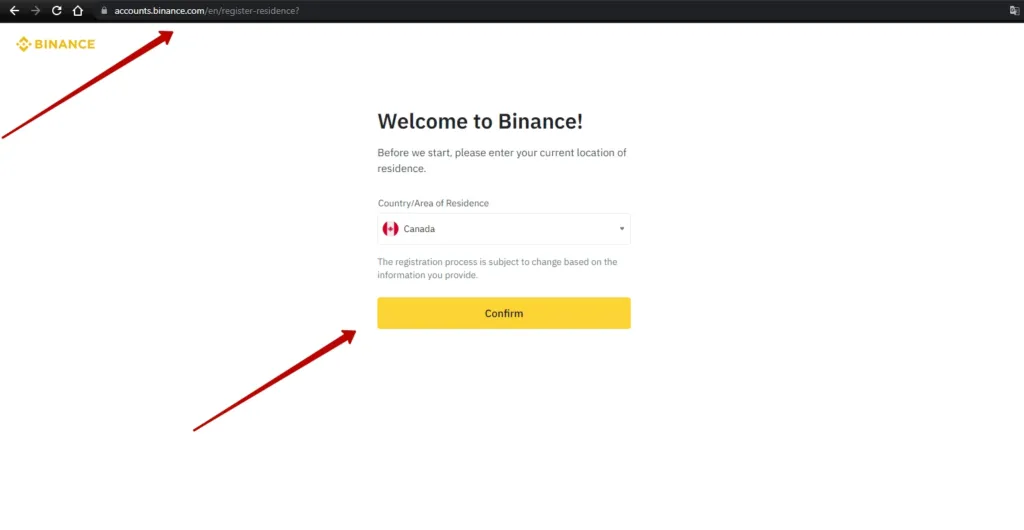
Go to the registration page on binance.com.
-
Select your country of residence. If the information is correct, click “Confirm”. After that, a window will appear with the account type selection.
-
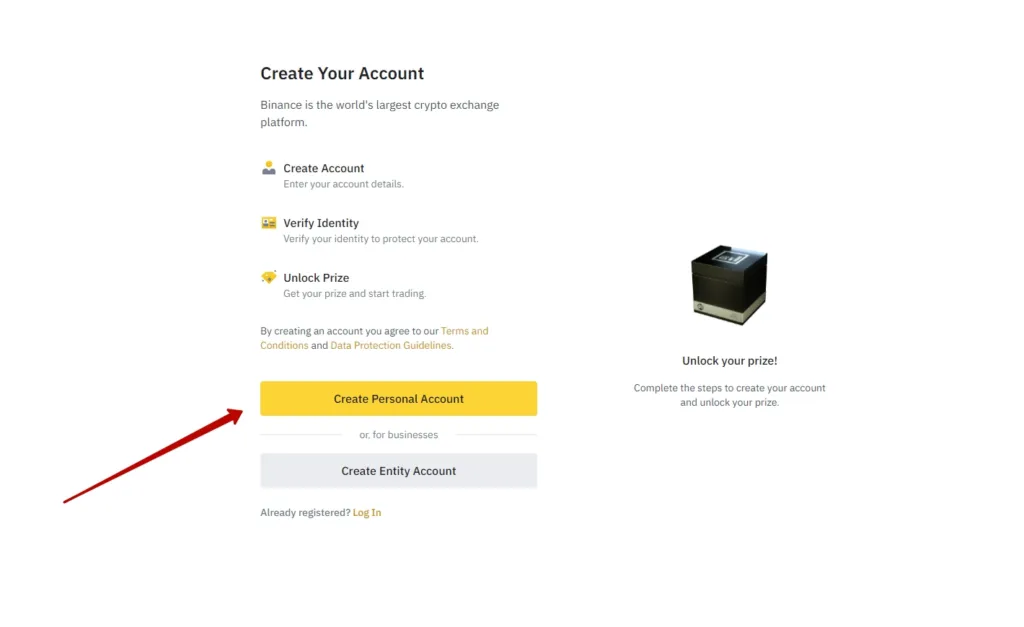
Select “Create a personal account”.
-
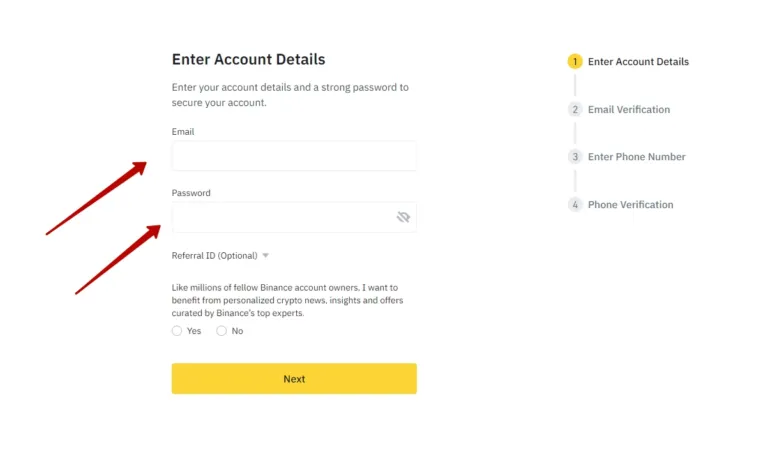
Enter an email and come up with a strong password (minimum 8 characters, combining numbers and letters). It is recommended to store the password in a password manager, not in a plain text file.
-
Click “Next” to proceed to the e-mail confirmation.
-
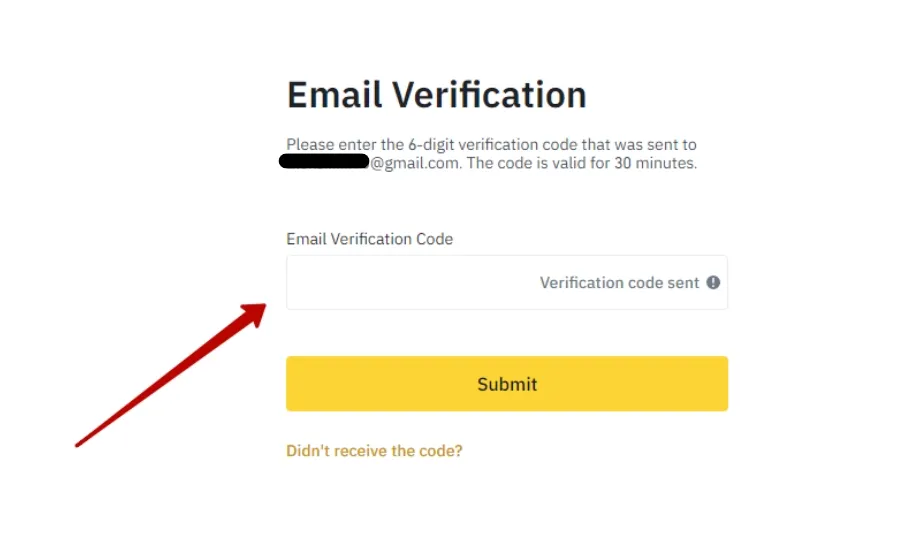
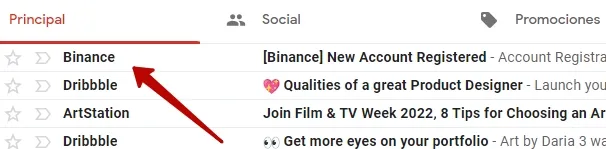
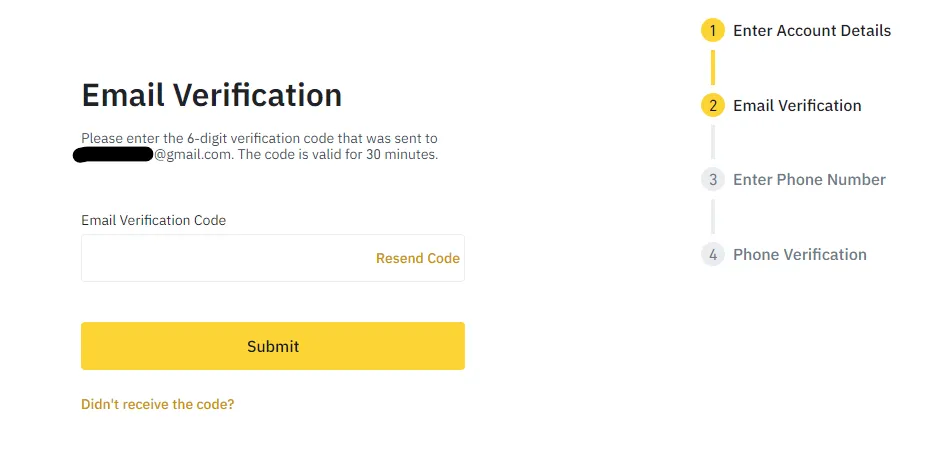
Enter the 6-digit code that Binance will send to your email. Check the Spam folder if the email is not in the Inbox.
-
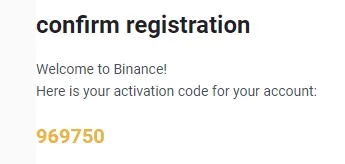
Open the email, find the code and paste it into the confirmation window. The code is valid for 30 minutes.
Account Security
Section titled “Account Security”Security is a key factor when working with cryptocurrency. Make sure to enable Two-Factor Authentication (2FA).
-
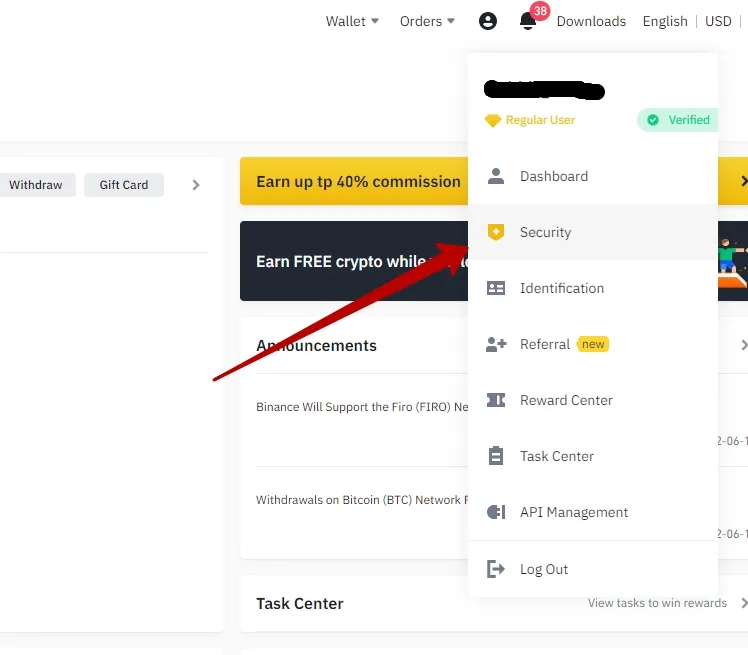
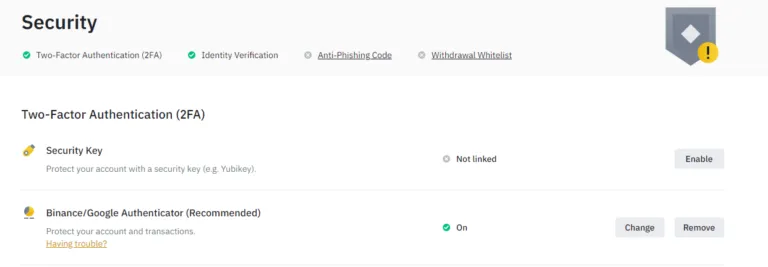
Click on the profile icon (top right) → “Security”.
-
In the “Binance / Google Authenticator” section, click “Enable”.
-
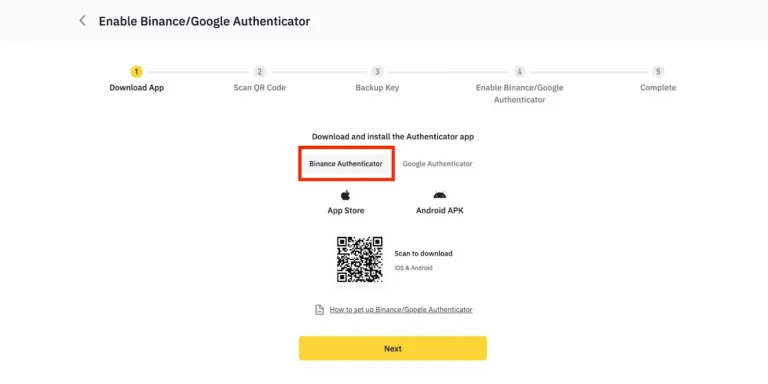
Select the option — Binance Authenticator or Google Authenticator.
-
Install the selected application on your phone.
-
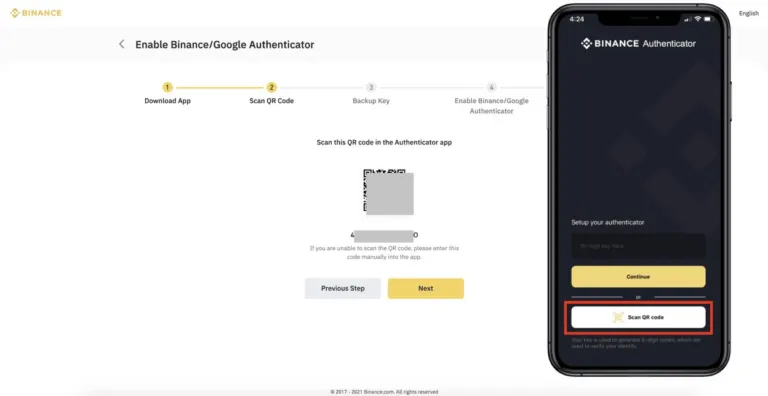
A QR code and a 16-digit key will appear on the screen. Scan the code or enter the key manually.
-
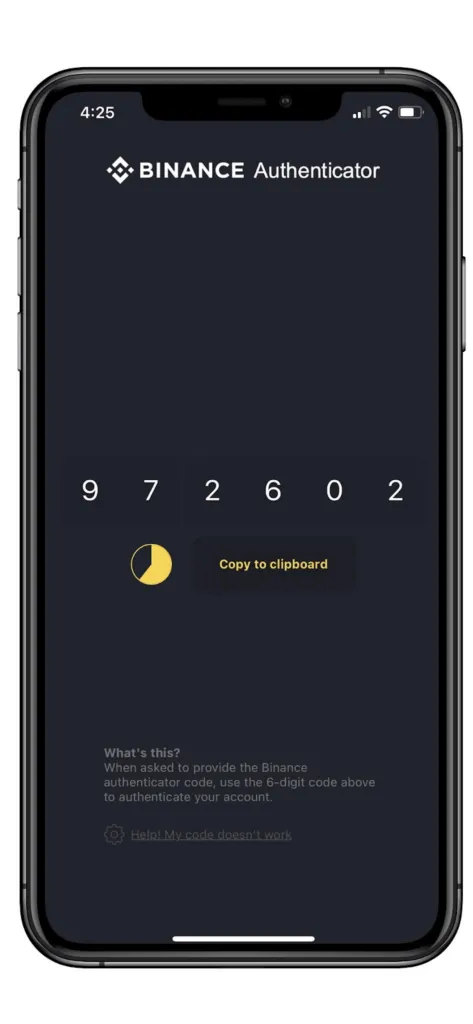
Enter the 6-digit code from the application and click “Next”.
-
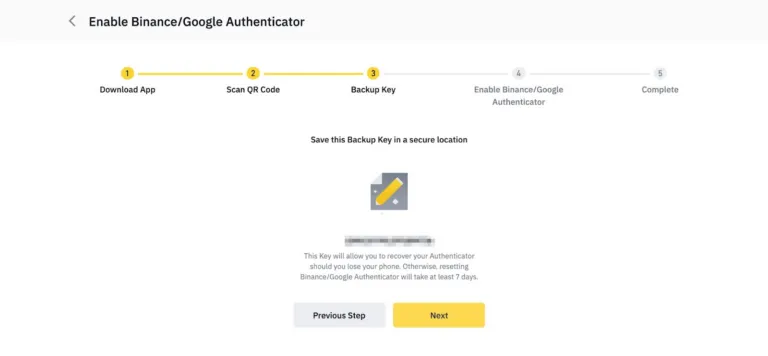
Save a backup copy of the key in a safe place and click “Next”.
-
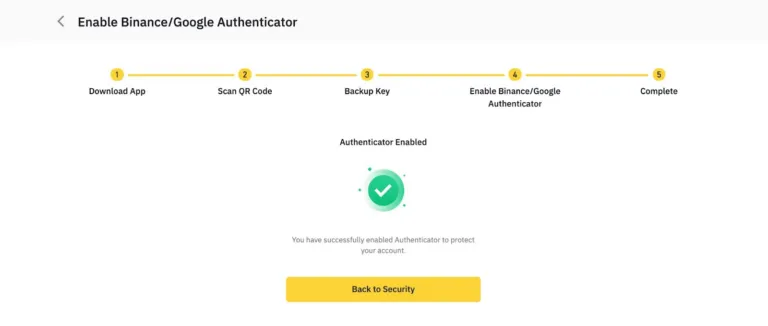
Congratulations — 2FA has been successfully connected! Your account is now protected from unauthorized access.
Your Binance account is ready. The next step is to top up your balance and connect the API key to Veles.