
Depositing to BingX exchange
Trading P2P allows you to buy and sell cryptocurrencies directly from other users. The BingX exchange acts as a guarantor of the security of the deal, holding funds until the transaction is confirmed by both parties.
-
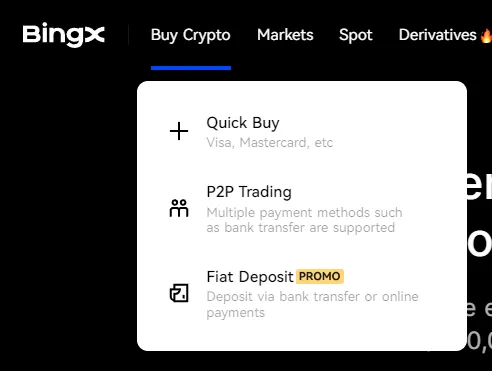
In the upper left part of the navigation bar, click “Buy Crypto”, then select “P2P Trading”.
-
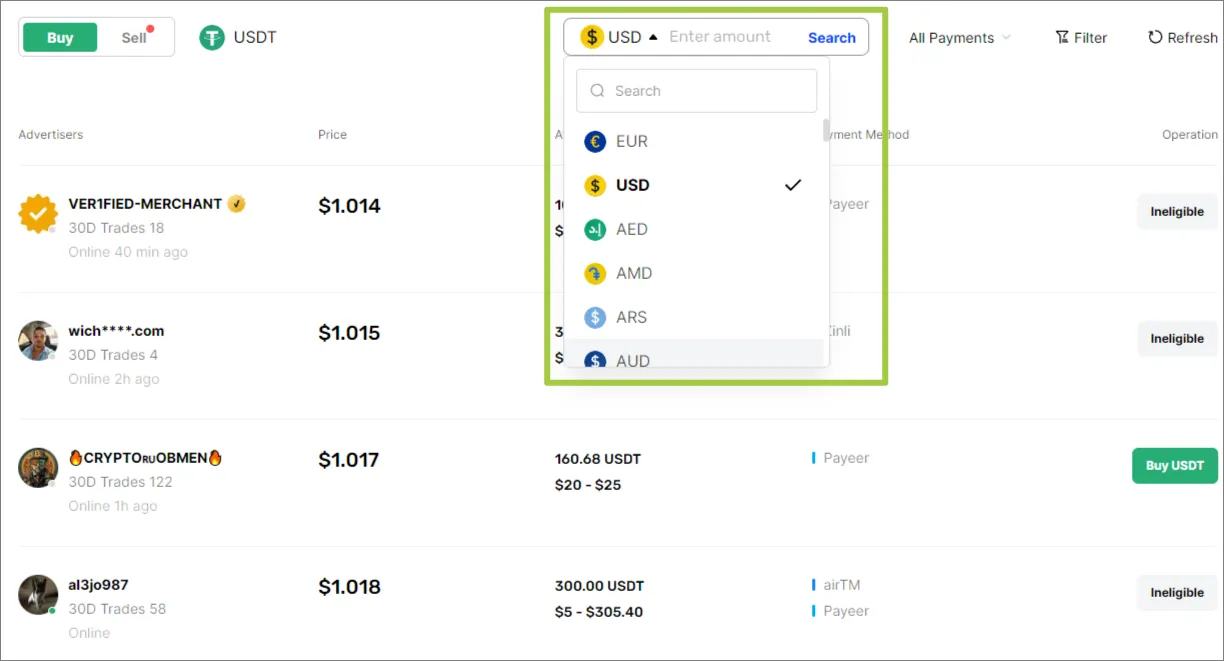
Select the fiat currency that you want to exchange for cryptocurrency.
-
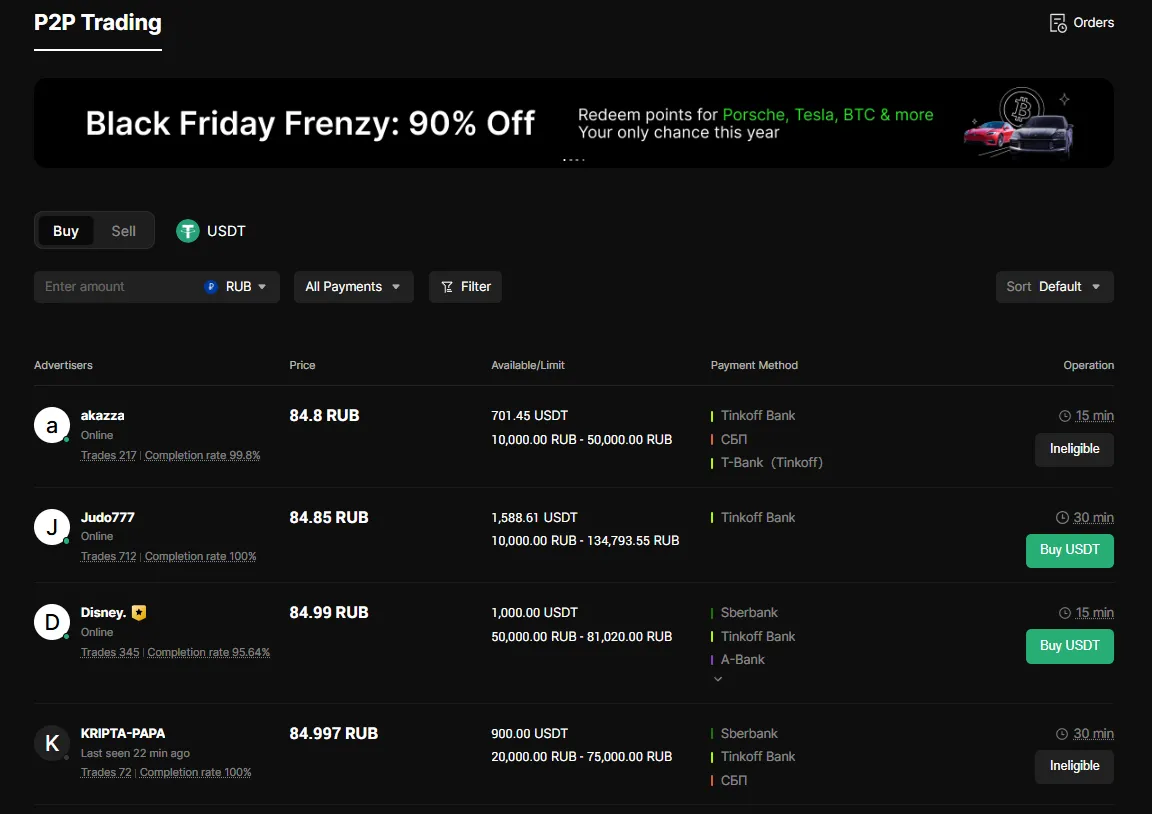
Find a suitable offer and click “Buy USDT”.
-
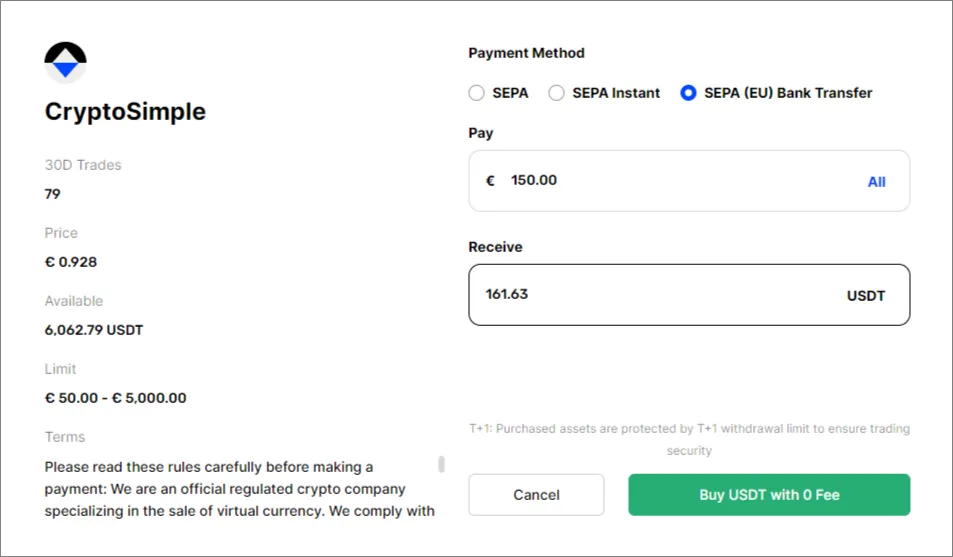
Specify the amount of fiat funds you want to pay or the amount of coins you want to receive, then click “Buy” to continue. You will be redirected to the order page, where you can view the seller’s details and confirm the payment.
-
After transferring funds to the seller, click “Payment completed”.
-
When the seller confirms receipt, the cryptocurrency will be credited to your balance. Click “Check Asset” to view the received coins and transaction history.
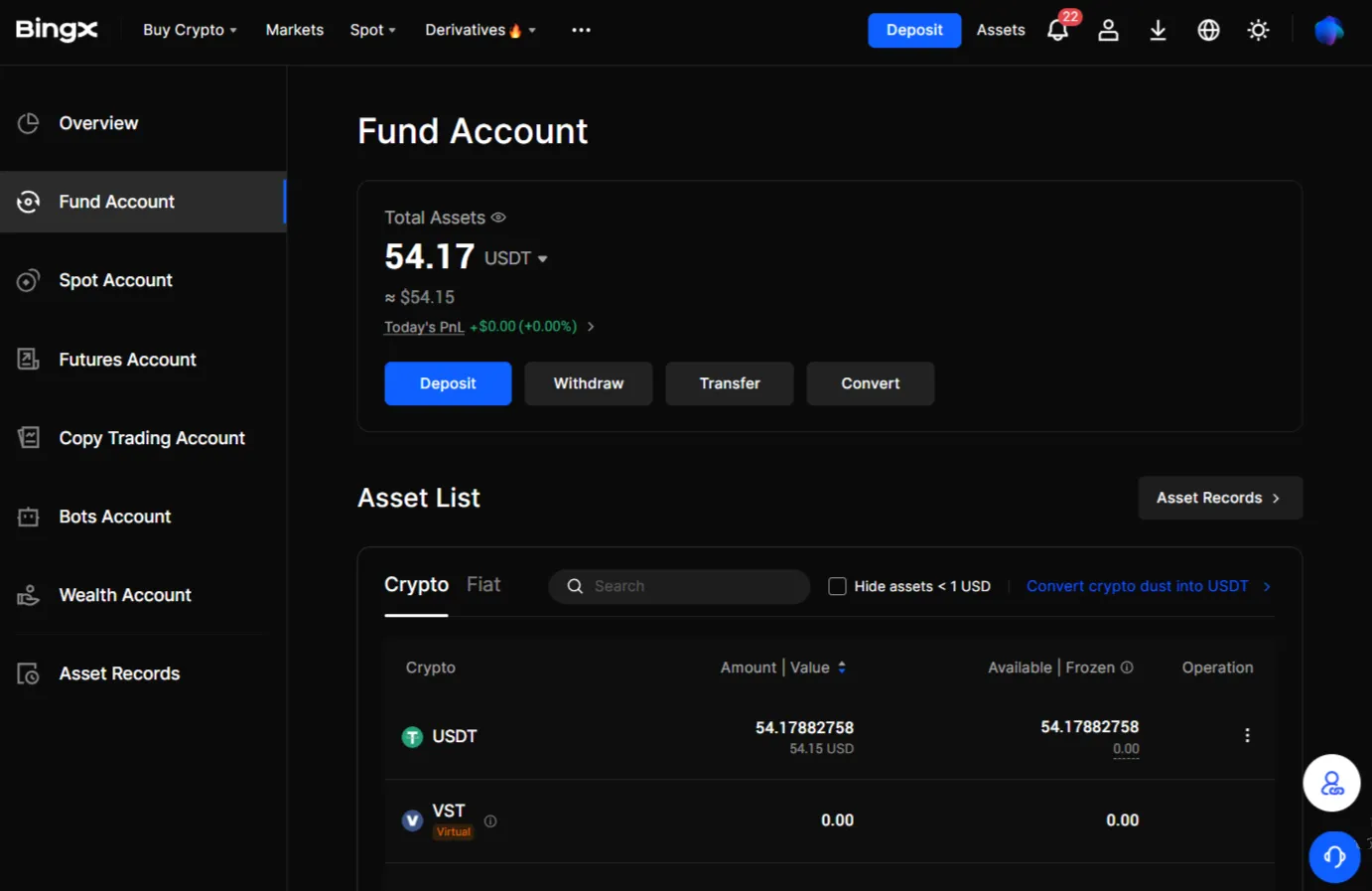
Your BingX account has now been successfully replenished. The next step is to create an API key and link your account to the Veles platform.