
Creating a Subaccount on Bitget
Subaccounts on the Bitget exchange allow you to manage trading and capital more flexibly, for example, by dividing funds between strategies or testing Veles bots separately from the main account.
-
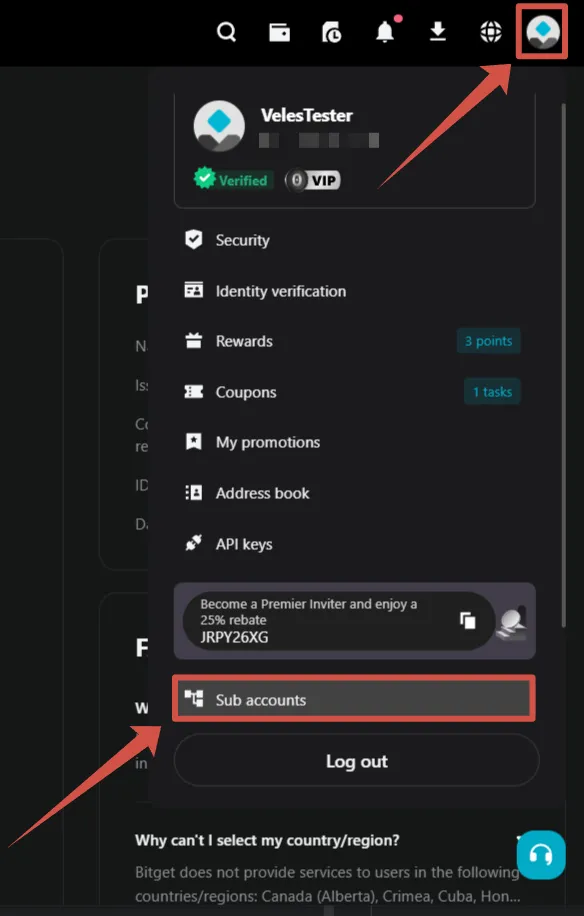
In the upper-right corner of the page, click on the profile icon and select “Subaccounts” from the menu.
-
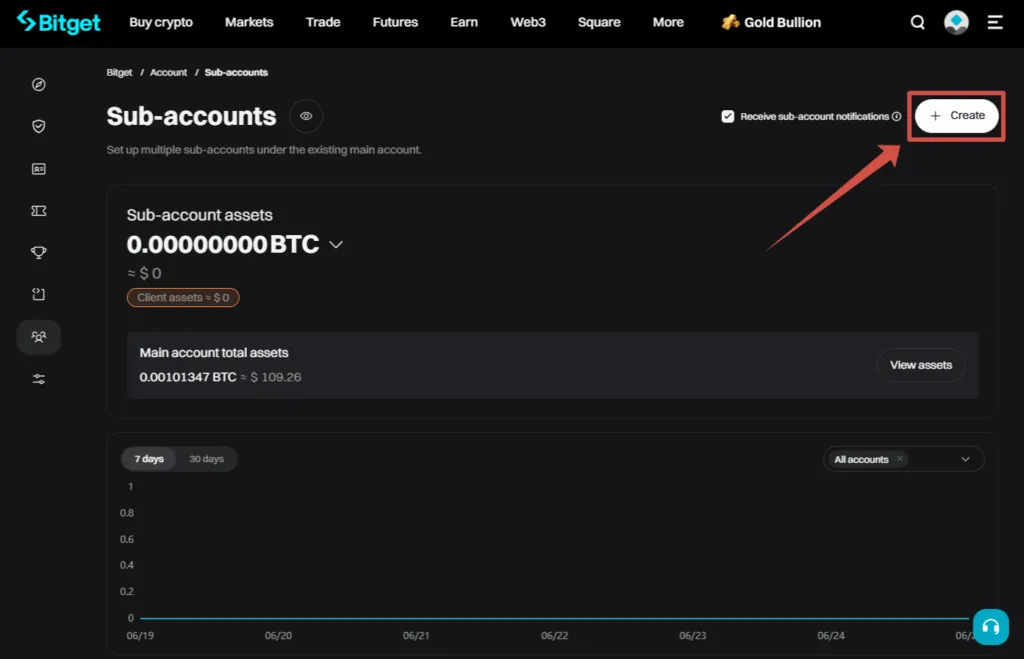
On the subaccount overview page, click “Create”.
-
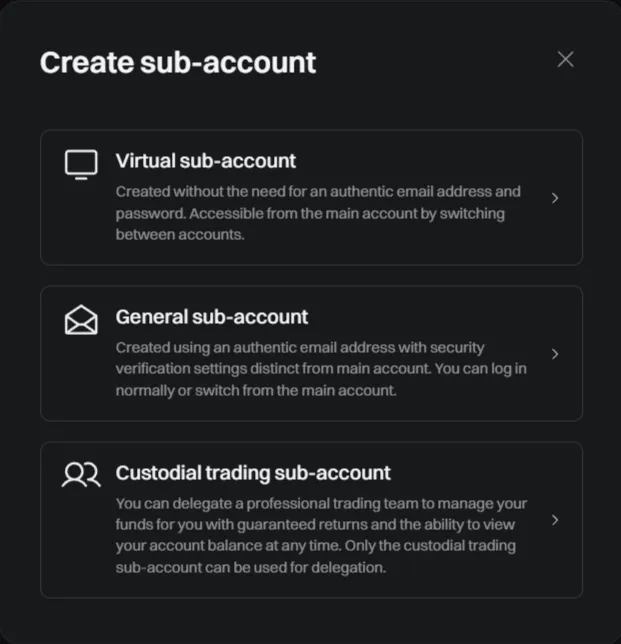
Check out the types of subaccounts available on Bitget:
- Virtual subaccount — does not require a separate e-mail and password, you only need to log in to the main account.
- General subaccount — uses a separate username and password, has its own security settings.
- Custodial trading subaccount — designed to transfer its management to a professional team.
Select “Virtual Subaccount”.
-
Enter a name for the subaccount (for example, VelesTesterSub1).
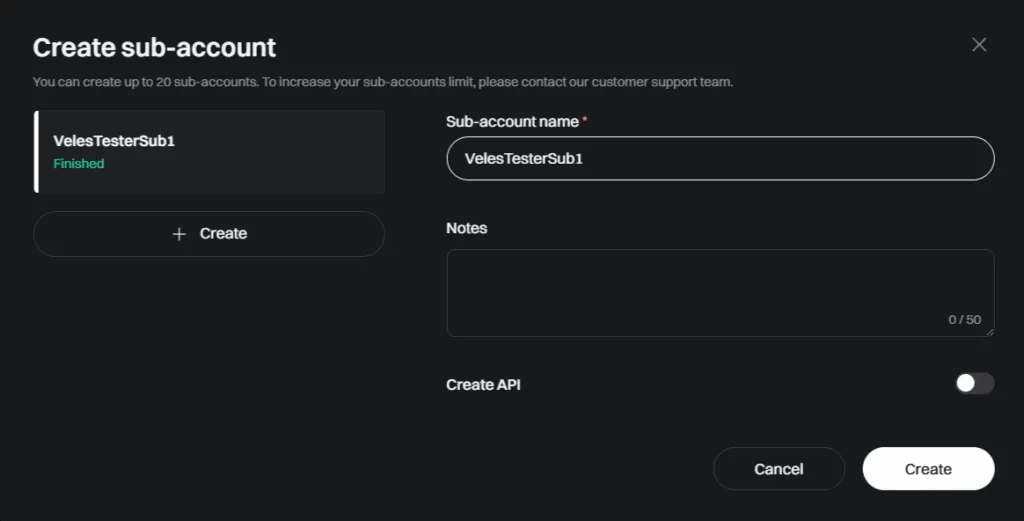
In this window, you can immediately create an API key for a new subaccount. Select the switch “Create API” → “System-generated API key”. Save the key data in a safe place. For more information about API parameters, see the activation instructions.
-
Pass the security check — through Passkey or codes sent to e-mail and phone.
It is recommended to request the code by phone first, and then by email.
If the code has expired, try again in an hour.
After successful confirmation, the new subaccount will appear in the list. -
Create a new API key binding for this subaccount in the Veles account. Follow the connection instructions to complete the process. After that, you can use the subaccount to trade Veles bots.