
Registration on BitMEX
To start working with Veles bots, you need to register on the BitMEX exchange. Detailed instructions for creating and verifying an account are provided below.
Preparation
Section titled “Preparation”Before you start, it is recommended to prepare:
- Email address — will be used to log in.
- Strong password — 12-32 characters long, containing at least one digit, one capital letter and one special character.
- Identification document — passport, driver’s license, ID card, residence permit (the list depends on the country).
- Access to the webcam — a PC camera is recommended, but if necessary, you can switch to a mobile device with a camera.
Registering on the exchange
Section titled “Registering on the exchange”-
Open the exchange using our link:
https://www.bitmex.com/app/register/velesfinance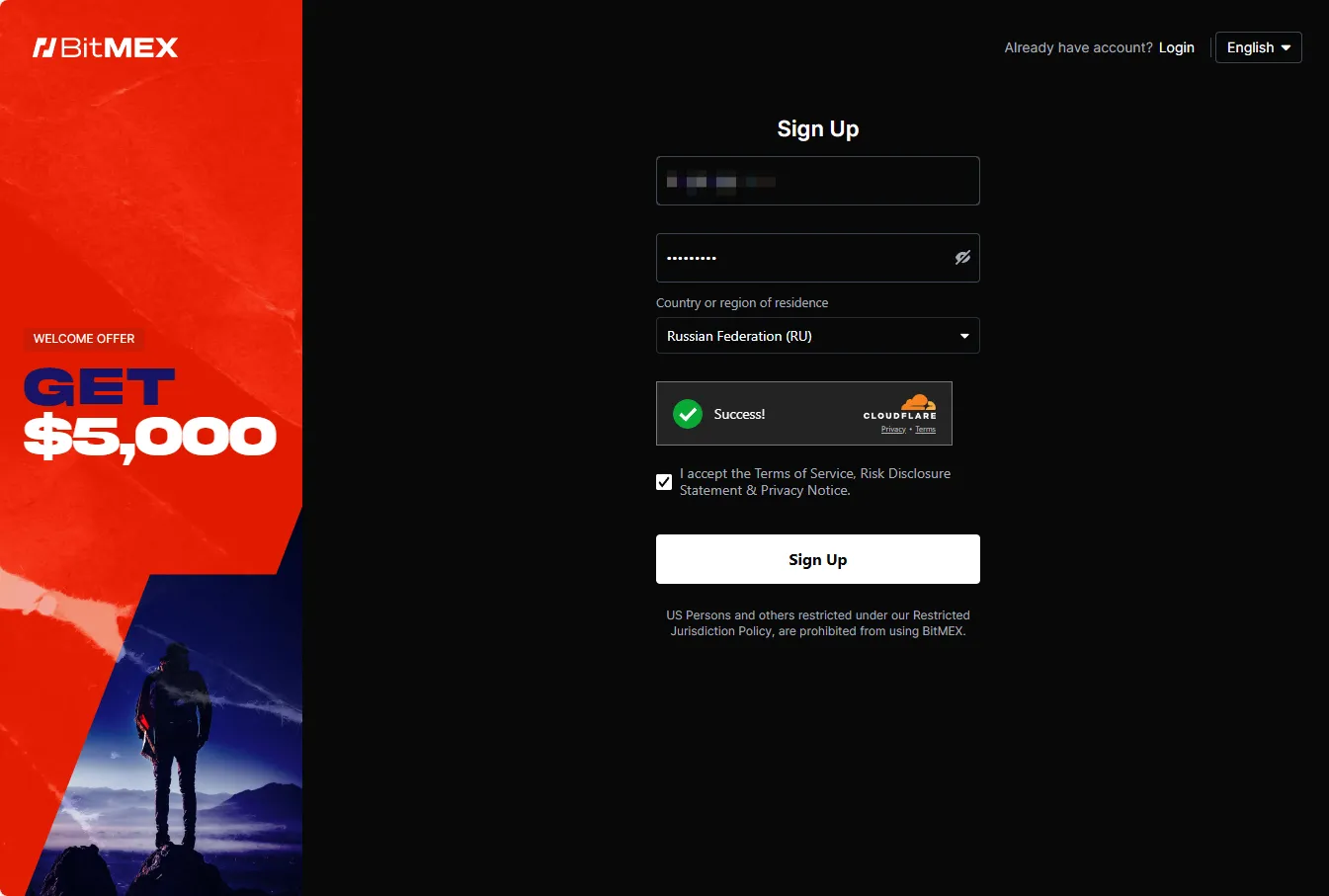
-
Provide your prepared e-mail and a password, mark the checkbox for the Terms and Service acceptance and press “Sign Up”. Your account will be created after that, now you need to verify it.
-
Switch to your mailbox and click on the link to confirm your email address.
-
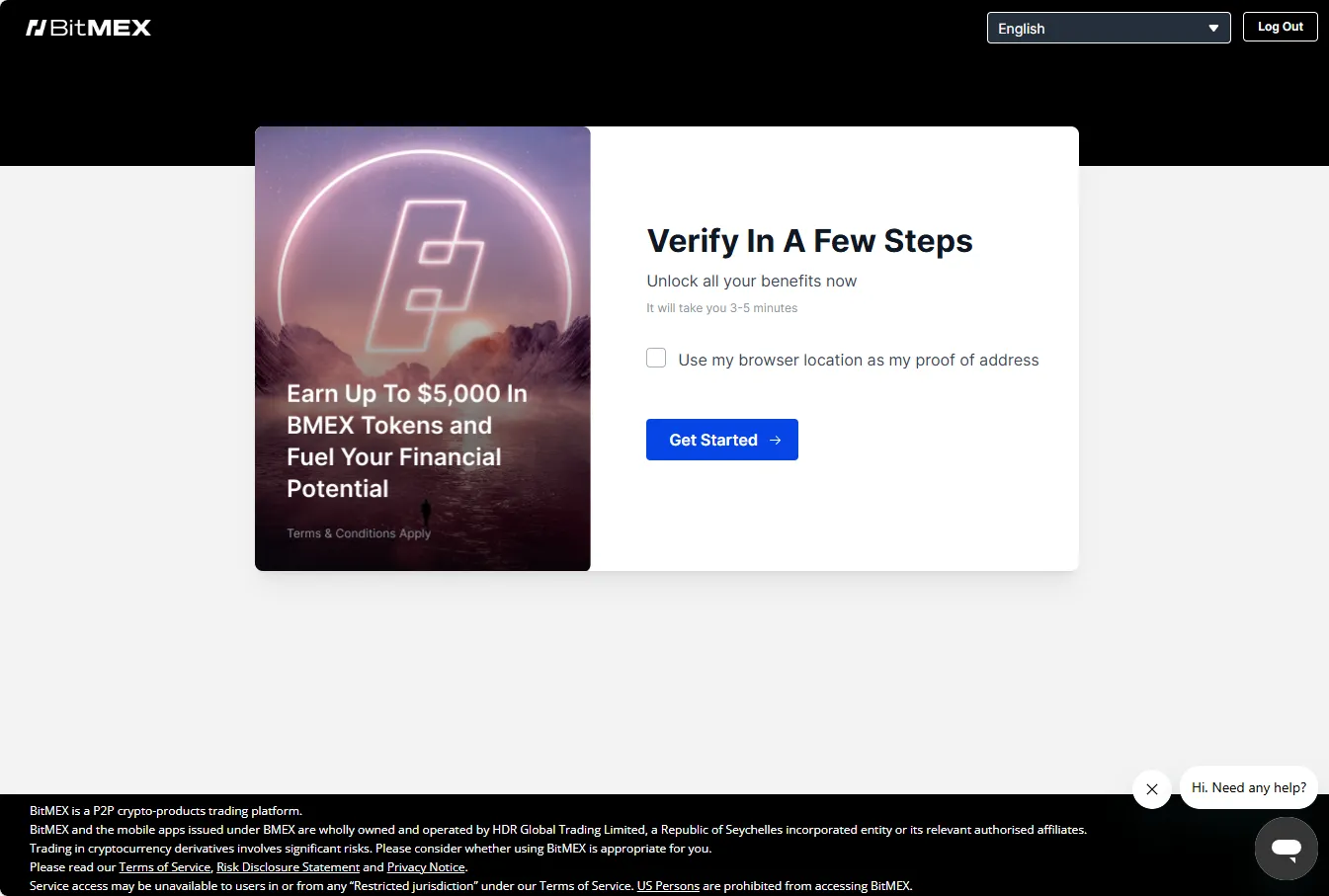
Switch back to the exchange, complete the verification process (KYC) to unlock the operations.
Review and follow the instructions of the exchange. -
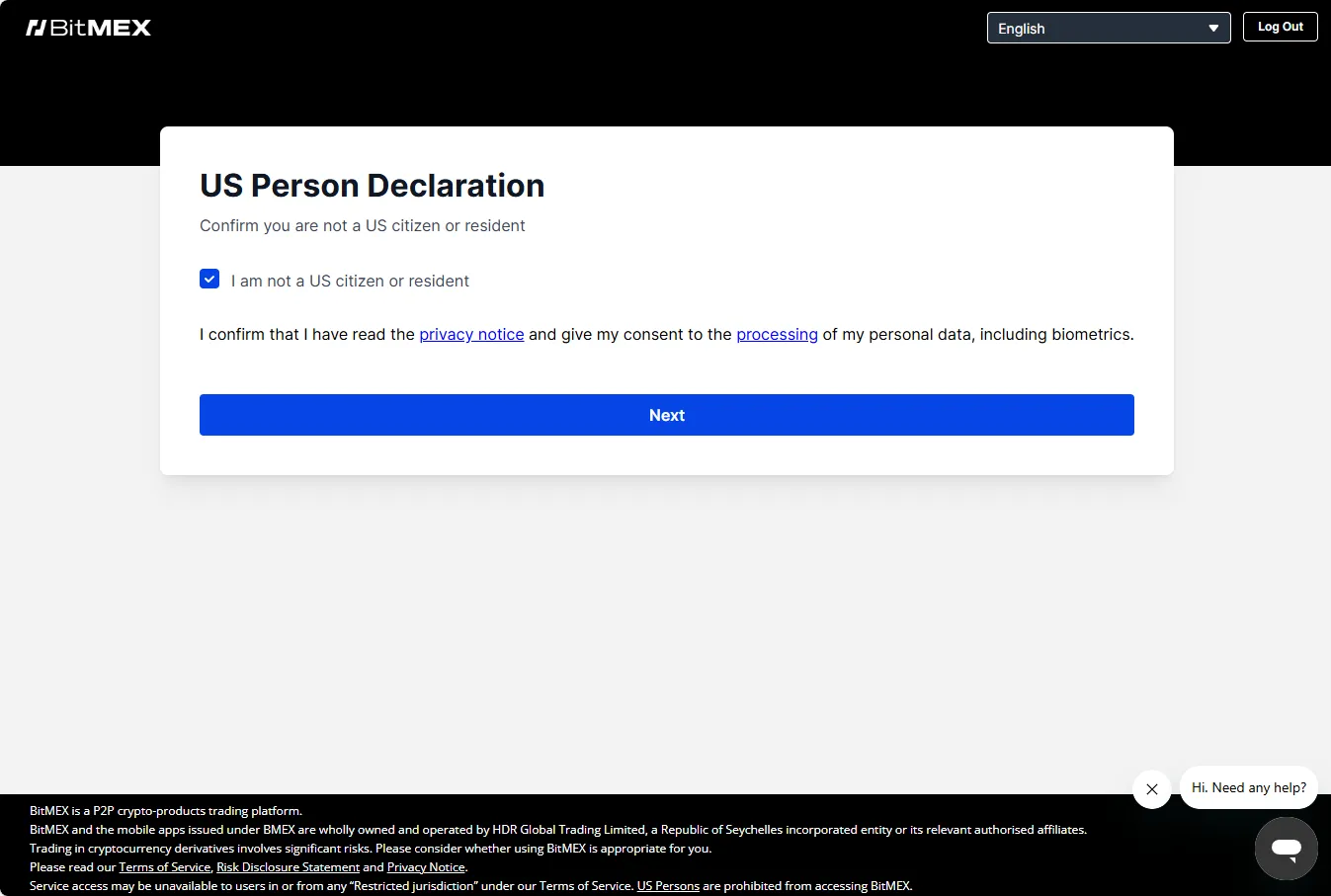
Complete the geo-check and accept the Declaration about restricted regions.
-
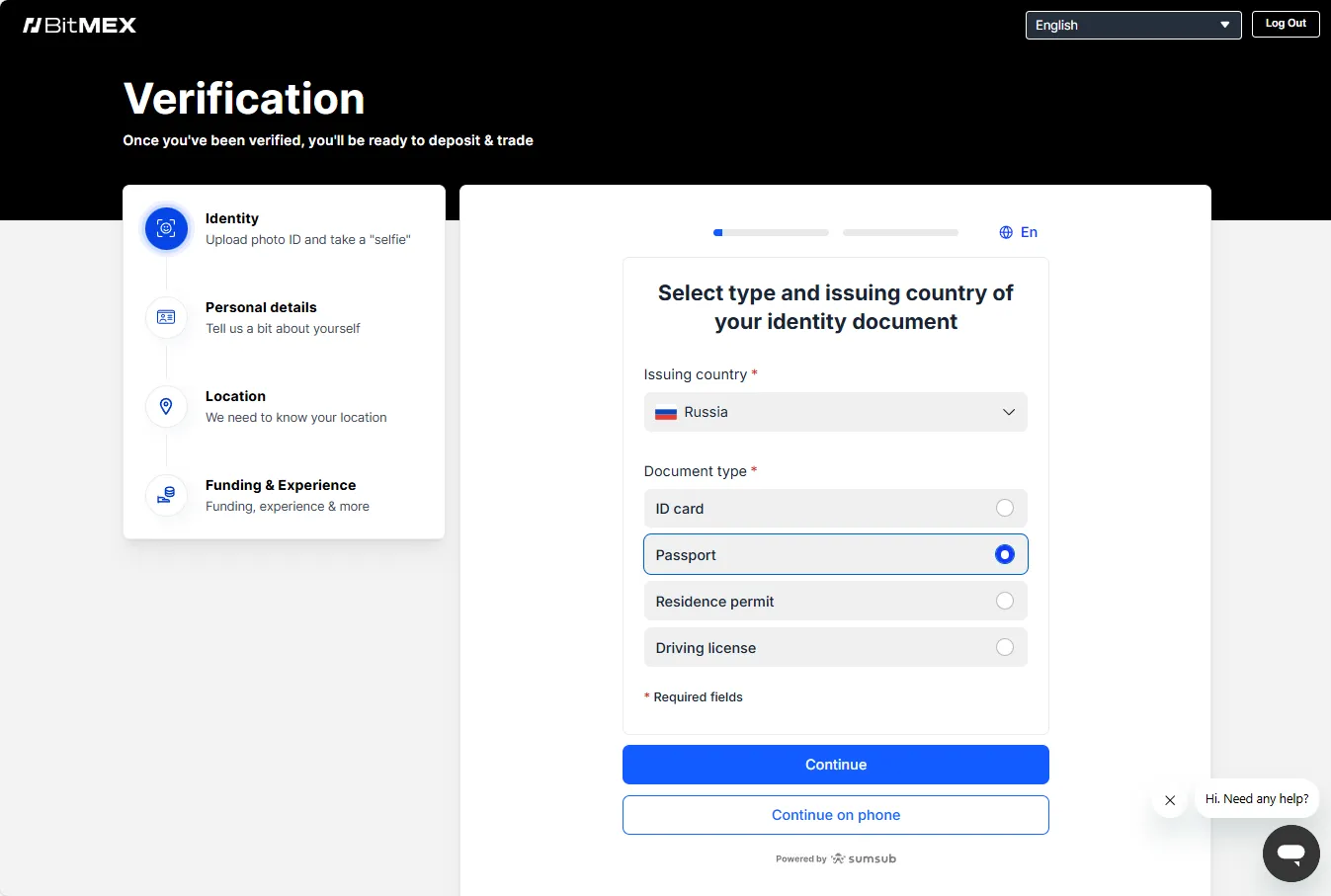
Select one of the documents from the provided list.
-
Continue with the procedure and switch to the mobile device if necessary to make a photo of the document and a selfie.
-
After uploading the documents, please wait for the verification to complete.
-
Your account is ready for deposit and trading.
2-Factor Authentication
Section titled “2-Factor Authentication”After registration, it is recommended to enable 2-Factor Authentication (2FA) on your account. This will add an additional layer of protection to your account and funds.
-
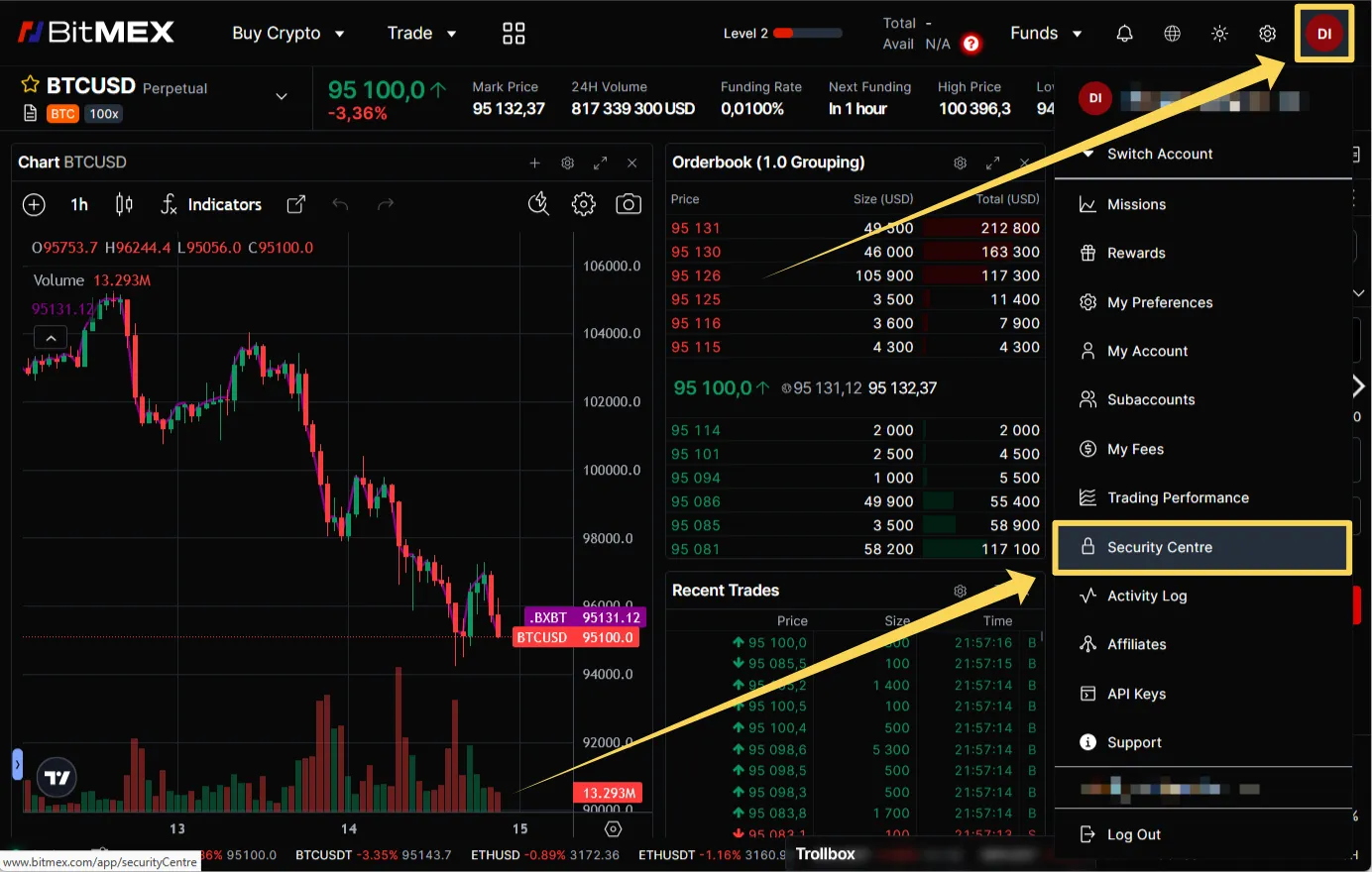
Click on the profile icon in the upper-right corner of the screen and select the “Security Center”
-
Then follow the instructions on the page about how to connect 2FA.