Depositing to Your BitMEX Account
You can deposit funds to your BitMEX account from the external wallet or buy crypto using our partner service.
Deposit from the external wallet
Section titled “Deposit from the external wallet”Before sending the funds, please make sure that:
- the minimum transfer amount requirement is met;
- the correct chain with the optimal commission has been selected;
- the recipient’s address is up-to-date (the exchange may periodically update deposit addresses — use only the one that is displayed at the time of transfer).
-
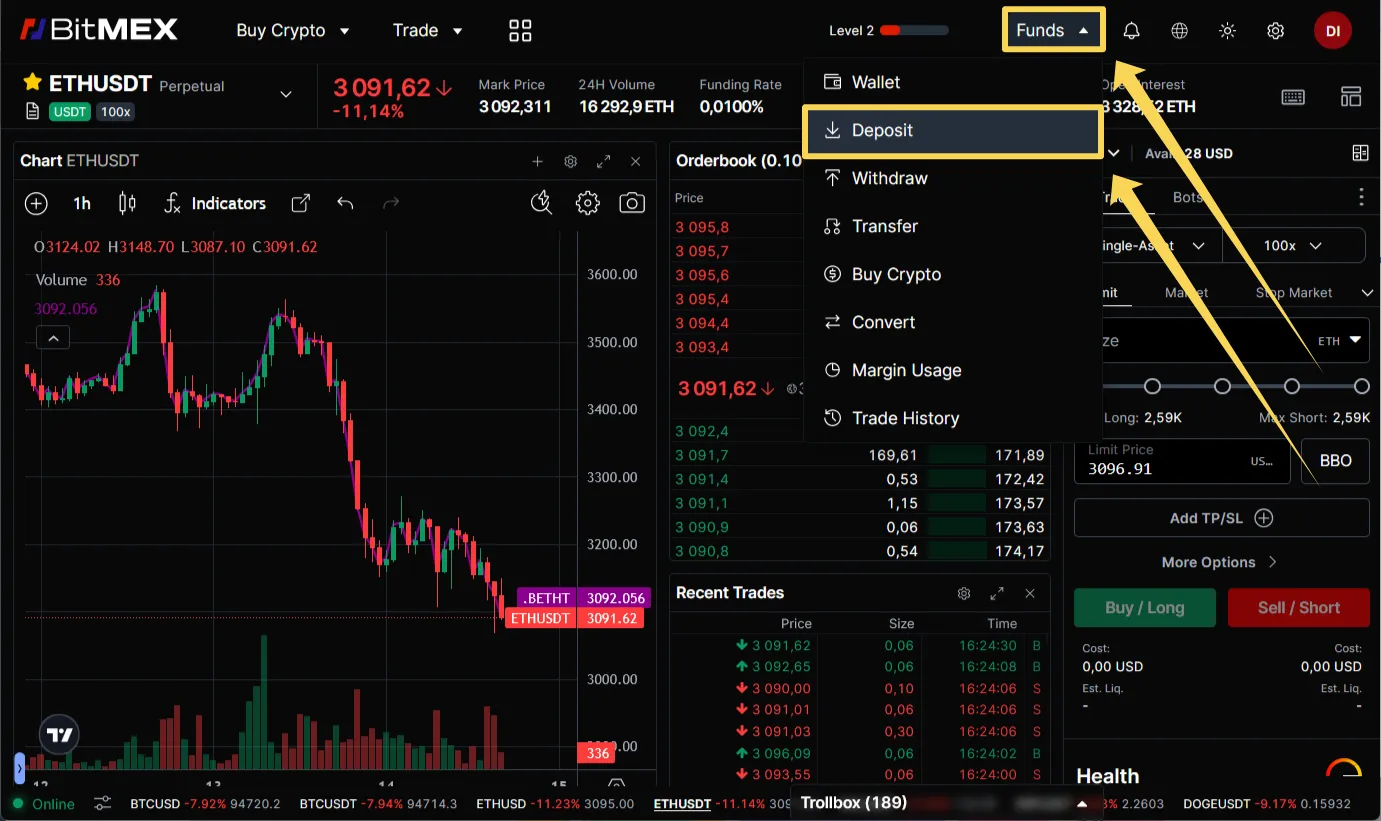
Open from the top menu “Funds” and select “Deposit”.
-
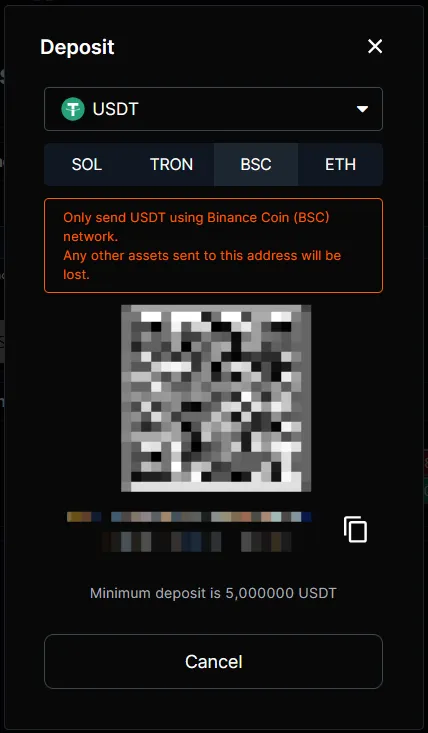
Select the desired coin and chain. The exchange will show your address for the transfer.
-
Copy the address or use the QR code.
-
In your wallet (or on the other exchange) create a withdrawal request to the copied address and chain.
-
Confirm the transfer and wait for the deposit completion. The time of transfer depends on the network usage.
Buying crypto
Section titled “Buying crypto”The purchase of cryptocurrencies is made through the external service Onramper.
Check out the terms of use on the service’s website.
For example, Onramper does not accept payments with Russian cards.
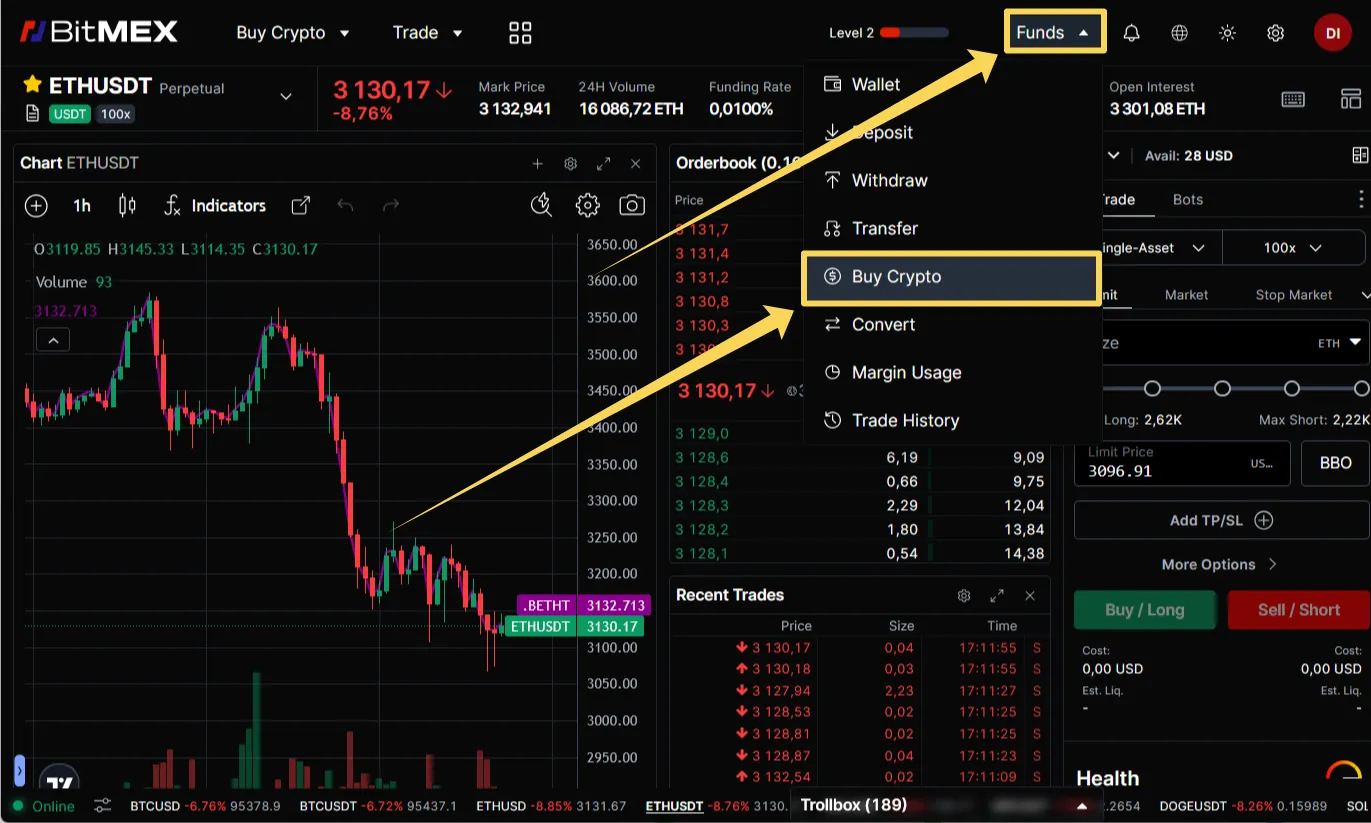
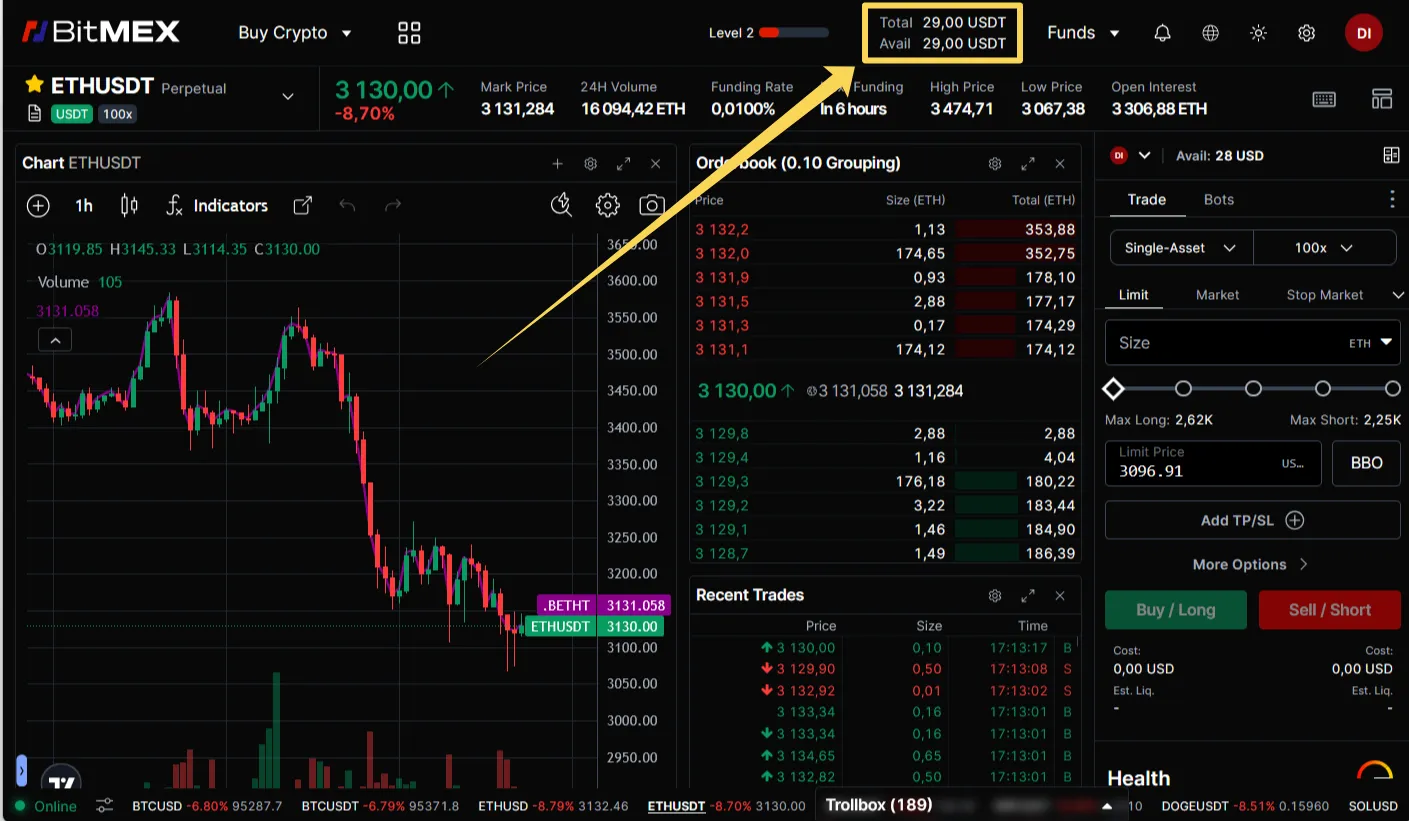
After receiving the cryptocurrency, the funds will be displayed in the “Wallet” section in your profile and in the “Available” column on the trading terminal page.