
Creating a Subaccount on BitMEX
Subaccounts give you flexibility in managing your trading and funds on the exchange — for example, test some of the bots separately from the main trading account.
On BitMEX you can create up to 5 subaccounts.
-
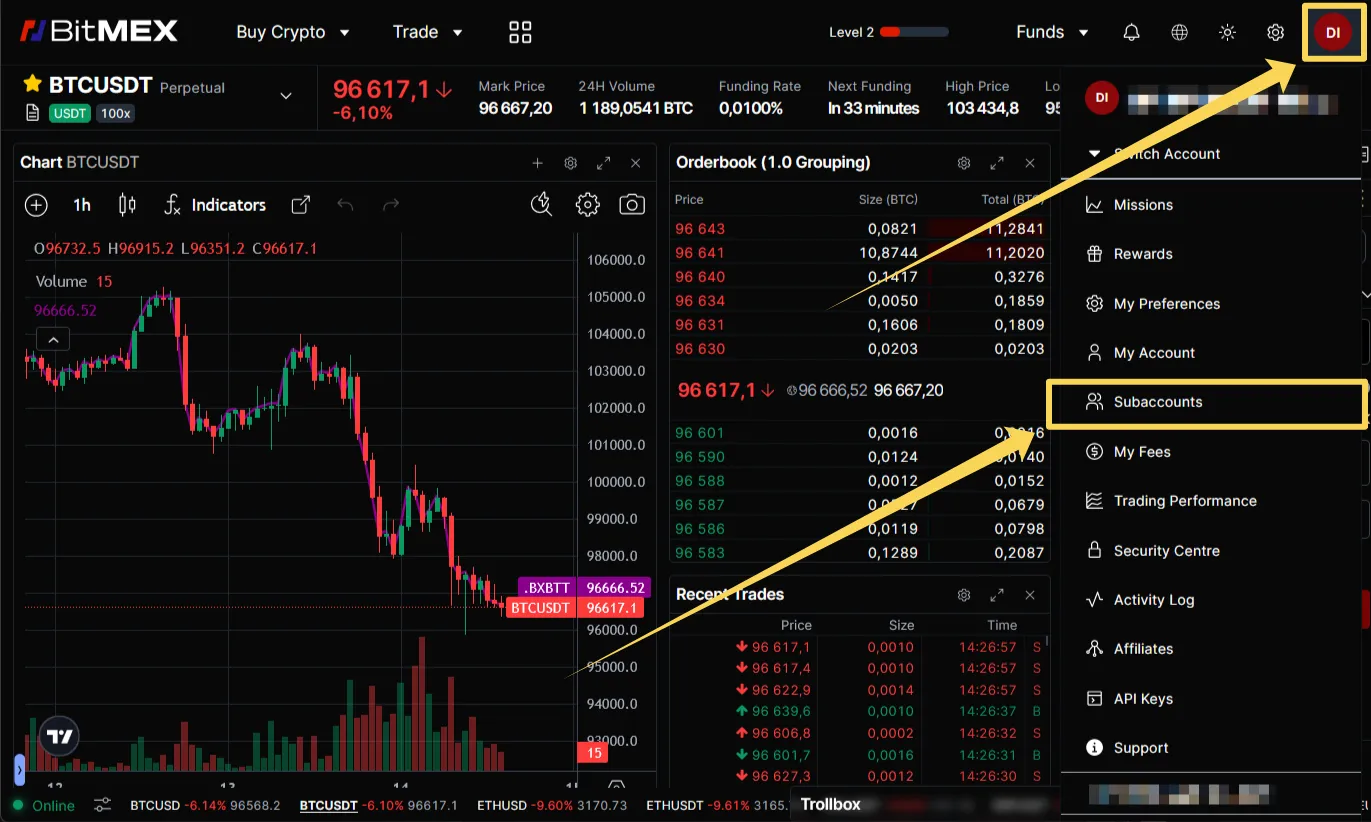
Press the profile icon in the right upper corner and select “Subaccounts” in the menu.
-
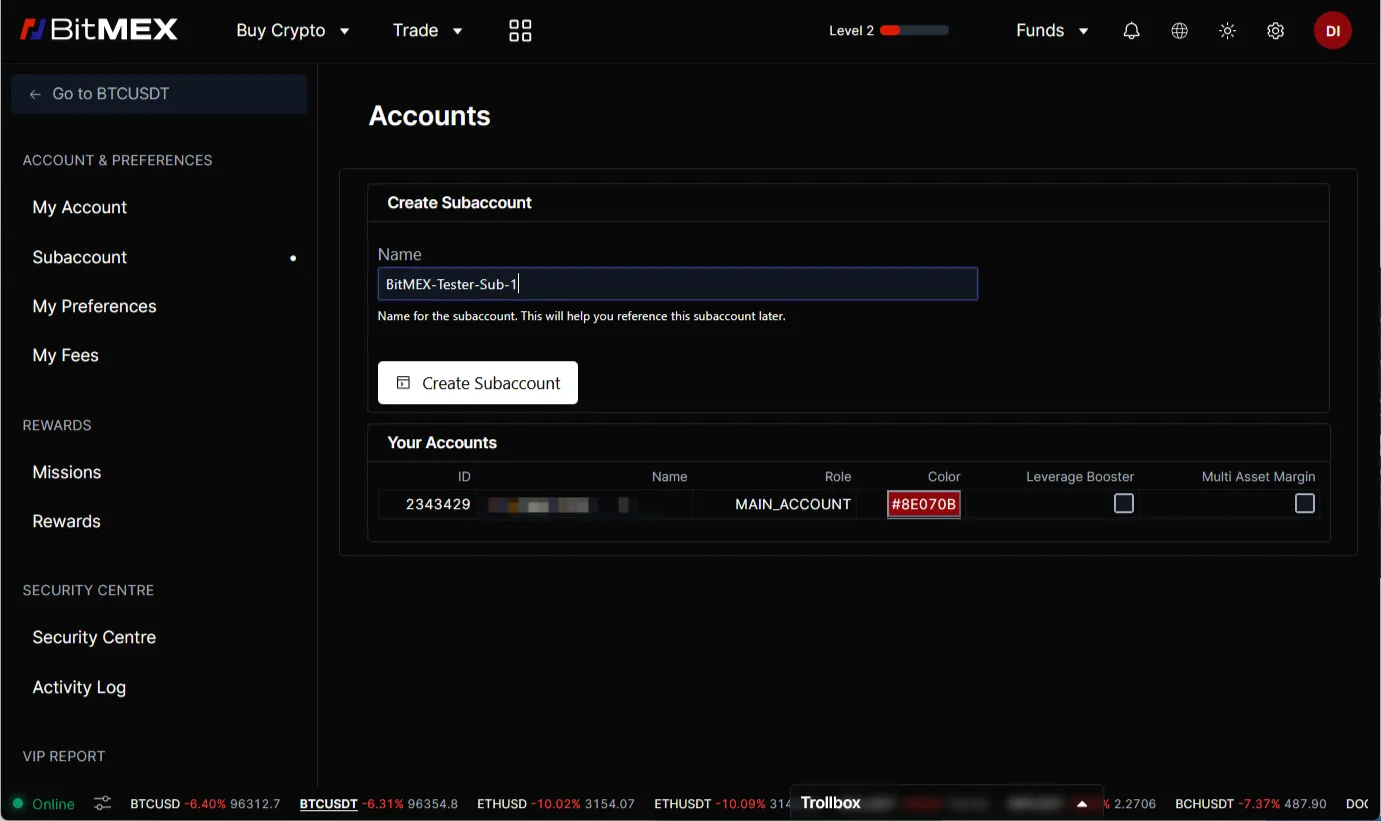
On the subaccounts management page enter the name (you may edit it later) and press “Create Subaccount”.
-
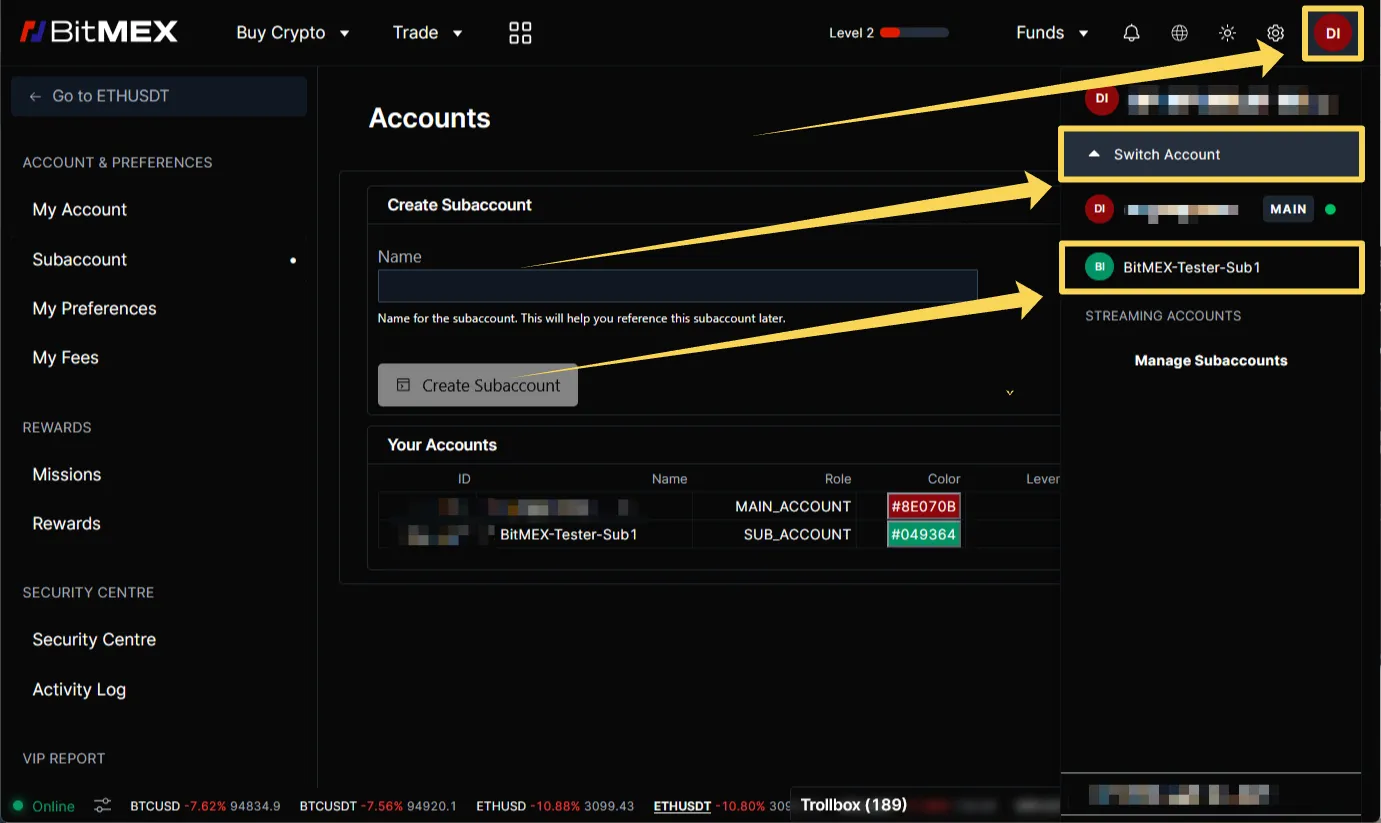
New subaccount will appear in the list.
-
To switch between accounts press profile icon, open “Switch Account” list and click the desired account name.
-
Profile icon will change to the current account sign.