
Connecting API Bybit
In order for the binding to work, it is recommended that you first top up the exchange’s account for any amount.
Fast connection to Bybit
Section titled “Fast connection to Bybit”The Fast connection only works for the main account of the exchange. If for some reason it doesn’t work, use the manual connection method.
-
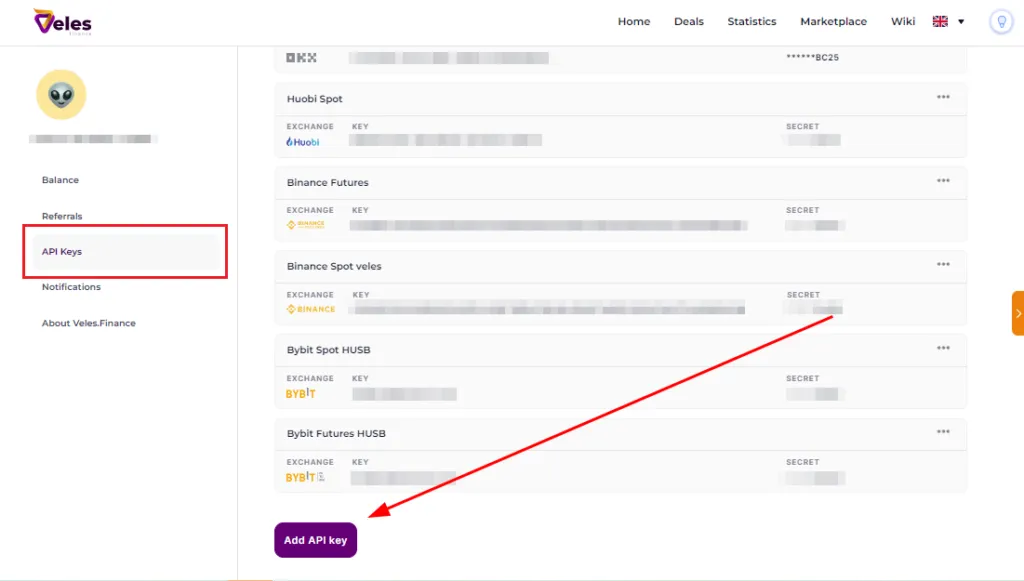
Go to the API Key Management page or open the bot creation window on the platform.
-
Click “Add API Key” and select Bybit.
-
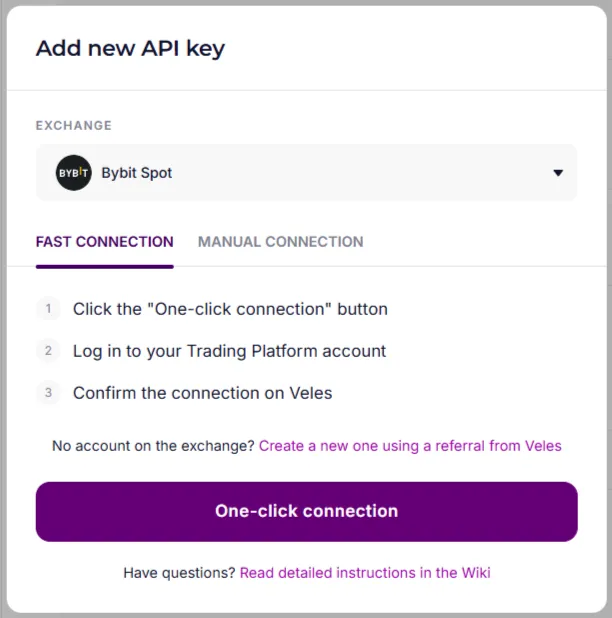
Click “One-click Connection”.
-
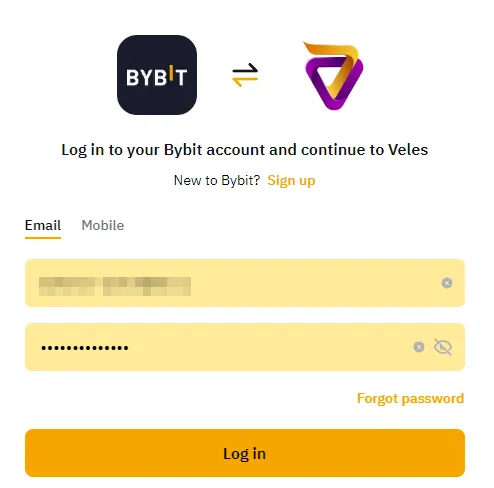
Log in to your Bybit account.
-
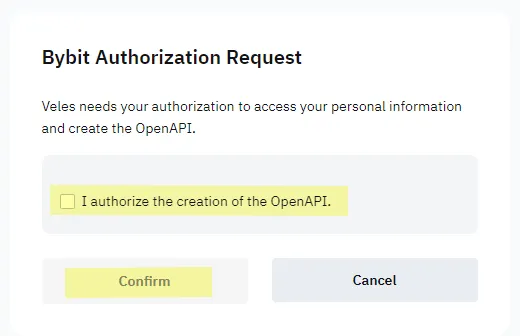
Allow the creation of OpenAPI and confirm the request.
-
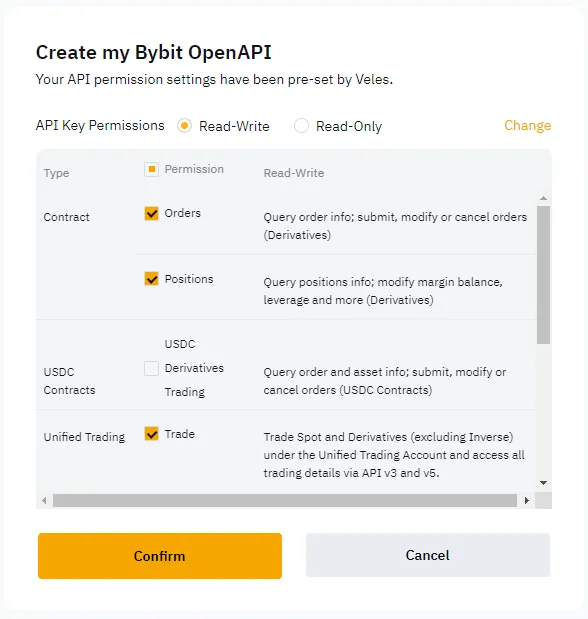
Click “Confirm” on the next page. All necessary permissions will be granted automatically.
How to recreate the key
Section titled “How to recreate the key”If you have already linked Bybit with Veles, then when creating a new key, the exchange can automatically substitute the old one. To create a new key, follow these steps:
-
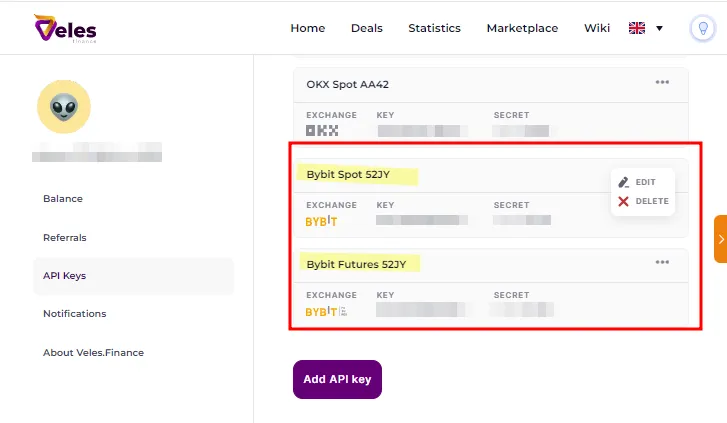
Remove the Binding in Veles on the API Key Management page
-
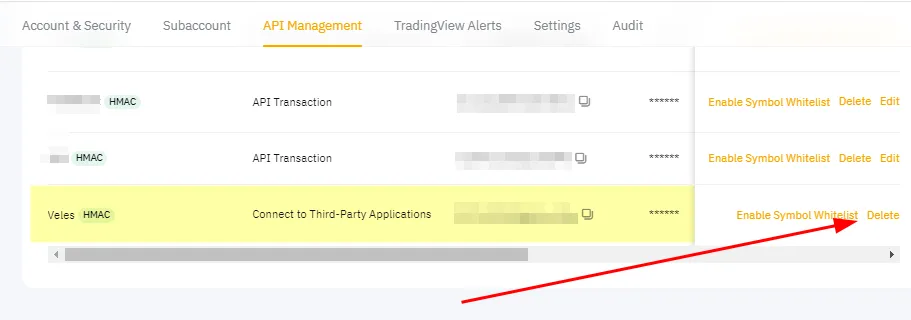
Delete the key on the API key management page on the exchange: https://www.bybit.com/app/user/api-management
Now you can create a new key according to the instructions above. If the “Fast Connection” still doesn’t work, use the manual method.
Manually creating an API key on Bybit and linking it to Veles
Section titled “Manually creating an API key on Bybit and linking it to Veles”Open the exchange’s website in a browser on your PC or tablet.
⚠️ Access to API management is not available through the Bybit mobile app.
How to create an API key on Bybit
Section titled “How to create an API key on Bybit”-
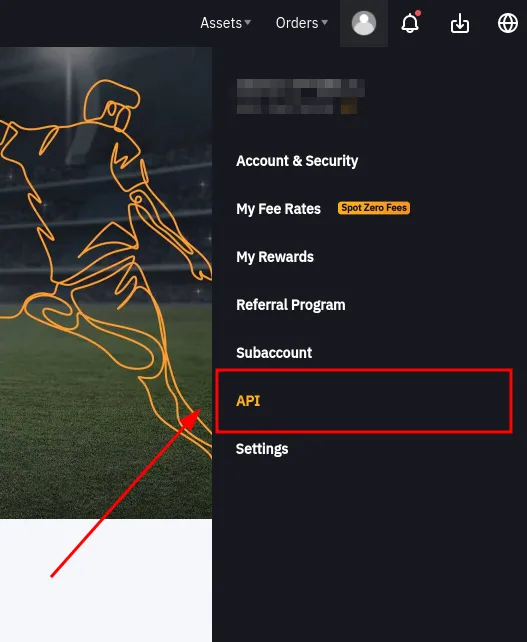
To create a key, click the user icon in the upper-right corner of the main page and select “API”. In this section, you can create, edit, and delete API keys.
-
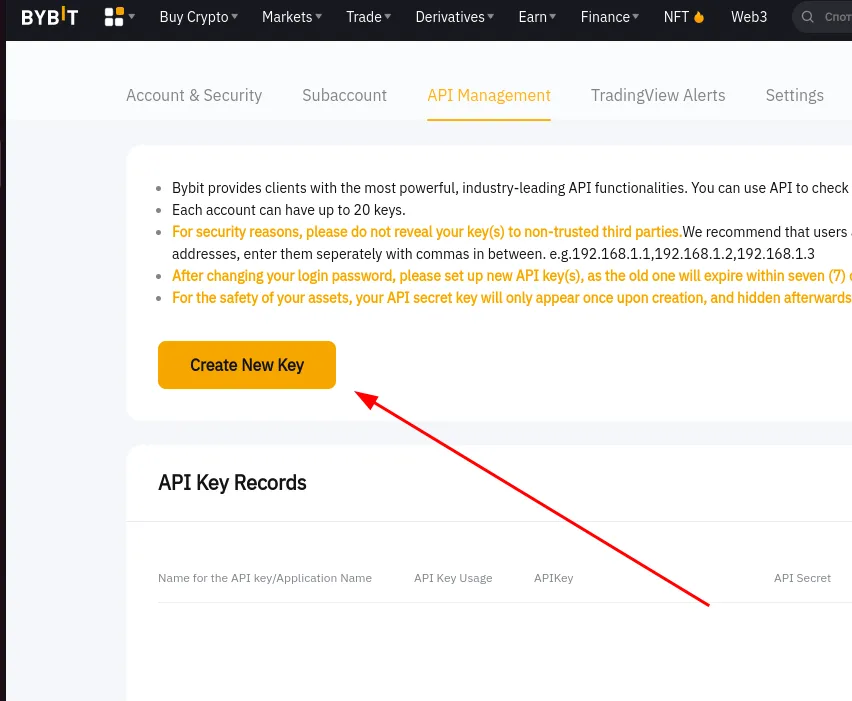
Click “Create a new key”.
-
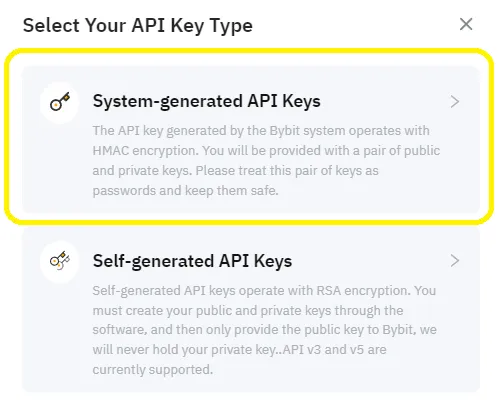
Select the option “API keys created by the system”.
-
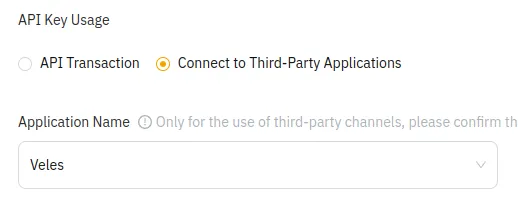
Select the switch “Connect to a third-party application” and select Veles from the list.
-
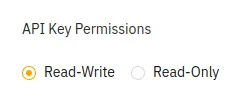
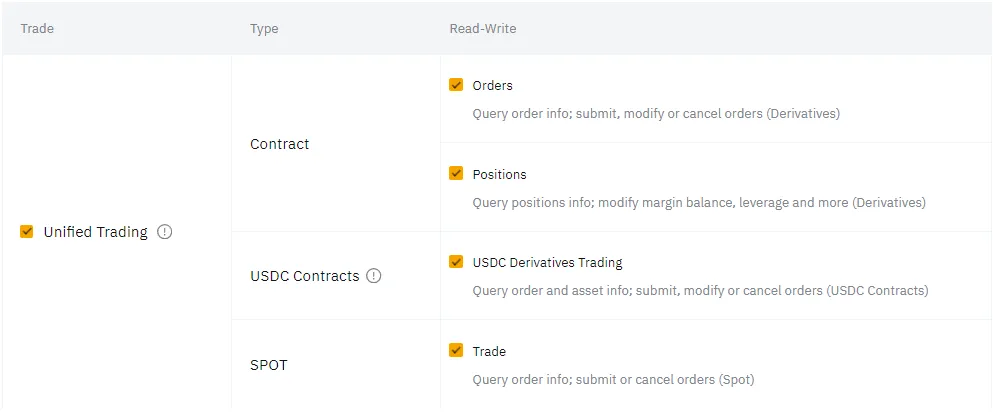
In the permissions, set “Read and Write”.
-
Check the box “Unified trading account” — all necessary permissions will be granted automatically.
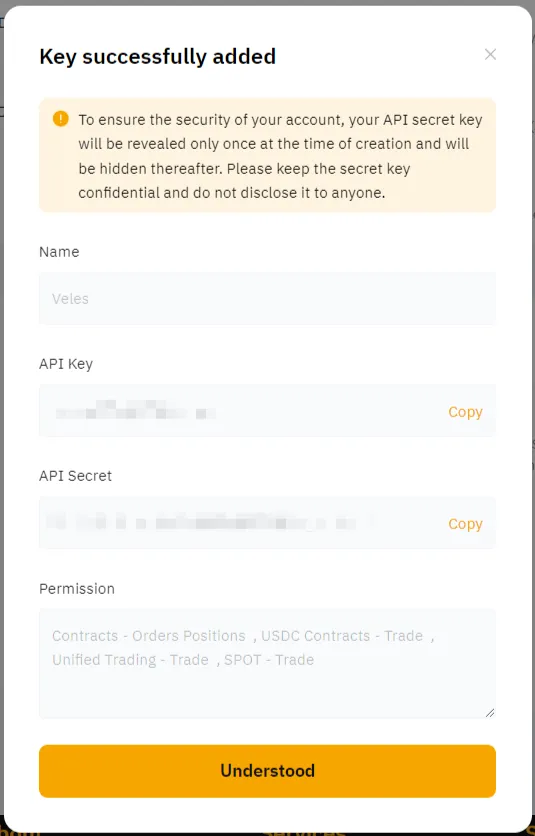
After that, you will receive an API key and a Secret key to connect to Veles. Save them in a safe place (for example, in a password manager).
Binding the API key to Veles
Section titled “Binding the API key to Veles”-
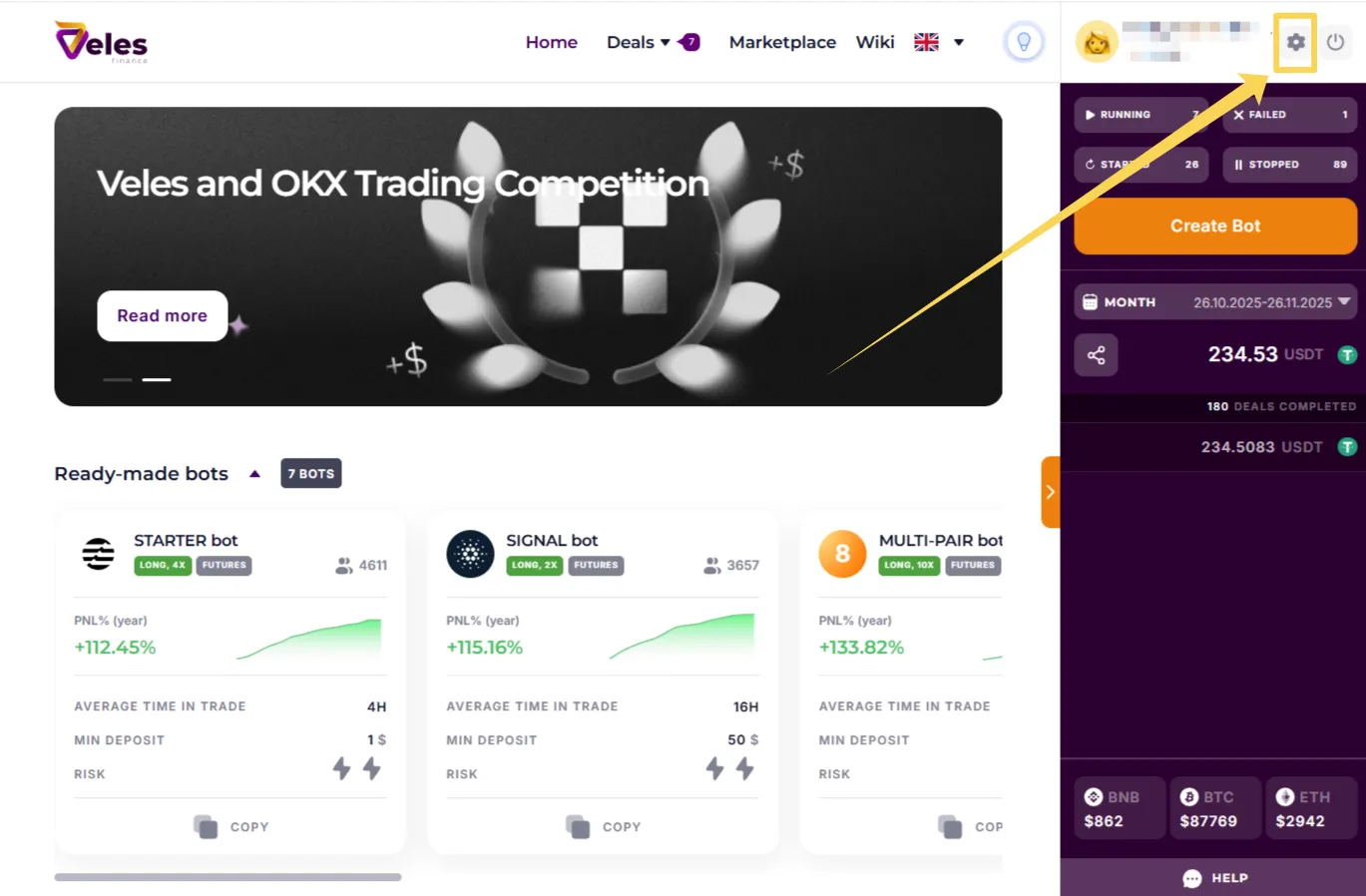
Log in to your Veles personal account and click “Settings” (the gear icon on the top right), then go to the “API Keys” section.
-
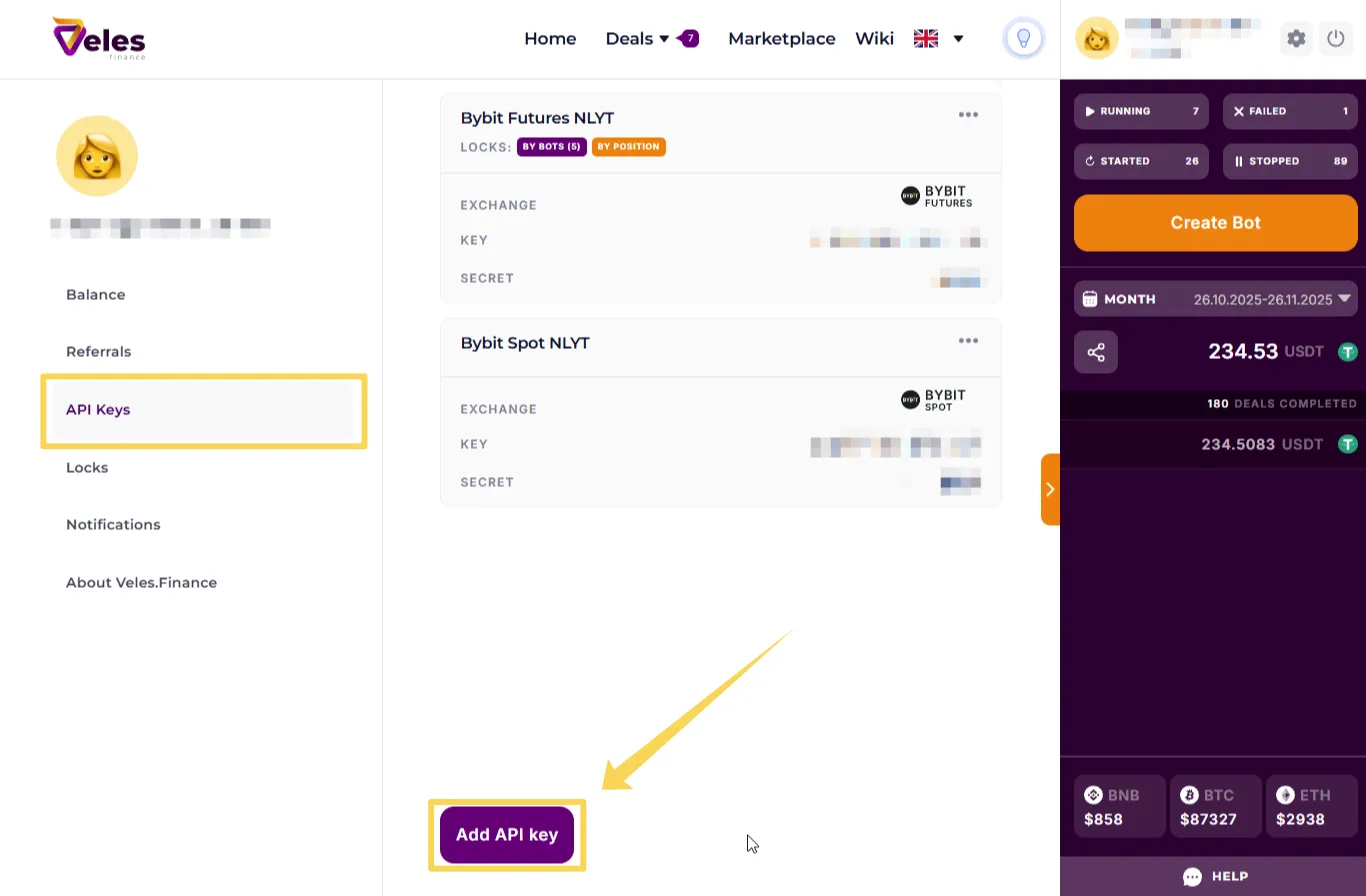
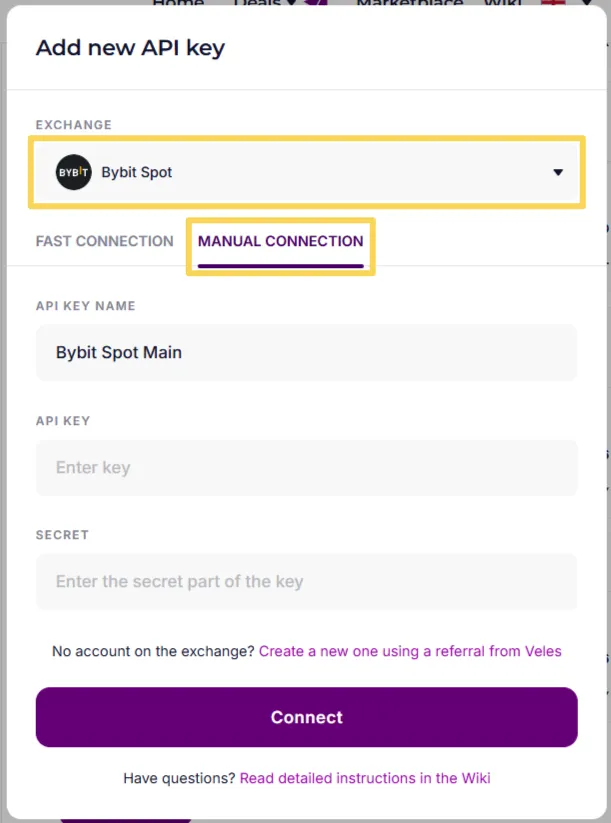
In this section, you manage all Bindings used by Veles bots (create, delete, and edit). Click “Add API Key”.
-
Select an exchange (in the example — Bybit Spot) and the option “Manual connection”. Give the binding a clear name (for example, Bybit Spot Main or Bybit Spot Subacc1). Insert the API key data and click “Connect”.
Congratulations! 🎉 Now you can trade on Bybit using Veles bots.