
Preparing Bybit Account for Veles
A futures account is created automatically on Bybit only after funds are transferred to it. Follow the instructions below to prepare your account to work with the Veles platform.
-
Go to the following page: https://www.bybit.com/user/assets/home/overview
-
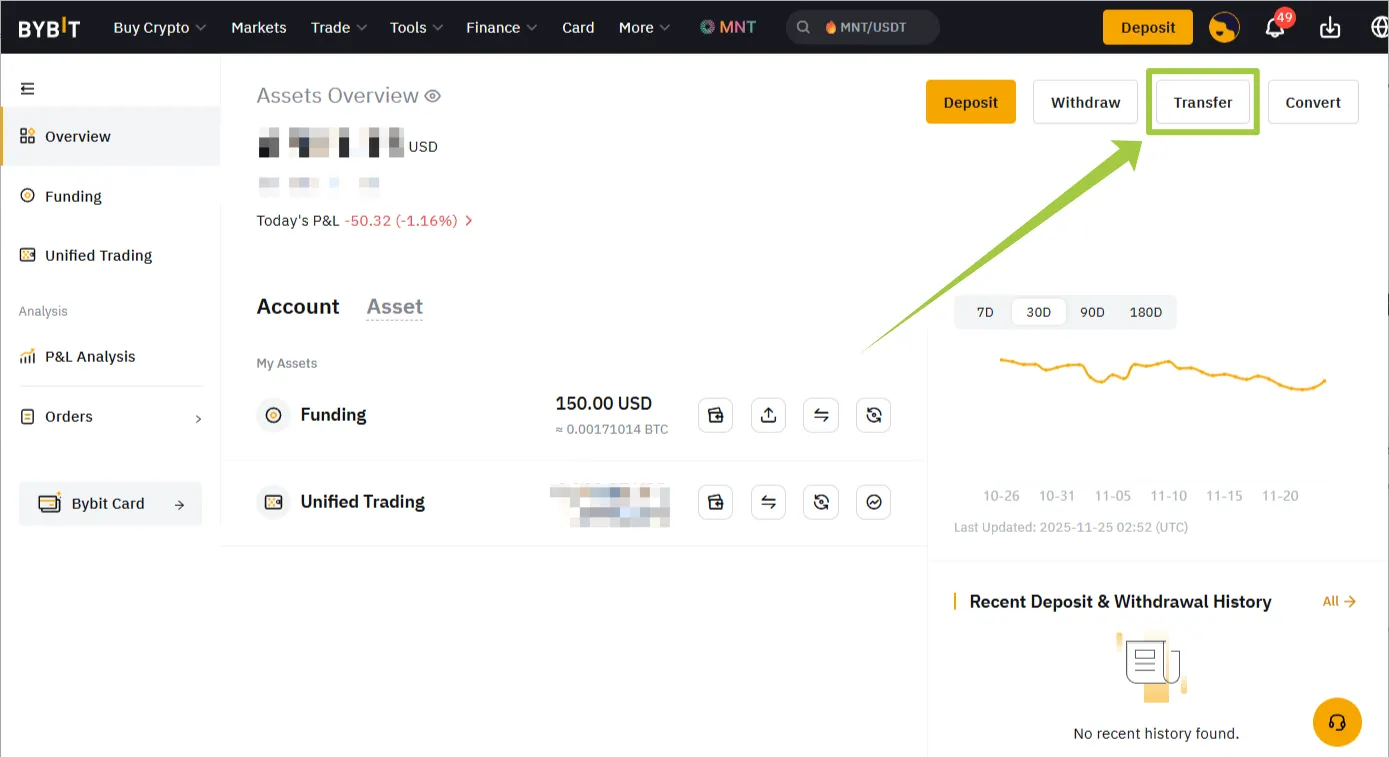
In the upper-right corner, click “Transfer”.
-
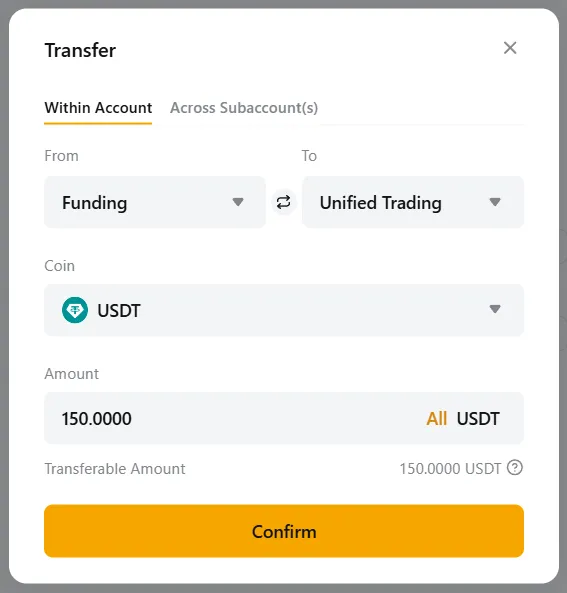
In the transfer field, specify the source and target of the transfer (within the same subaccount or from main account to subaccount, for example). Select “Unified trading” of your subaccount as the source, specify the amount and confirm the transfer.
After a successful transfer of funds, you will be able to create a connection to Veles and start trading.