
Changing Referral on Bybit
On Bybit, you can change the referral code and join the Veles partner community. There are two ways below, depending on when your account was created.
The first way
Section titled “The first way”Suitable for accounts registered with a different referral code more than 14 days ago.
-
Register a new account using our link: https://veles.link/A6YkYfGo
-
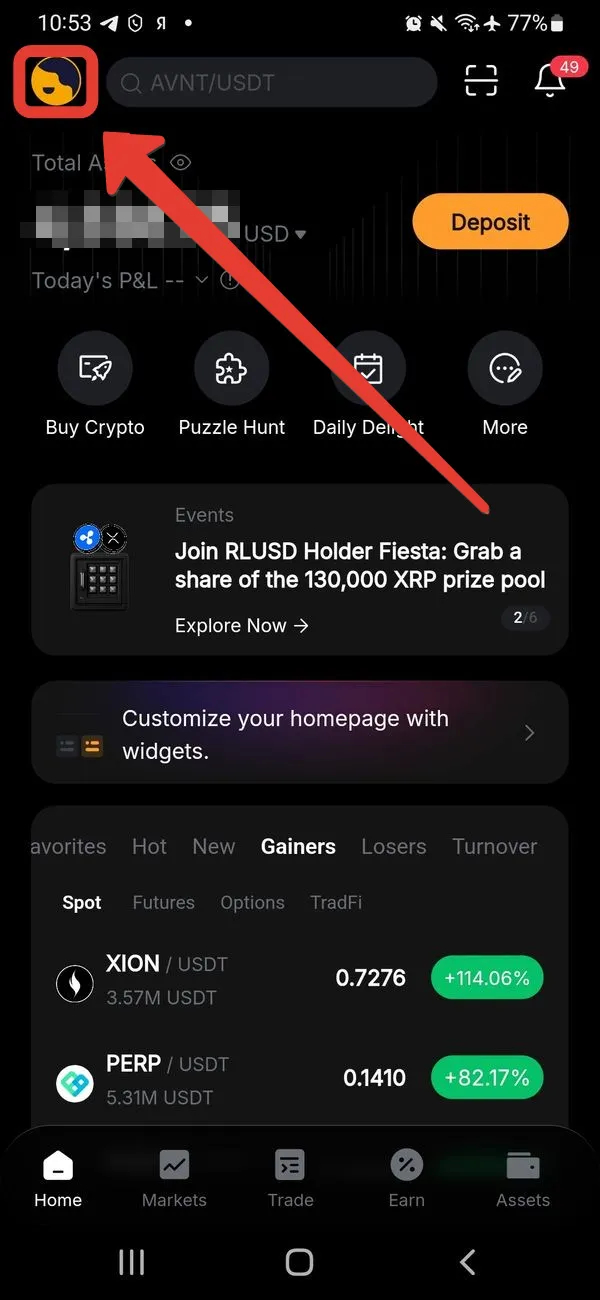
On the old account, open the Bybit main menu and click on the profile picture.
-
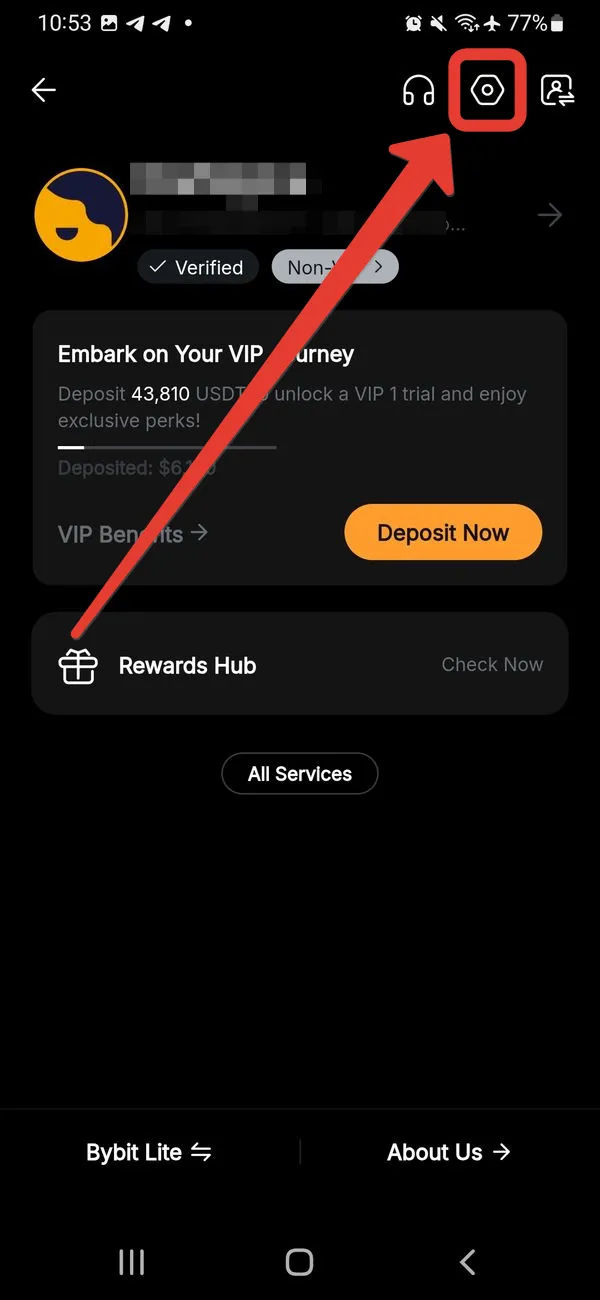
In the upper-right corner, click on the gear icon (settings).
-
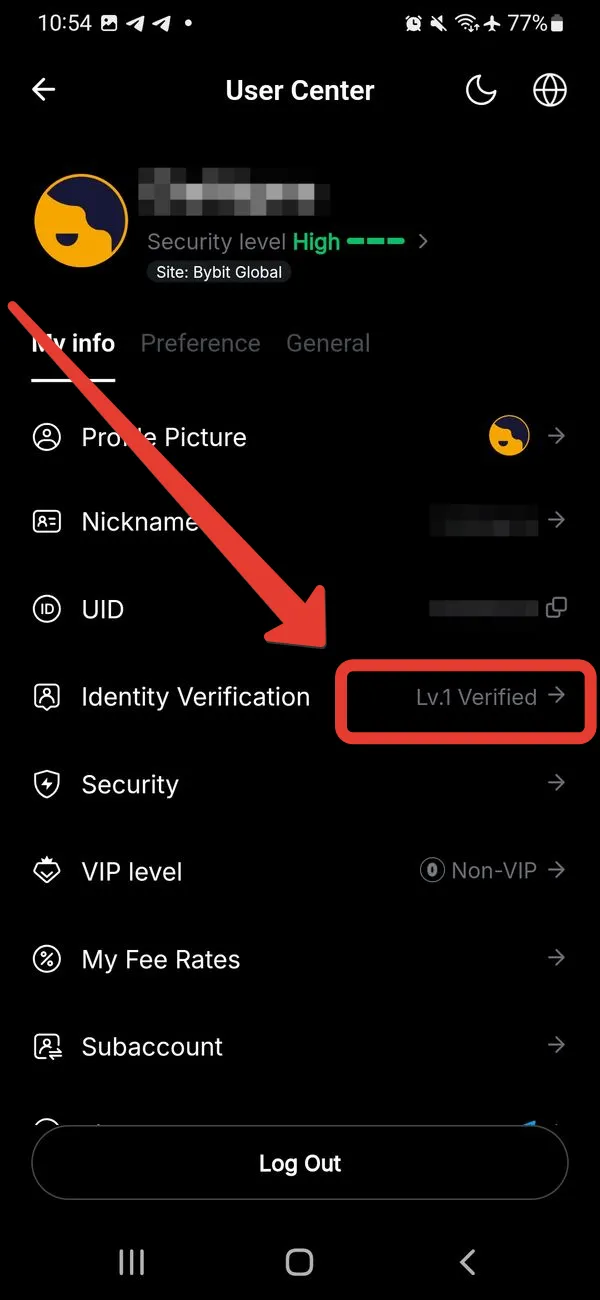
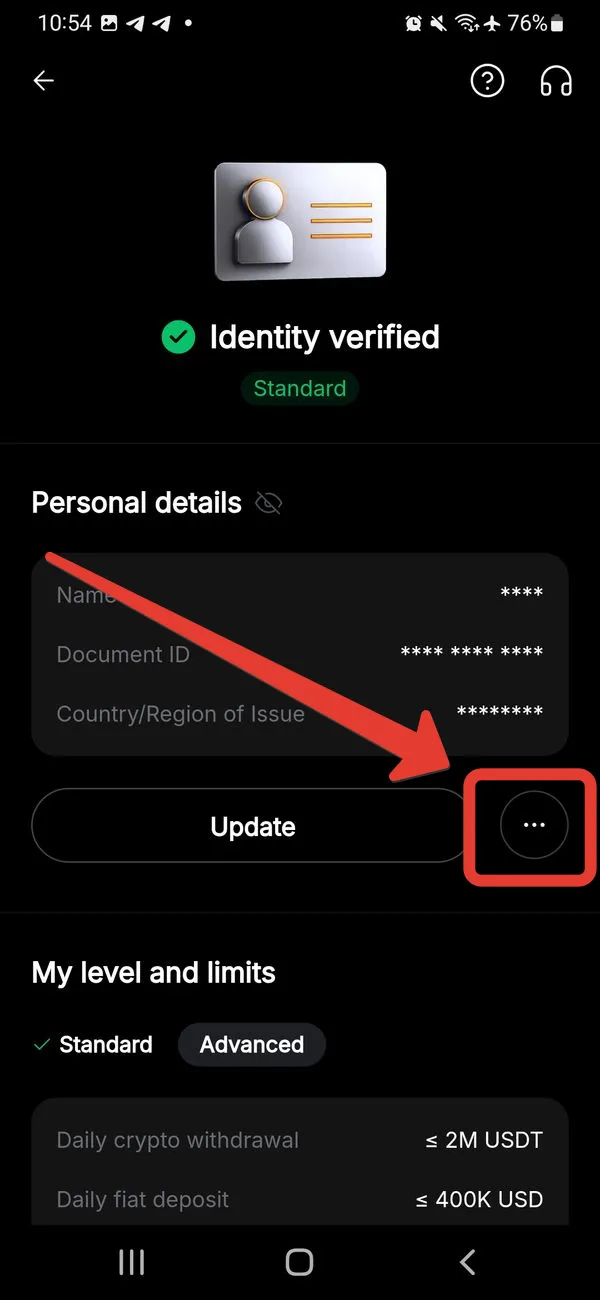
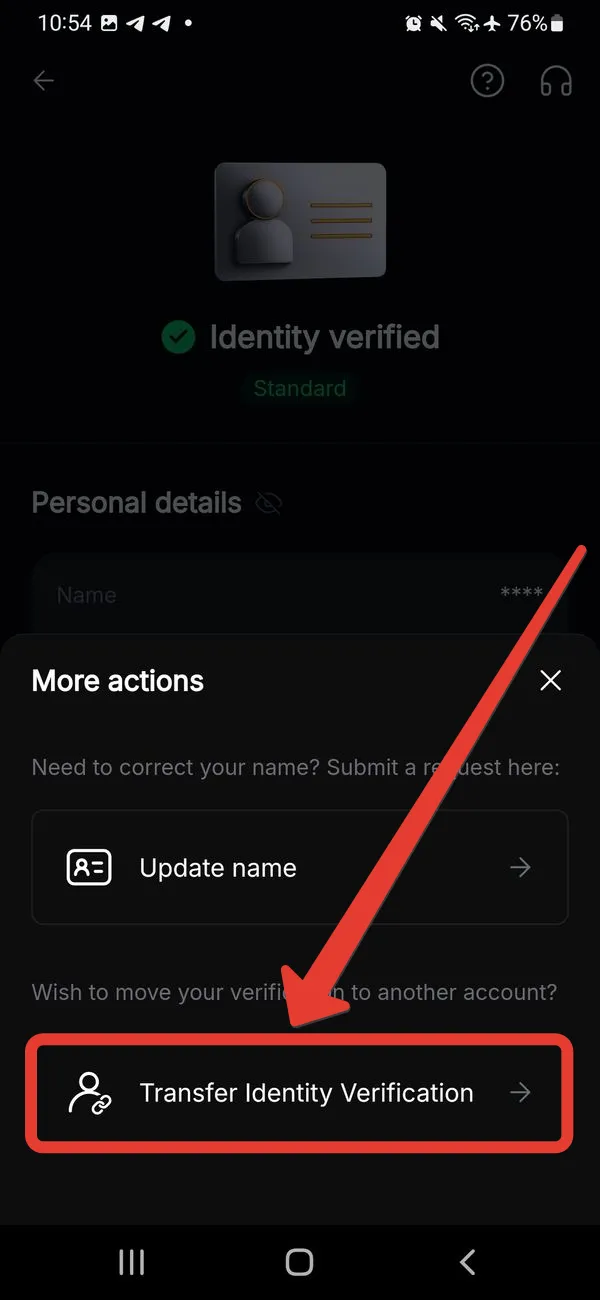
In the profile section, select “Identity verification”.
-
Click “Transfer Verification data”, follow the on-screen instructions and enter our referral code: 35260
The second way
Section titled “The second way”Suitable for accounts registered less than 14 days ago.
-
In the main menu of Bybit, click on the profile picture.
-
In the section that opens, click on the avatar in the upper-left corner again.
-
Click “Join Partner’s Community”.
⚠ If your account is older than 14 days or already has a referral code, this button will be unavailable.
-
In the “Referral code” field, enter: 35260
-
In the “Reason” field, write: Access to the service
-
Click “Send”.