Connecting API Gate
Before starting, make sure that your futures account is topped up — without funds, the key cannot be successfully linked to Veles.
Creating an API key on Gate
Section titled “Creating an API key on Gate”-
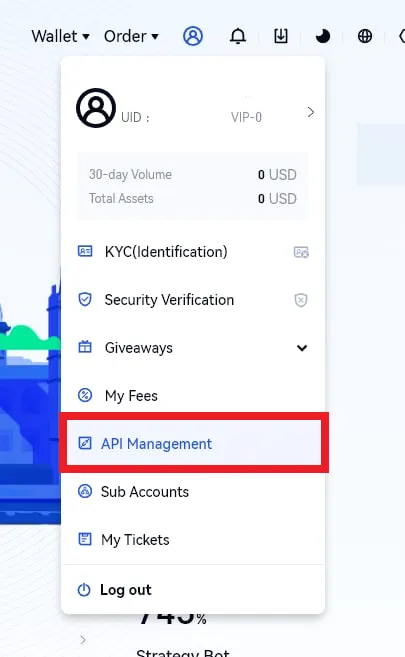
In the upper-right corner of the page, click the user icon and select “API Management”.
-
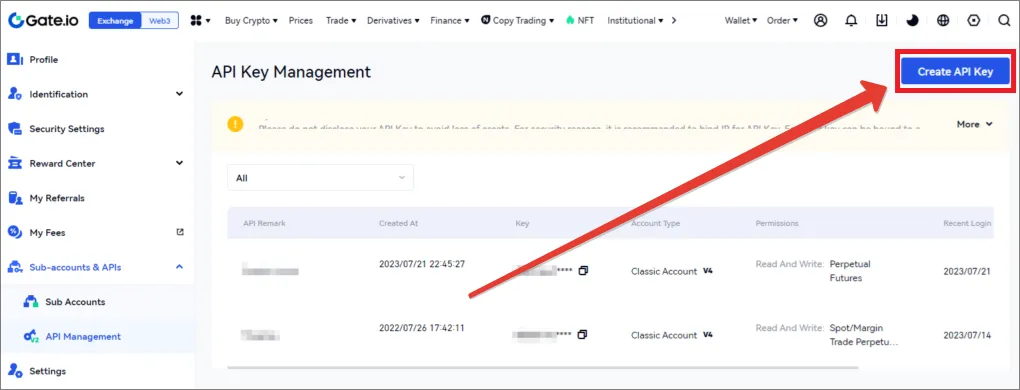
On the page that opens, click “Create API Key”.
-
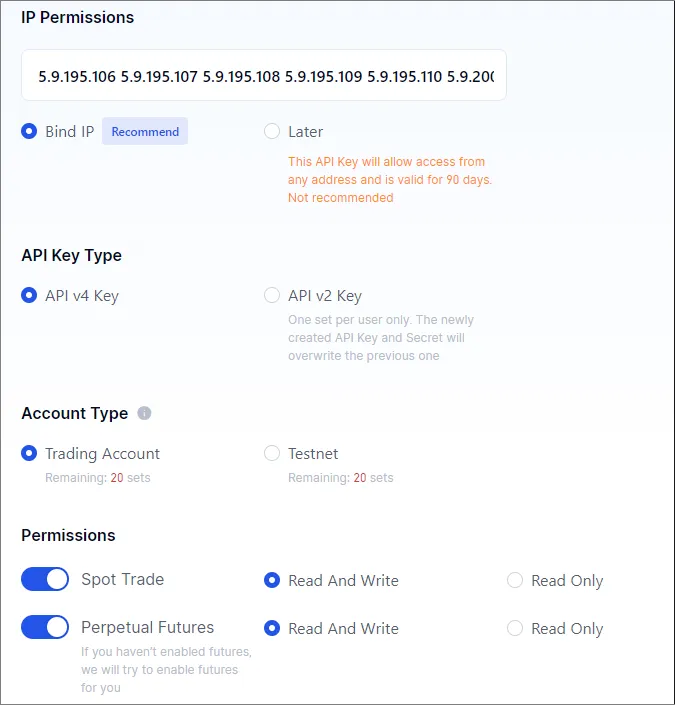
You will be redirected to the key creation page. Enter a clear name in the “API Key Note” field and set the permissions as shown in the image.
-
Specify Veles IP addresses — they can be copied from the article “API key”. Pay attention to the format of the list, required by the exchange (dot or comma separated).
-
Save the received key data in a safe place, for example, in a password manager.
Creating an API Binding in Veles
Section titled “Creating an API Binding in Veles”-
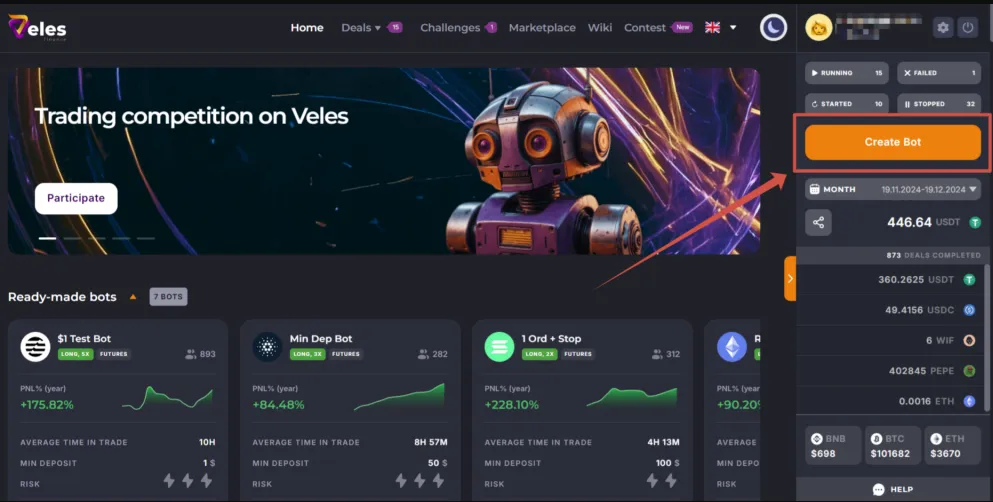
Log in to your Veles account and click “Create a bot”, or go to your profile settings in the “API keys” section.
-
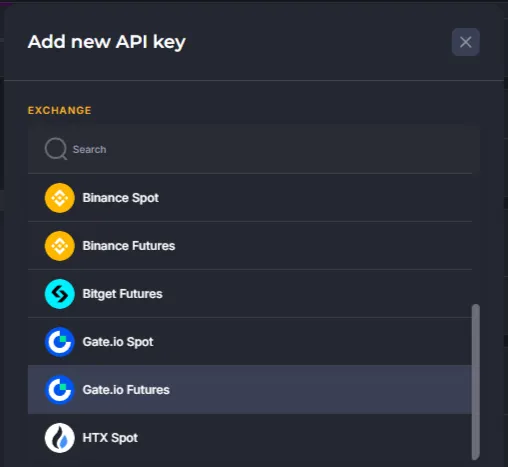
Select an exchange Gate and click “Add new API key”.
-
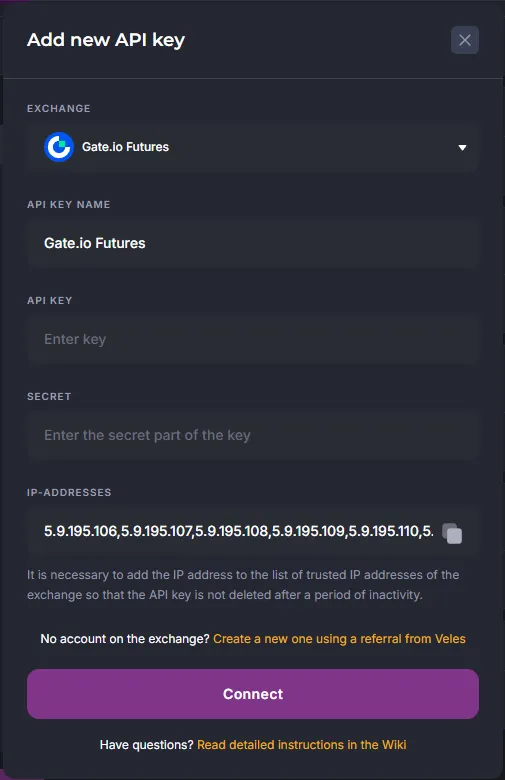
Insert your API key data from Gate and click “Connect”.