
Depositing to Gate Exchange
To start trading with Veles bots, you need to top up your balance on Gate. The easiest way to do this is through P2P trading, where transactions are made directly between users, and the exchange guarantees the security of the transfer of funds.
-
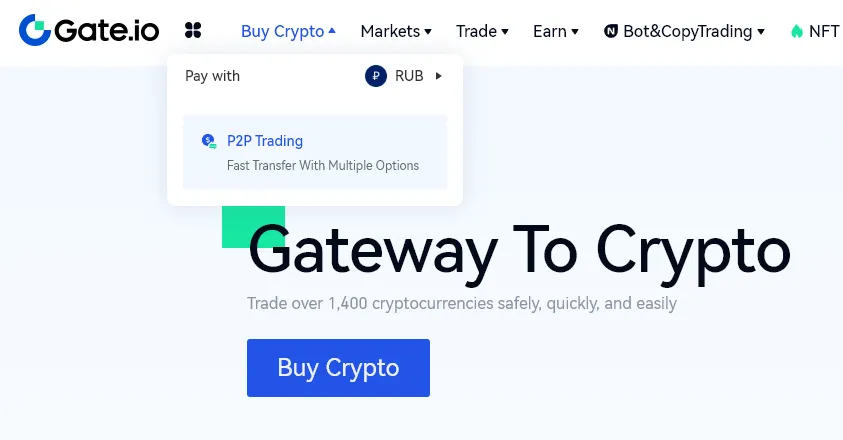
In the upper left part of the page, click “Buy cryptocurrency”, then select the menu item “P2P trading”.
-
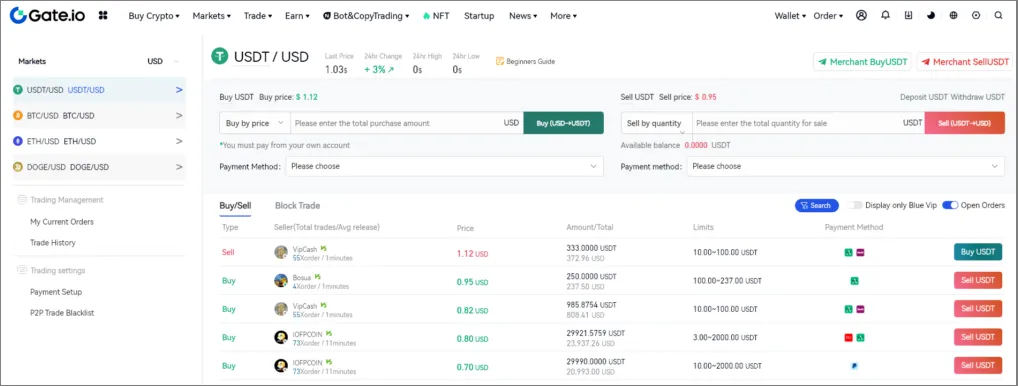
Select one of the available offers with a suitable rate and conditions.
-
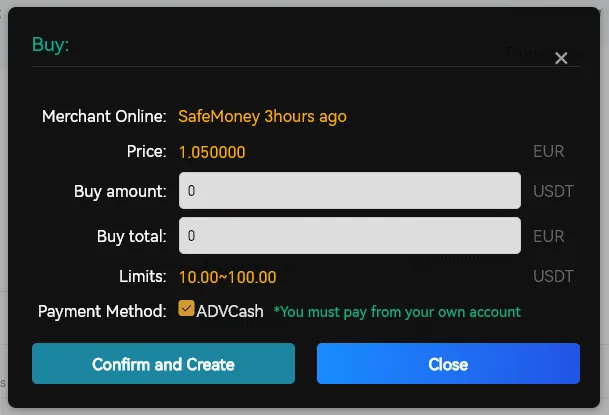
In the confirmation window specify the amount to purchase and payment method. Click “Confirm & Create” to create an order.
-
Link the payment method (for example, a bank card). After that, you will be redirected to a page with the seller’s details for transferring funds.
After the payment is done, the seller confirms receipt, and the cryptocurrency is credited to your funding wallet. Before starting trading with Veles bots, transfer funds to a trading account in the Assets section on Gate.