
Preparing a Gate Account for Veles
On Gate a futures account is activated only after funds have been transferred to it. Follow the steps below to prepare your account to work with Veles bots.
-
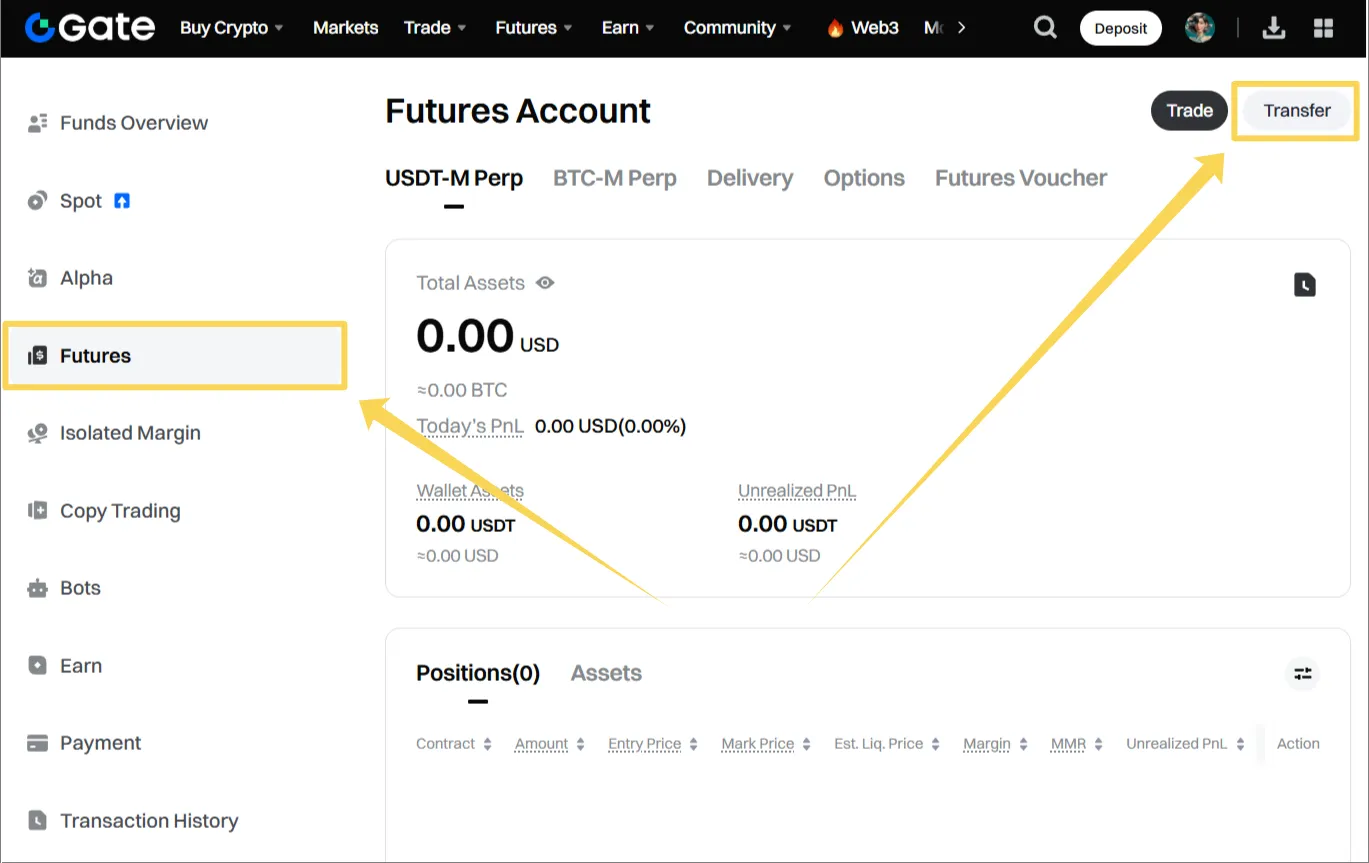
Go to the assets page: https://www.gate.com/myaccount/funds, switch to “Futures” and click “Transfer”.
-
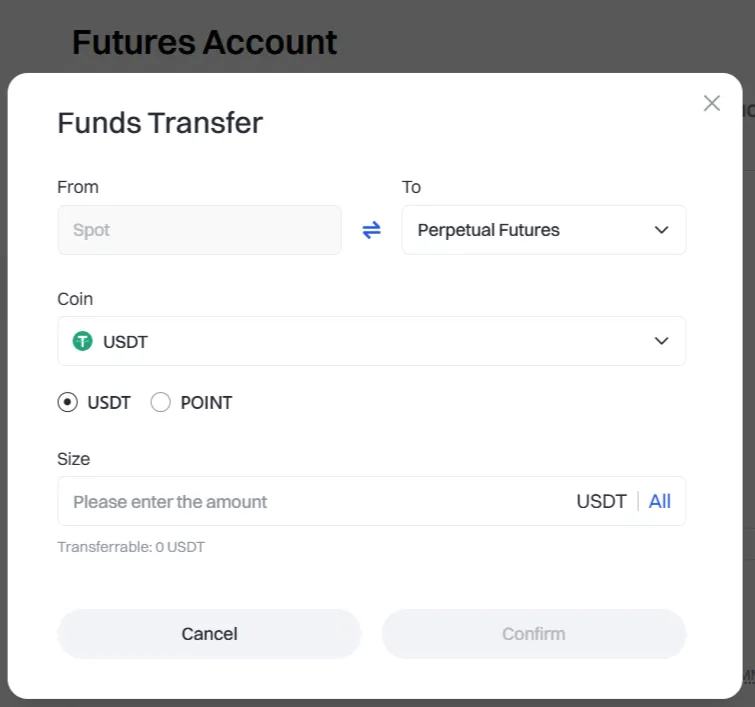
In the dialog window select “Perpetual Futures Account”, specify the amount and confirm the operation.
After the transfer of funds, your futures account will be activated. Now you can create a binding to the exchange in your Veles cabinet and launch a trading bot.