
Preparing Account OKX for Veles
On the OKX exchange, it is necessary to change the account type in order to be able to trade futures. Without this step, only a spot API key will be created, which will prevent the launch of Veles futures bots.
-
Go to the exchange’s page: https://www.okx.com/trade-spot/eth-usdt
-
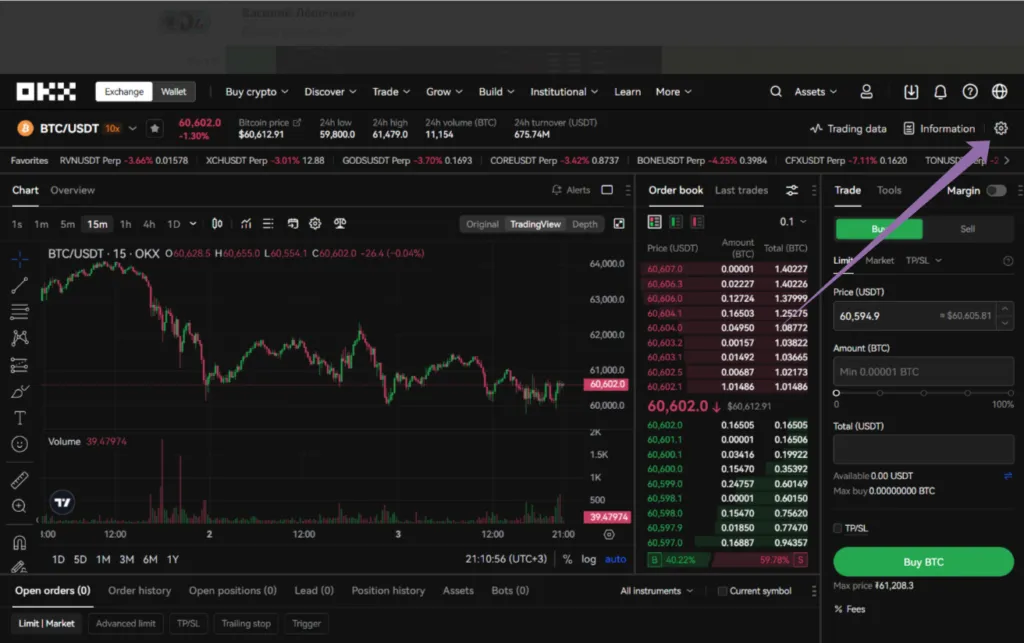
In the upper-right corner click the gear icon (“Settings”).
-
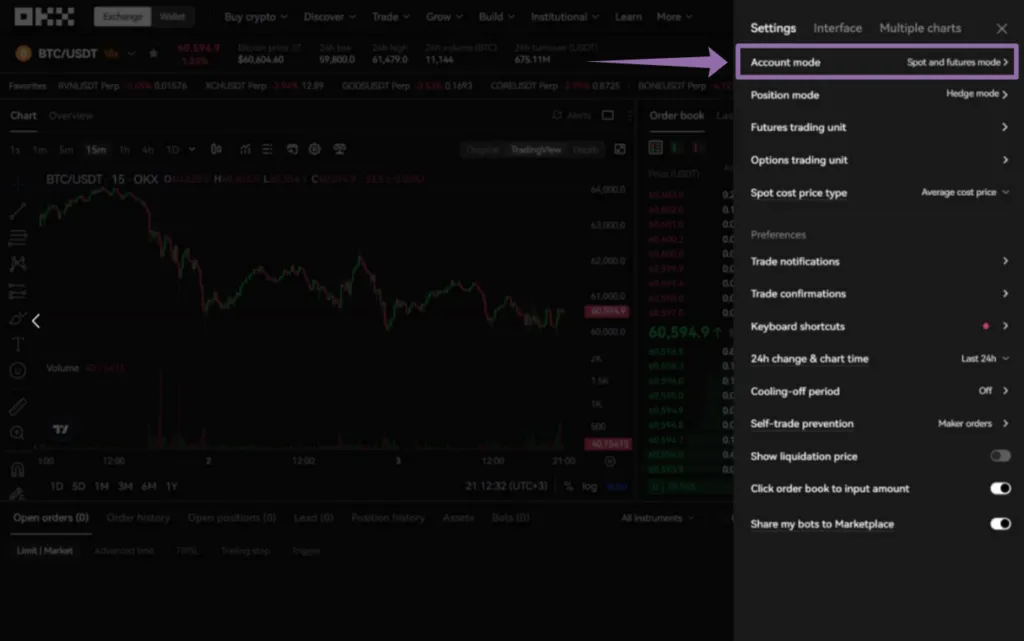
In the menu select “Account Mode”.
-
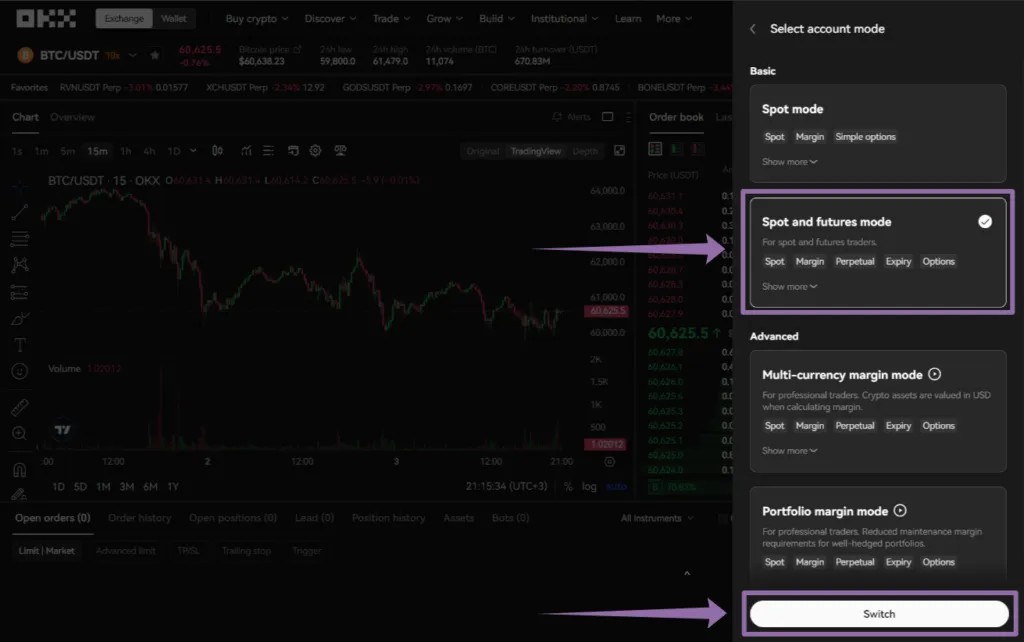
Select the mode that enables perpetual futures trading and confirm the switch.
-
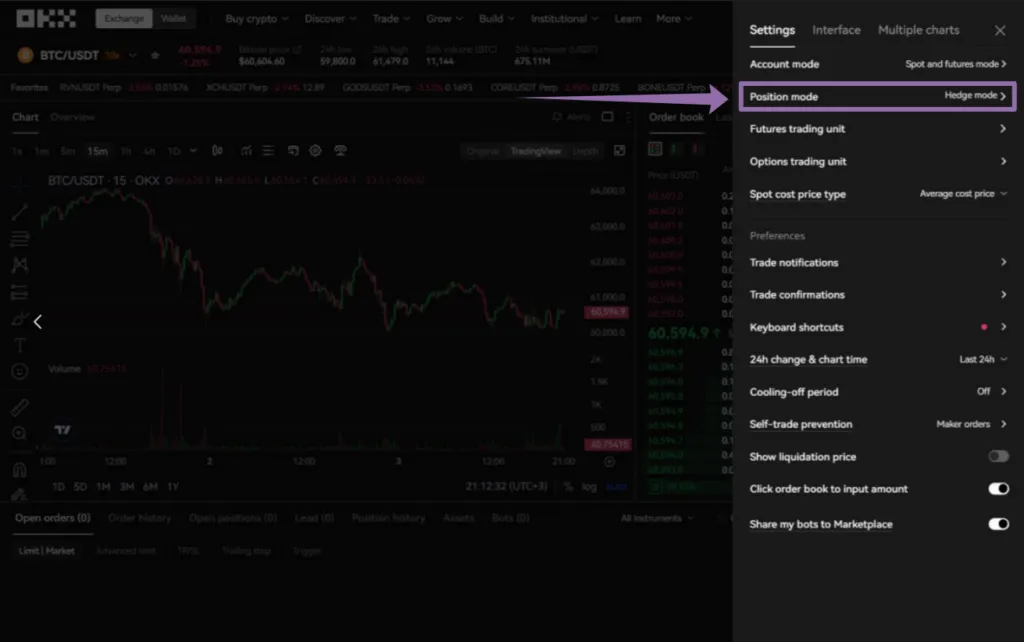
Then open the settings again and select “Position mode”.
-
Set “Hedge Mode” and confirm the selection.
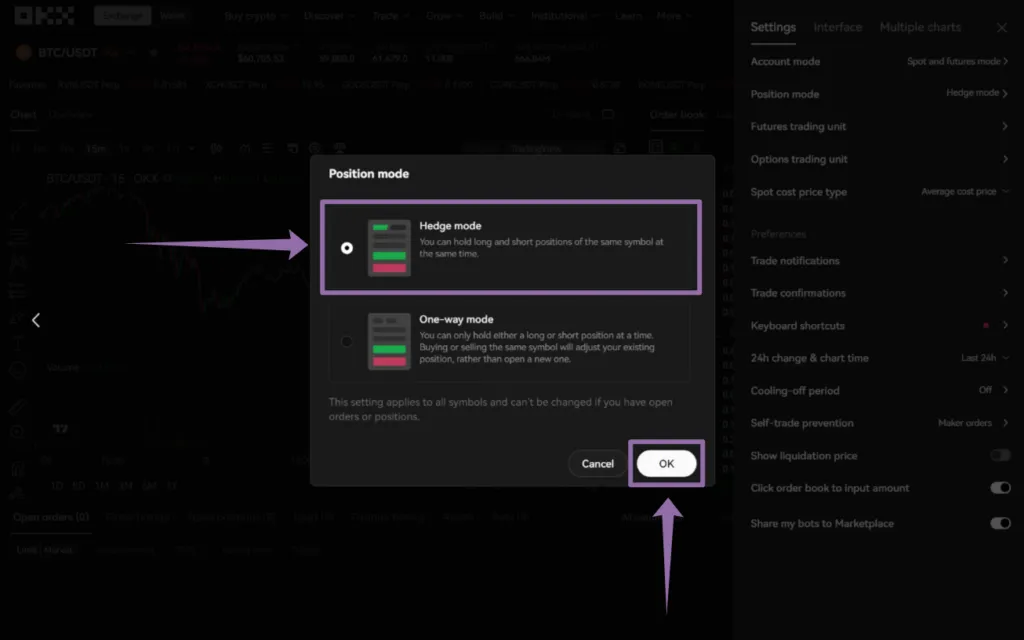
After changing the account type and position mode, you will be able to create an API key and connect Veles bots to trade on OKX futures.