
Subscription Signals
Subscription signals are additional trading filters (indicators) available in the Marketplace. After purchase, they automatically appear in the bot editor and can be used for entry/exit, averaging, and other rules.
How to purchase and connect
Section titled “How to purchase and connect”-
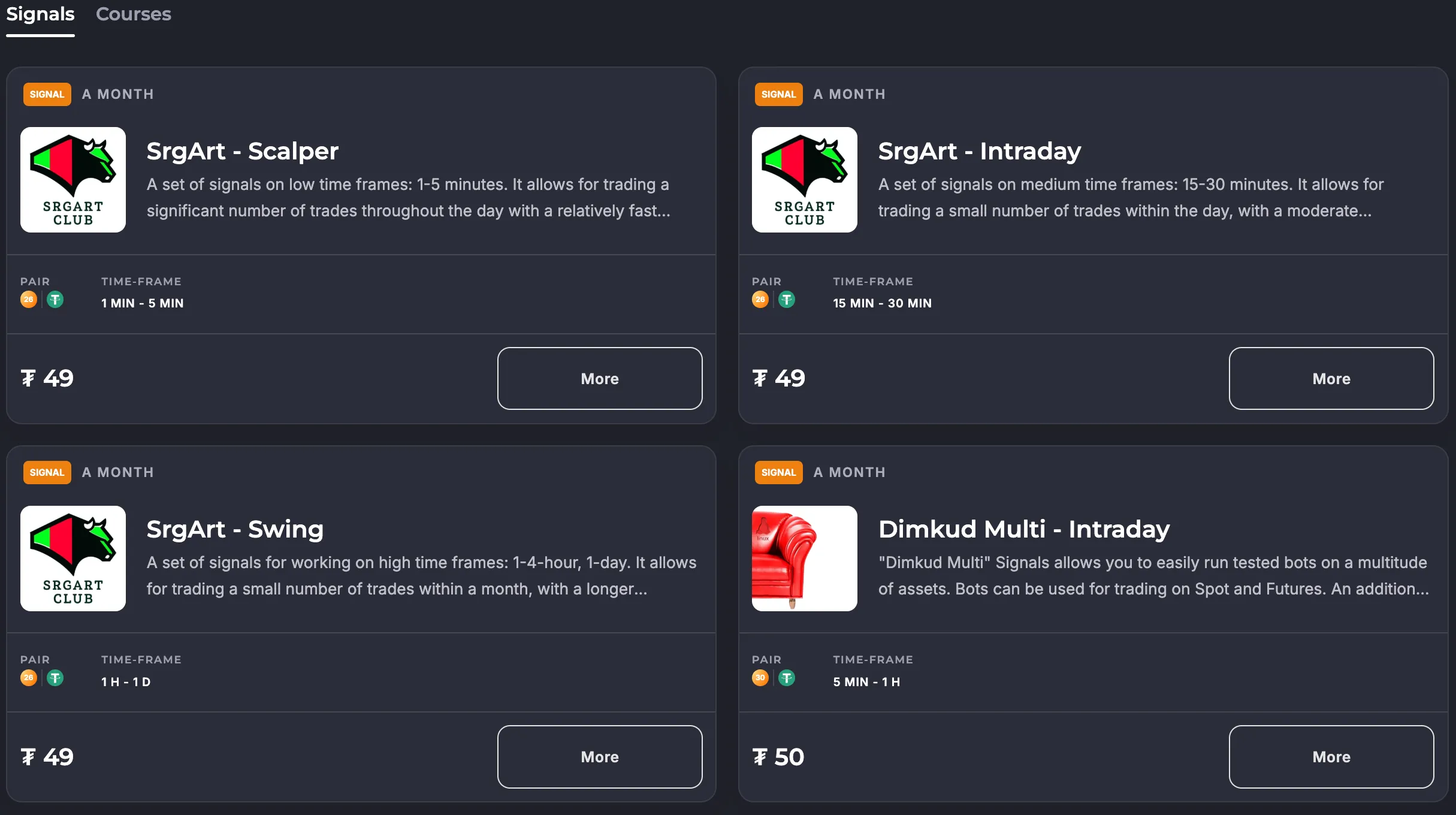
Go to the Marketplace and open the “Subscription Signals” section.
-
Select the desired indicator and open its card to view the description and examples.
-
Top up your internal balance (if necessary) and pay for the subscription. The purchase is made from your platform balance.
-
Done! The signals from the selected indicator will automatically appear in the filter list in the bot editor — they are marked with a star.
The validity period is 1 month from the date of purchase. You can view the date in the bot’s Telegram notifications (message with the #purchase tag).
Where to find signals in the bot
Section titled “Where to find signals in the bot”- Open the bot editor → the “Filters” block (trade entry, trading mode, or trade exit, depending on the scenario).
- Subscription filters are displayed along with the basic filters and are marked with ★.
- You can set a timeframe for each signal.
Renewal and Fees
Section titled “Renewal and Fees”- The subscription is valid for one calendar month from the date of purchase and does not renew automatically.
- Upon expiration, the signal will disappear from available filters until you purchase it again.
- You can view your purchase history and notifications in the Telegram bot and in the “Balance” section of your cabinet.
Management and Refunds
Section titled “Management and Refunds”- Subscription cancellation is not possible; access remains until the end of the paid period.
- Refunds are not provided for the active period.
- To avoid missing the end of the term, set a reminder or monitor notifications in Telegram.
Frequently Asked Questions
Section titled “Frequently Asked Questions”What will happen to open deals when the subscription ends?
When the subscription ends, the bots finalize open deals but cannot open new ones — they stop with an error.
How many bots can use the signal?
There is no limit on the number of bots that can use it — the signal is available across your account.
Why can’t I see the signal in my filters after payment?
Refresh the page, check that you are in the correct account/language, and that the subscription is active by date. If this doesn’t help, contact @VelesSupportBot.
Can I combine multiple subscription indicators?
Yes. Combine them with basic filters (RSI/ATR/etc.).
Does the subscription affect the price of the service?
No. The subscription is a separate product. Veles charges a commission only on profits and is not related to the subscription price.
What happens to open trades if the signal subscription expires?
Open trades will be completed, but new trades will not be opened — the bot will stop with an error.
Usage Recommendations
Section titled “Usage Recommendations”- Backtest first: Run the strategy with a new signal over a long period, evaluate the MAE and trading frequency.
- Combine timeframes: enter on a shorter timeframe, filter the trend on a higher one.
- Don’t overload the conditions: 2-4 high-quality filters often provide more stability than 8-10 inconsistent ones.
- Monitor market changes: update the backtest every few weeks — the effectiveness of signals changes with volatility.
If you have any questions, write to @VelesSupportBot or use the “Help” button in your account.