
Depositing to Bitget Exchange
You can make a deposit to the Bitget exchange from an external wallet or buy cryptocurrency through P2P trading. Both deposit methods are described below.
Replenishment with transfer
Section titled “Replenishment with transfer”Before sending the cryptocurrency, make sure that:
- the transfer amount exceeds the minimum limit for the selected coin;
- the appropriate network (chain) with the optimal commission has been selected;
- the recipient’s address is up-to-date (Bitget can periodically update deposit addresses - use only the one that is displayed at the time of transfer).
-
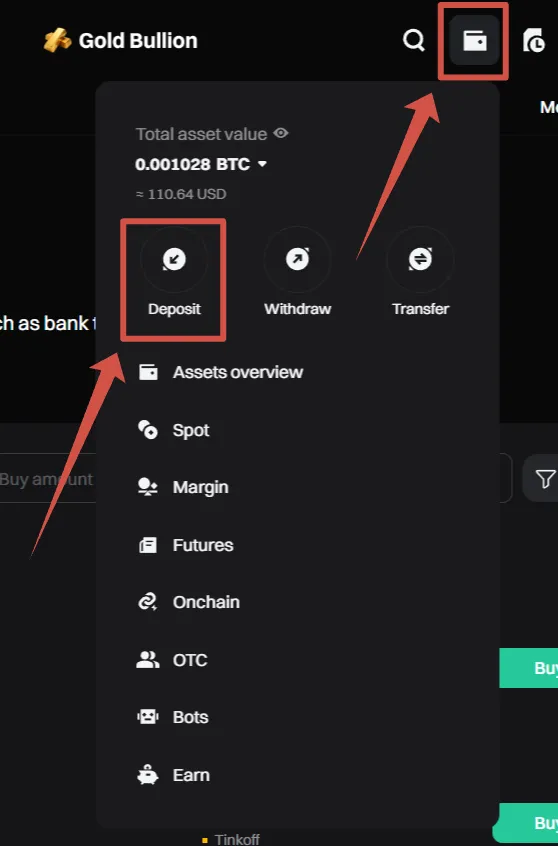
Open the “Assets” menu and select “Deposit”.
-
Select the desired Coin and Network. The exchange will display the address for the deposit.

-
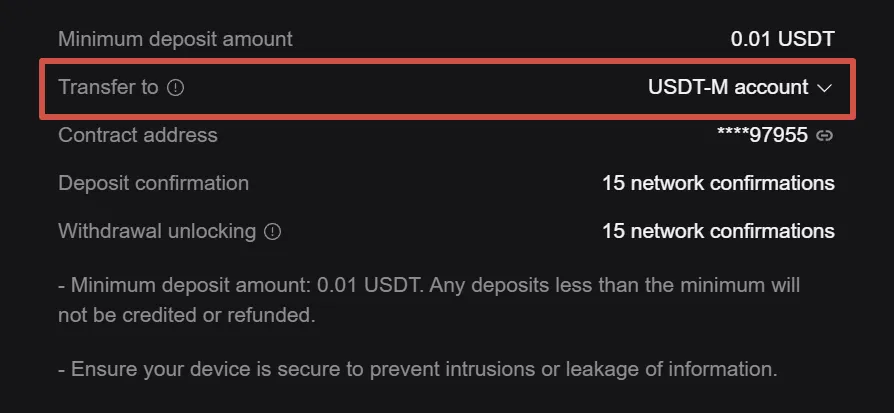
Below the address field, select the internal account to which the transfer should be credited — for example, Spot Account or USDT-M (Futures) account.
-
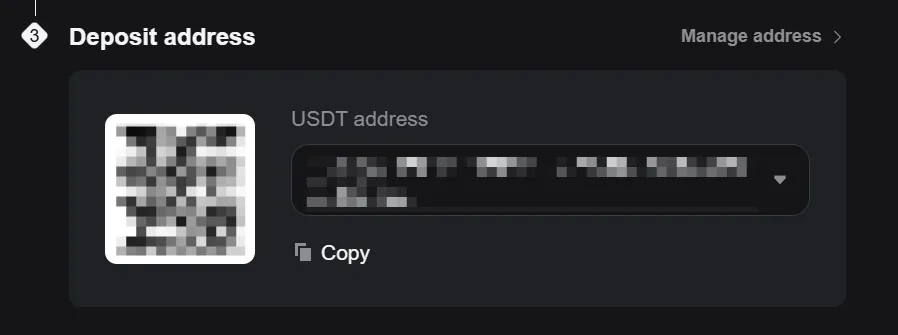
Copy the address or use the QR code.
-
Create a withdrawal transaction in your wallet (or on another exchange), specifying the copied address and the transfer chain.
-
After confirming the transaction, wait for the funds to arrive — the time of transfer depends on the network usage.
Replenishment via P2P trading
Section titled “Replenishment via P2P trading”To use P2P, you must complete Identity verification (KYC) and add payment method. Before you start, read the current rules in the Bitget help system.
-
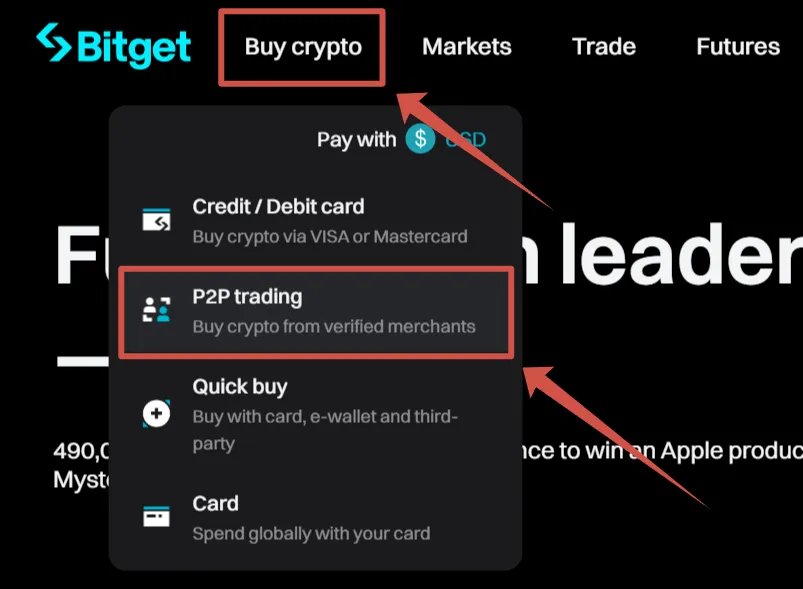
In the main menu, select “Buy Crypto” → “P2P trading”.
-
Specify the filters:
- the cryptocurrency you want to buy;
- the fiat you will use to pay;
- the amount of the transaction;
- desired payment methods.

-
Select a seller from the list with:
- a large number of completed transactions,
- high rating,
- suitable amount and conditions,
- and carefully study the details of the transaction.
-
Fill in the fields and click “Confirm purchase”.
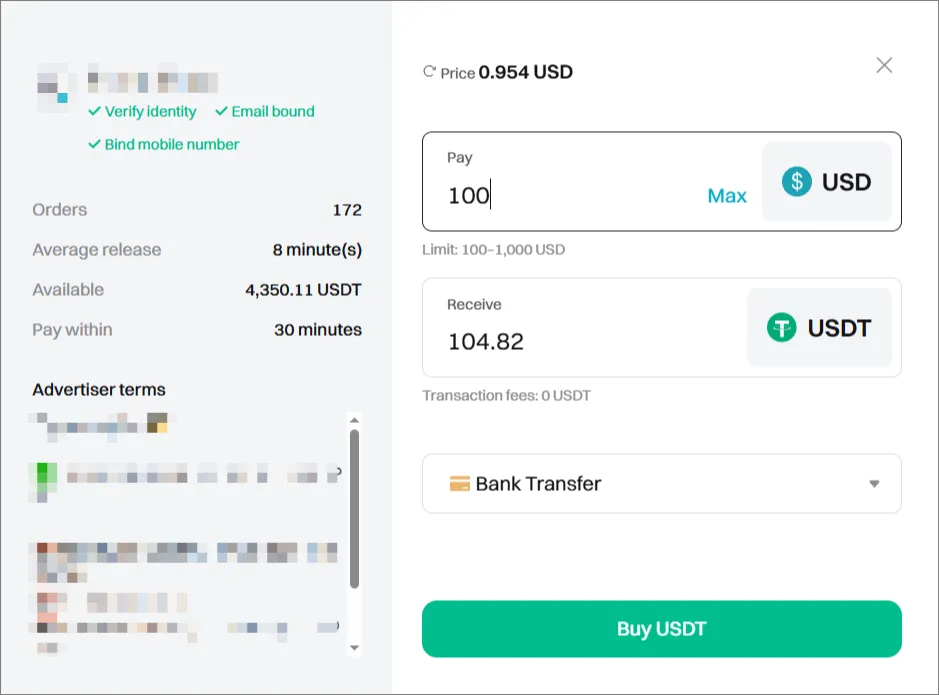
-
Transfer the payment to the seller using the provided banking details and use the P2P chat for communication.
-
After the transfer, click “Paid” → “Confirm”.
-
After the seller confirms the payment, the assets will be credited to your account. The deal is completed.
After receiving the cryptocurrency, you can transfer funds to a trading account to launch Veles bots and start trading on Bitget.