
Notifications
Notifications allow you to receive real-time information about deals of your Veles trading bots: opening or closing a trade, executing orders, errors and important news.
How to set up Telegram notifications
Section titled “How to set up Telegram notifications”-
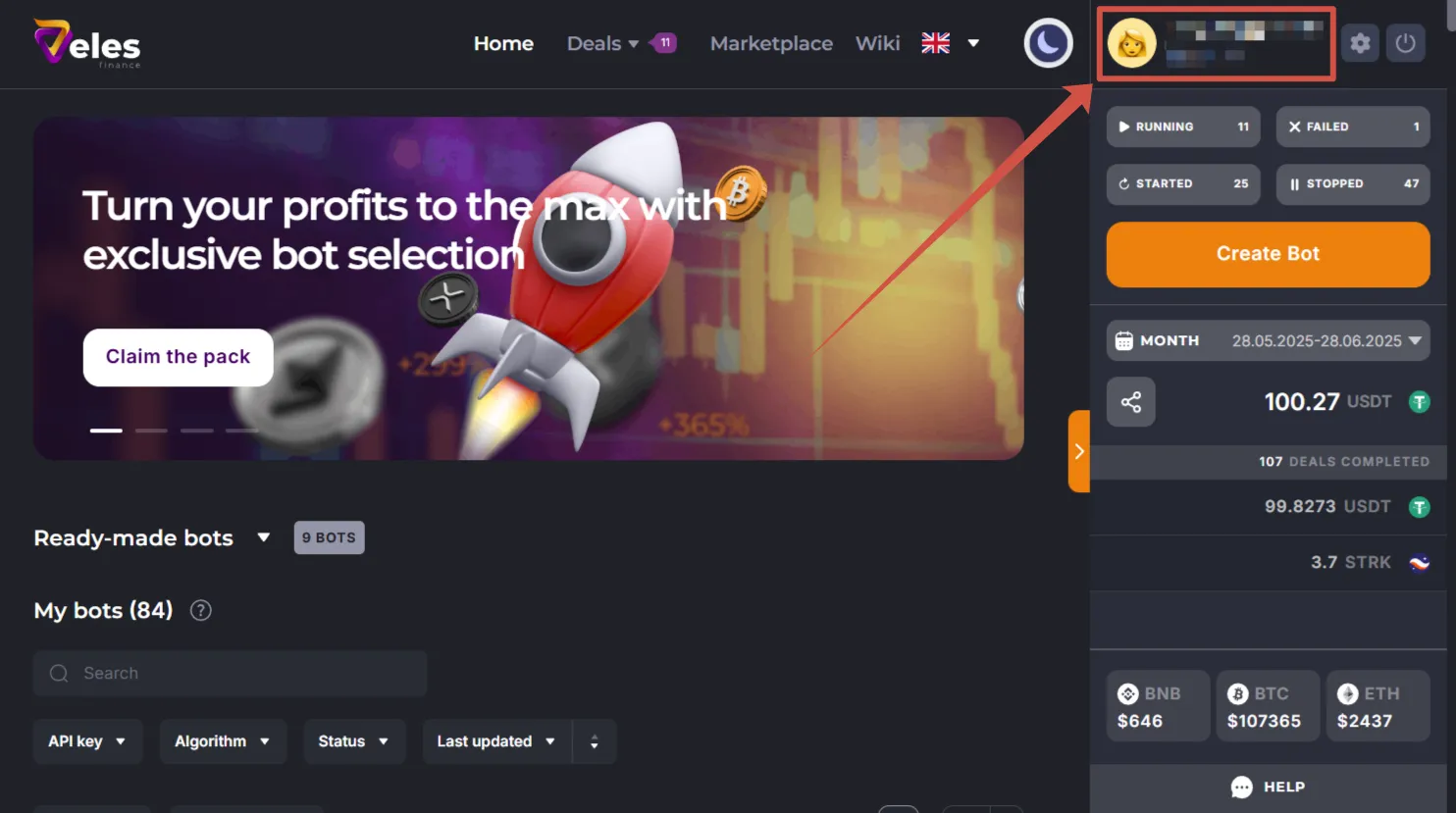
In your personal cabinet click on your e-mail in the upper-right corner to go to your profile settings.
-
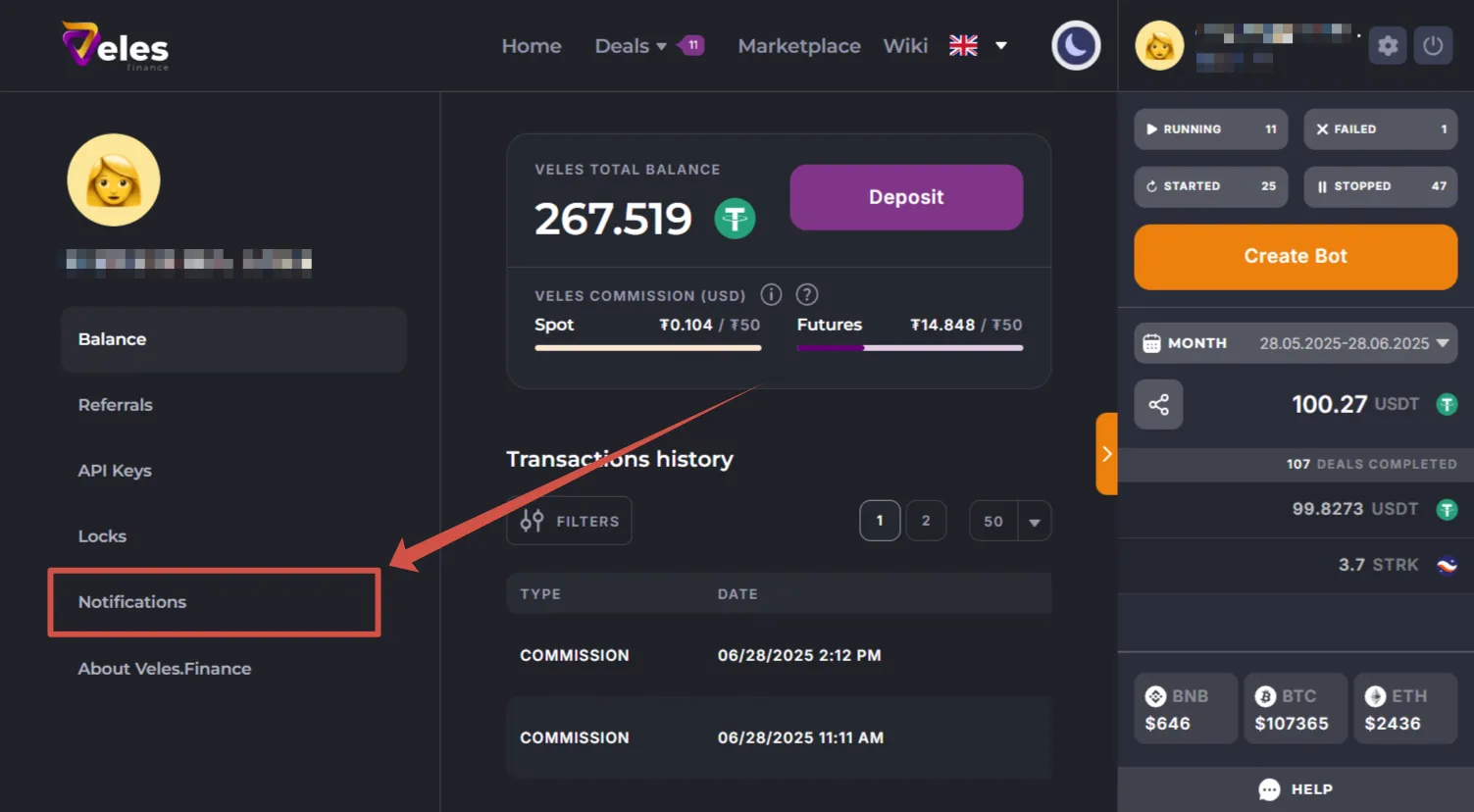
Select the “Notifications” section.
-
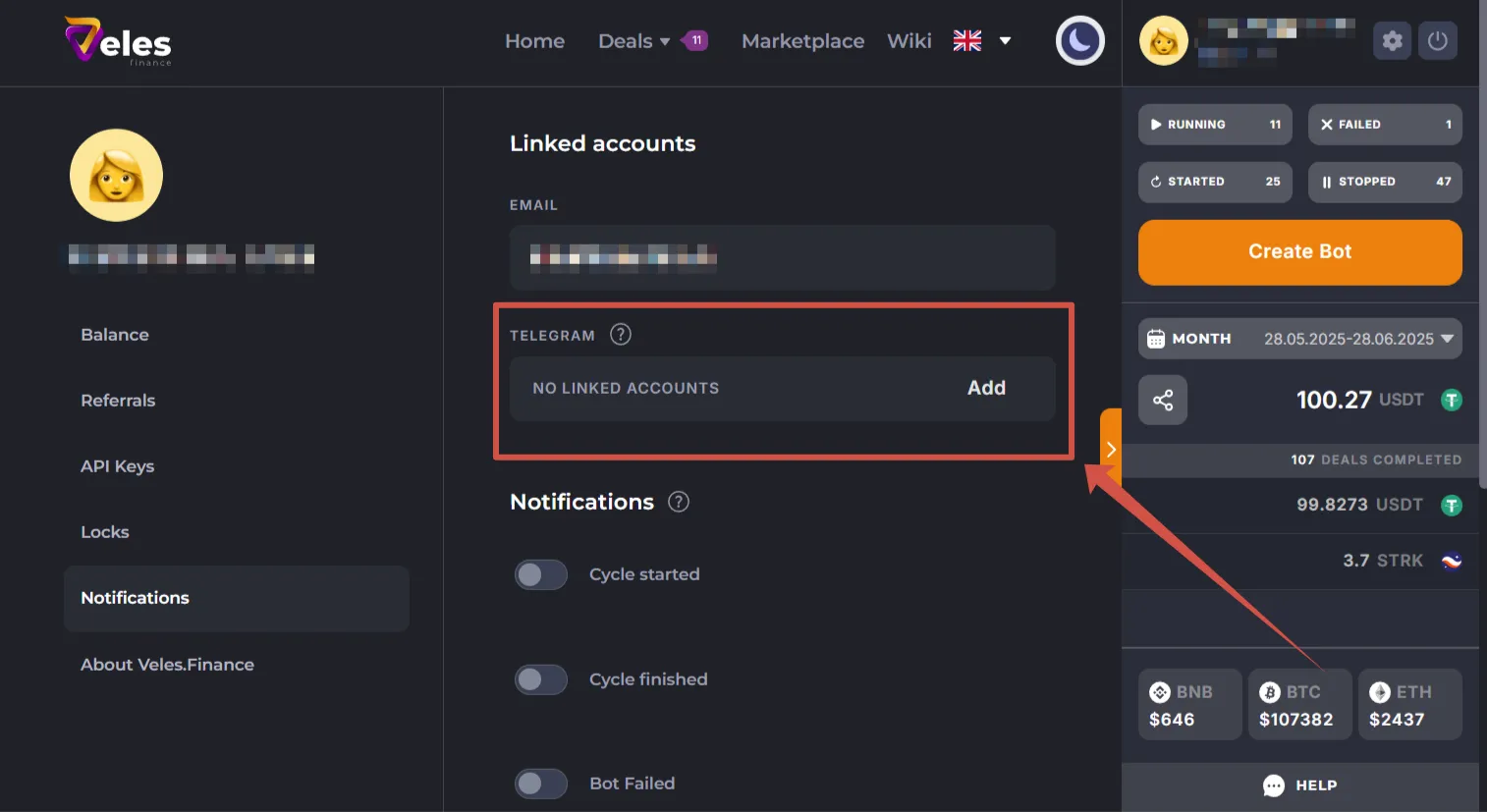
Click “Add”.
-
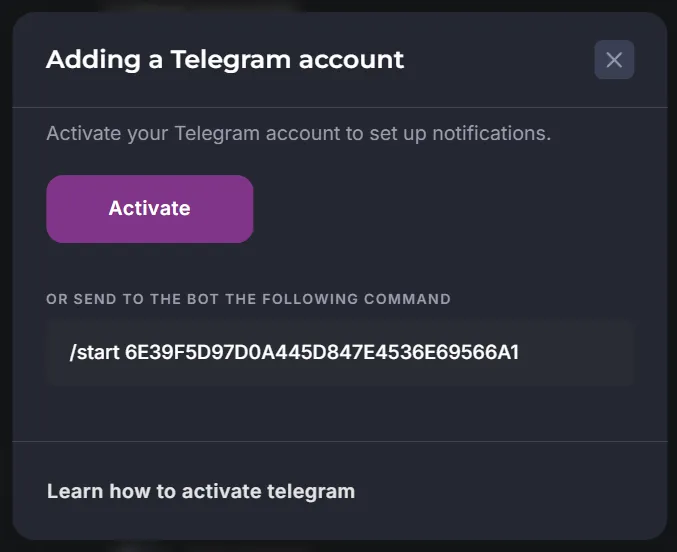
Link your Telegram account to receive notifications.
-
Click “Activate” or send the suggested command to the bot: 👉 @VelesFinanceBot
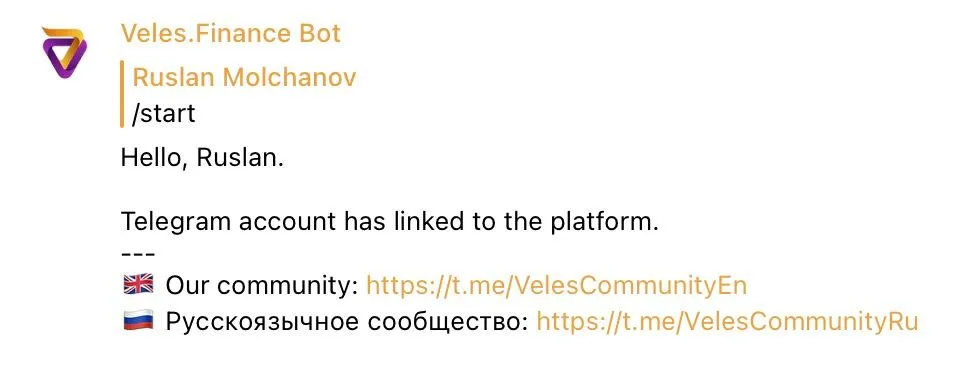
After linking, click “Start” in the dialog, the Telegram bot will send a welcome message.
Customization of Notifications
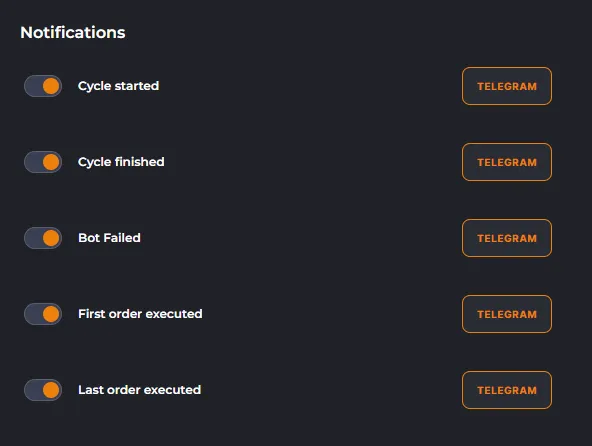
Section titled “Customization of Notifications”In the Notifications section, you can choose which types of messages you want to receive:
Advantages of connection:
- Control of earnings and losses of the bot.
- Timely error notifications.
- Operational news of the Veles project.
Types of notifications
Section titled “Types of notifications”Notifications are generated once per minute and contain all events that took place during this time:
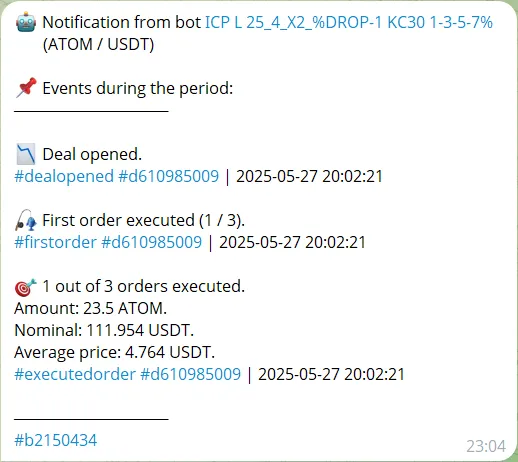
Each message indicates:
- event time (UTC),
- hashtags with bot ID (#b…) and deal ID (#d…) — they can be used as filters in the chat and when contacting support.
Notification headers
Section titled “Notification headers”-
Deal opened
The bot placed the first orders on the exchange. The deal can still be canceled (for example, by the “Pull up” trigger). For more information see “Trading mode settings”. -
First order executed
Position opened (on futures) or an asset has been bought/sold (on spot). -
Order executed
One of the averaging orders was triggered. If notifications about the first/last order are enabled, they will also arrive. -
Last order executed
The final grid order has been triggered. The deal needs your attention — there may be a risk of liquidation. -
Deal closed
The deal is closed (by Take Profit, Stop Loss or Stop Loss at breakeven). The number of executed orders and the total of the deal (Gross) are indicated.Gross = result before deducting the exchange’s commission and funding. To see the Net-profit check Statistics.
-
Bot stopped with an error
The bot stopped trading. The message contains a description of the error and a link to the help article: Bot errors.
- Newsletters
Project news, important security notifications. We recommend that you keep this switch on.
Frequently Asked Questions
Section titled “Frequently Asked Questions”Why did the bot open the deal several times in a row, but there is nothing on the exchange?
Section titled “Why did the bot open the deal several times in a row, but there is nothing on the exchange?”Opening a deal is placing orders on the exchange. But if the Pull Up is triggered and the deal is canceled, no notification is sent in this case, the bot is just waiting for a new entry point. Set up the first order by the Market so that deals are not reset.
What is #b… and #d…?
Section titled “What is #b… and #d…?”These are Bot ID and Deal ID. Provide this information when you contact support.
Deal closed: what does “2 out of 1 take profits executed” mean?
Section titled “Deal closed: what does “2 out of 1 take profits executed” mean?”The Take Profit was executed, but also the averaging order was executed at the same time. The bot automatically added another Take Profit — this situation is normal.
Why it says “Profit” in the notification, but the result is negative?
Section titled “Why it says “Profit” in the notification, but the result is negative?”Market orders are subject to slippage, especially during strong price movements. To reduce the risk of slippage:
- do not use small values as “Minimum PnL” when closing the deal by a signal,
- set up multitakes correctly. For more information check Stop loss at breakeven.
Why does the spot deal notification show a loss?
Section titled “Why does the spot deal notification show a loss?”See the field “Total”. Negative values may appear due to the mechanics of rounding up price steps or the exchange’s commission. For more information check Exchange commissions.
Why is there the profit in the coin in the futures bot’s report, and the loss in the stablecoin?
Section titled “Why is there the profit in the coin in the futures bot’s report, and the loss in the stablecoin?”Most often, the reason is several bots for the same trading pair running without a lock configured properly. One bot can “bite off” part of the other’s position.
What is “Nominal”?
Section titled “What is “Nominal”?”Nominal = Price × Number of coins (including leverage). This is the cost of an open position.
Why is there more profit in the notification than on the exchange?
Section titled “Why is there more profit in the notification than on the exchange?”Notifications show Gross total (without fees and funding). On the exchange — the final result, taking into account all expenses. Use the following page for analysis: https://veles.finance/cabinet/statistics.
Summary
Section titled “Summary”By enabling Telegram notifications, you receive:
- full control over trades,
- error warnings,
- Veles news and security information.
Notifications are a quick way to stay informed about trading, but always check the final results via Trading history on the exchange or in Veles Statistics.