
How to Top Up Balance
Bonuses for beginners
Section titled “Bonuses for beginners”After registering on the platform, users receive bonus credits of up to 5 USDT for completing initial challenges. These funds are automatically debited to pay the commission for the first deals.
In order for the bots to continue working, the service balance must be greater than zero.
Step-by-step instructions to top up your account
Section titled “Step-by-step instructions to top up your account”-
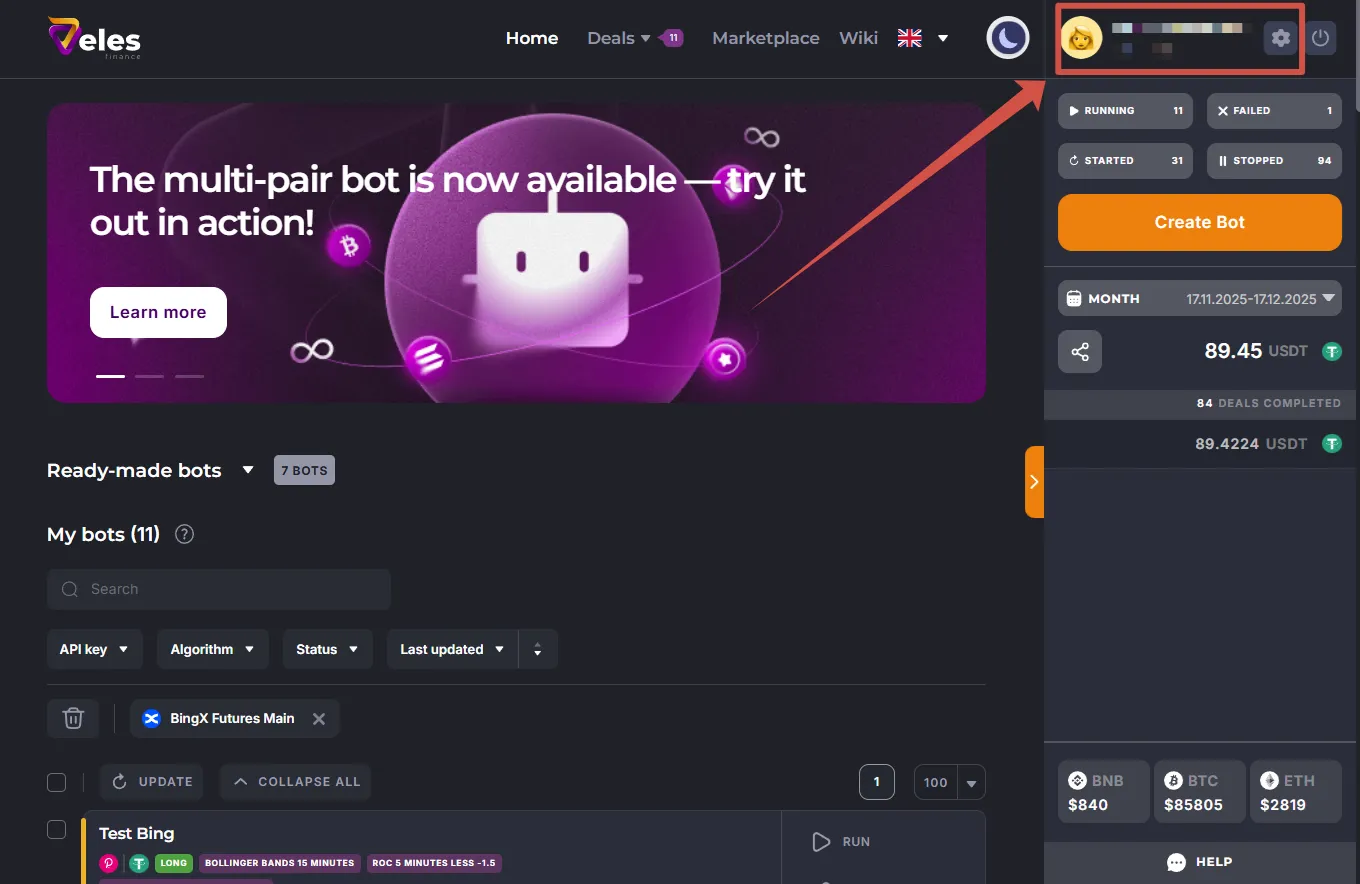
In the upper-right corner of your personal account, click on your e-mail to open your profile settings.
-
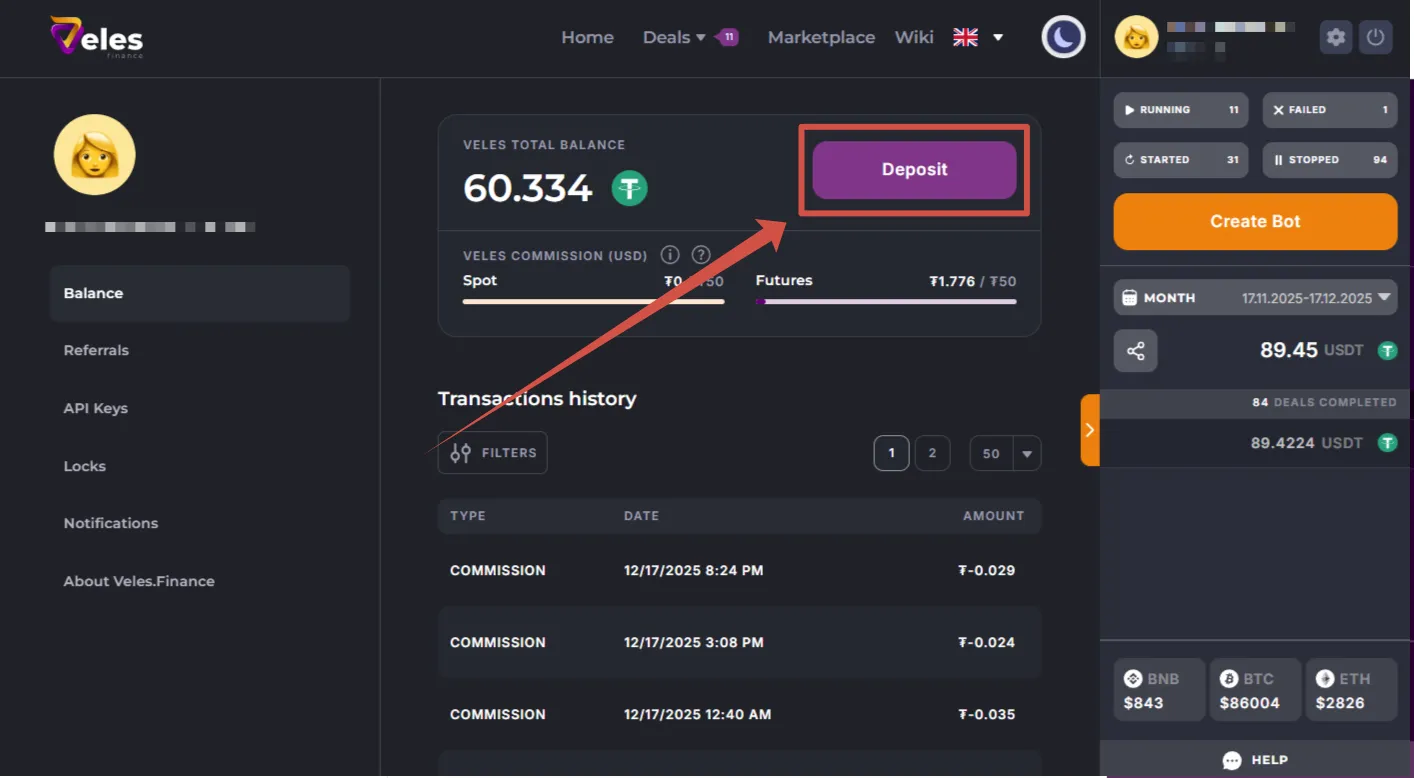
Select the “Balance” section and click the “Deposit” button.
-
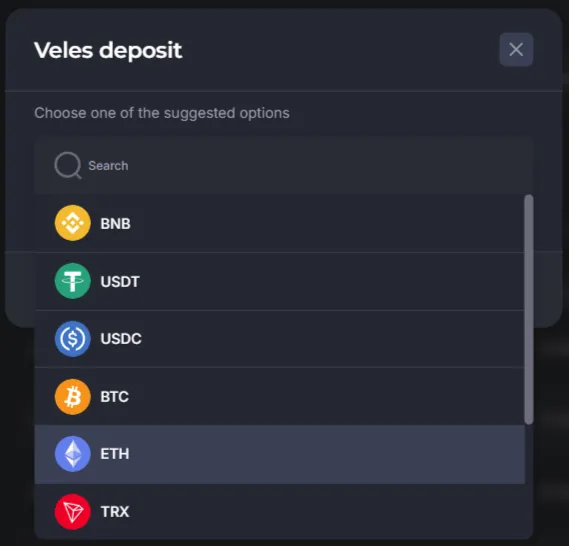
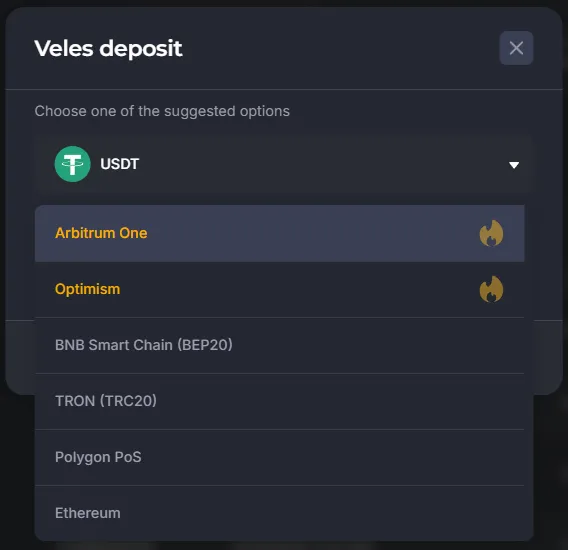
Specify the coin and the transfer network.
-
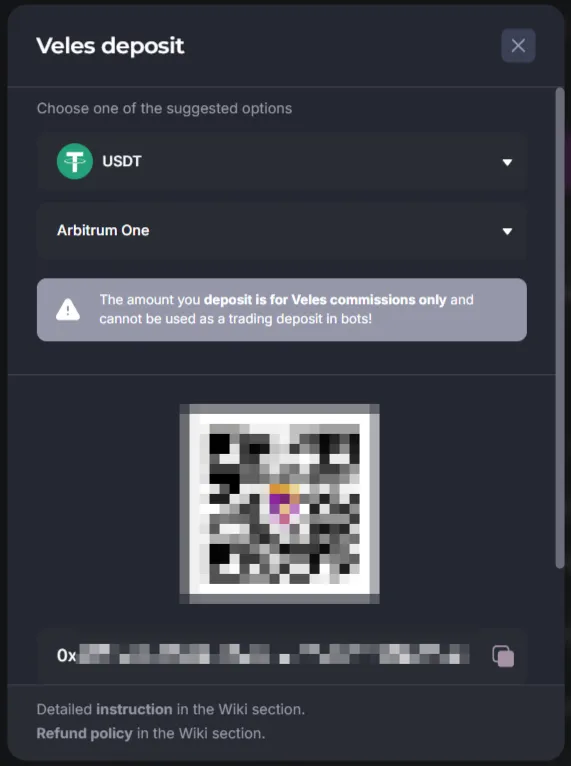
Copy the generated deposit address.
-
Transfer funds from the exchange or wallet (Binance, Bybit, Trust Wallet, MetaMask, etc.) to the specified address.
Supported networks
Section titled “Supported networks”Veles supports deposits via:
- Arbitrum One (recommended)
- Optimism (recommended)
- BNB Smart Chain (BEP20)
- Tron (TRC20)
- Polygon PoS
- Ethereum
If funds don’t arrive for a long time
Section titled “If funds don’t arrive for a long time”- Check if the transfer address and network match those specified in the Veles profile.
- If everything is specified correctly, send email to [email protected].
In the email, specify:
- ID and e-mail of the Veles user
- The address of the wallet from which the transfer was made
- Transfer network
- Wallet address in the Veles profile
- The network specified during the transfer
- Transaction Hash (Txid/Txhash)
- Screenshot from the transaction history
- Screenshot from the Veles cabinet where the address is visible
If you mistakenly replenished your Veles balance instead of the exchange
Section titled “If you mistakenly replenished your Veles balance instead of the exchange”Review the Refund Policy and apply for a refund.
Be careful when choosing an address to avoid such situations.