
Stop loss
Stop Loss is a risk management tool that limits losses. If the price goes against your position, the bot will automatically close the trade with a market order at a pre-calculated level.
Using a Stop Loss helps protect the deposit and avoid liquidation, especially when trading with leverage.
Stop loss by percentage
Section titled “Stop loss by percentage”A simple Stop Loss is a market order that is placed at a set percentage when all grid orders are executed.
For example:
- Grid overlap: 15%
- Stop loss: 5%
So the Stop Loss will be triggered at 20% from the opening price of the deal.
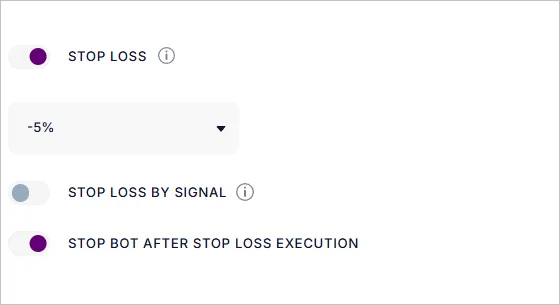
Since the stop loss is a market order, it is not visible on the exchange until the grid is fully executed. But its location can be seen:
- in the bot’s editor on the Trading View chart,
- in the Active deal card.
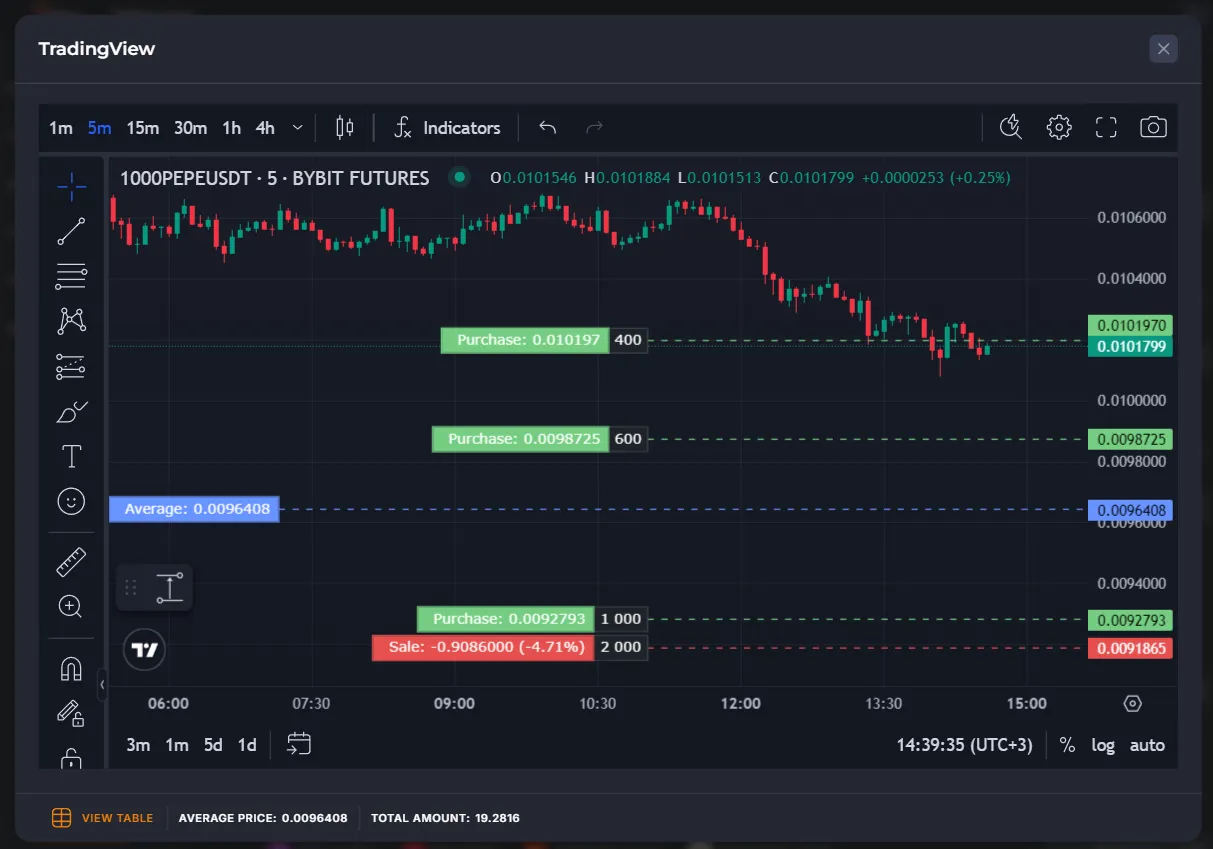
Where is the Stop Loss available
Section titled “Where is the Stop Loss available”- Futures (Bybit, Binance, BingX, Bitget, OKX) → a trigger order placed by the bot on the exchange after executing the last order of the grid.
- Spot → Stop Loss works logically, on the Veles side (the bot tracks the price itself and closes the deal by the market order).
- Other exchanges → the bot sets a closing market order by the results of a regular price check.
Stop Loss by indicator signal
Section titled “Stop Loss by indicator signal”A Stop Loss by signal closes a trade at a loss if two conditions are met:
- The selected indicator (for example, Bollinger Bands) has been triggered. The logic of the signal triggering is the same as when entering a trade.
- The price exceeded the minimum indent:
- from the last order in the grid,
- or from the average position price.
If the minimum indent is disabled, only the signal is taken into account, but:
- “From last order” option will set a Stop Loss only after the entire averaging grid has been executed.
- “From average price” allows the bot to create a Stop Loss without waiting for the entire grid to execute; the Stop Loss order may be created earlier.
How to set up a Stop Loss by a signal
Section titled “How to set up a Stop Loss by a signal”-
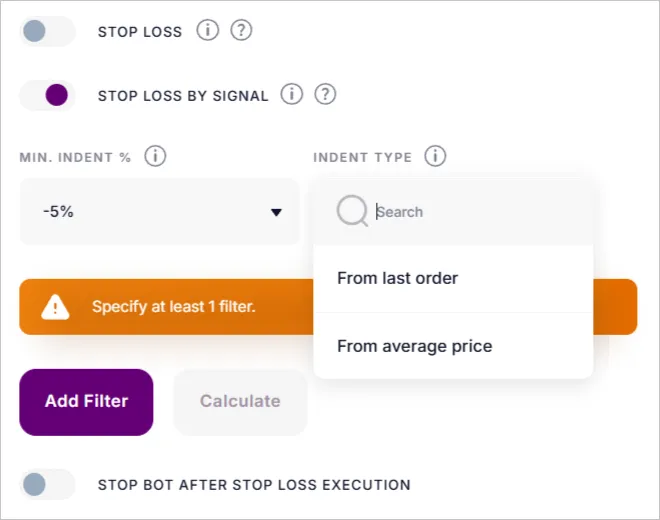
Turn on the “Stop Loss by signal” function.
-
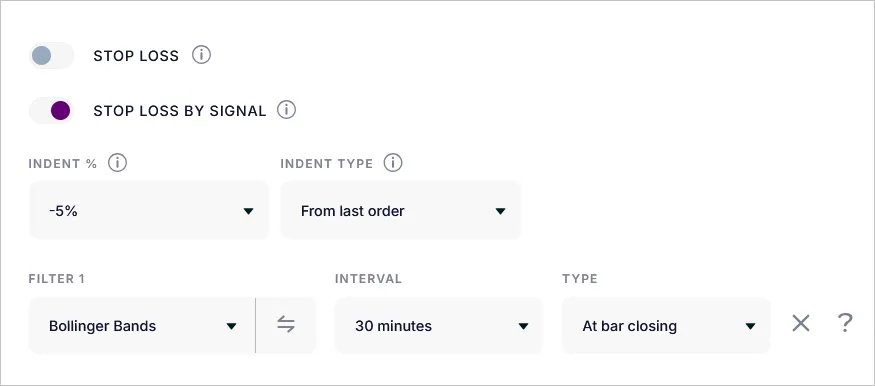
Set the parameters: Minimum indent (%), the Type of indent (from the average price or from the last order), select the indicators.
-
Specify whether the bot should stop after executing the Stop Loss.
Examples
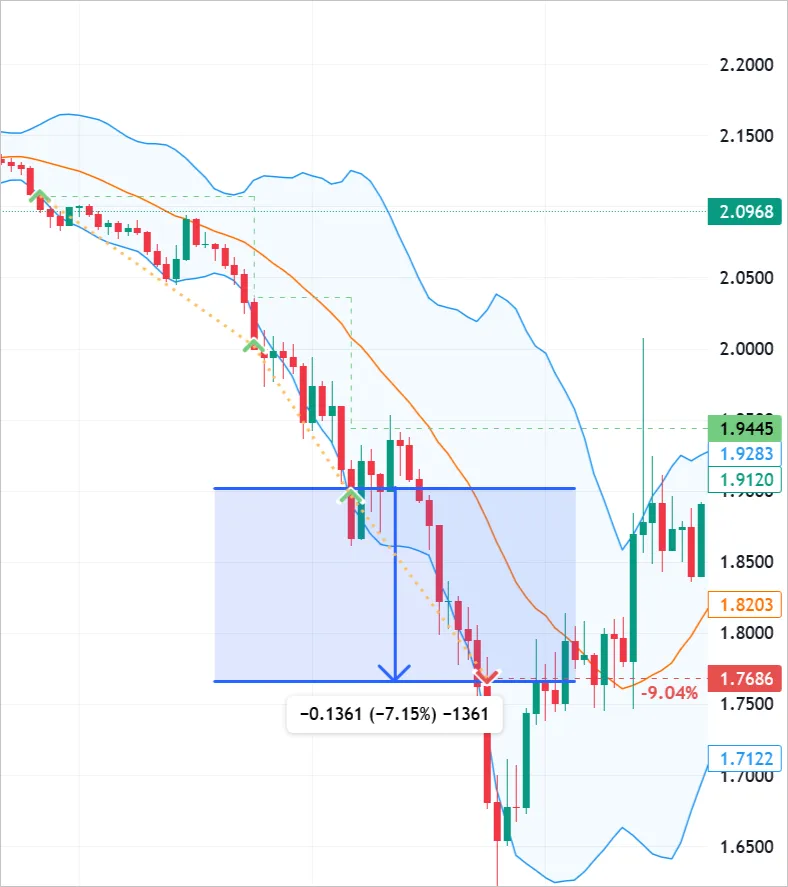
Section titled “Examples”Example 1: from the last order
- Grid: 3 orders
- Filter: Bollinger Bands (30 min)
- Indent: 5%
A Stop was triggered when all orders were executed, the price broke through the lower border of the channel, and the indent exceeded 5%.
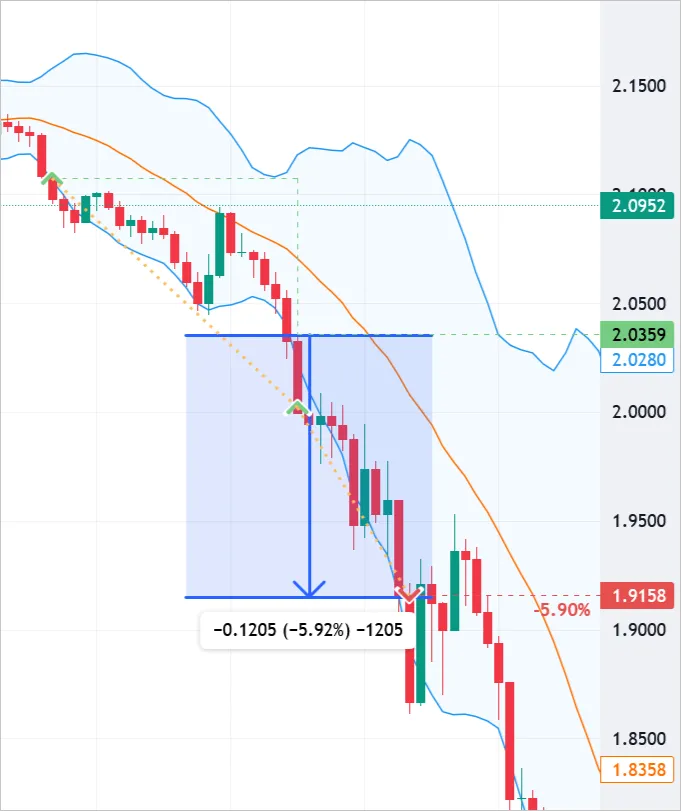
Example 2: from the average price
- Grid: 3 orders
- Filter: Bollinger Bands (30 min)
- Indent: 5%
The Stop Loss was activated when the price broke through the lower border of the channel and the drawdown from the average price exceeded 5%.
Stop Loss limits
Section titled “Stop Loss limits”- Slippage. Any Stop Loss is a market order, and the final loss may be more than the estimated one.
- Backtests. When modeling, the Stop Losses may not always be perfectly taken into account, especially if they fall on the wicks of candles.
- Spot. Averaging is used more often here than Stop Loss.
Summary
Section titled “Summary”Stop Loss in Veles bots is an insurance against large losses.
You can use:
- Simple Stop Loss by percentage,
- Stop Loss by signal of the indicator.
The best result is a combination of a Stop Loss with correct grid and Martingale settings, plus mandatory backtesting of strategies.