
What is API key
An API key is a special object created and stored on the exchange. Essentially, it is a “login + password + permissions” combination, but intended for a program rather than a person. In our case, it is needed for the Veles service, so that bots can log into your trading account and place orders on your behalf.
API binding in Veles cabinet
Section titled “API binding in Veles cabinet”Binding is an element in the Veles account, a “pass to the exchange”, which specifies:
- which API key the bot will trade through,
- what type of trading is allowed (like Spot or Futures).
The same Binding can be used in several bots, and they will all work on the same trading account.
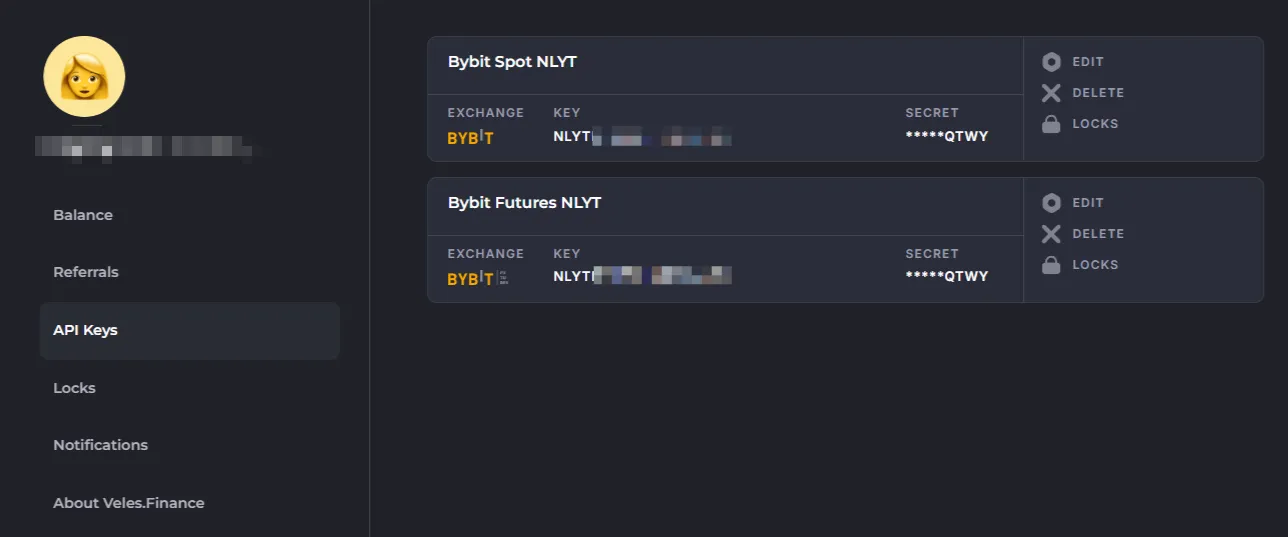
👉 The API keys section of your profile displays Bindings.
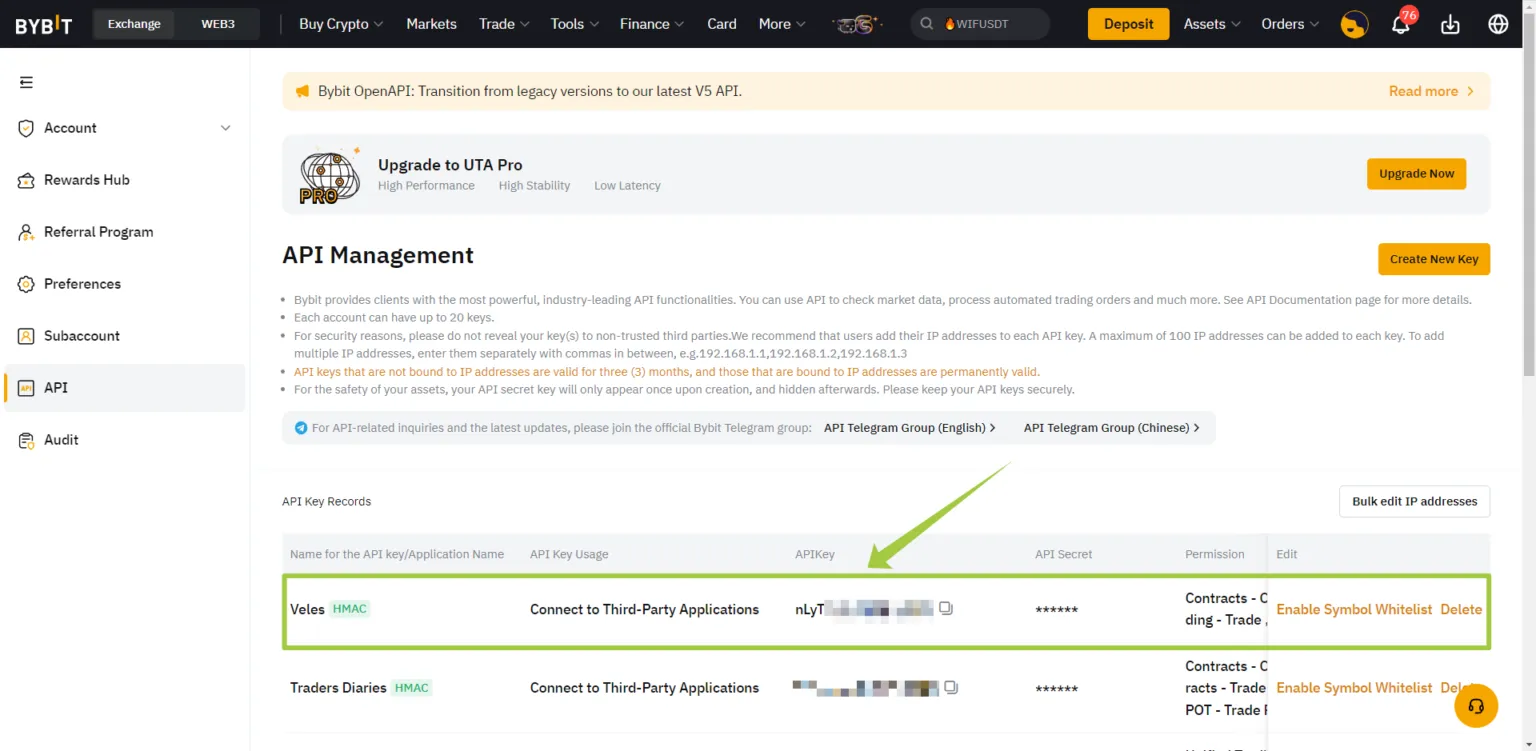
The API keys themselves are created and stored on the exchange (example on Bybit):
Bindings in Veles always have a strict type — like Futures or Spot. At the same time, the API key itself on the exchange can be universal and contain permissions for many types of trading. In this case, you can create several different Bindings in Veles to the single API key on the exchange.
Creating a Binding to the exchange
Section titled “Creating a Binding to the exchange”There are two ways to create an “API key + binding” set:
- Fast connection — works for the main account of some exchanges.
- Manual connection — required for subaccounts or if “Fast connection” is not available.
When connecting manually, you first create a key on the exchange and then manually add the Binding in Veles.
⚡Important: if you replace the key on the exchange, you only need to edit one Binding in Veles — and all the bots using it will automatically switch to the new data.
When creating API keys on the exchange:
- select the “Connect to third-party application” option and specify “Veles” if possible;
- if this option is not available, set a list of trusted IP addresses (see below).
The password (the secret part of the API key) is displayed only once when the key is created. Save it in your password manager.
⚠ During a Fast connection procedure the secret part is not displayed at all and cannot be reused.
API connection example
Section titled “API connection example”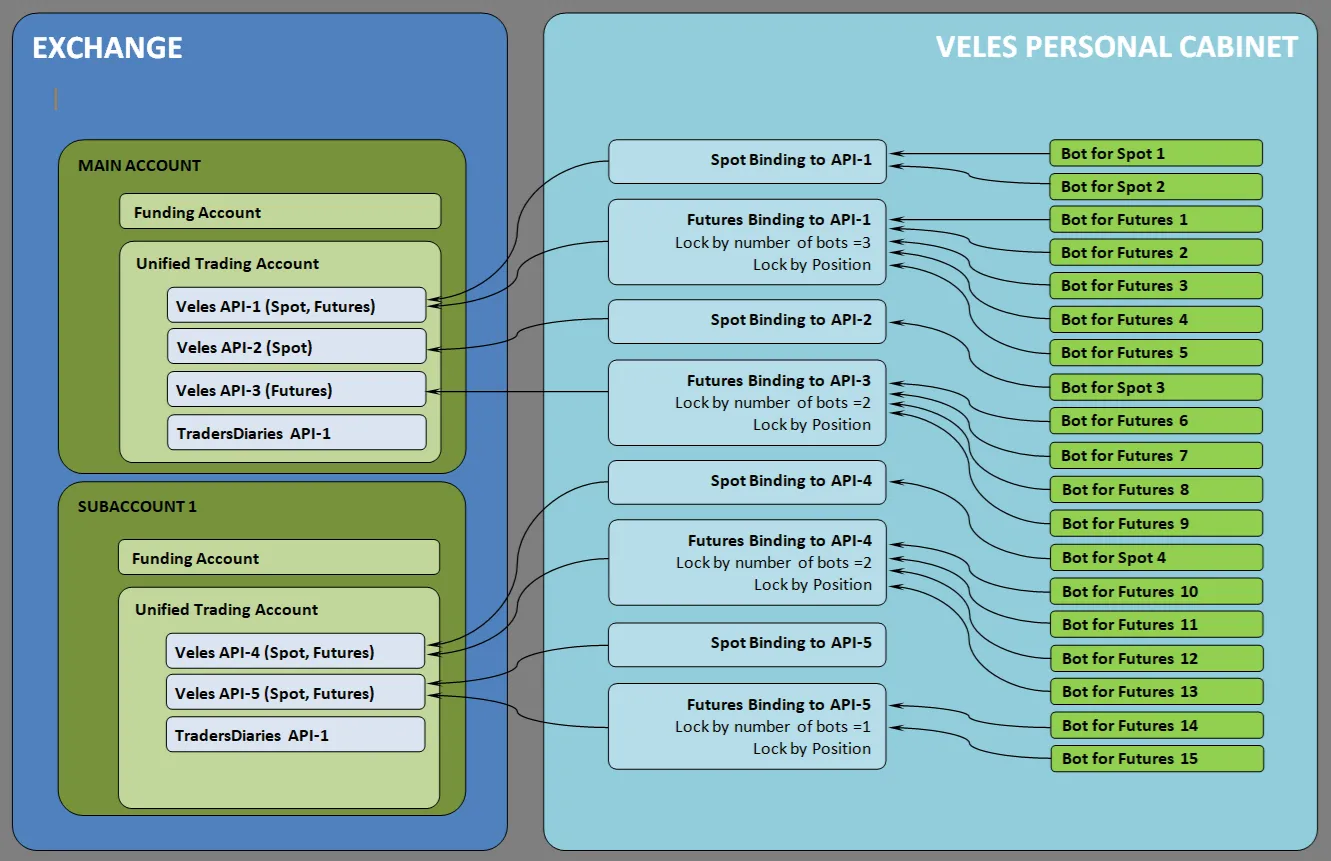
As seen in the example of Bybit:
- The user has a Main account and a Subaccount (they are independent, like two different exchanges).
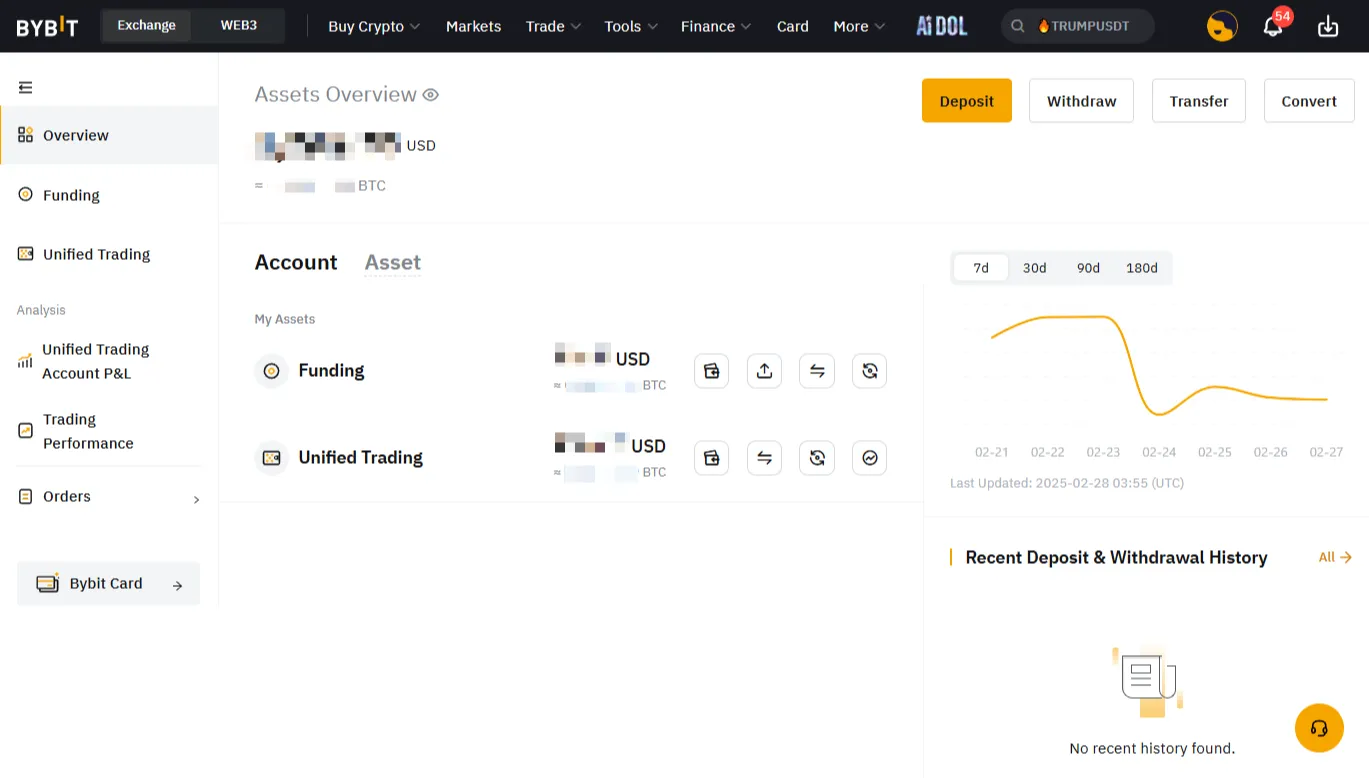
- Within the account, there is a division between a Funding account and a Trading account. Bots only work with the trading account.
- API keys (one or more) are created for access to trading accounts.
- A key can have different permissions — Spot only, Futures only, or both types of trading.
- In Veles, Bindings to these keys are created, which are then specified in the bot settings.
Thus, the connection looks like this: bot → Binding → API key → Trading account.
Frequently asked questions
Section titled “Frequently asked questions”1. How to convert a Futures bot into a Spot bot?
Section titled “1. How to convert a Futures bot into a Spot bot?”Simply select Spot Binding in bot settings. The “Leverage” setting will disappear. There are no liquidations on Spot, but you will need to purchase some coins in advance (≈0.2% of the deposit).
2. How to convert a Spot bot into a Futures bot?
Section titled “2. How to convert a Spot bot into a Futures bot?”Select the Futures Binding in bot settings. The “Leverage” setting will appear. Be sure to evaluate drawdowns (MAEs) through backtest in order to calculate the margin correctly.
3. Why can’t I see my funds in the bot editor?
Section titled “3. Why can’t I see my funds in the bot editor?”The bot shows the balance only on the trading account and only in the currency needed for trading. If the balance is zero, check:
- whether funds are reserved for open positions or orders,
- whether the funds are actually in the trading account and not in the Funding account,
- sometimes funds are present on the account but are not visible, and the bot trades normally (options: BNFCR tokens on the Binance exchange, funds from a loan on the Bybit exchange, coins from the collateral reserve),
- synchronization limits on the exchange can also have this effect.
List of trusted IP addresses for API keys
Section titled “List of trusted IP addresses for API keys”On some exchanges, you can select the Veles application as the connection parameter — then the key will be valid permanently. On other exchanges, you need to specify a list of trusted IP addresses:
5.9.195.106 5.9.195.107 5.9.195.108 5.9.195.109 5.9.195.110 5.9.200.58 5.9.200.59 5.9.200.60 5.9.200.61 5.9.200.62 88.198.100.162 88.198.100.163 88.198.100.164 88.198.100.165 88.198.100.166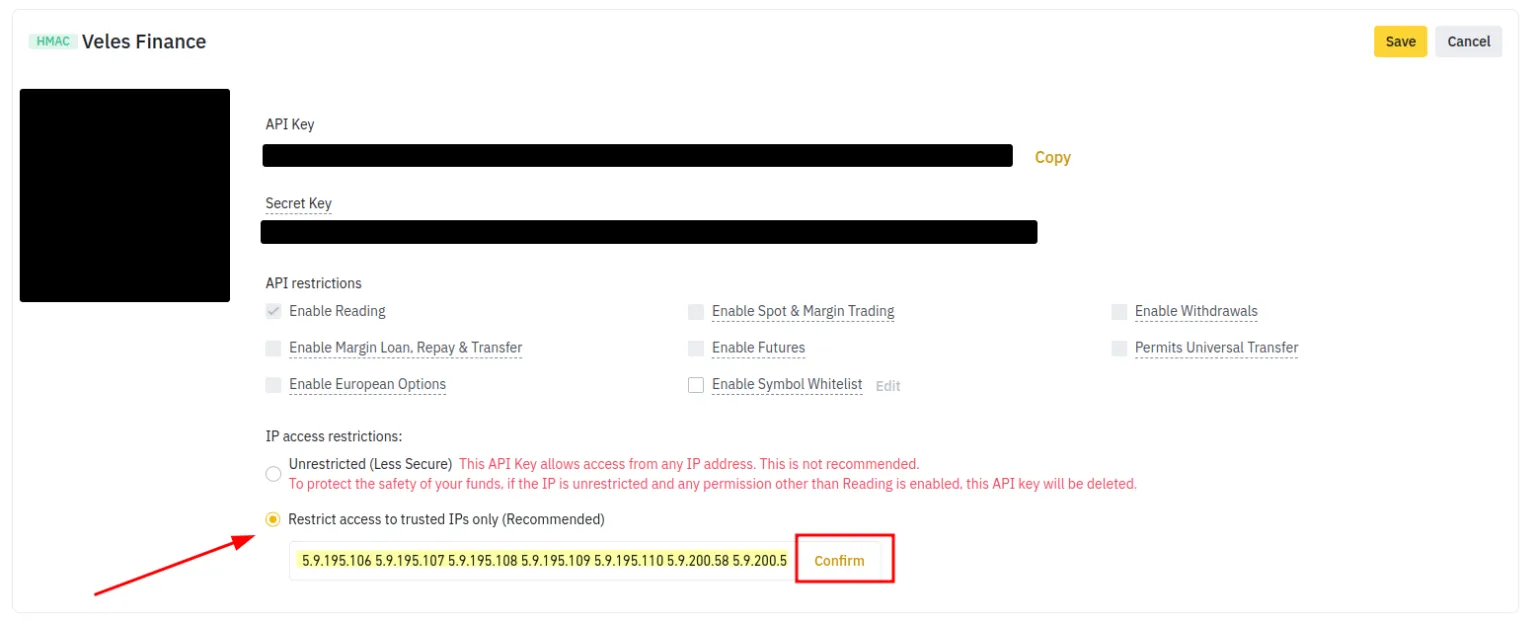
What to do if the API key has expired?
Section titled “What to do if the API key has expired?”This causes the error “Invalid API key” to appear.
- On some exchanges (e.g., Binance), keys are valid for up to 3 months by default.
- To extend the validity period: change any restriction → save → revert the settings → save again.
- Another option is to open the key on the exchange for editing, add trusted IP addresses, and save.
- If the exchange supports the “Veles” application selection when creating a key, select it — then the validity period will be permanent.
Replacing API key details in the Binding
Section titled “Replacing API key details in the Binding”If you already have many bots using a Binding, you don’t need to change each bot. Just replace the key details in the Binding:
- Create a new API key on the exchange using manual procedure (because you need to get and save the public and secret parts of the key).
- Go to the Veles API keys section.
- Click Edit on the desired Binding.
- Paste the new data from the API key to the Binding and save your changes.
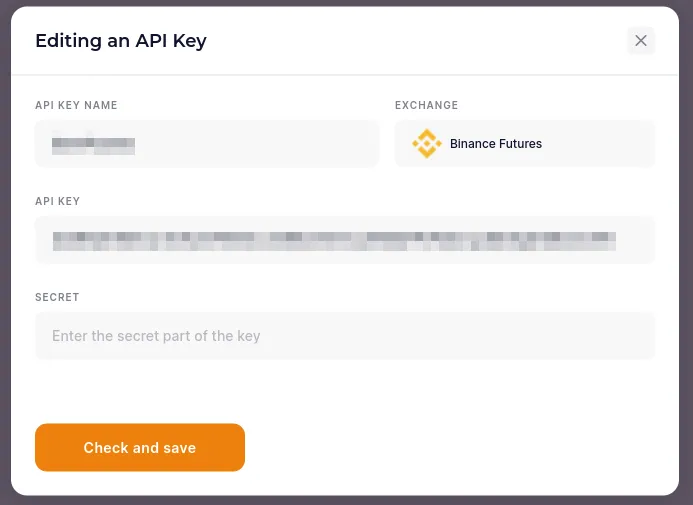
The bots will continue to work with the new key without errors or stopping deals. If the stop occurred earlier, start the bot and select “Restart the deal”.