
Connecting API to Hyperliquid
You can connect Hyperliquid to Veles in two ways: by using Fast connection or manually through an API Wallet.
Fast connection
Section titled “Fast connection”This is the recommended option. It is simpler, faster, and works best for most users.
Show video
-
Log in to your Hyperliquid account.
-
On another browser tab, open the API Key management in Veles account and click “Add API key”.
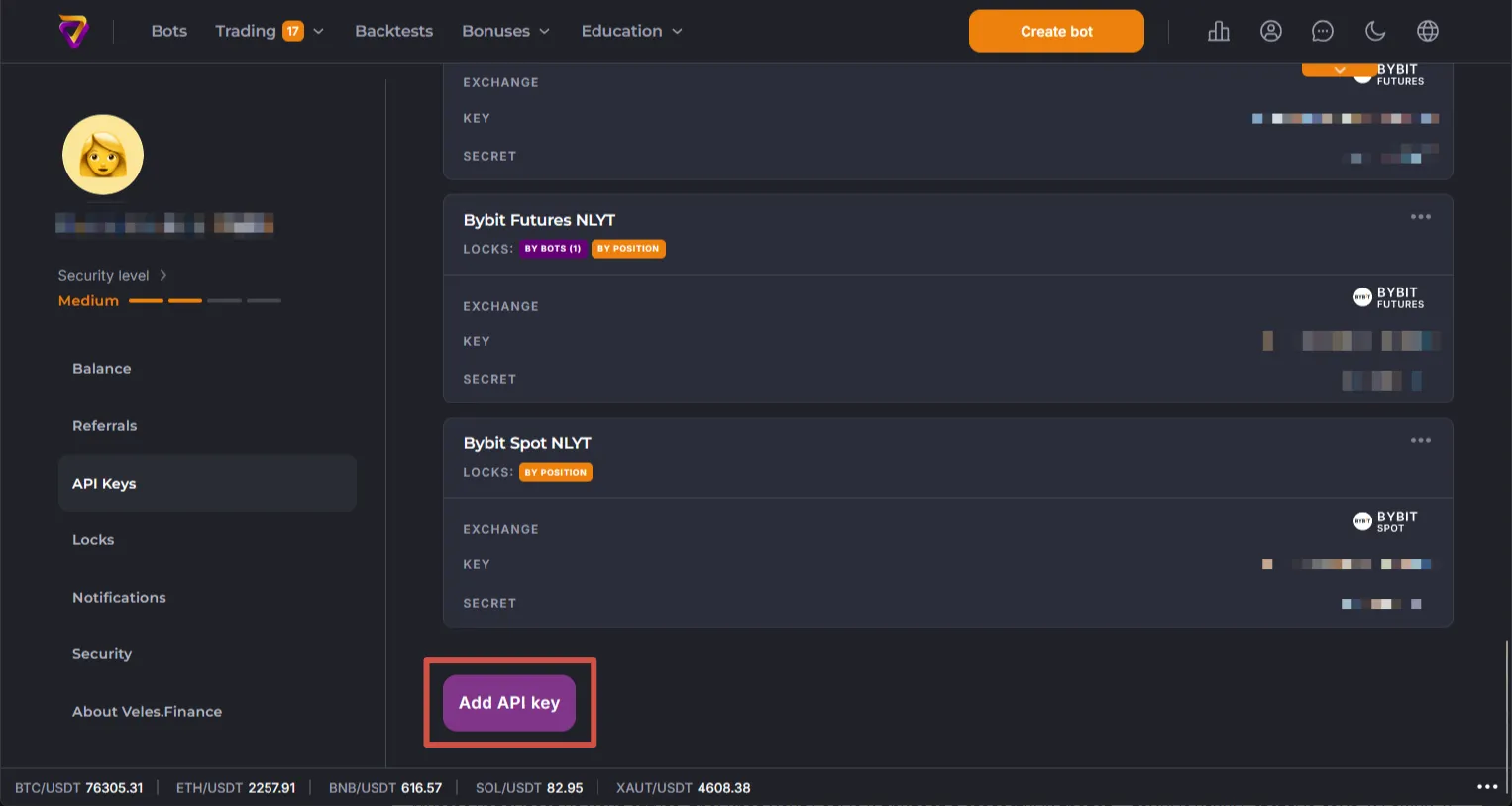
-
Select “Hyperliquid Futures” exchange and your wallet.
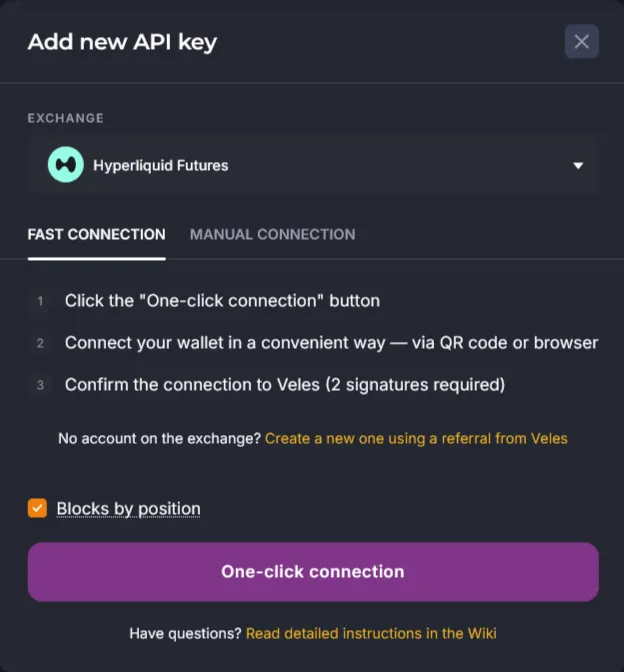
-
Confirm both signatures: trading and extra fee deduction. This is safe: you do not share your private key with anyone.
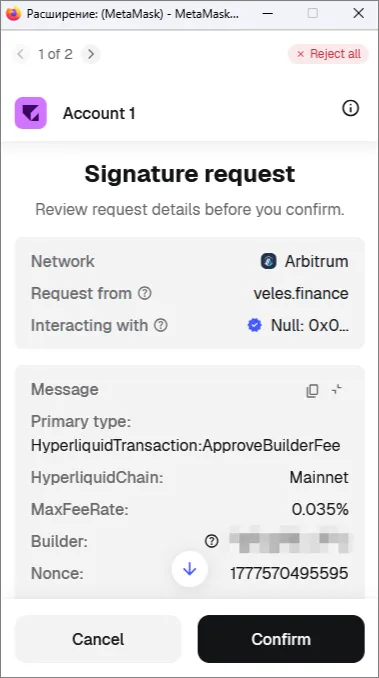
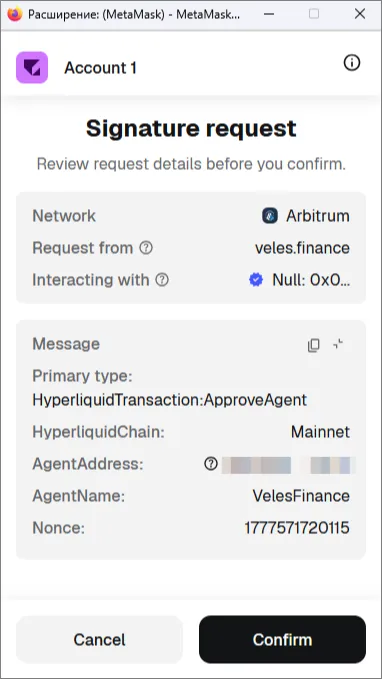
-
New Binding will appear in the cabinet in the list and can be used in bots.
The extra fee (Builder Fee) is a service commission charged by Veles; in this case, it is calculated based on the volume of filled orders created by the bot, directly on the exchange. Consequently, the commission balance within your Veles account is not utilized, and due to the exchange mechanics the monthly limit of 50 USDT per trading type no longer applies.
Manual connection
Section titled “Manual connection”Use this method if you connect Hyperliquid through an API Wallet.
Show video
-
Create an API Wallet on Hyperliquid.
Show video
-
Copy the API wallet address and private key.
-
On another browser tab, open the API Key management in Veles account and click “Add API key”.
-
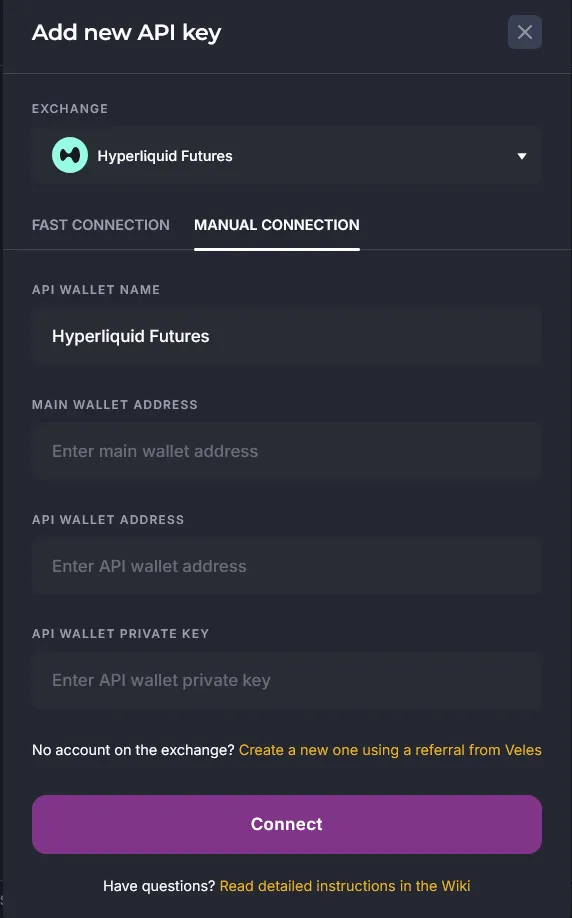
Select “Hyperliquid Futures” exchange, switch to “Manual connection” and paste the data into the form.
-
Fill the form:
- API wallet name
- Main wallet address
- API wallet address
- API wallet private key
-
Save the connection.
-
New Binding will appear in the cabinet in the list and it can be used in bots.