
Depositing to Hyperliquid
Before you start trading, you need to top up your Hyperliquid account balance with the amount that will be used as margin for trading. The supported asset is USDC.
If the account was created with a wallet
Section titled “If the account was created with a wallet”In this flow, you first fund your Web3 wallet and then transfer funds to Hyperliquid.
-
Top up your wallet. The minimum amount is 5 USDC.
-
Open Hyperliquid and click Deposit button.
-
Select a coin, network, and specify the amount. If you transfer the entire amount available on your wallet, you will also need to have ETH on your wallet to pay the fee (gas). If you leave part of the USDC in your wallet, then gas is paid from this balance.
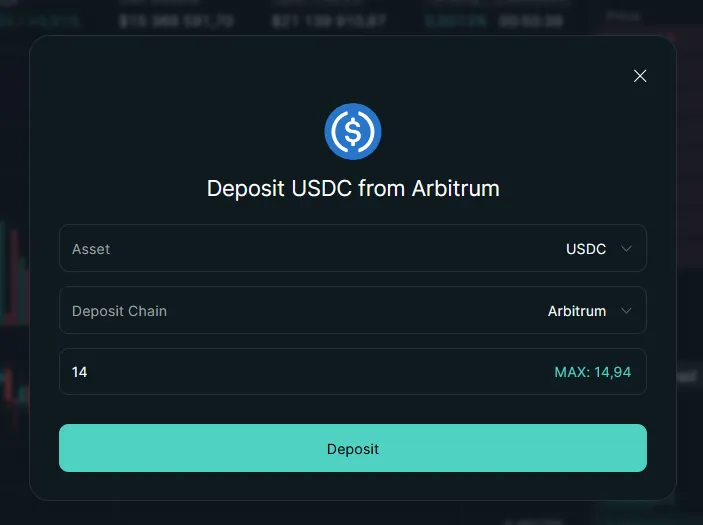
-
Confirm the transfer in your wallet.
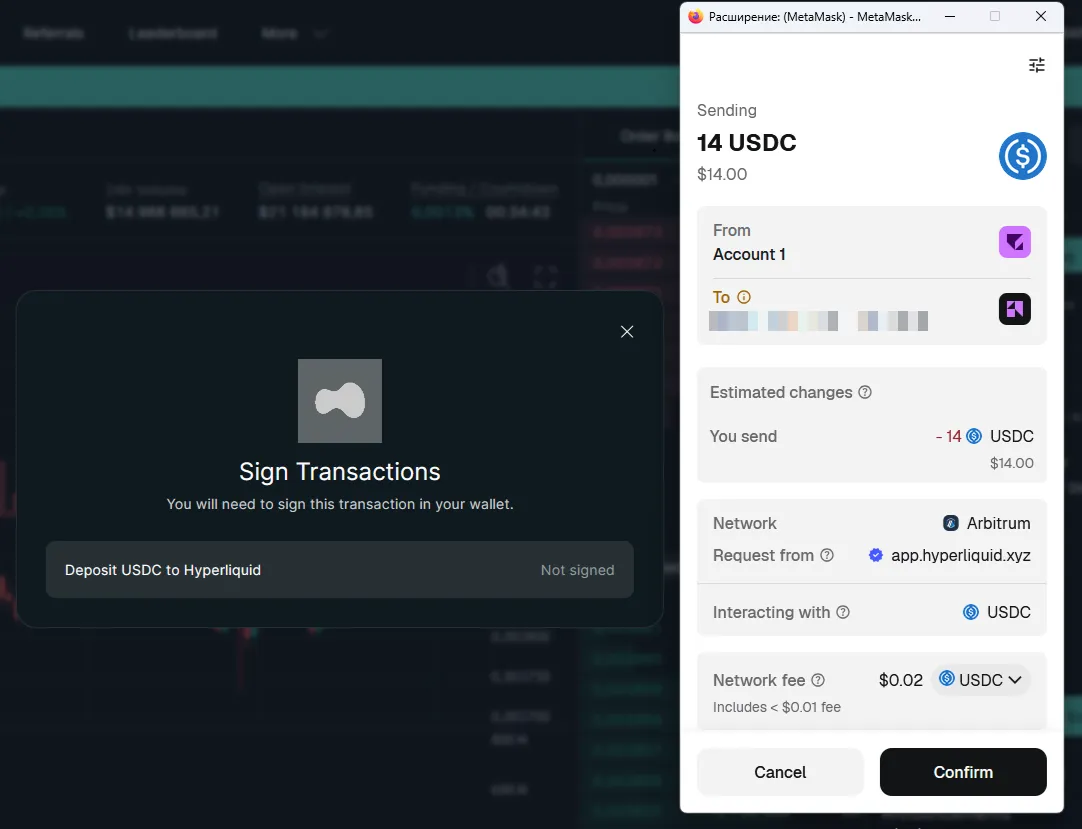
-
Wait for the funds to be credited. Funds available for trading will appear in the exchange’s terminal.
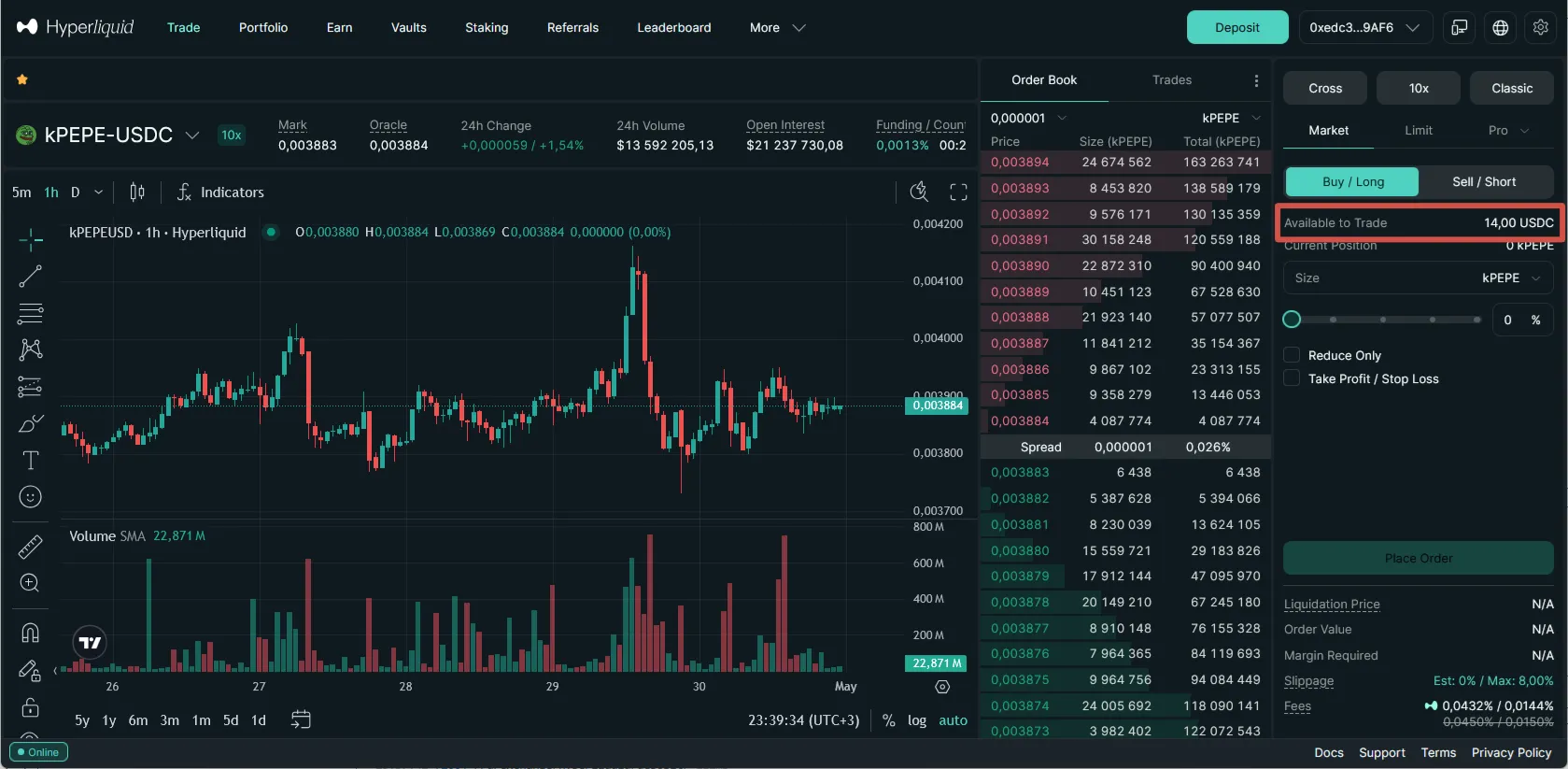
If the account was created by email
Section titled “If the account was created by email”In this flow, funds are deposited directly to the Hyperliquid deposit address.
-
Open your Hyperliquid account.
-
Click the Deposit button.
-
Copy the deposit address.
-
Send USDC using the correct network - from your other exchange or wallet.
-
Wait for the funds to be credited. Funds available for trading will appear in the exchange’s terminal.