
Flexible Indicators
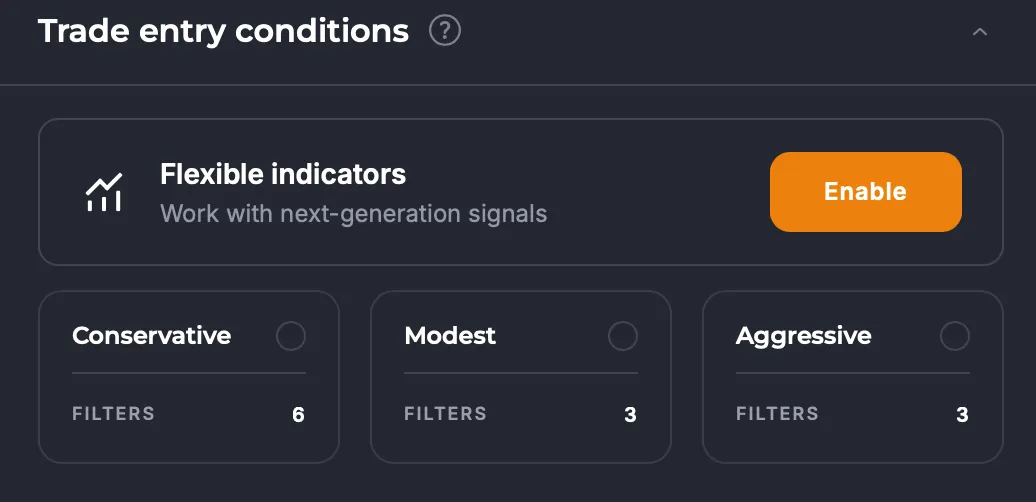
Flexible Indicators is an advanced condition builder for bot filters that lets you configure indicator parameters yourself and combine them freely.
How It Works
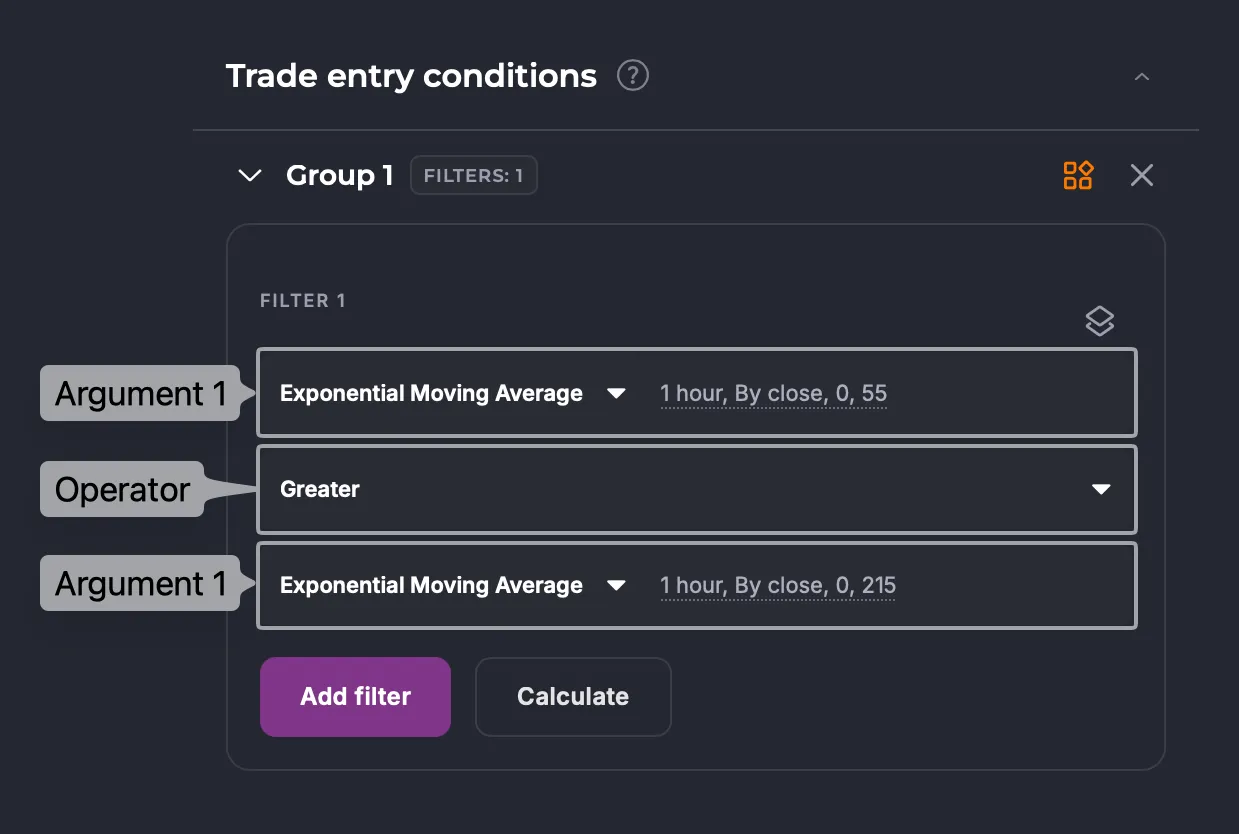
Section titled “How It Works”Each filter is built from two arguments and an operator between them:
- Select Argument 1 — the source of the first value for comparison.
- Configure Argument 1 settings: timeframe, period, length, coefficients, shift.
- Select an Operator — the comparison condition between the two arguments.
- Select Argument 2 and configure its settings the same way.
- Add multiple filters and organize them into groups if needed.
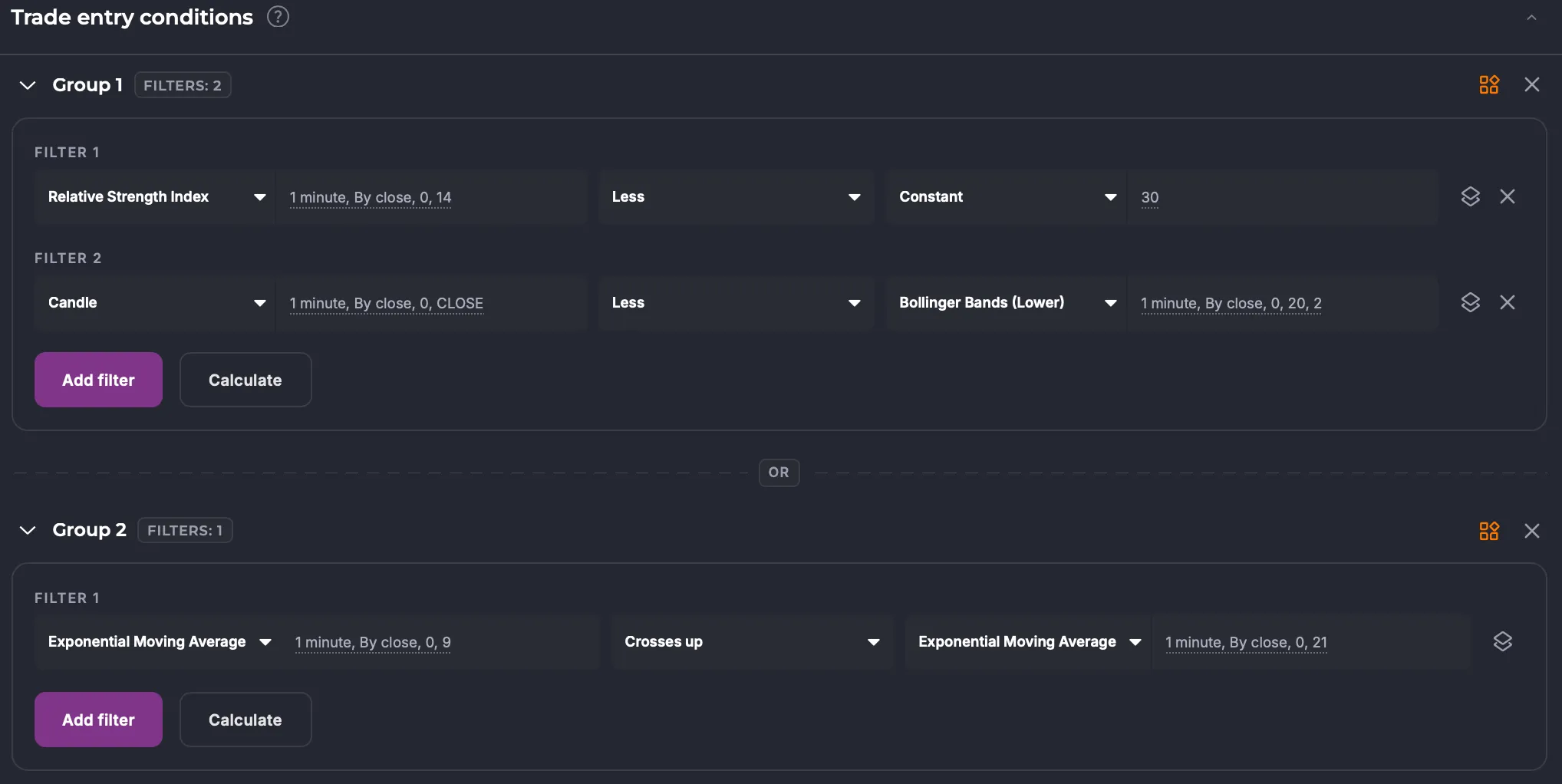
Group logic: conditions within a group are joined by AND; conditions between groups are joined by OR.
Argument Types
Section titled “Argument Types”- Templates — standard built-in filters.
- Indicators — technical indicators with configurable parameters; you can compare an indicator against another indicator.
- Signals — act as standalone filters and don’t require a second argument.
- TradingView — signals and strategies connected via TradingView.
- Partner — signals from partners, available by subscription from the Marketplace.
- Constant — a specific numeric value to compare against an indicator (e.g., “RSI crosses up 40”). Available under the Other tab.
You can also learn more about templates by clicking the button in the top right corner of the group panel.
Configurable Argument Parameters
Section titled “Configurable Argument Parameters”- Interval — the candle interval used to calculate the indicator.
- Period — the number of candles used in the calculation.
- Coefficients — additional multipliers and offsets (vary by indicator).
- Shift — offsets the indicator value by a specified number of candles back. For example, “RSI > RSI with shift 2” triggers when the RSI value on the current candle is greater than the RSI value two candles ago — useful for tracking the momentum direction of an indicator.
Comparison Operators
Section titled “Comparison Operators”- Greater than — Argument 1 is greater than Argument 2.
- Less than — Argument 1 is less than Argument 2.
- Crosses up — Argument 1 crosses Argument 2 from below.
- Crosses down — Argument 1 crosses Argument 2 from above.
Limitations
Section titled “Limitations”- Signals don’t support a second argument — they work as standalone conditions.
- Coefficients and additional parameters vary by indicator.
Examples
Section titled “Examples”Example 1: EMA with a custom period
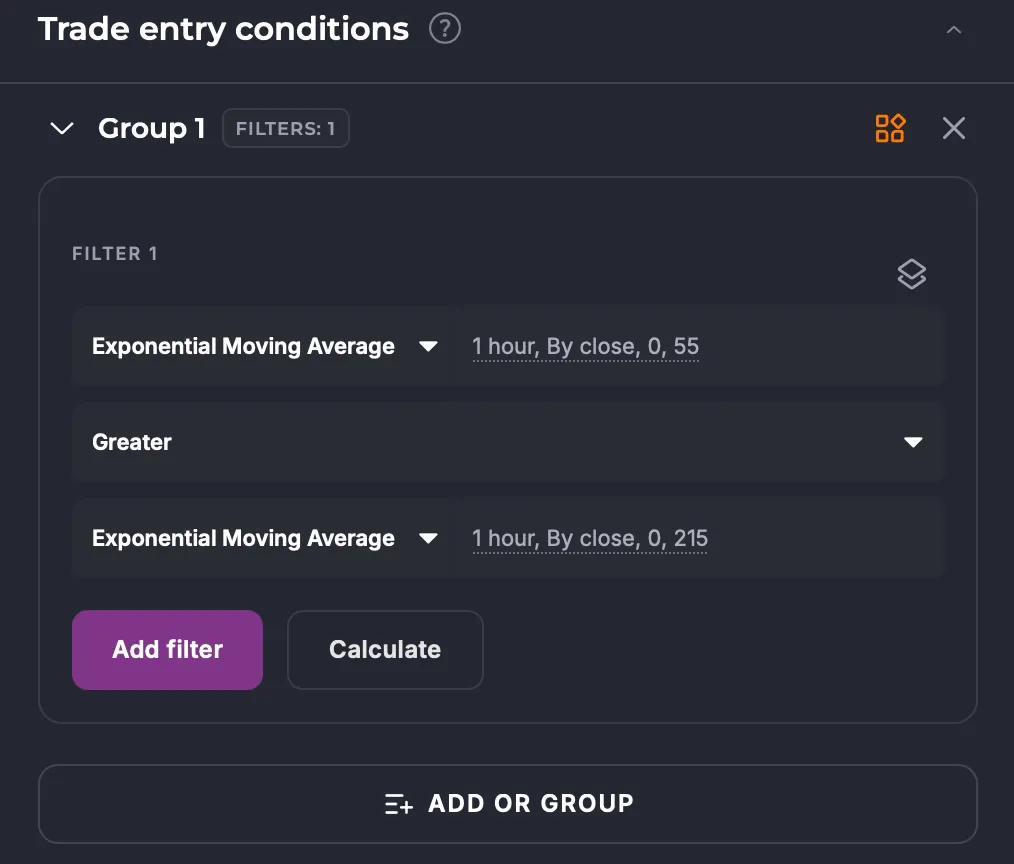
- Argument 1: EMA indicator, period —
55, interval —1 hour - Operator: Crosses up
- Argument 2: EMA indicator, period —
215, interval —1 hour
The condition fires when EMA55 crosses EMA215 from below.
Example 2: Combined condition with groups
Group 1 (both conditions must be met — AND):
- RSI(14) < 30
- Price < BB lower band (20)
Group 2 (alternative condition — OR):
- EMA(9) crosses up EMA(21)
The bot enters a position when Group 1 or Group 2 is satisfied.
Impact on Strategy
Section titled “Impact on Strategy”Flexible indicators greatly expand your strategy customization options: you can now set any periods and lengths independently, without waiting for platform updates. Combining indicators with different parameters enables complex, multi-layered entry and exit conditions.
That said, more conditions make strategy debugging harder. Overly detailed filters can lead to rare triggers or overfitting on historical data.
Summary
Section titled “Summary”Use flexible indicators when:
- You need an indicator with a non-standard period (e.g., EMA55, RSI7).
- You want to compare two indicators against each other (e.g., EMA vs SMA).
- Your strategy requires alternative entry, exit, or averaging conditions.