
Scheduled Trading
Scheduled Trading is the ability to restrict bot activity by calendar and time of day using built-in time-based indicators.
Use cases include:
- trade only on weekdays, skipping weekends;
- run the bot only during specific hours — for example, daytime only;
- avoid trading at night or at the end of the month;
- activate the bot on specific days of the month.
Day of the Week
Section titled “Day of the Week”The “Day of the Week” indicator returns the current day of the week in UTC+0.
| Value | Day |
|---|---|
| 1 | Monday |
| 2 | Tuesday |
| 3 | Wednesday |
| 4 | Thursday |
| 5 | Friday |
| 6 | Saturday |
| 7 | Sunday |
How It Works
Section titled “How It Works”The indicator checks the current day of the week and compares it to the configured value. If the condition is met, the bot is allowed to open trades. If not, entry is blocked.
Configuration Examples
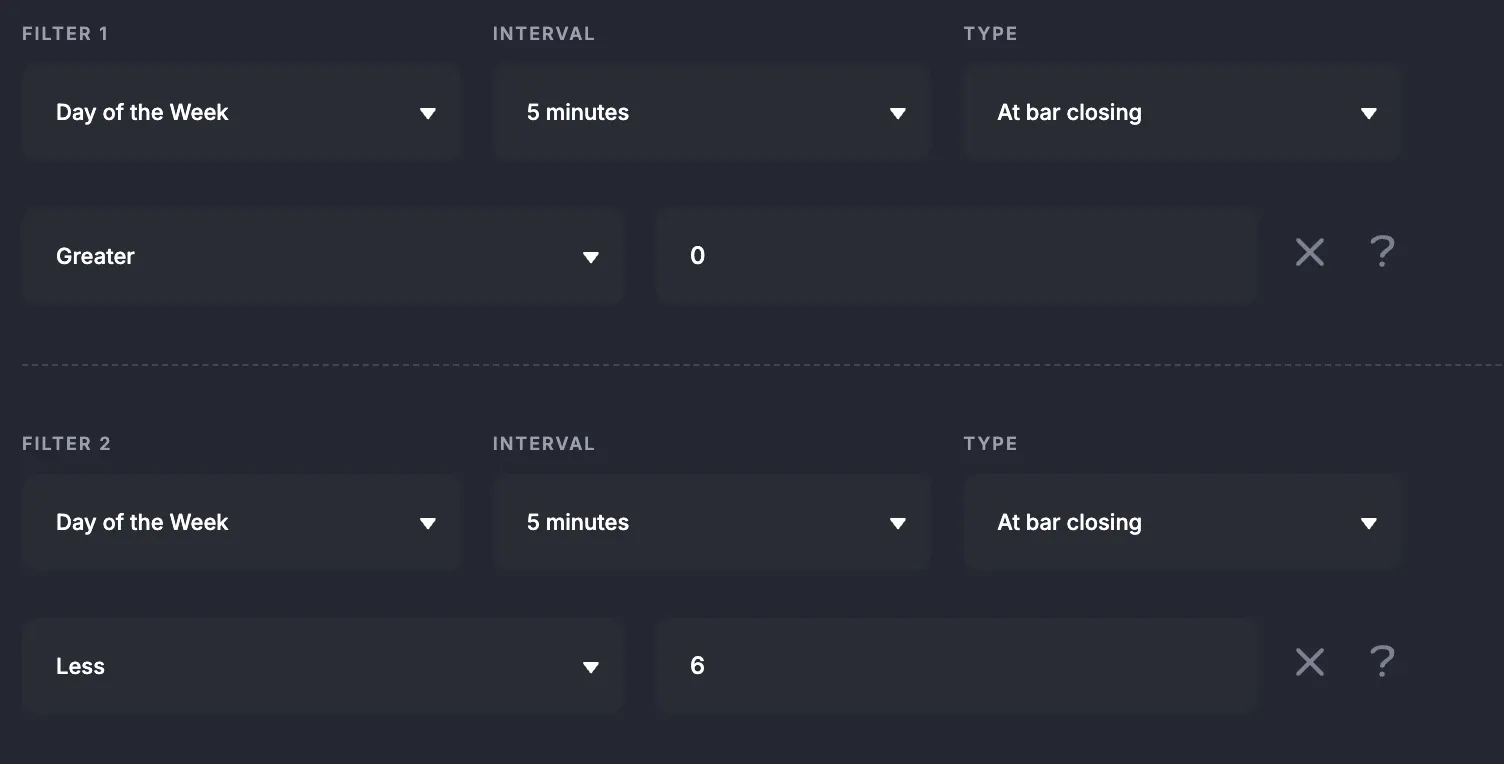
Section titled “Configuration Examples”Example 1 — Trade only on weekdays
Condition:
Day of the Week > 0Day of the Week < 6The bot trades Monday (1) through Friday (5).
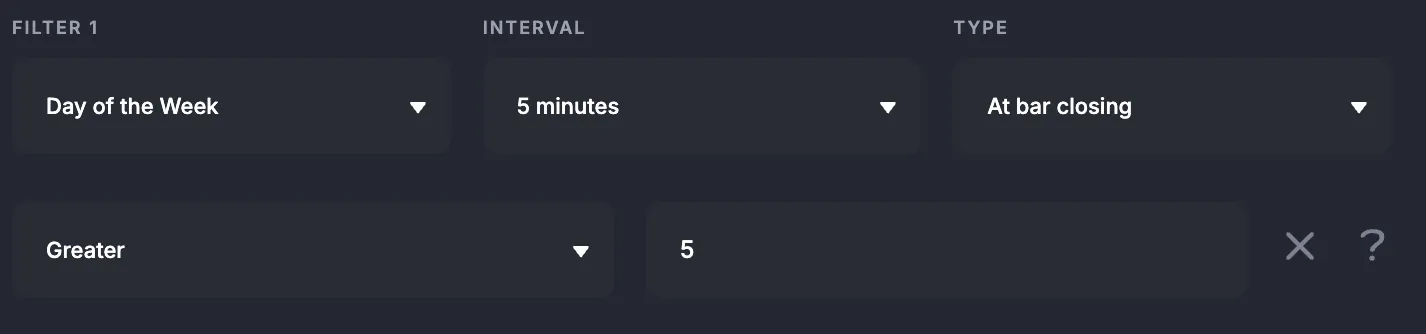
Example 2 — Trade only on weekends
Condition:
Day of the Week > 5The bot trades on Saturday (6) and Sunday (7).
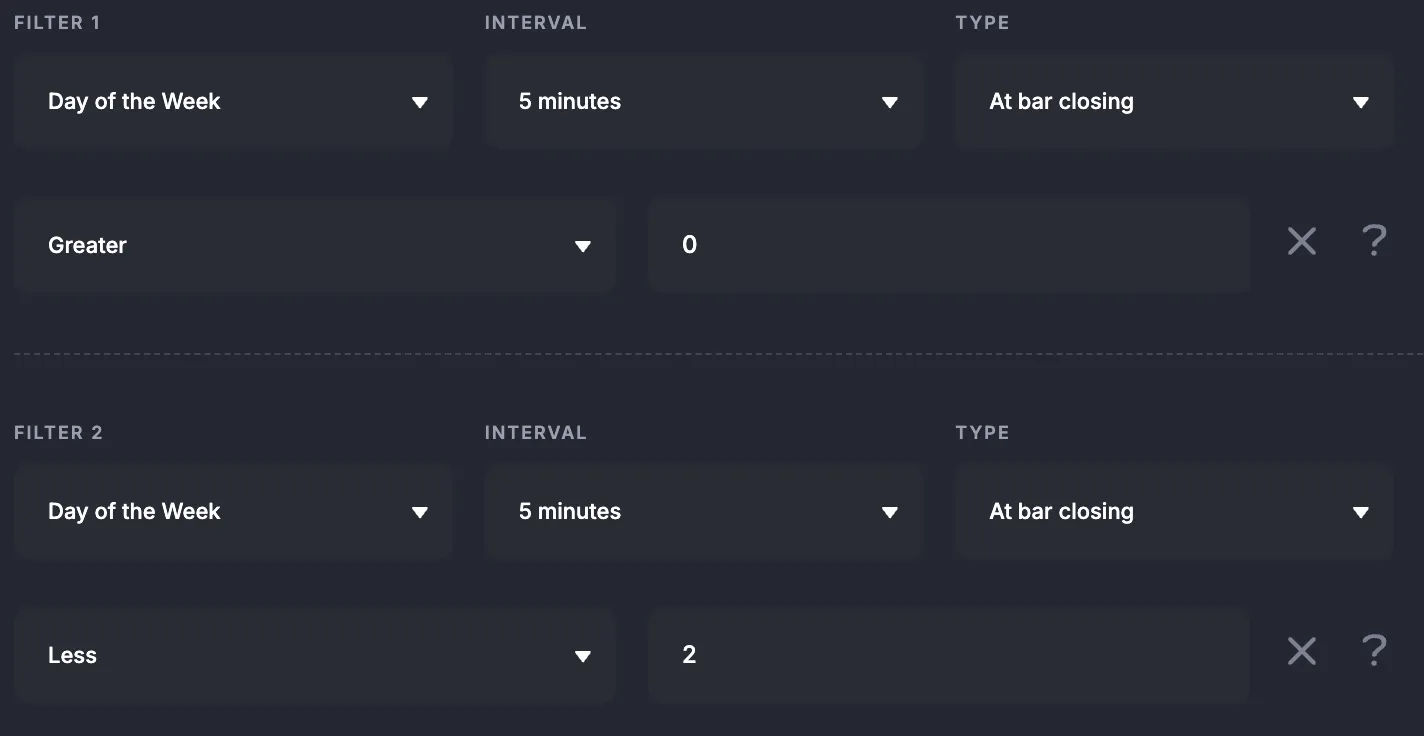
Example 3 — Trade only on Monday
Condition:
Day of the Week > 0Day of the Week < 2The bot trades only on Monday (1).
Hour of the Day
Section titled “Hour of the Day”The “Hour of the Day” indicator returns the current hour in UTC+0 as an integer from 0 to 23.
| Value | UTC Period |
|---|---|
| 0 | 00:00–00:59 |
| 1 | 01:00–01:59 |
| … | … |
| 23 | 23:00–23:59 |
How It Works
Section titled “How It Works”The indicator checks the current UTC hour and compares it to the configured boundaries. If the hour falls within the range, the bot is active.
Configuration Examples
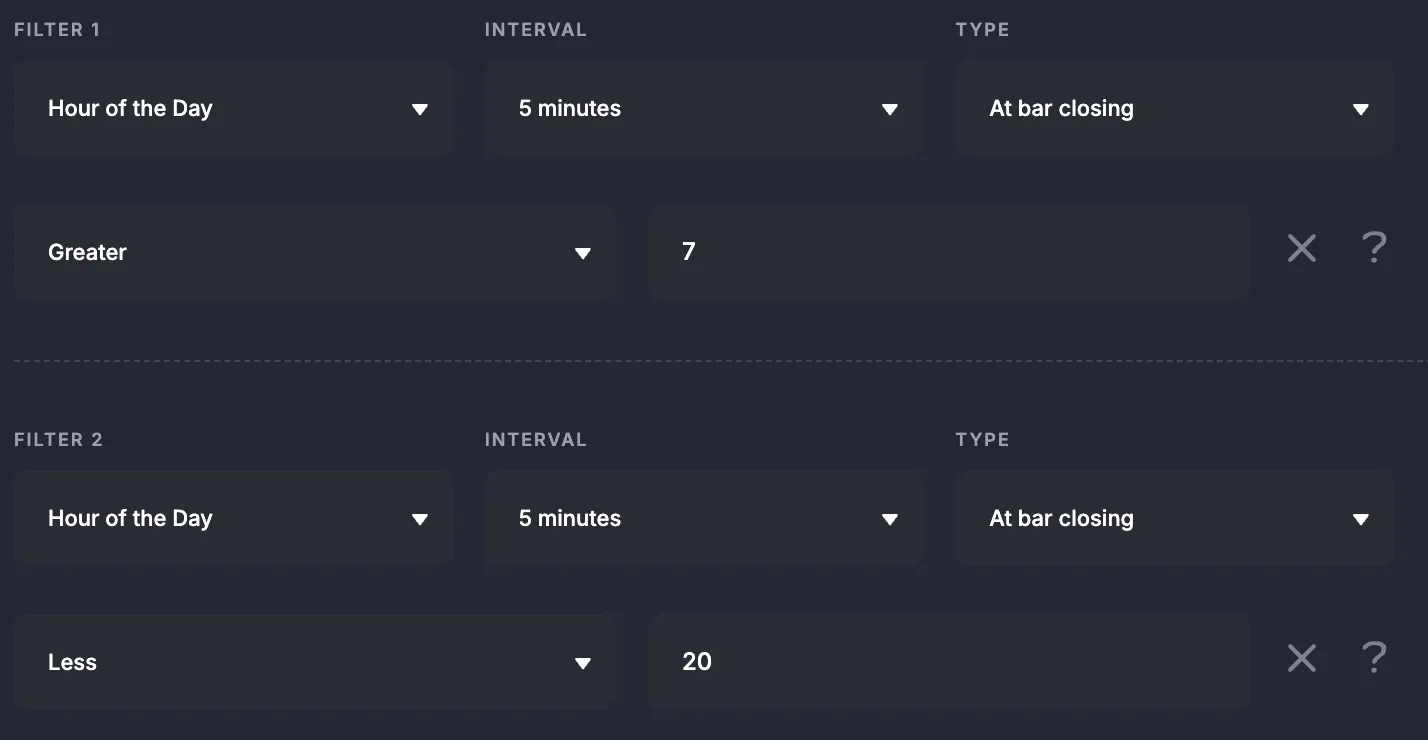
Section titled “Configuration Examples”Example 1 — Trade during the day (08:00–19:59 UTC)
Condition:
Hour of the Day > 7Hour of the Day < 20The bot trades from 08:00 to 19:59 UTC.
Example 2 — Trade at night (22:00–02:59 UTC)
This range crosses midnight — use OR groups:
Group 1: Hour of the Day > 21ORGroup 2: Hour of the Day < 3The bot trades from 22:00 to 02:59 UTC.
Day of the Month
Section titled “Day of the Month”The “Day of the Month” indicator returns the current calendar date as a number from 1 to 31.
How It Works
Section titled “How It Works”The indicator compares the current date to the configured boundaries. If the day number falls within the range, the bot trades.
Configuration Examples
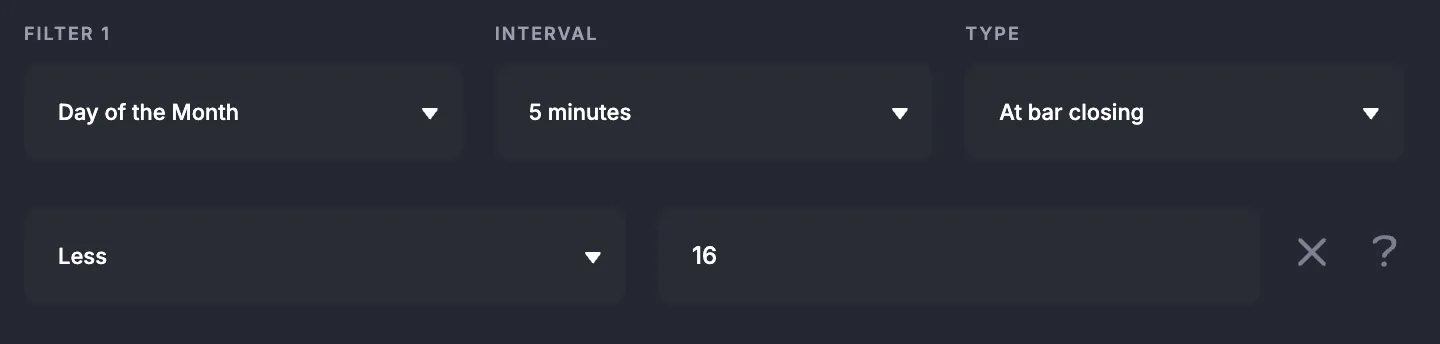
Section titled “Configuration Examples”Example 1 — Trade in the first half of the month
Condition:
Day of the Month < 16The bot is active from the 1st to the 15th.
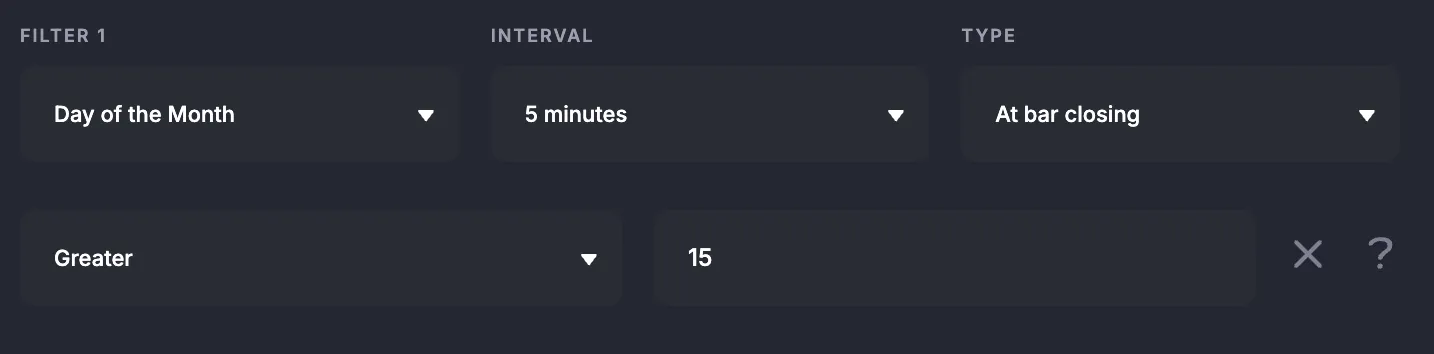
Example 2 — Trade in the second half of the month
Condition:
Day of the Month > 15The bot is active from the 16th to the end of the month.
Example 3 — Trade only on the 15th
Condition:
Day of the Month > 14Day of the Month < 16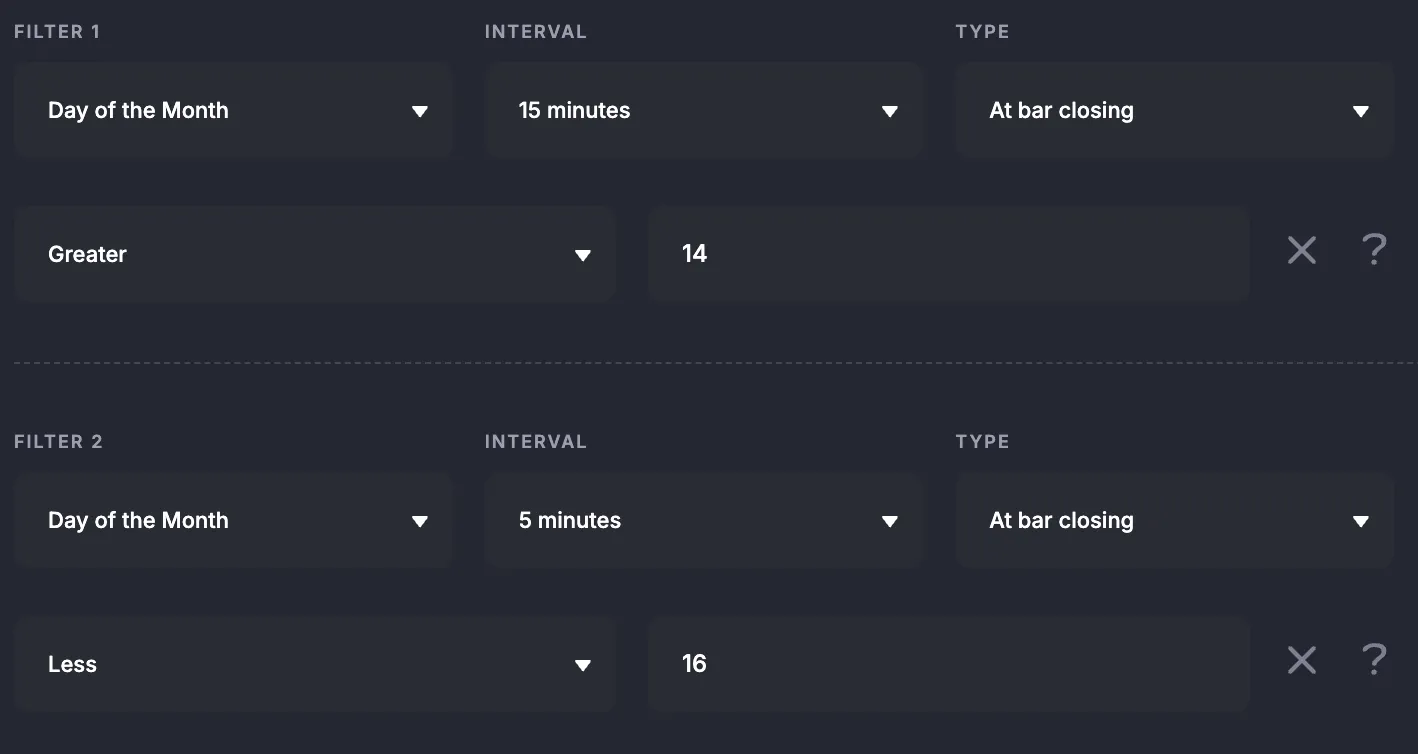
Standard Indicators
Section titled “Standard Indicators”In standard mode, time-based indicators are added as regular entry or exit filters.
- Open the bot settings and go to the filters section.
- Click “Add filter” and select the desired time indicator (e.g., “Day of the Week”).
- Choose a comparison operator.
- Enter a numeric value.
- Add a second condition if you need a range.
Flexible Indicators
Section titled “Flexible Indicators”In flexible indicators, time conditions work like regular indicators: they can be compared to a constant, combined with AND / OR, and composed into complex logic.
Example — nighttime range crossing midnight:
Group 1:Indicator: Hour of the DayOperator: greater thanValue: Constant 21
OR
Group 2:Indicator: Hour of the DayOperator: less thanValue: Constant 3Backtesting Support
Section titled “Backtesting Support”Time-based indicators are fully supported in backtests.
- The schedule is applied to historical data — the bot skips trades during restricted periods.
- If you blocked trading on weekends or at night, no trades are opened during those periods in the calculation.
- Backtest results accurately reflect bot behavior with the configured schedule, letting you validate the strategy before going live.
Summary
Section titled “Summary”Time-based indicators give you precise control over bot activity:
- Day of the Week — trade only on weekdays, weekends, or a specific day.
- Hour of the Day — trade during daytime, nighttime, or any hourly range.
- Day of the Month — restrict activity to the beginning, middle, or end of the month.
Remember: all values are calculated in UTC+0. Convert your local time before configuring a schedule.