Creating a Veles Broker sub-account
To create a Veles Broker sub-account:
-
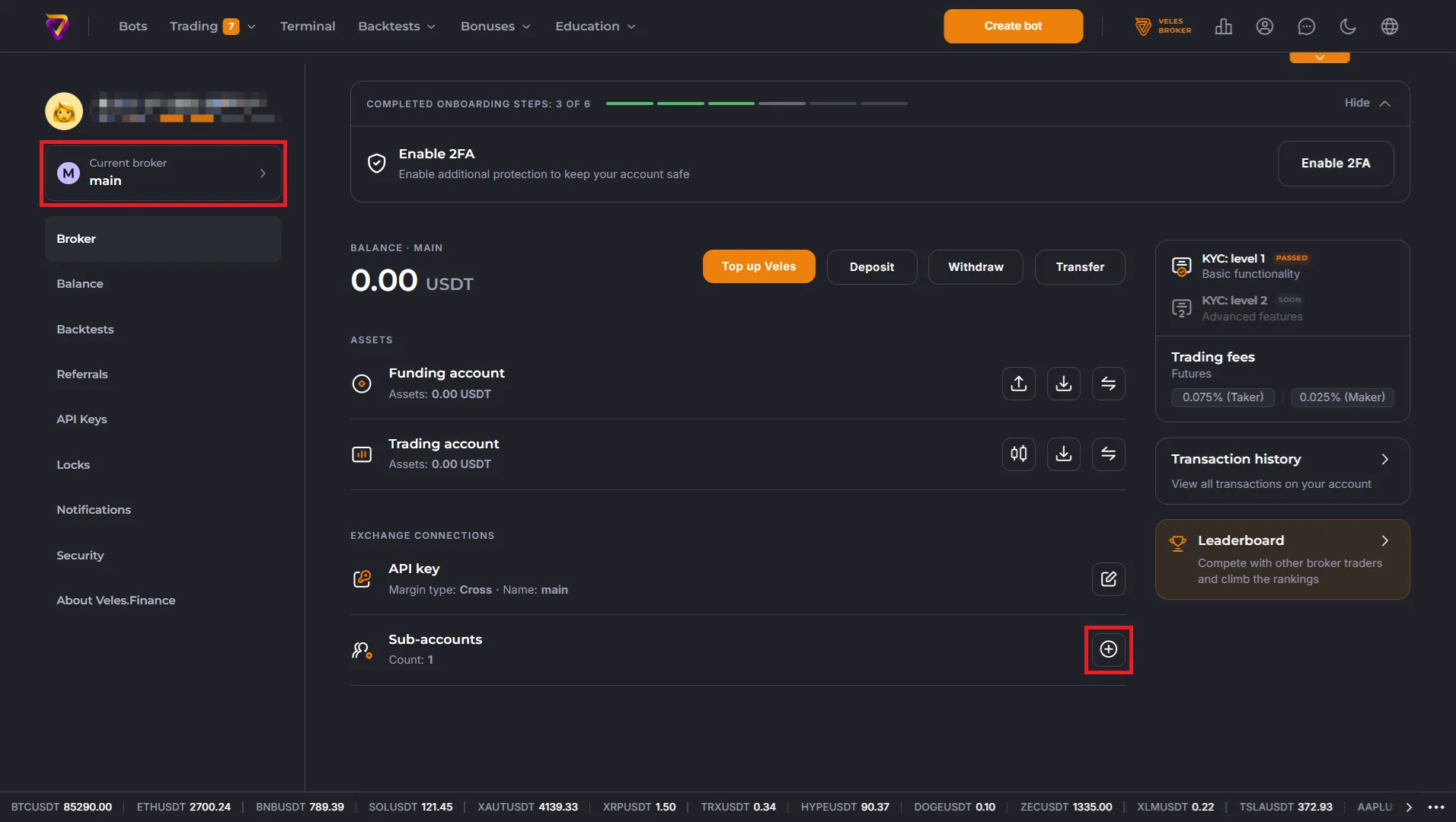
Go to the Broker section of your user profile and click “Current broker” or the ”+” icon in the “Sub-accounts” row.
-
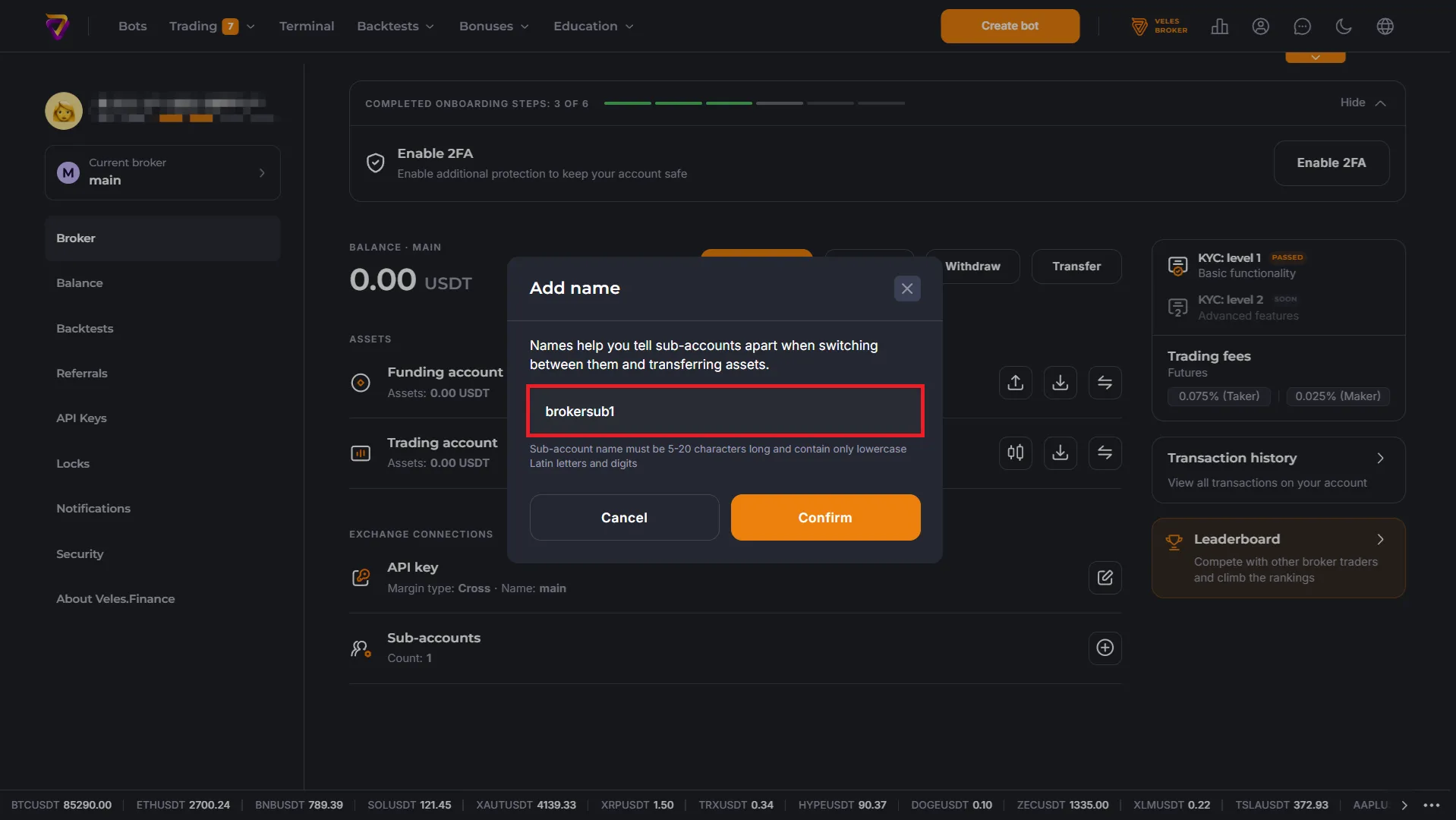
Enter a name for the subaccount; only lowercase letters and numbers are allowed, and the name must be unique.
An automatically created API Binding associated with the subaccount name will appear in the API Keys section of your profile. You will be able to select this binding in bots and in the Terminal.
-
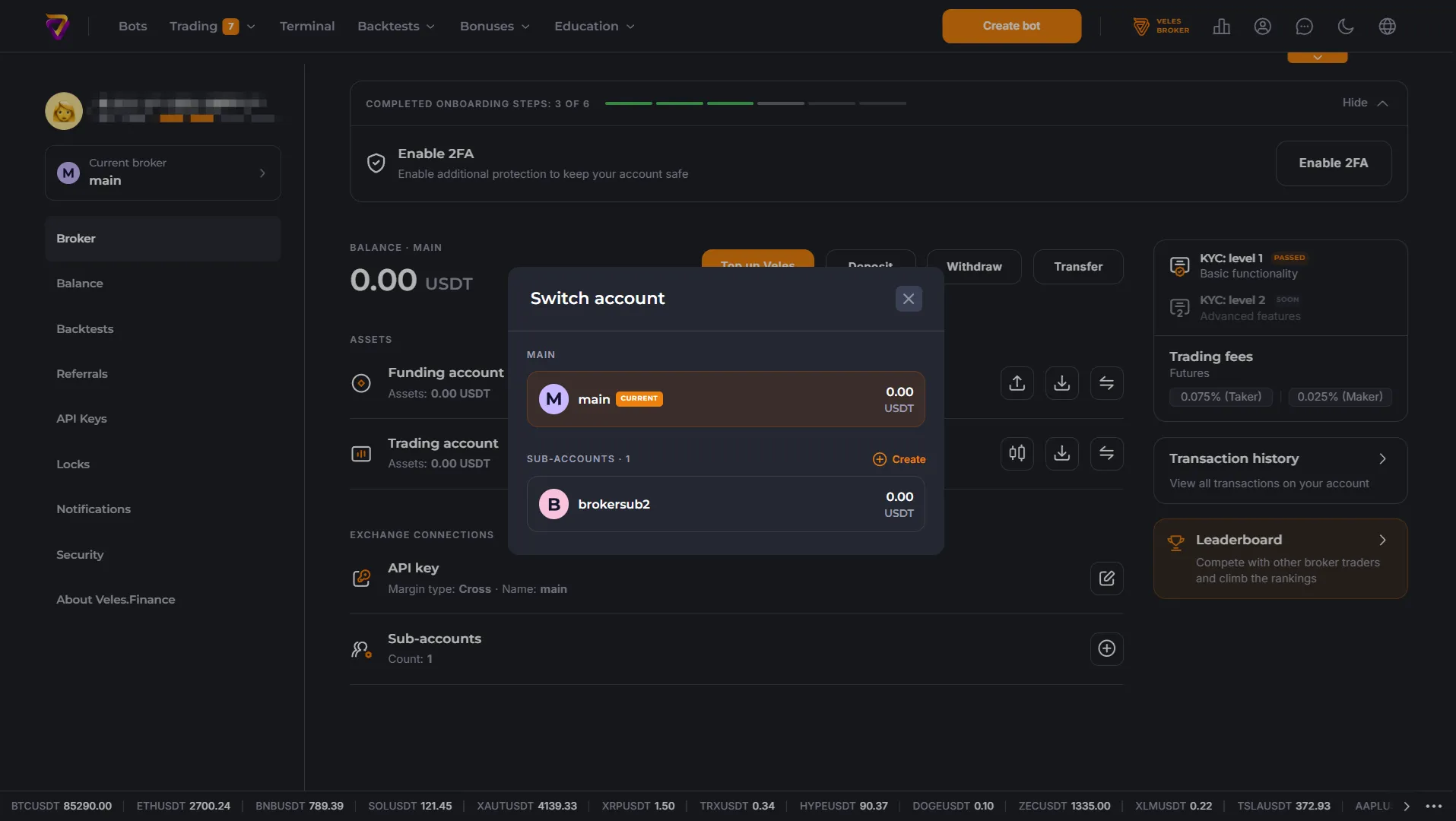
To switch between sub-accounts, click the “Current Broker” menu and select the desired sub-account in the dialog box.