On this page
Connecting the BloFin API
Fast connection to Blofin
Section titled “Fast connection to Blofin”Fast connection only works for the exchange’s main account. If for some reason it doesn’t work, use the manual connection method.
-
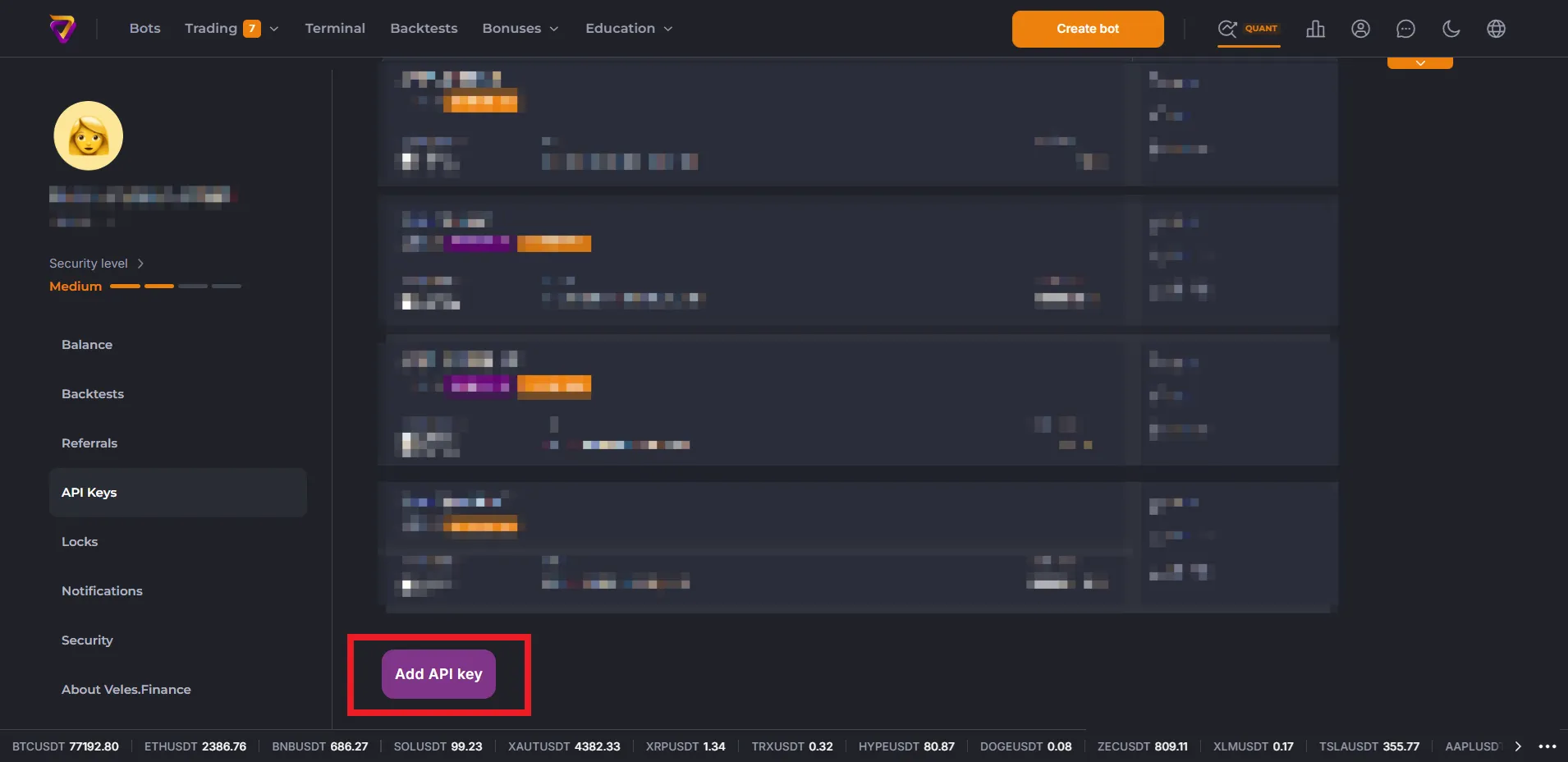
Go to the API key management page in your profile settings and click “Add API key”.
-
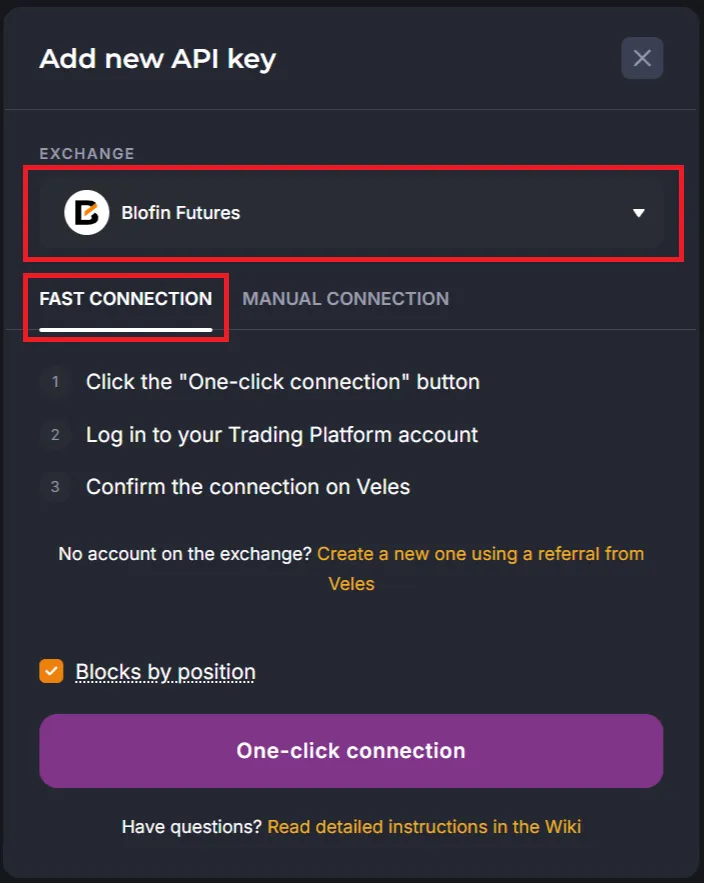
Select Blofin Futures and click “One-click connection”.
-
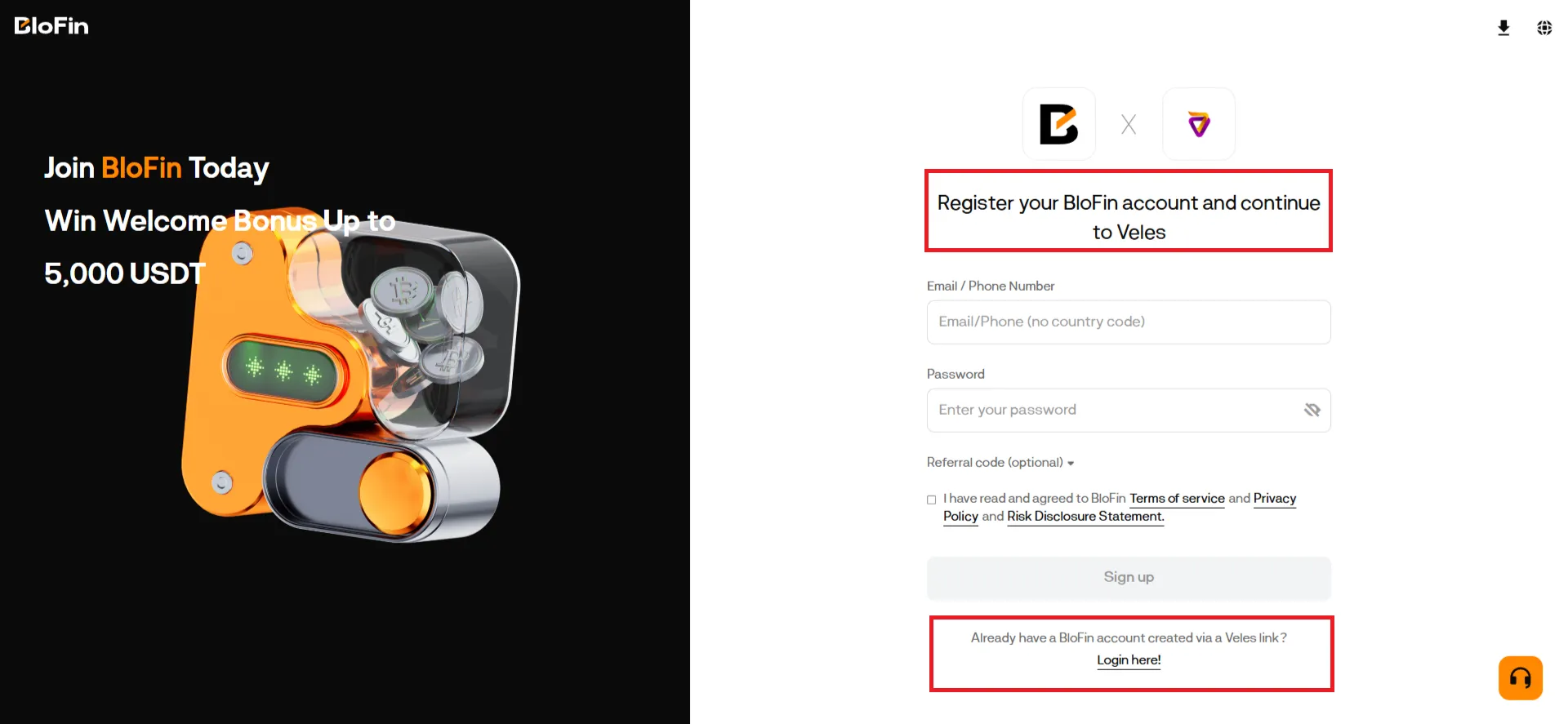
Log in to your Blofin account or create a new one.
-
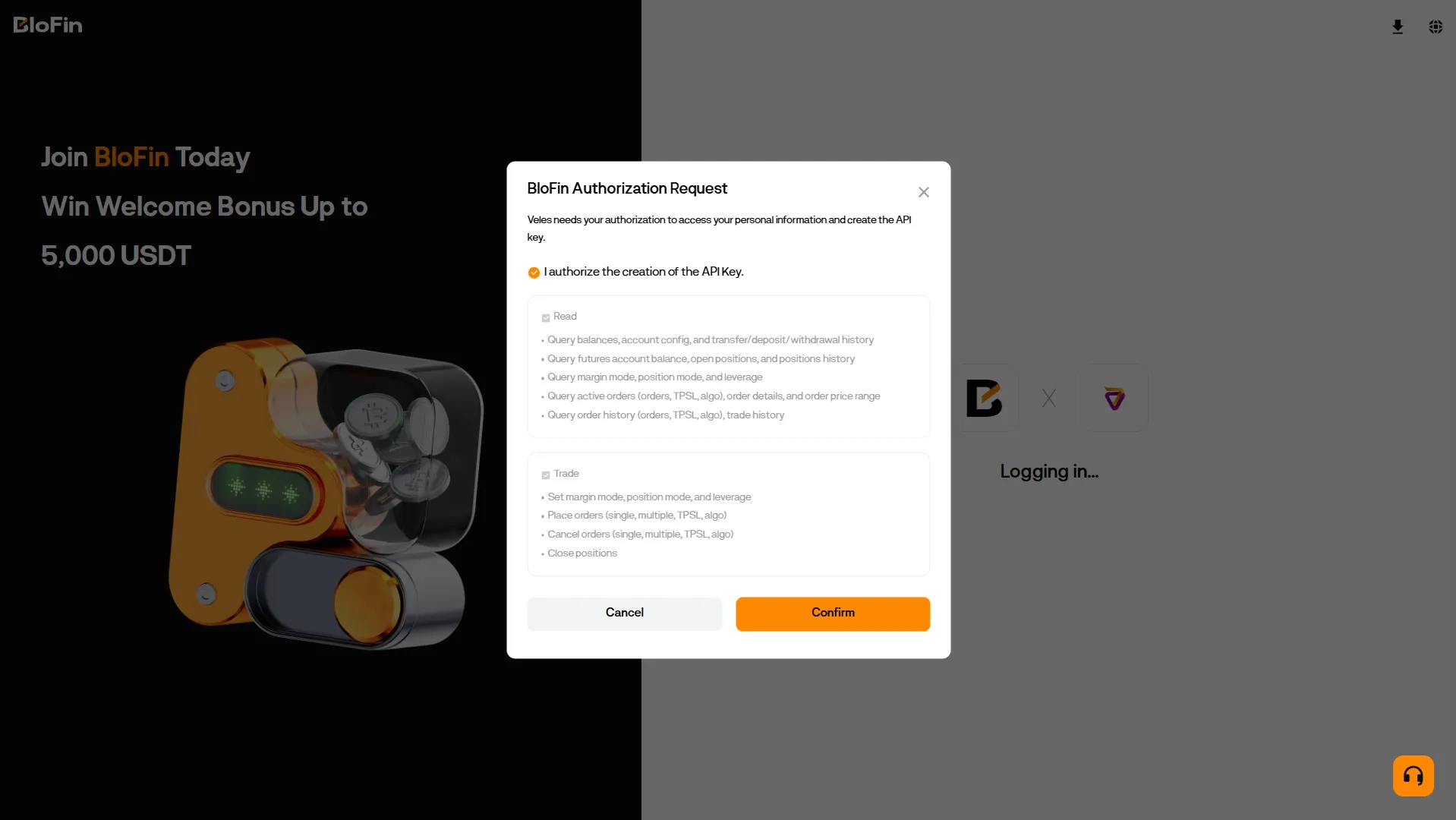
Review the permissions assigned to the API key and confirm your agreement.
-
Request and enter the security codes in the dialog box.
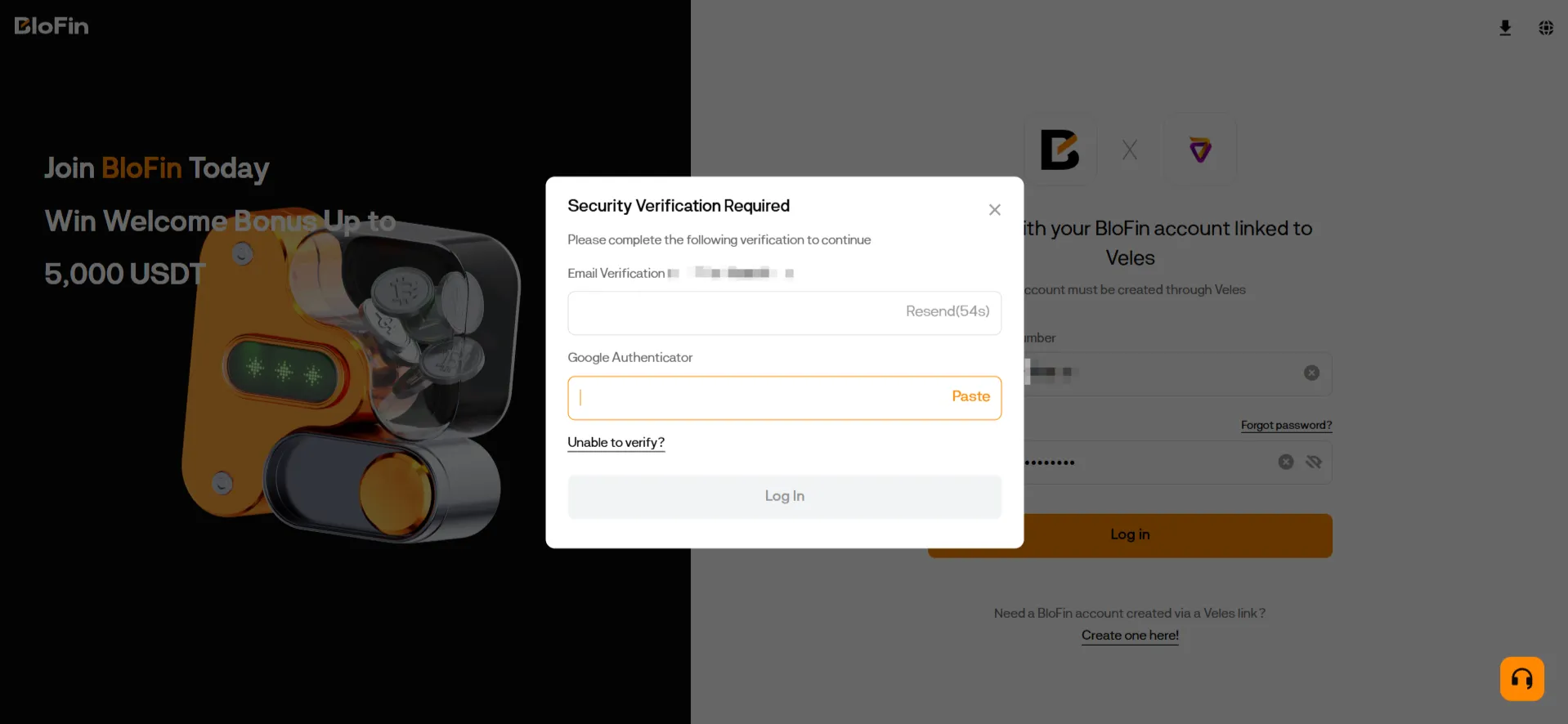
-
The key will be created, and the new API binding will appear in the list.
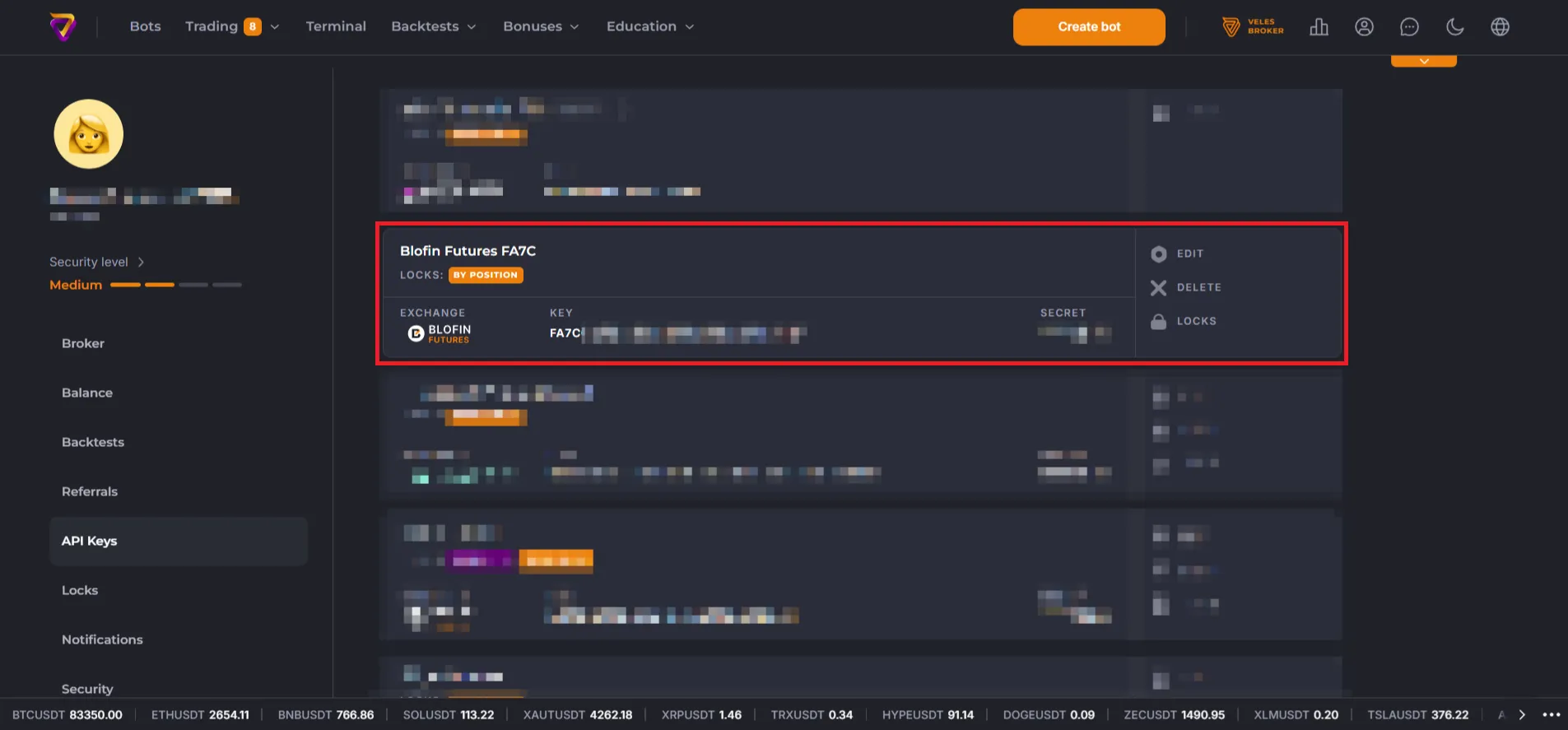
Manually Creating a BloFin API Key and Linking It to Veles
Section titled “Manually Creating a BloFin API Key and Linking It to Veles”Open the exchange’s website in a browser on your PC or tablet.
How to Create an API Key on BloFin
Section titled “How to Create an API Key on BloFin”-
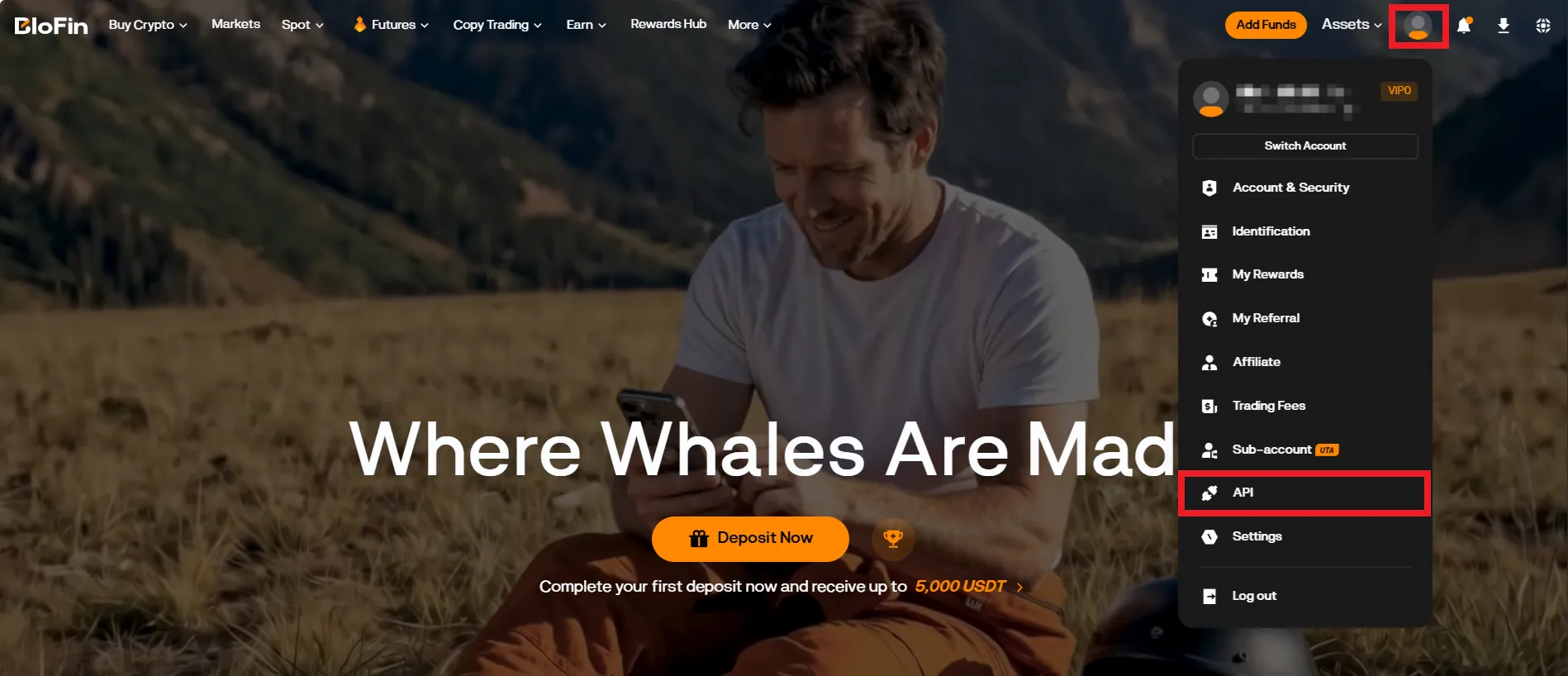
To create a key, open the user profile menu and select “API”. In this section, you can create, edit, and delete API keys.
-
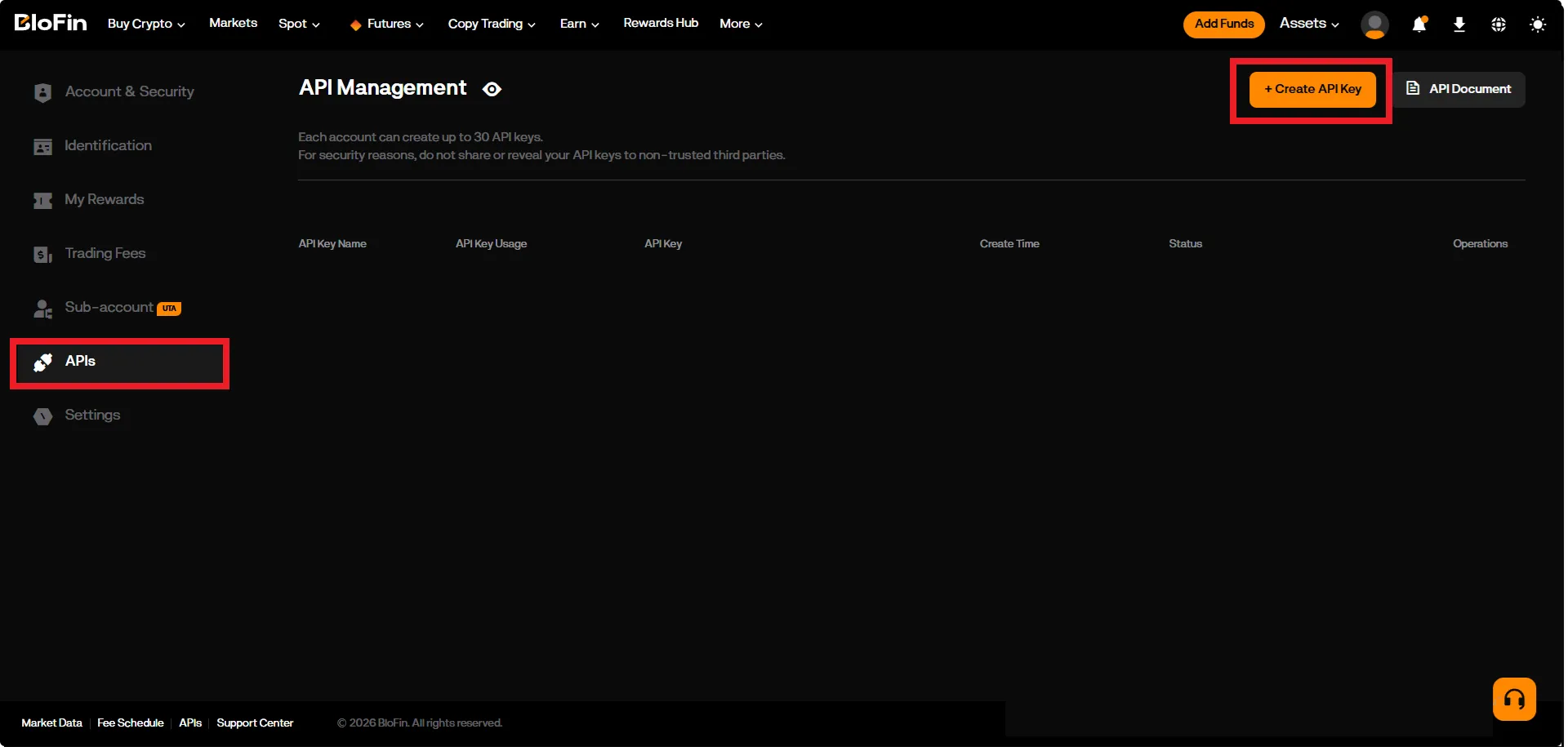
Click “Create API key”.
-
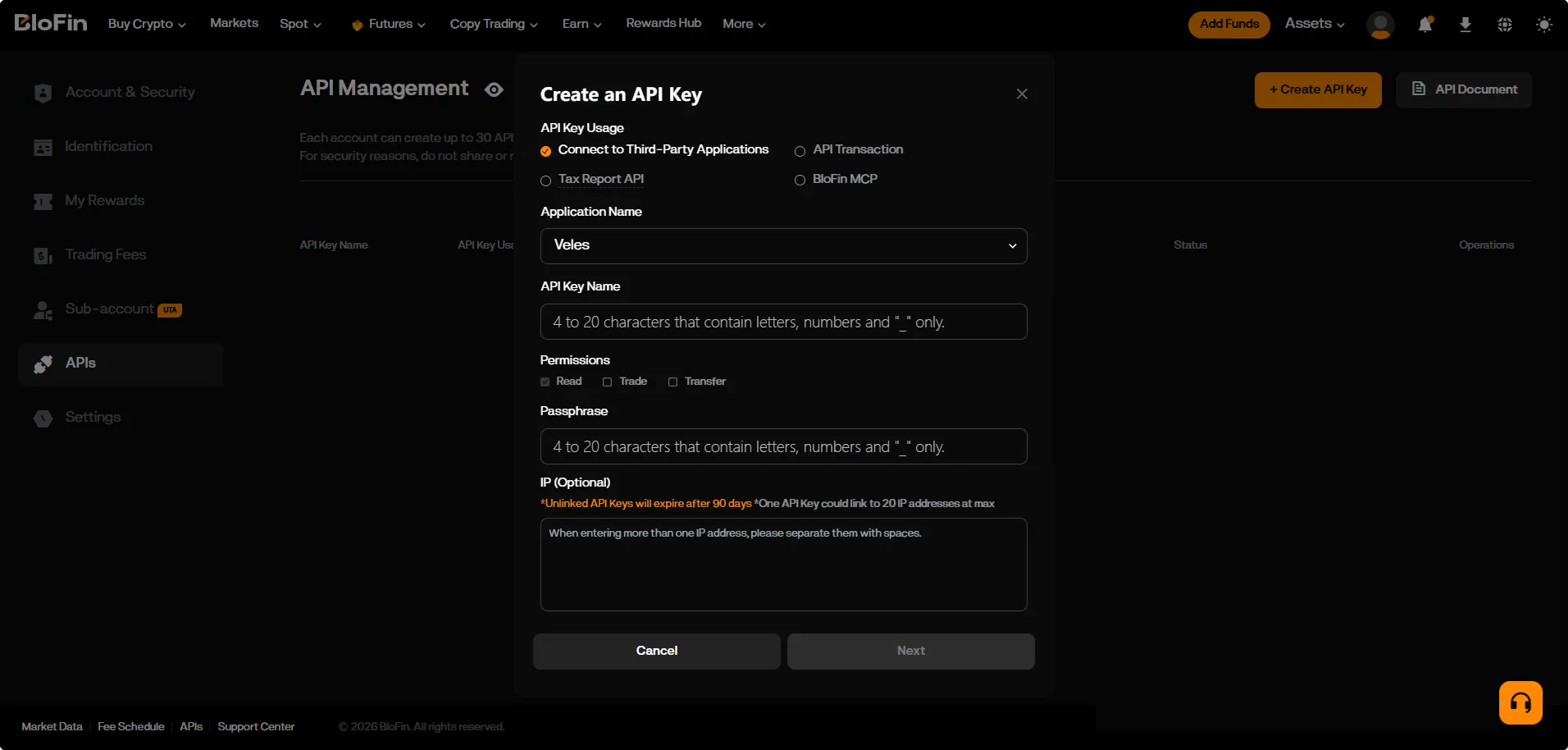
Toggle the “Connect to third-party application” switch and select Veles from the list.
-
Enter a key name and a secret phrase; under permissions, select “Trade” (read permission is selected by default).
-
Add a list of trusted IP addresses. If the key is created without a list of bound addresses, it will be valid for 90 days only.
-
Click “Next”.
-
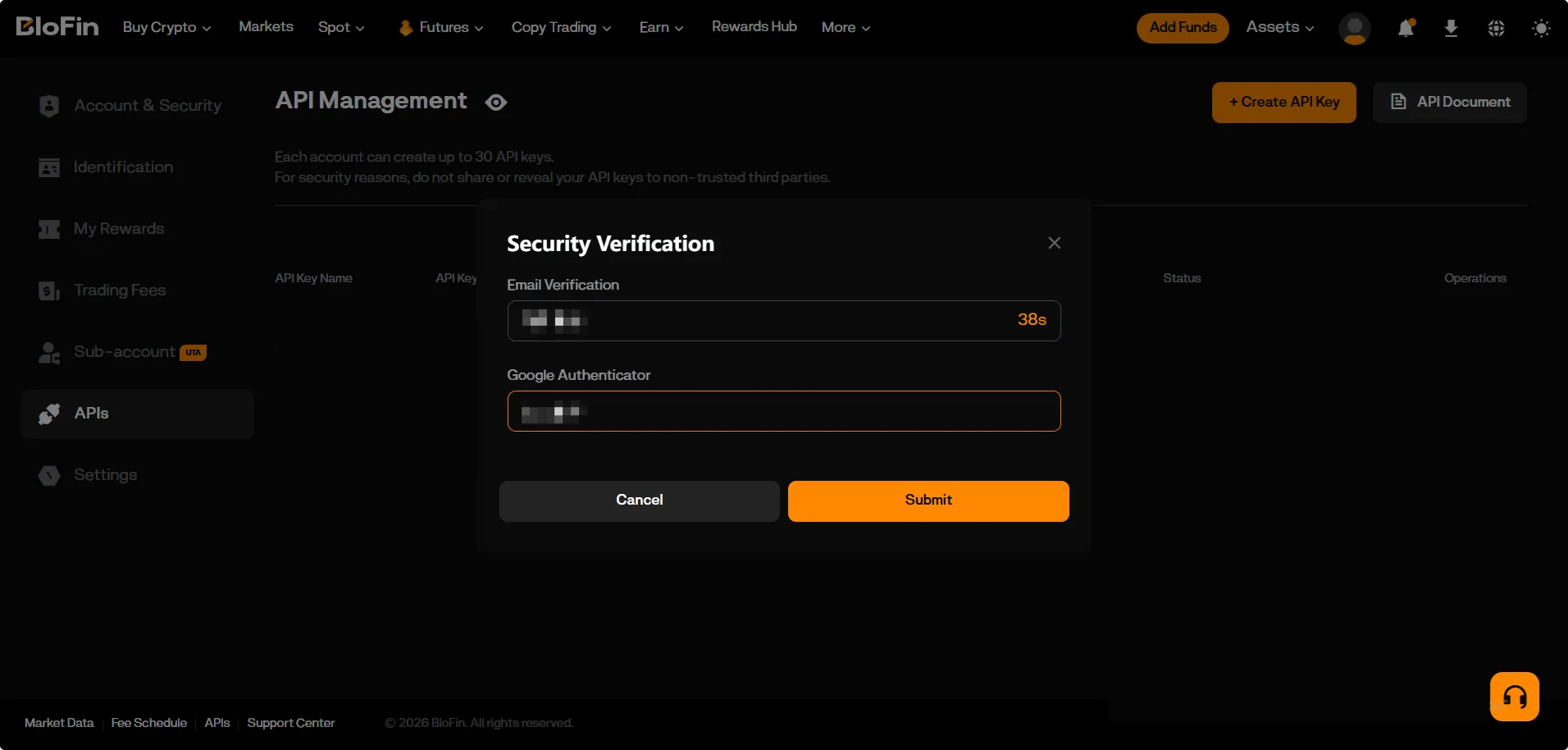
Complete the security verification (enter the codes received via email and in your authenticator app).
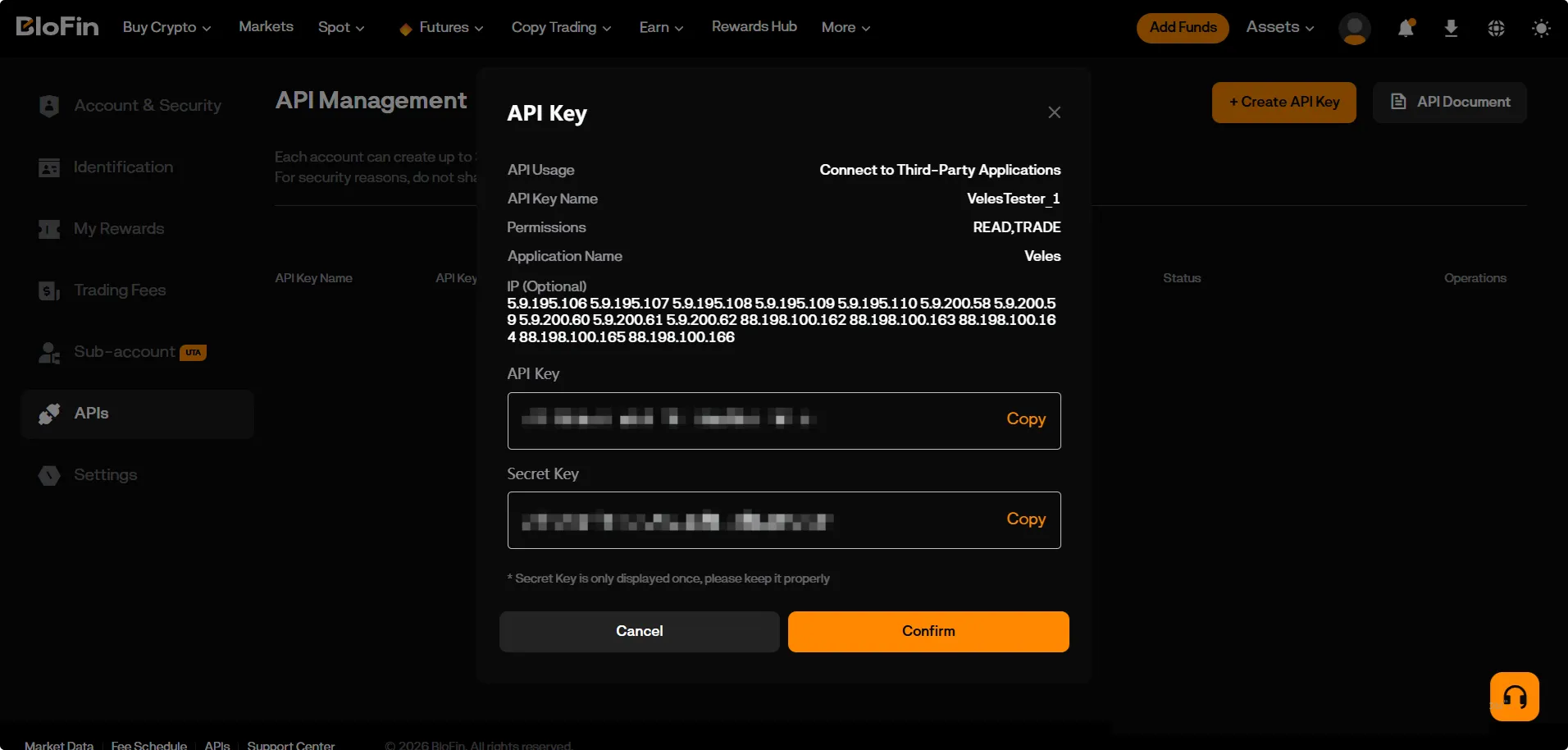
After this, you will receive an API key and a secret key for connecting to Veles. Save them and the passphrase you set earlier in a secure place (e.g., a password manager).
Linking an API Key to Veles
Section titled “Linking an API Key to Veles”-
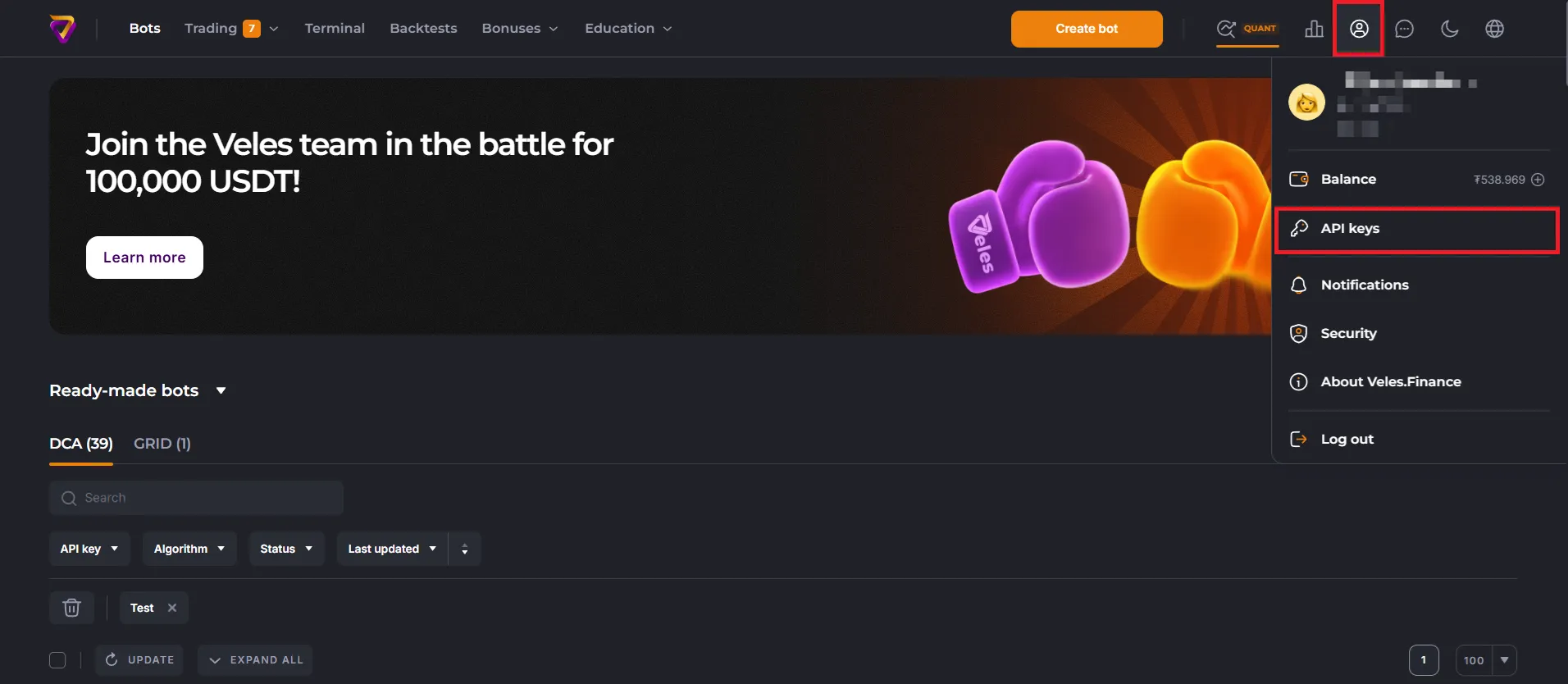
Log in to your Veles account, go to the user profile menu, and select the “API Keys” section.
-
In this section, you create, delete, and edit all the Bindings to API keys used by Veles bots. Click “Add API Key”.
-
Select the exchange (in this example, BloFin Futures) and choose the “Manual connection” option.
Give the Binding an informative name (e.g., BloFin Futures Main).
Enter the API key details and click “Connect”.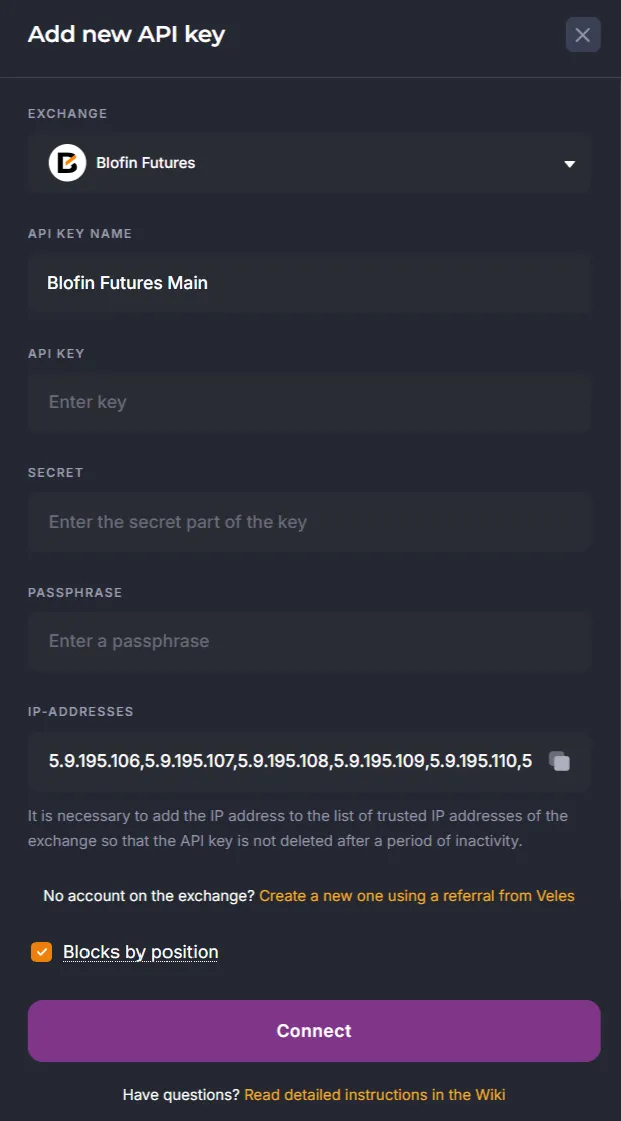
How to recreate the key
Section titled “How to recreate the key”-
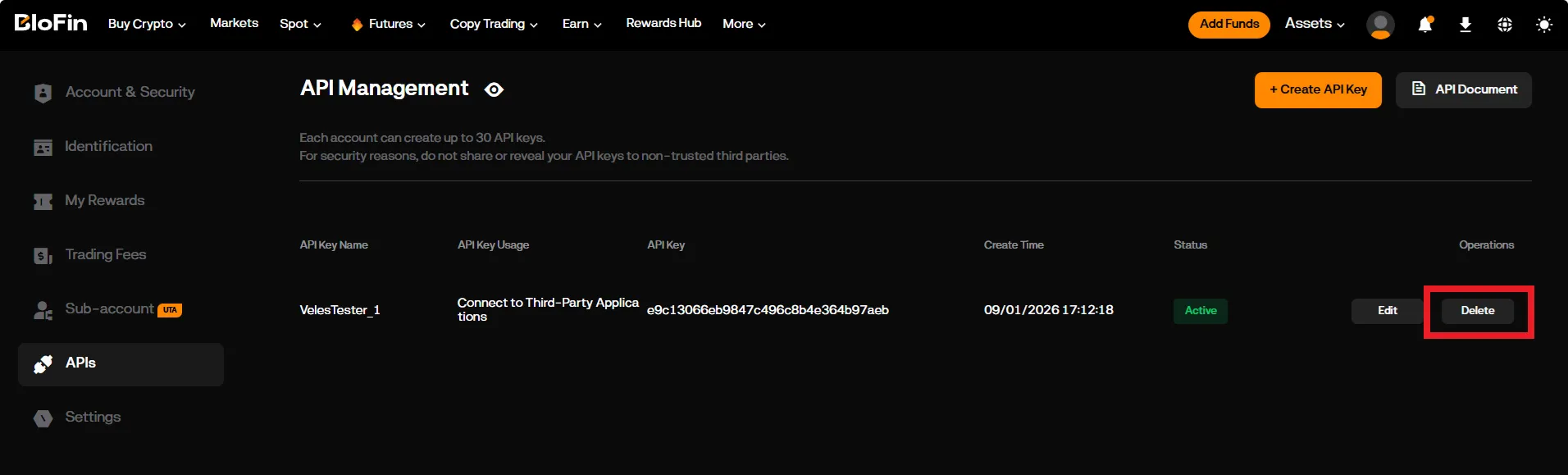
Delete the key on the exchange’s API key management page:
-
Create a new key on the exchange using the instructions above.
-
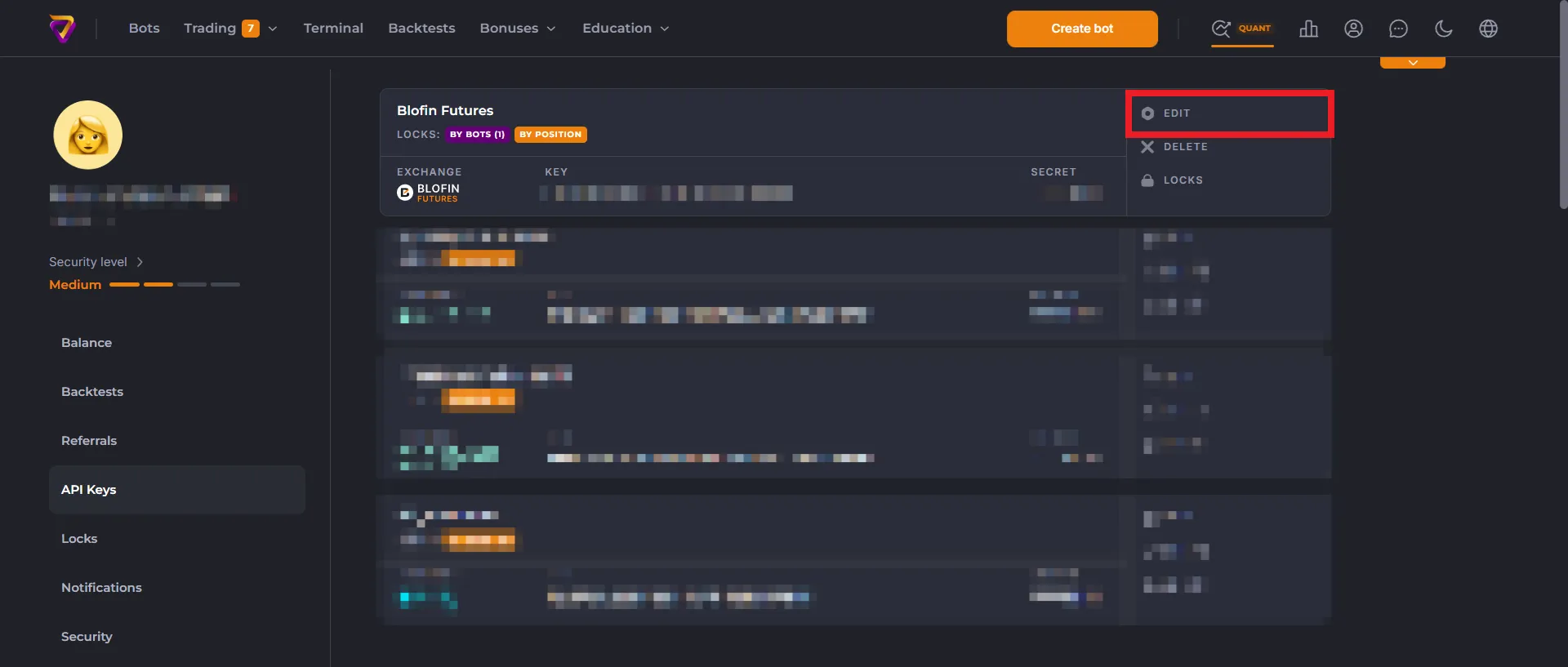
Edit the Binding in Veles on the API key management page, enter the new key details, and save the changes.
-
Bots using this Binding will continue to operate.