On this page
Managing an Active GRID-deal
Managing an active deal via the trade card in Veles allows you to react quickly to market changes. You can:
- close the deal at the market price (fix the current profit or loss),
- cancel the bot’s deal (remove orders and stop the bot) to take manual control of the situation.
Close position at market price
Section titled “Close position at market price”This function closes the bot’s position immediately, without waiting for the closing order(s) to be filled.
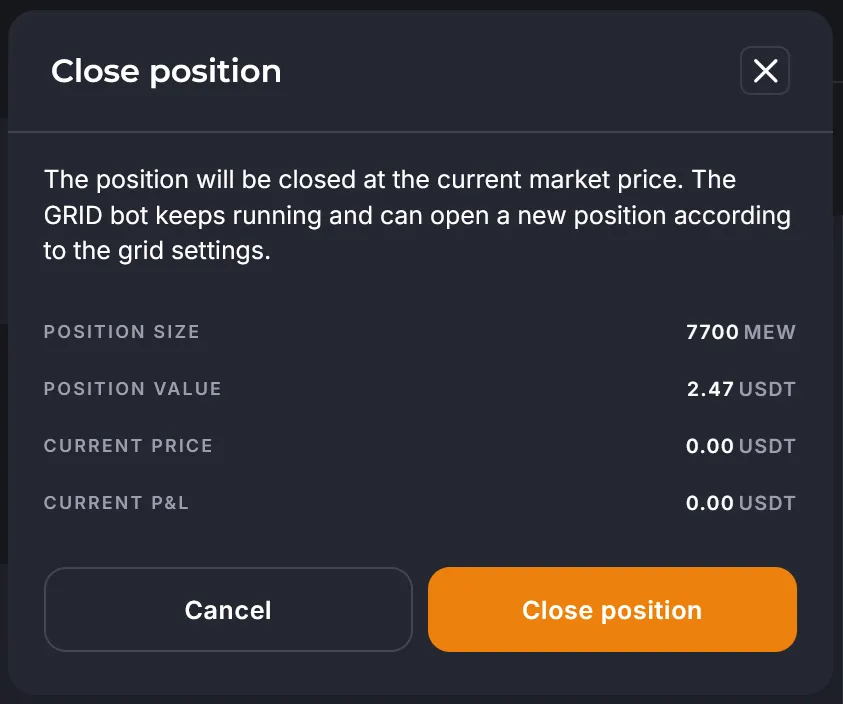
The dialog box displays your deal parameters (the data is static; to refresh it - close and reopen the window).
Upon confirmation, the system will:
- Close the position on the exchange.
- Fix the current PnL (profit/loss).
- Cancel all remaining bot orders.
- Recreate the orders.
Stop bot (Cancel position)
Section titled “Stop bot (Cancel position)”The “Stop bot” function is used to stop the bot.
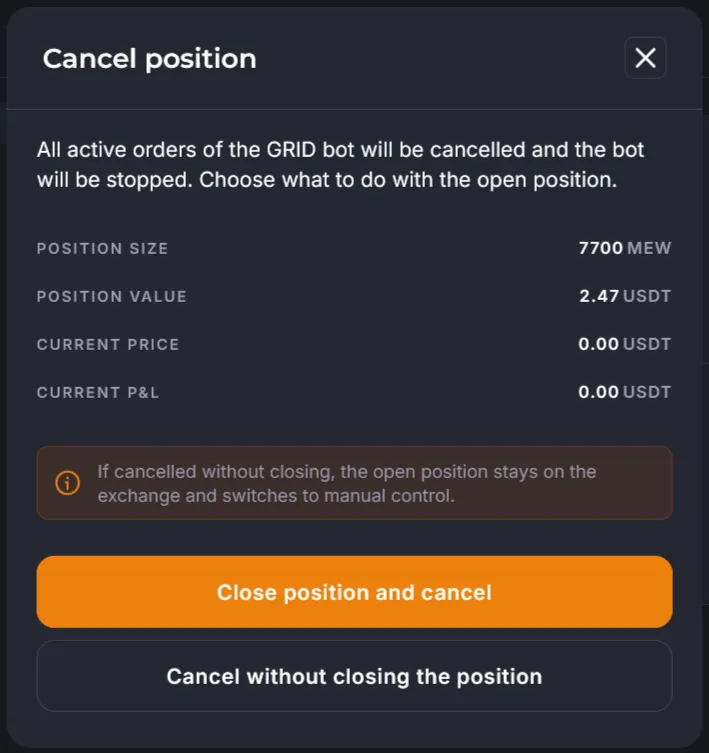
Two options are available:
- The position will be closed at the market price.
- The position will remain open, and the user must close it manually via the exchange’s terminal or app.
After cancellation:
- The bot will cancel all its unfilled orders.
- Bot will switch to the “Terminated” status.
- The deals will disappear from the “Active deals” section.
- Funds reserved for unfilled orders will be released.
- The deal will either be closed or left open, depending on the choice made.
How to manually close a position on the exchange
Section titled “How to manually close a position on the exchange”- Log into the exchange app or website.
- Open your trading account (Futures / Derivatives / Unified Trading Account).
- Go to the “Positions” tab and find the desired coin.
- Select “Close by” -> “Limit Order” and set the price (with a profit or an acceptable loss, the exchange will display the expected result).
- Confirm the order; it will appear in “Current Orders.”
- Wait for the limit order to fill, or close the position by market price if you need to immediately.
Difference between PnL
Section titled “Difference between PnL”- Realized PnL — already reflected on the balance of the trading account.
- Unrealized PnL — potential result after closing the position.
Why is it important to delete orders?
Section titled “Why is it important to delete orders?”Forgotten orders on the exchange can:
- block your funds,
- cause bot errors such as “Insufficient Balance”,
- lead to unpredictable losses or even liquidation.
The bot automatically deletes unnecessary orders. However, if it stops with an error, the user is responsible for finding and deleting them.