On this page
Active GRID-Deal card
When your bot opens a deal, it calculates the prices and volumes for placing orders on the exchange.
At this point, a deal card appears in the Active Trades section, and you receive a notification: “Deal opened.”
The actual orders are placed on the exchange once their calculated price levels are reached.
Deal Overview
Section titled “Deal Overview”The deal card can be collapsed or expanded. To expand it, click the down arrow on the right side of the card.

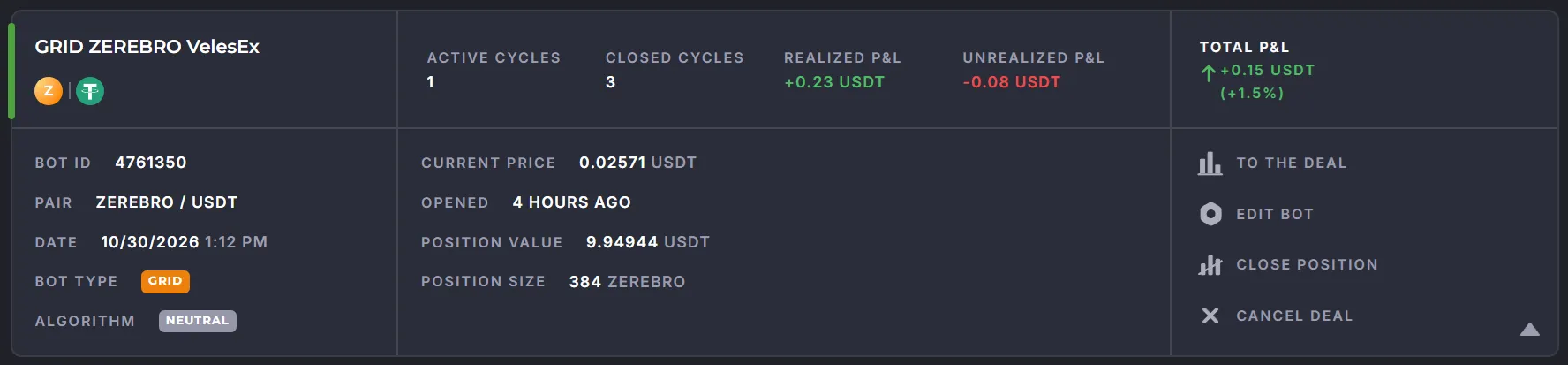
Example of an expanded card:
Left side
Section titled “Left side”- Top: bot name, trading pair (e.g., SOL/USDT).
- Bottom: bot ID (unique number), start date and time, trading pair, algorithm (Long/Short/Neutral).
Center
Section titled “Center”- Top: information about cycles and the bot’s PnL.
- Bottom:
- current asset price,
- bot runtime,
- position size in the quote currency (e.g., 137.676),
- trade volume in the base currency (e.g., 0.9 SOL),
- traded volume.
Right side
Section titled “Right side”- Top: Total PnL (Profit/Loss) as an absolute value and as a percentage.
- Bottom: Control buttons.
| Button | Function |
|---|---|
| To the deal | open a dedicated deal trade page with the chart and orders |
| Edit bot | open the bot editor |
| Close position | immediately close the deal with a market order |
| Cancel deal | open the dialog to select a bot stop option (closing a position or not) |
Trade Chart
Section titled “Trade Chart”The “To the deal” button opens the page displaying the order execution chart.
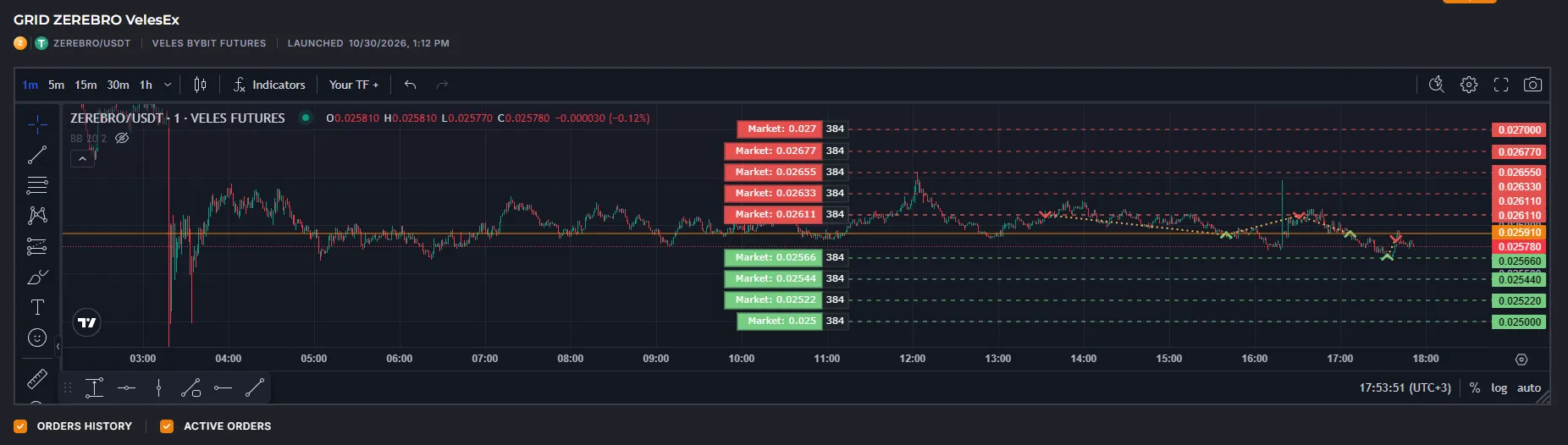
Chart Legend
Section titled “Chart Legend”- Green arrows — buy orders (Long).
- Red arrows — sell orders (Short or take-profits for Long positions).
- Yellow lines — connections between orders within a deal.
Orders
Section titled “Orders”All orders are grouped by pairs (cycles). To expand a pair, click ”+” in the corresponding row.
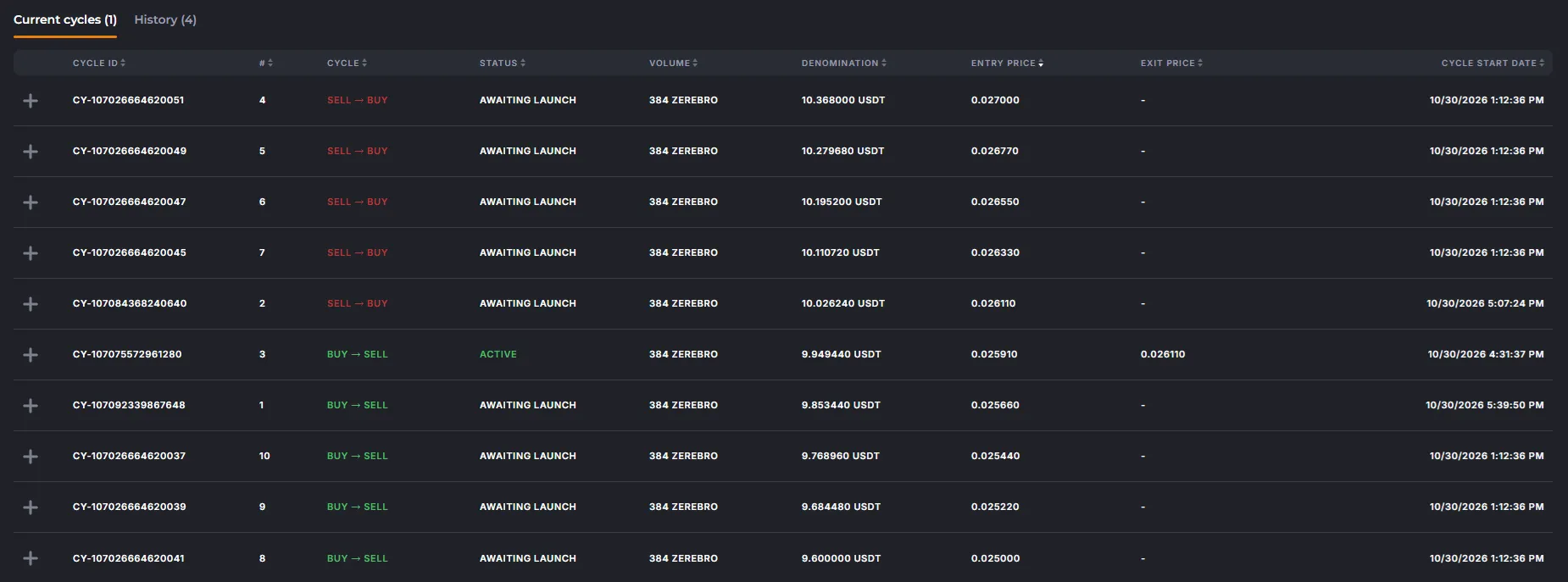
A pair in which both orders have been executed moves to the “History” tab.

Cycle statuses:
- Active — the opening order has been triggered; it is marked with an arrow.
- Awaiting launch — scheduled to be placed on the exchange; the opening order has not yet been executed.
- Liquidated — the order has been cancelled by the exchange; please check your trading history on the exchange.