On this page
Creating a BloFin Account
Preparation
Section titled “Preparation”Create a strong password and save it in a secure storage (such as an encrypted database).
Password requirements:
- 8–32 characters,
- at least one lowercase letter,
- at least one uppercase letter,
- at least one digit.
If necessary, have a identification document ready:
- ID card,
- national passport,
- international passport,
- residence permit,
- driver’s license.
You will also need a webcam to take the liveness test. If necessary, you can switch from a laptop to a phone during the process.
Creating an account
Section titled “Creating an account”-
Go to the exchange website via this link:
https://veles.link/blofin -
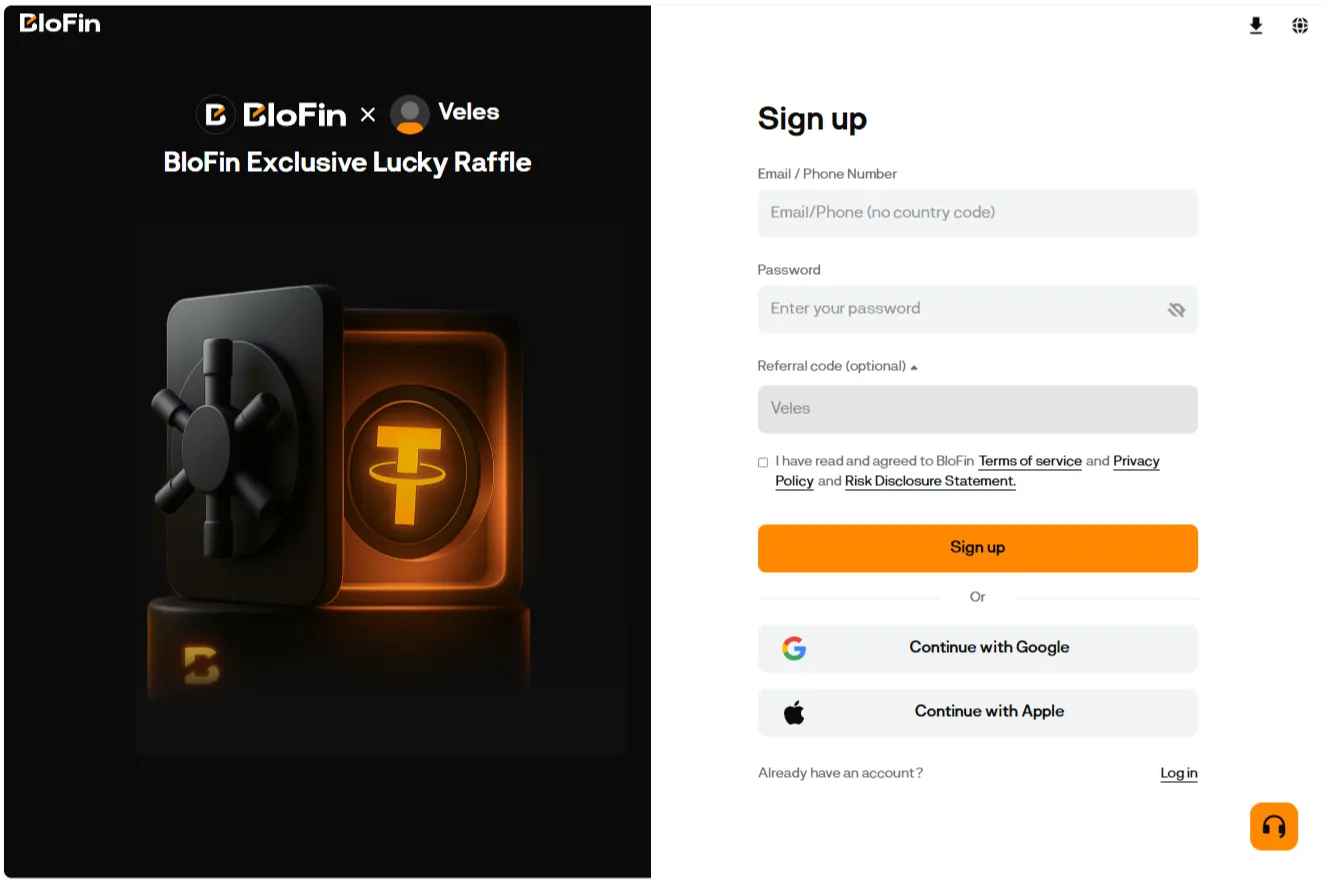
Enter your email address or phone number, set a password, agree to the Terms of Use, and click “Sign Up”.
-
Enter the verification code sent to your email or phone.
Two-Factor Authentication (2FA)
Section titled “Two-Factor Authentication (2FA)”After registering, we strongly recommend enabling two-factor authentication (2FA). This adds an extra layer of protection for your account and funds.
To set up 2FA, go to the “Account” section, select “Account & Security,” and then choose the Two-Factor Authentication settings.
Save your authenticator backup key in an encrypted password database.
Review and configure the other security settings available for your account.
Identity Verification
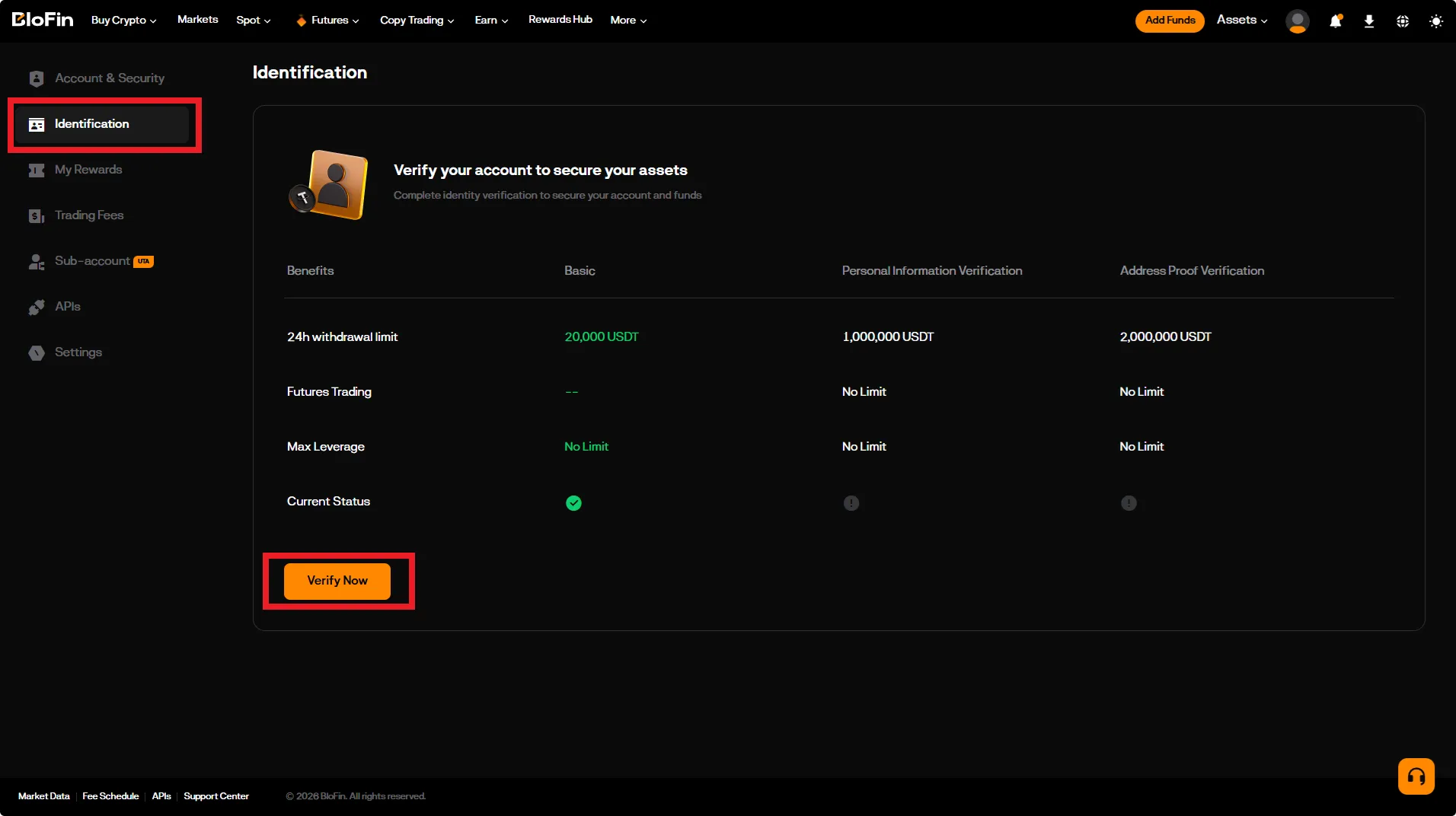
Section titled “Identity Verification”Complete the identity verification (KYC) process to gain access to trading.
To do this, go to the “Account” section, select “Identification,” and click the “Verify Now” button.
You can choose to verify using documents or via the Sumsub service.
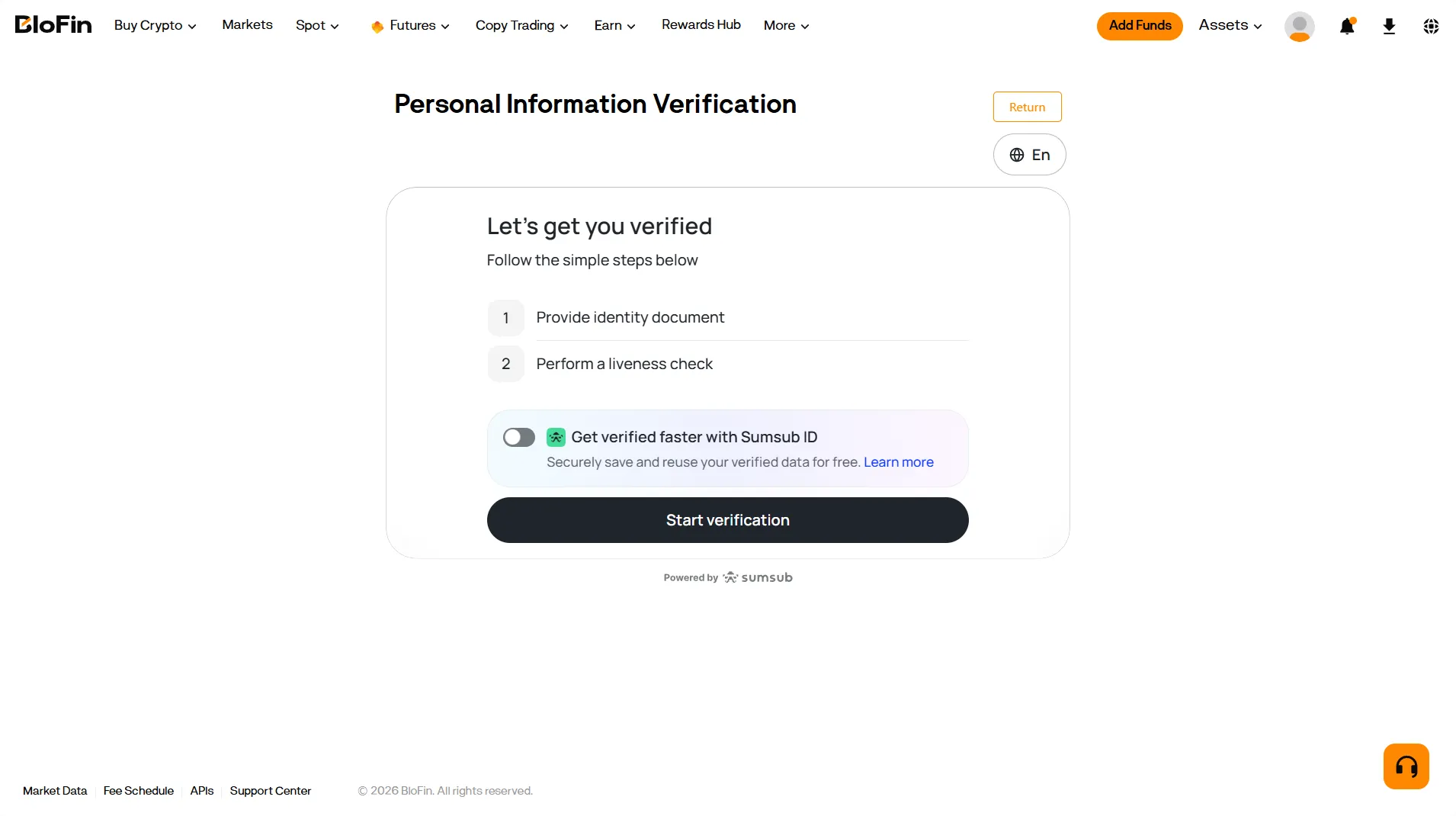
Once the procedure is complete, trading futures will become available to you.
To work with Veles, the standard position mode must be configured on the exchange; multi-position mode is not supported.