On this page
Deposit to Your Crypto.com Account
The cryptocurrency exchange Crypto.com offers several ways to top up your balance, including bank cards and cryptocurrency transfers. Let’s take a look at each of these options so you can choose the one that is most convenient and secure for you.
Depositing by transfer from external wallet
Section titled “Depositing by transfer from external wallet”If you have funds in another wallet (on another exchange), you can top up your account by transfer.
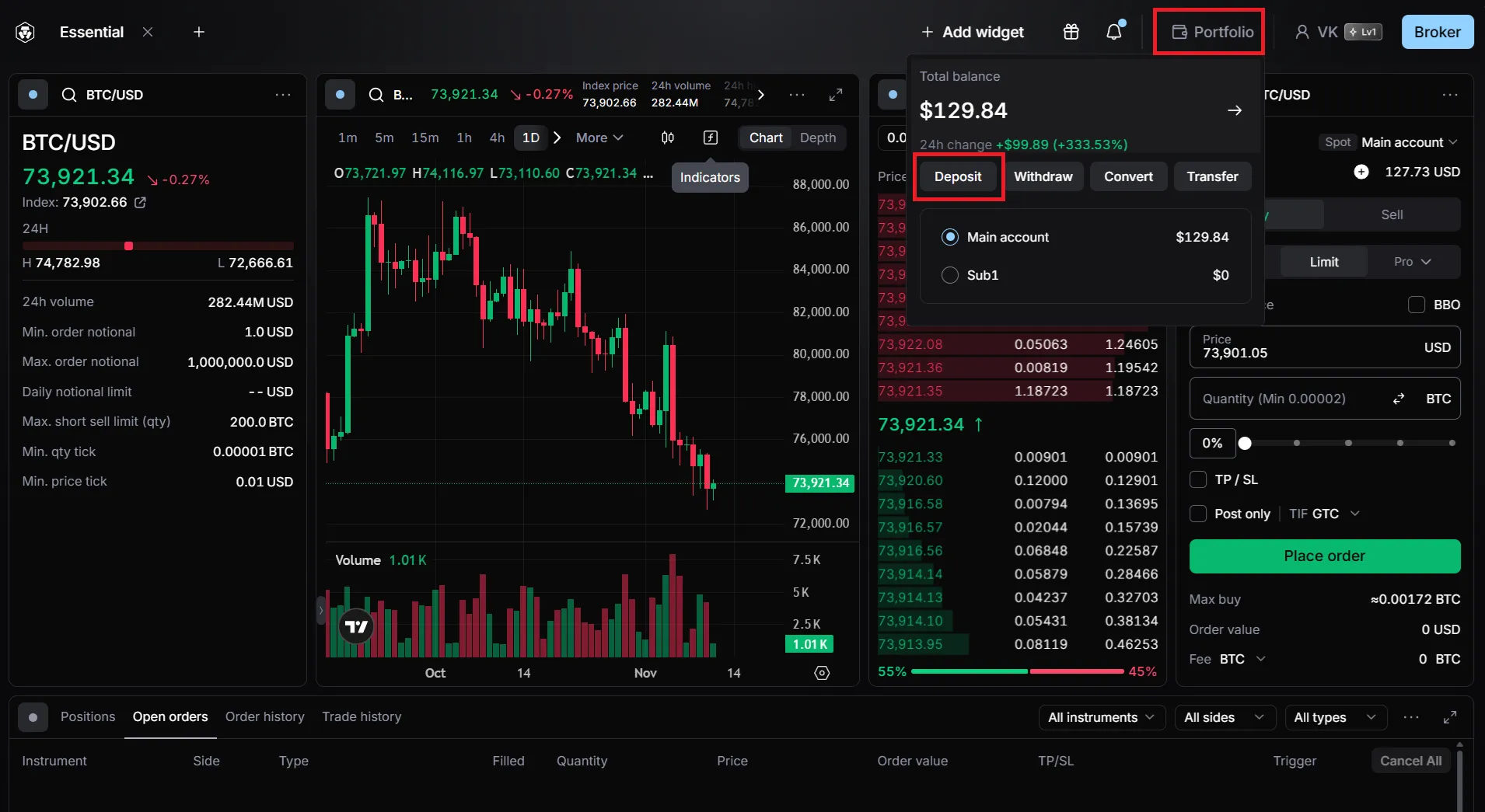
Select the menu section “Portfolio → Deposit”
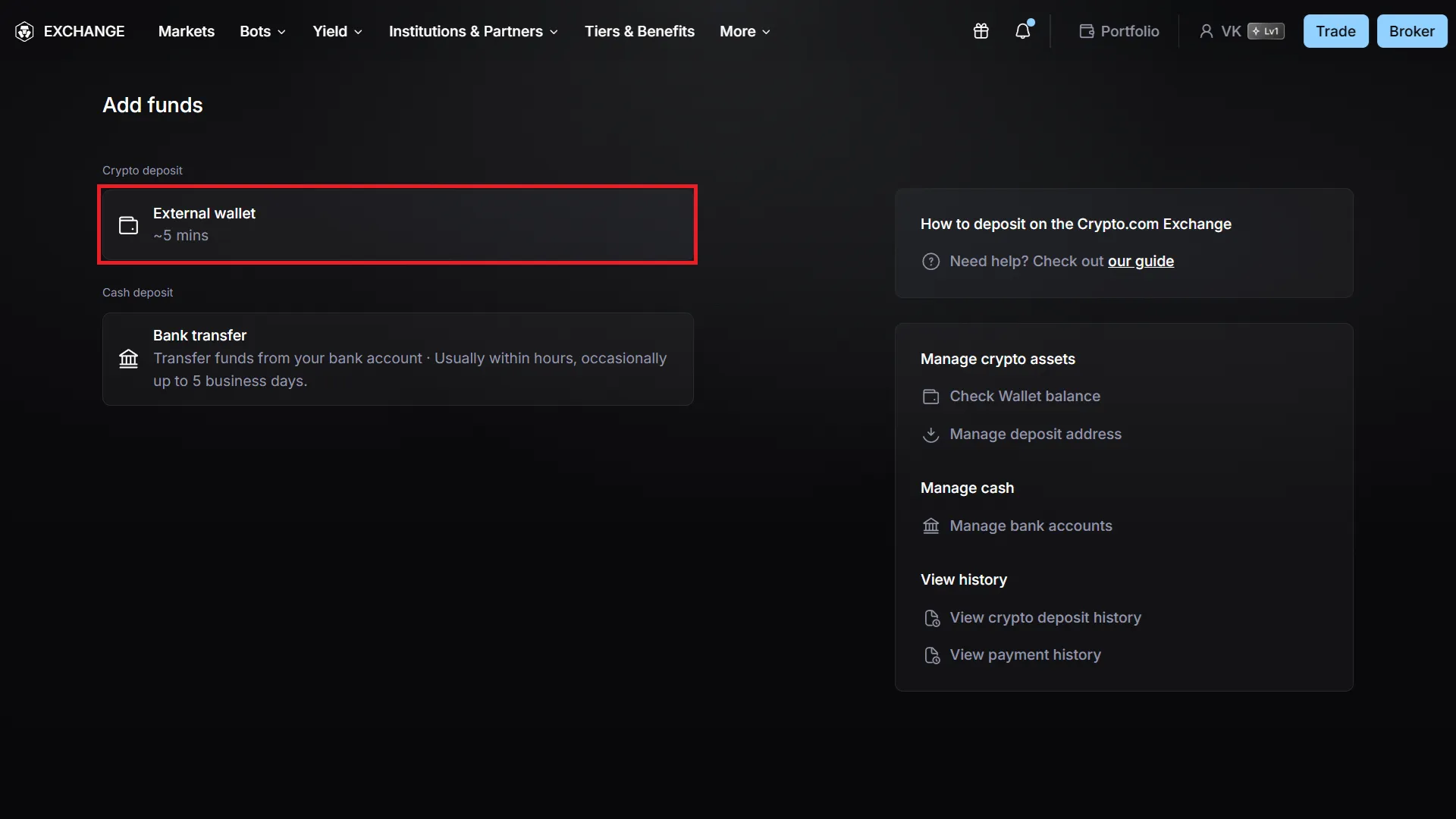
Select the option to top up via an external wallet.
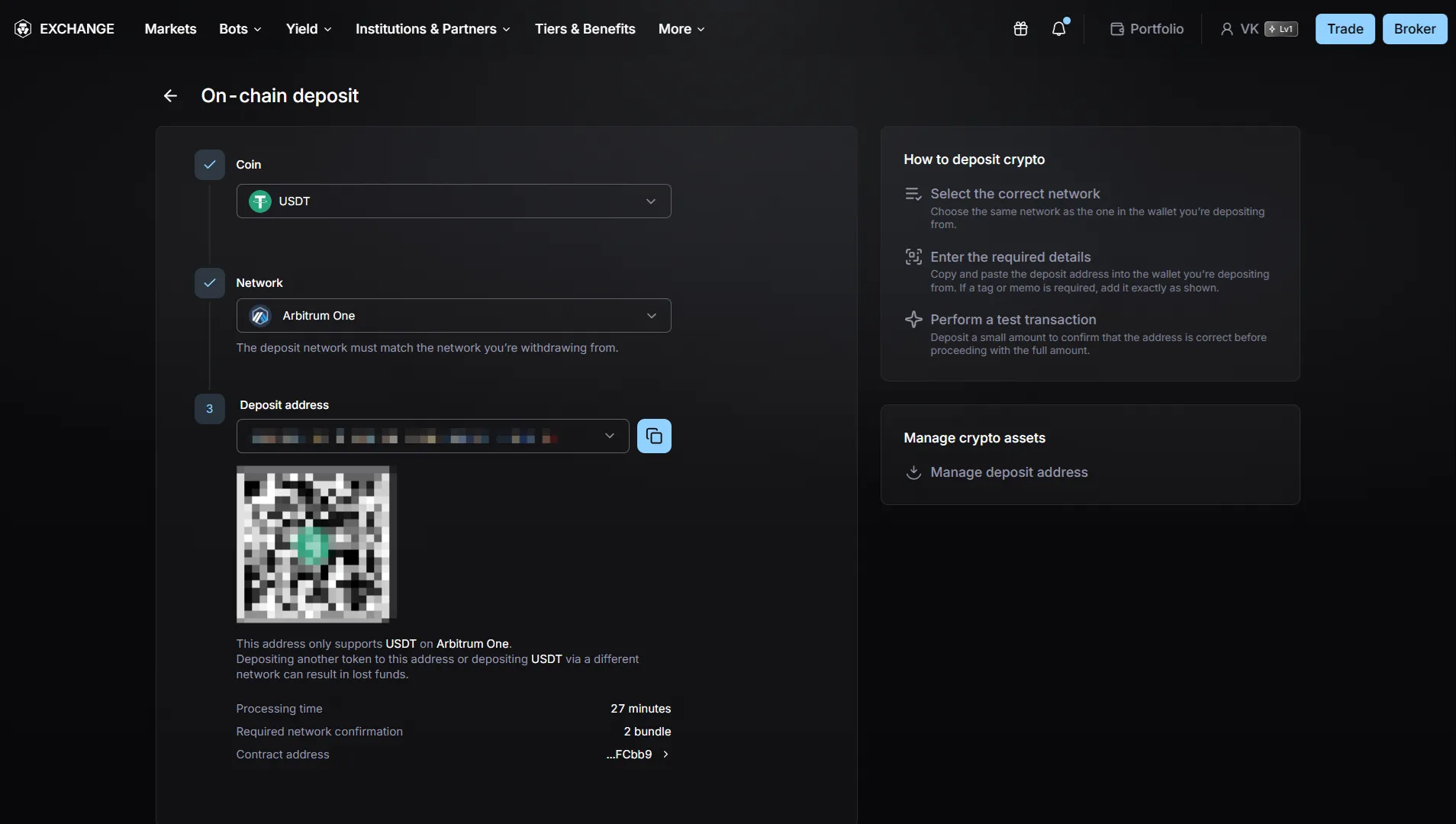
Select the cryptocurrency and network, then get an address for the transfer.
Fiat deposits
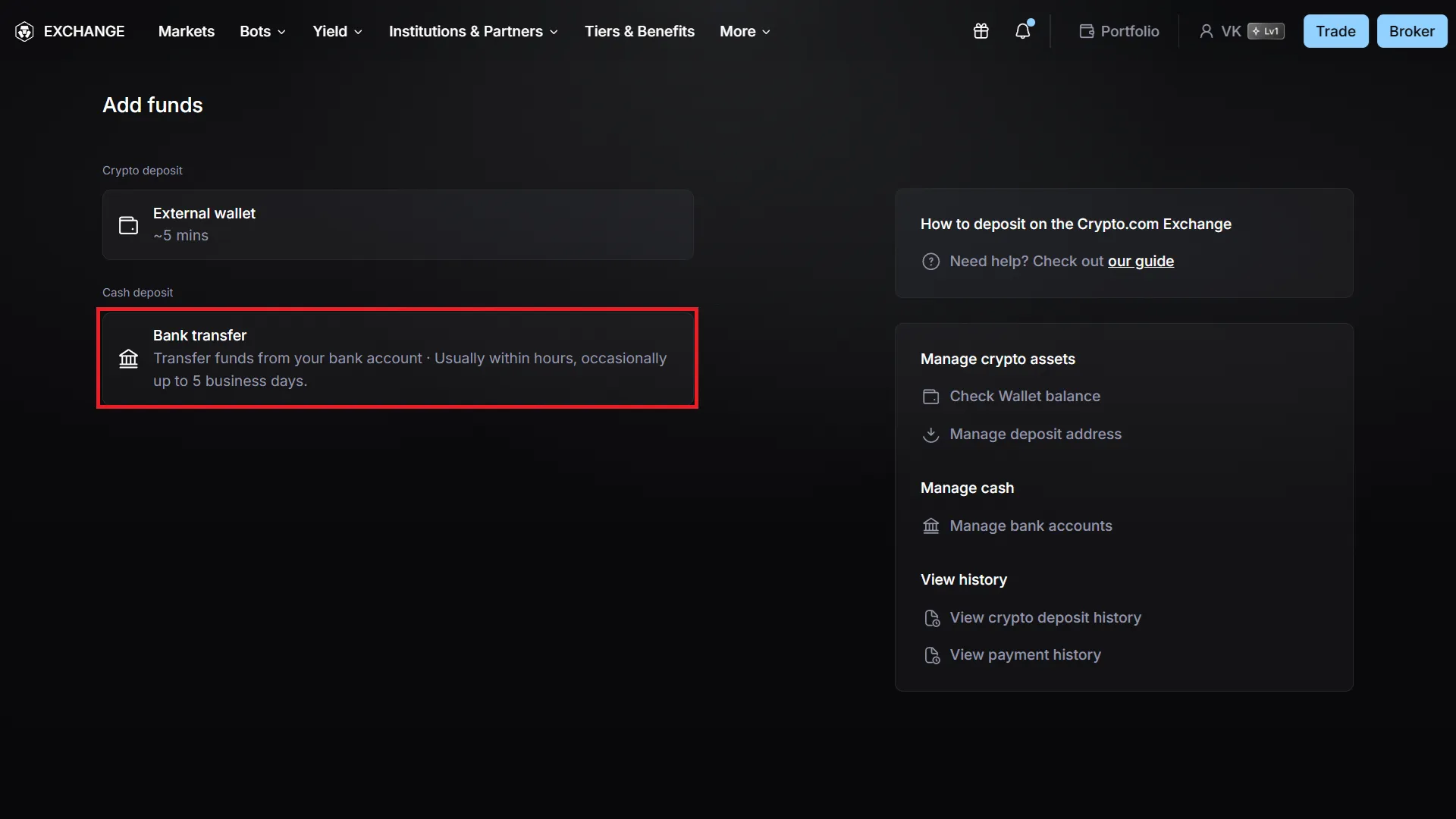
Section titled “Fiat deposits”If your region of registration allows it, you can deposit USD or EUR from a bank account.
Account topped up, but funds aren’t showing up in Veles?
Section titled “Account topped up, but funds aren’t showing up in Veles?”Once funds reach the exchange, they may be credited to one of the separate accounts within your exchange cabinet.
To use them for trading and to launch bots, you need to transfer the funds to the specific account that Veles will be using.
-
After logging into your account, open the “Portfolio → Transfer” section.
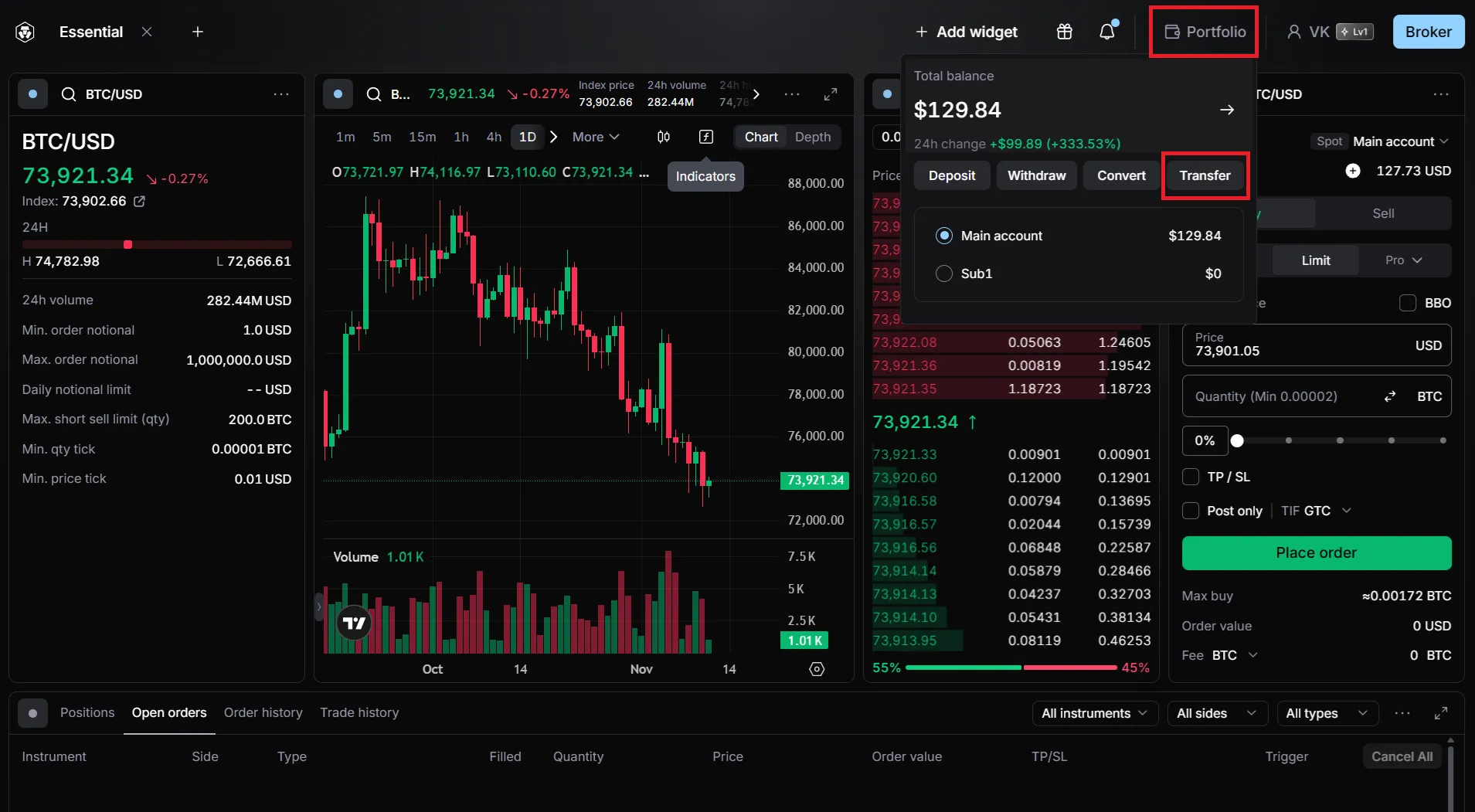
-
Specify the source and destination of the transfer — for example, Main Account, Spot → Main Account, Futures.
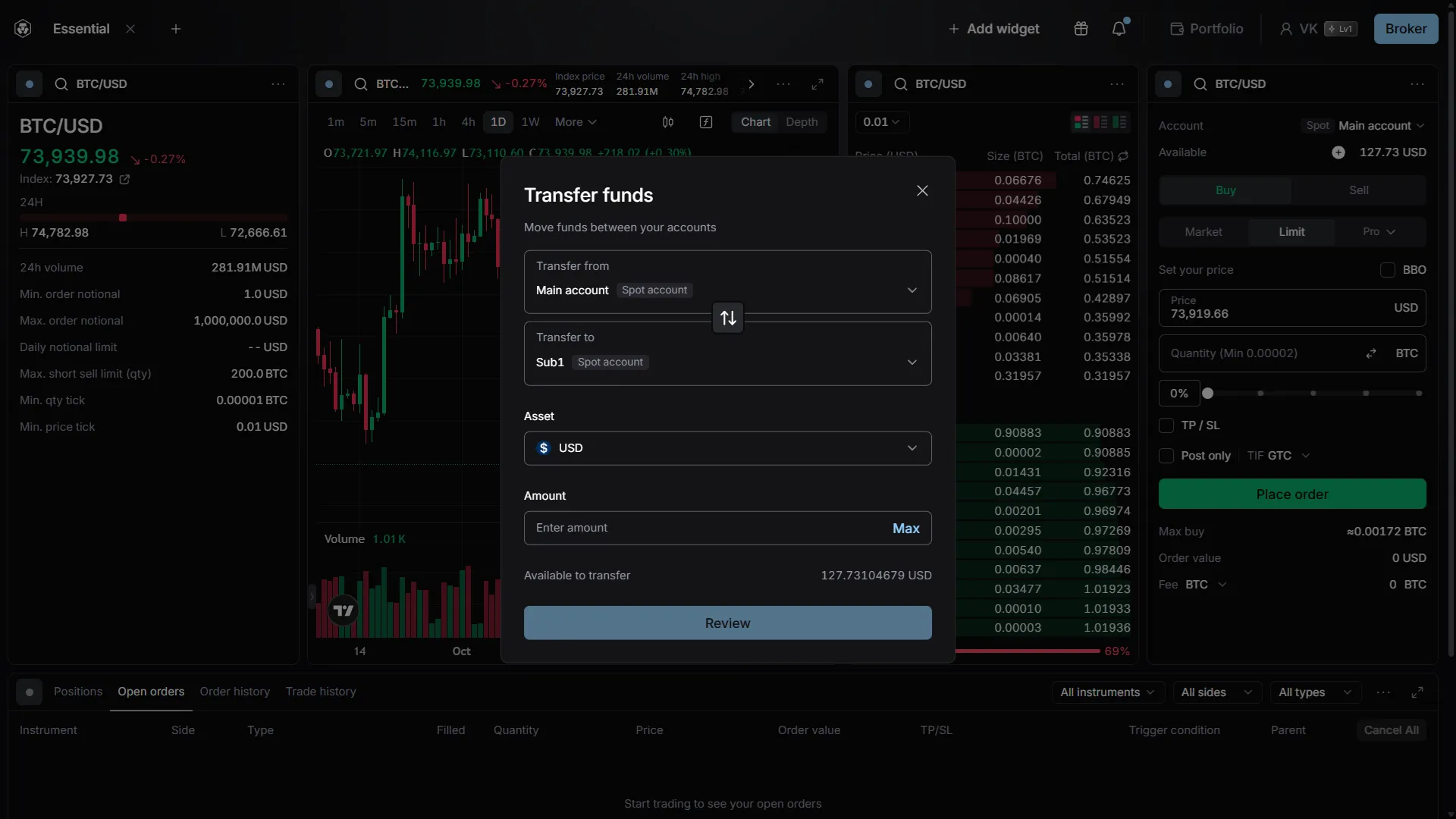
-
Enter the transfer amount and confirm the action.